


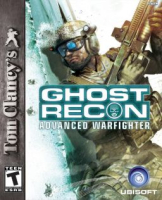


Tom Clancy's Ghost Recon: Advanced Warfighter (GRAW) is an FPS based in the world of Tom Clancy's Ghost Recon. The "Ghost Recon" team is an anti-terrorist team. In this installment the player takes the role of Captain Scott Michael, and leads efforts to protect the US & Mexican Presidents (among other missions).It'shows you the future of military science, today. In 2013, the U.S. Army will implement the Integrated Warfighter System -- combining advanced weapon systems, satellite Communication devices and enhanced survivability into one fully integrated combat system. The first to test this new system on the battlefield are the Ghosts, as they face an insurgence in the heart of Mexico City.
Support Summary
Game Information
Screenshots Comparison
Solutions & Issues
Native. The in-game map adjusts in a weird way. The outer frame and buttons maintain the proper size and proportions in widescreen. However, the 3D map area is Hor+ and compresses horizontally at the same time.
-----------
This game detects your hardware and decides what resolution and texture settings you can have in the game ...
For those with high end systems (512 MB graphics cards) you should have all variables available
For those with lower than 512 MB cards the options will vary depending on your system ...
Death_Masta187 posted a way to get more options ...
In the folder ...
Full game ...
X:\Program Files\Ubisoft\Demo\Ghost Recon Advanced Warfighter\Data\settings
Demo game ...
X:\Program Files\Ubisoft\Demo\Ghost Recon Advanced Warfighter Demo\Data\settings
Edit the ... renderer_settings.xml ... with Notepad and there are all the options to change the resolution and refresh rate.
You can also enable high res textures if you want ...
To do this set the various "Texture Quality" settings to High.
This could of course slow your game down to undesirable frame rates if your system isn't up to it.
Leave the Aspect ratio at "Auto" to get the correct aspect ratio for your widescreen ... which is ...
If you have an SLi system then use Coolbits2 to enable Alternate Frame Rendering (not Alternate Frame Rendering 2) to about double your frame rates ...
Gameplay Screenshots


