


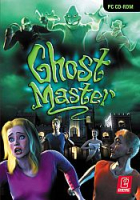


Ghost Master is a puzzle/strategy game for the PC. It is among a small selection of games that put the player in the role of the enemy. In this case, the player assumes the role of a Ghost Master, a bureaucratic spirit tasked to perform certain duties. While the bulk of a Ghost Master's duties consist of hauntings, a Ghost Master may also be "called in" to increase belief in the supernatural, avenge deaths, and conscript renegade ghosts. Because a Ghost Master cannot directly interfere in the world of mortals, he is given a team of subordinate ghosts to do so. When not haunting, the Ghost Master is responsible for the training of the ghosts under his command.
Support Summary
Game Information
Screenshots Comparison
Solutions & Issues
The game only supports 4:3 resolutions - you need to Hexedit your Savegame file to get it HOR+
Run the Game and change the resolution to 800x600, start a new Game and then quit.
Now go to --> C:\Users\Public\Documents\Ghost Master\SaveGames\2500433375.opt (the number is different but it is the second .opt file) and open it in a hex editor.
Look for 20 03 00 00 58 02 and change it to 00 0A 00 00 A0 05 (2560x1440), that's it. See here for other resolutions.
----------------------------------------------------------------------------------------------------------------------------------------------------------------------------------------------------
There are some solutions on the net where you can simply edit the SpDrv.cfg but it never worked for me.
Same as in Widescreen:
Go to --> C:\Users\Public\Documents\Ghost Master\SaveGames\2500433375.opt (the number is different but it is the second .opt file) and open it in a hex editor.
Look for 20 03 00 00 58 02 and change it to 70 0D 00 00 A0 05 (3440x1440)
Same as in Widescreen:
Go to --> C:\Users\Public\Documents\Ghost Master\SaveGames\2500433375.opt (the number is different but it is the second .opt file) and open it in a hex editor.
Look for 20 03 00 00 58 02 and change it to 80 16 00 00 38 04 (5760x1080)
Same as in Widescreen:
Go to --> C:\Users\Public\Documents\Ghost Master\SaveGames\2500433375.opt (the number is different but it is the second .opt file) and open it in a hex editor.
Look for 20 03 00 00 58 02 and change it to 00 0F 00 00 70 08 (3840x2160)
Gameplay Screenshots


In-Game (Rendered) Cutscenes


FMV Cutscenes


Menu Screenshots


4K UHD Screenshots


Additional Screenshots


