Digital Combat Simulator: Black Shark

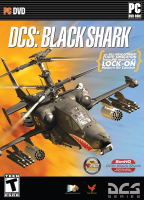
Digital Combat Simulator: Black Shark is an ultra realistic helicopter simulation game for the PC

Support Summary

Widescreen
Ultra/Super‑Wide
Multi-Monitor
4K Ultra HD
Support
Method
HUD
Cutscenes
FMVs

Game Information

Game Status:Released
Release Date:
Developer:Eagle Dynamics

Screenshots Comparison

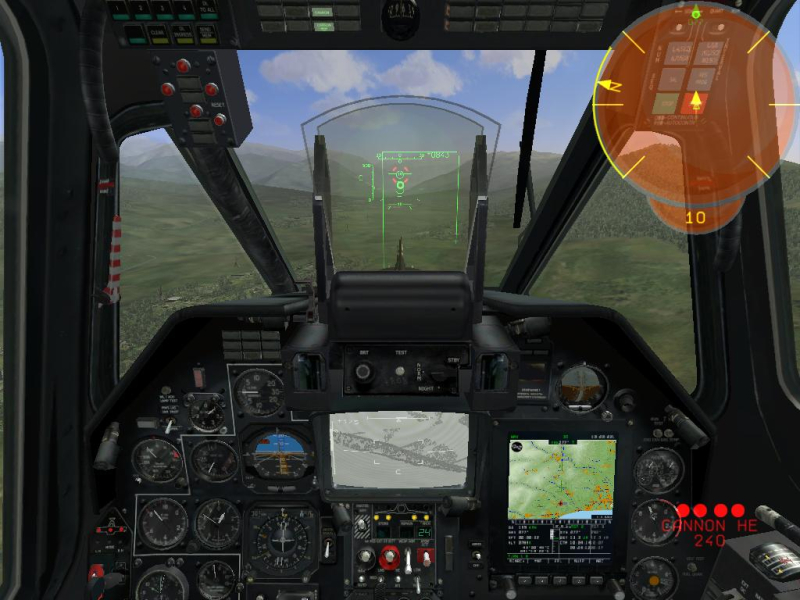
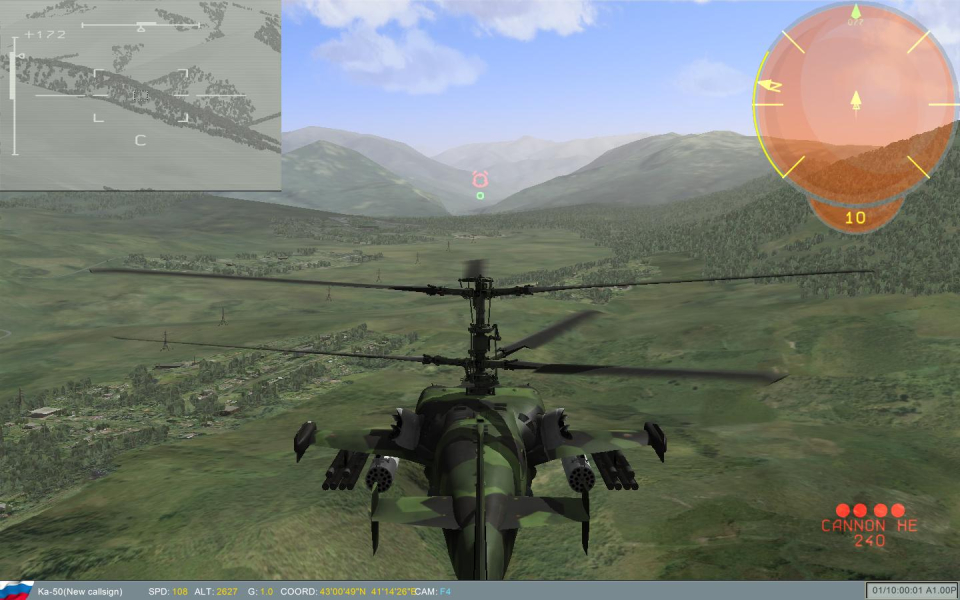
4:3 Screenshot
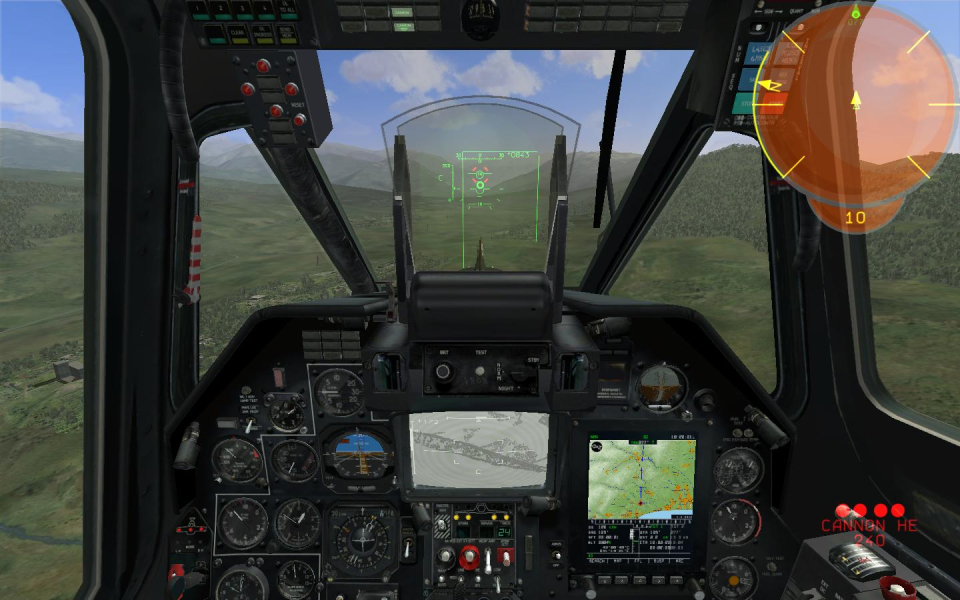
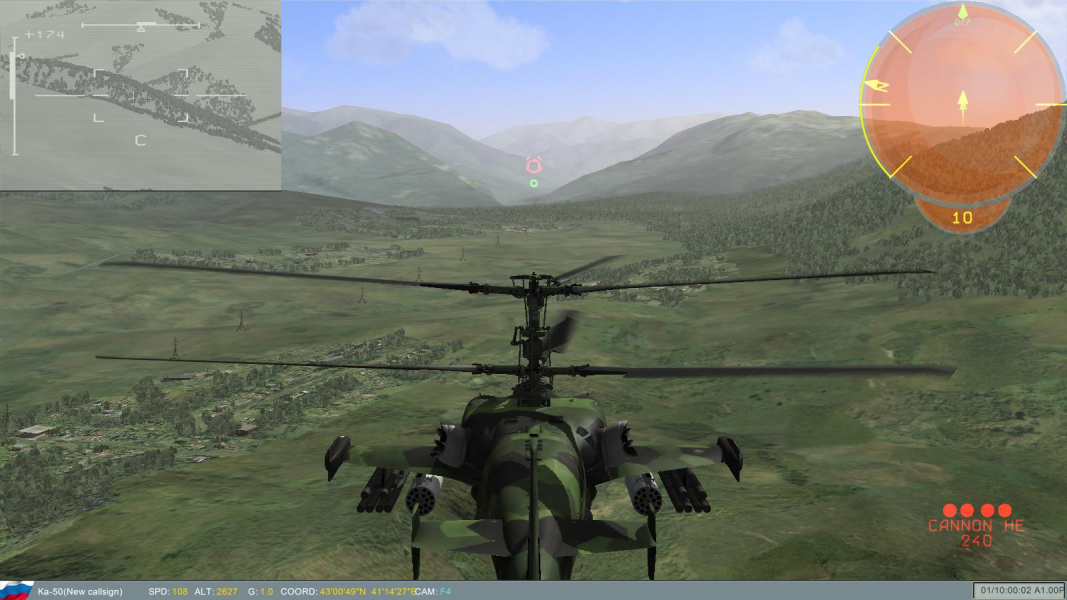
16:10 Screenshot
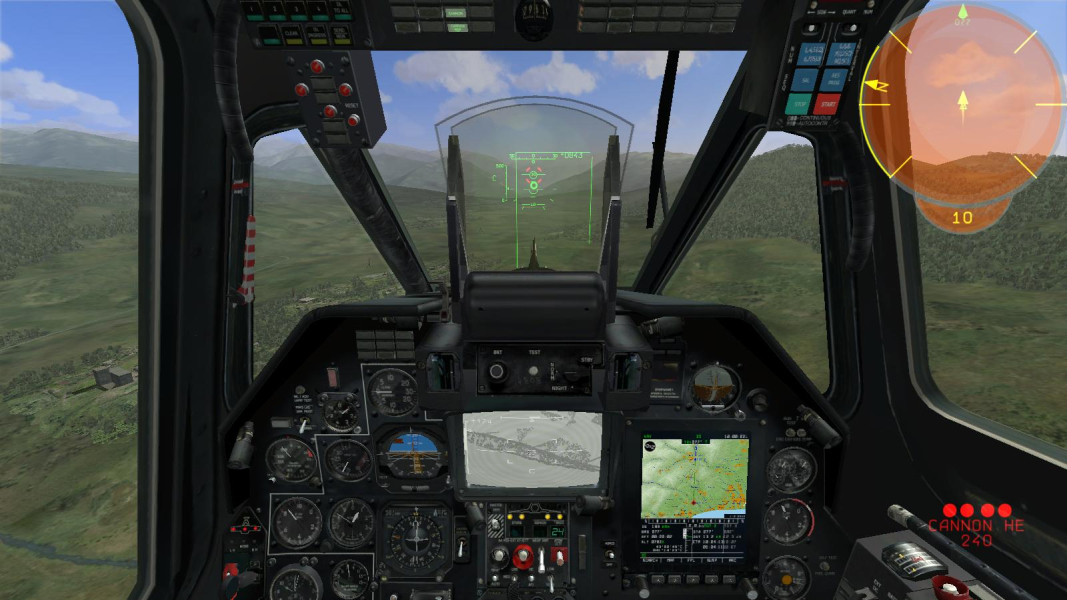
16:9 Screenshot
21:9 Screenshot
A monitor with a question mark on it. The text above it reads "There is currently no image uploaded for this field." There is a semi-transparent WSGF logo in the background, while the main background is white. The image aspect ratio is 21:9.
32:9 Screenshot
Eyefinity / Surround Screenshot
Solutions & Issues
Widescreen Solution & Issues:

Simply select your desired resolution from the options screen. The aspect ratio is calculated automatically. Settings are saved in C:\Program Files\Eagle Dynamics\Ka-50\BlackShark\data\scripts\options.lua

Screen change: Hor+ with Vert- leftovers.
Although fixed cameras are hopelessly Vert-, the zoom will provide Hor+ gameplay on the cockpit and external free cams.

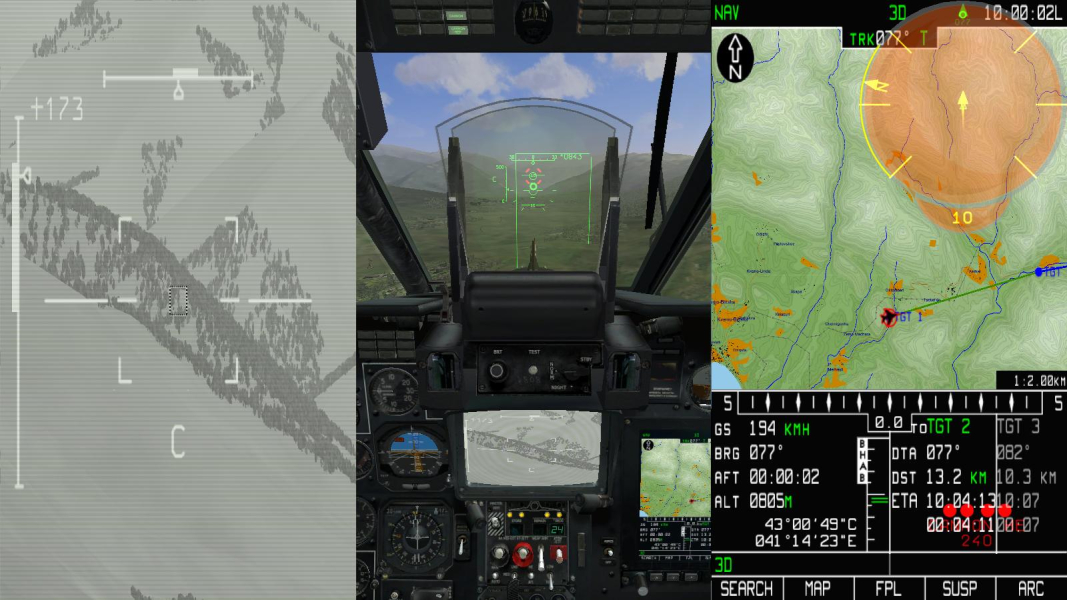
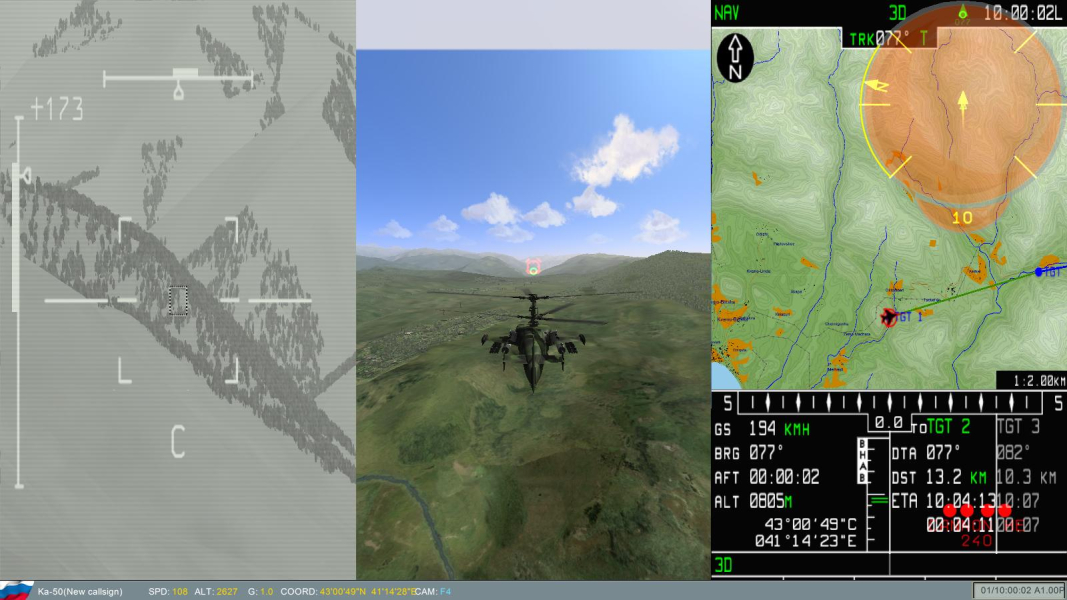
Note that 'shkval+camera+ABRIS' mode can also be used in widescreen. The 3D scene will be Vert+ so you'll have to zoom in on the cockpit view.
See additional screenshot 16:9, 'Shkval screen + Camera screen + ABRIS.

Eyefinity / Surround Specific Solution & Issues:

There are two specific modes for Surround:
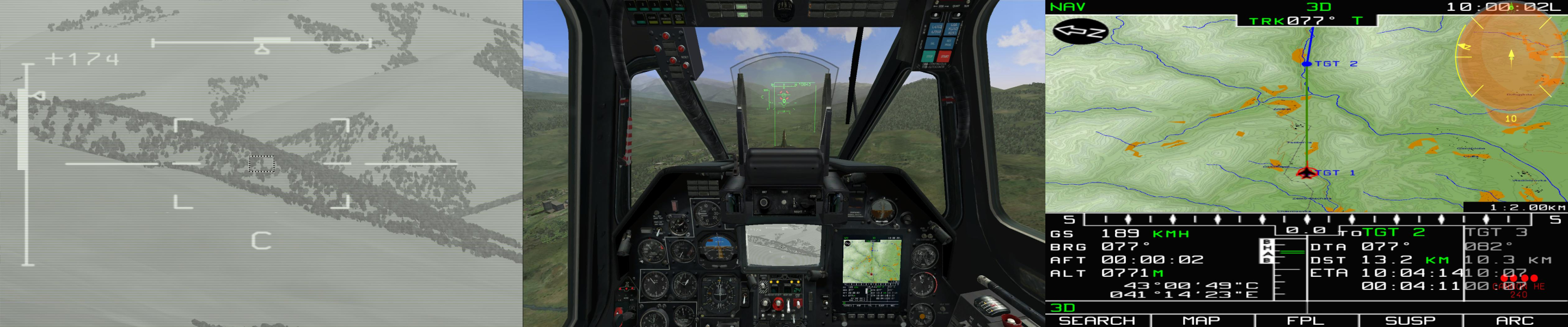
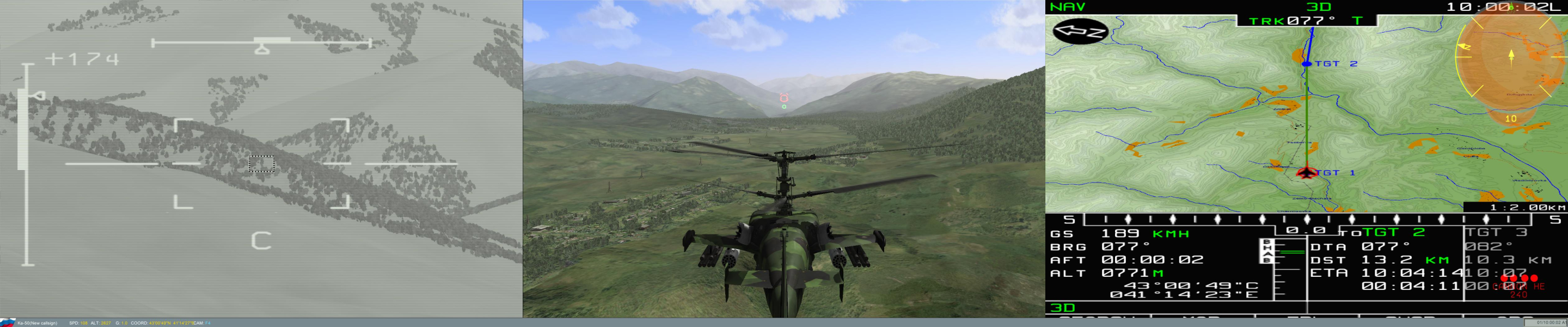
- '3 screens': one render per screen for minimal edge distortion, bezel "hops" included.
F4 cam is Hor+ in 48:10 compared to 16:10. Unfortunately the cockpit view feels very weird (the side doors are on your side panels i.e in front of you) and zooming out breaks the perspective even further.
- 'Shkval screen + Camera screen + ABRIS': targeting camera display on the left monitor, tactical map on the right monitor and centered 3D scene.

4:3 Screenshot
16:10 Screenshot
16:9 Screenshot
21:9 Screenshot
A monitor with a question mark on it. The text above it reads "There is currently no image uploaded for this field." There is a semi-transparent WSGF logo in the background, while the main background is white. The image aspect ratio is 21:9.
32:9 Screenshot
Eyefinity / Surround Screenshot
Uploaded by: Rose
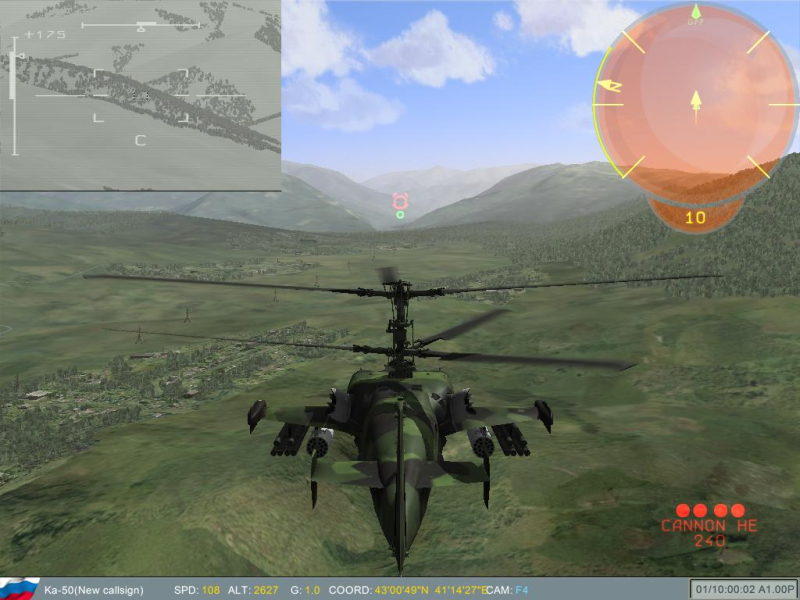
4:3 Pursuit cam (fixed)
Uploaded by: Rose
16:10 Pursuit cam (fixed)
Uploaded by: Rose
16:9 Pursuit cam (fixed)
Uploaded by: Rose
3x1 Pursuit cam (fixed)
Uploaded by: Rose
16:9, 'Shkval screen + Camera screen + ABRIS', cockpit view
Uploaded by: Rose
3x 16:10, 'Shkval screen + Camera screen + ABRIS', cockpit view
Uploaded by: Rose
16:9, 'Shkval screen + Camera screen + ABRIS', cockpit view
Uploaded by: Rose
3x 16:10, 'Shkval screen + Camera screen + ABRIS', pursuit view
16:10 Resolutions:1680x1050
16:9 Resolutions:1920x1080
Multi-Monitor Layouts:3x1-L