


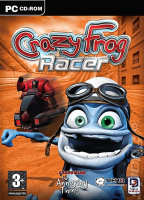


The Crazy Frog Racer detailed report needs to be completed at some point
Support Summary
Game Information
Screenshots Comparison
Solutions & Issues
Firstly ... set things up once at a 4:3 resolution in the configuration utility that appears when you first start the game.
This utility will start up everytime you start the game and it automatically puts the resolution back to a 800x600 so ...
In order to by-pass this configuration utility you need to make a shortcut to ... CRAZY.EXE
To do this go to your Crazy Frog folder ...
In my case here ... C:\Program Files\Digital-Jesters\CrazyFrog
Find the file CRAZY.EXE right click it and drag it to your desktop ... choose Create Shortcut Here
Use this new shortcut to start the game.
Now to set the resolution to a widescreen one ...
A before go to your Crazy Frog folder ...
In my case here ... C:\Program Files\Digital-Jesters\CrazyFrog
Find the file ... crazy.cfg ... open it with NotePad, WordPad or any other text editor.
Change the VIDEOMODE to your desired resolution.
So in my case it was ...
VIDEOMODE: 800x600
I changed it to ...
VIDEOMODE: 1920x1200
That's it ... to start the game with your new widescreen resolution use the new shortcut that by-passes the configuration tool.
If you do have to go back into the configuration tool to set up controls etc ... you will need to re-edit the crazy.cfg file putting you desired widescreen resolutions back in.
Gameplay Screenshots


