


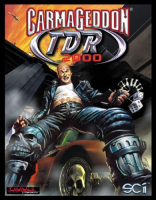



Yes, it's the game literally... SOME of you asked for! And so, in the spirit of "well, alright then, if you insist..." we present the third game in the Carmageddon series, in the knowledge that some of you Carma fans out there would like to have a complete Carmageddon collection in your Steam library. Nothing wrong with that.
Anyway, here's what the blurb on the back of the DVD case had to say about Carmageddon: TDR 2000:
The world's most controversial racing game returns with incredible graphics, fantastic game play and even more outrageous fun!
Max Damage, imprisoned for life, plots his escape. However, there's the small matter of an army of police, hordes of gangsters and thousands of enraged inhabitants - all with homicide on their minds. To succeed, it will take a four wheeling genius with no morals, a killer instinct and a burning passion to escape.
No such person existed... until now!
- Drive 50 totally destructible vehicles.
- Over 48 missions and races to complete.
- 9 completely 3D single player environments to explore and destroy.
- 7 multi-player game types in 9 custom maps.
Support Summary
Game Information
Screenshots Comparison
Solutions & Issues
Start the launcher (on Steam, use "TDR 2000 Setup") and head to "Options". There you can easily set the wanted resolution. Exit the menu and start the game.
Note: The "TDR 200 Hi-Res Mode" found on Steam does not support the custom resolution, and will instead display the intros in a low resolution and then switch to 1080p.
Same as Baseline Widescreen.
Not supported.
Same as Baseline Widescreen.
Gameplay Screenshots


