


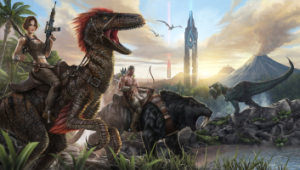


As a man or woman stranded, naked, freezing, and starving on the unforgiving shores of a mysterious island called ARK, use your skill and cunning to kill or tame and ride the plethora of leviathan dinosaurs and other primeval creatures roaming the land. Hunt, harvest resources, craft items, grow crops, research technologies, and build shelters to withstand the elements and store valuables, all while teaming up with (or preying upon) hundreds of other players to survive, dominate... and escape!
Support Summary
Screenshots Comparison
Solutions & Issues
Open in Notepad:
\ARK\ShooterGame\Saved\Config\CleanSourceConfigs\Engine.ini
Search for "AspectRatioAxisConstraint", it will be set to AspectRatio_MaintainXFOV. Change it to AspectRatio_MaintainYFOV and save.
Open in Notepad:
\ARK\Engine\Config\BaseEngine.ini
Repeat the change from above and save.
Once in game, moving the FOV slider all the way to the left gives a good FOV
Open in Notepad:
\ARK\ShooterGame\Saved\Config\CleanSourceConfigs\Engine.ini
Search for "AspectRatioAxisConstraint", it will be set to AspectRatio_MaintainXFOV. Change it to AspectRatio_MaintainYFOV and save.
Open in Notepad:
\ARK\Engine\Config\BaseEngine.ini
Repeat the change from above and save.
Once in game, moving the FOV slider all the way to the left gives a good FOV
Gameplay Screenshots


