


Game spreads perfect hor+. All are proper: FOV, aim (& sniper scope), vehicles, text, HUD (HUD element-positions span full width), menu (text on center with background full hor+), cutscenes (rendered are full hor+; FMVs rare & pillarboxed), popups, loading screens. Also bit brighter (better), as side-dark-gradient-overlay is pushed further out & diminished.
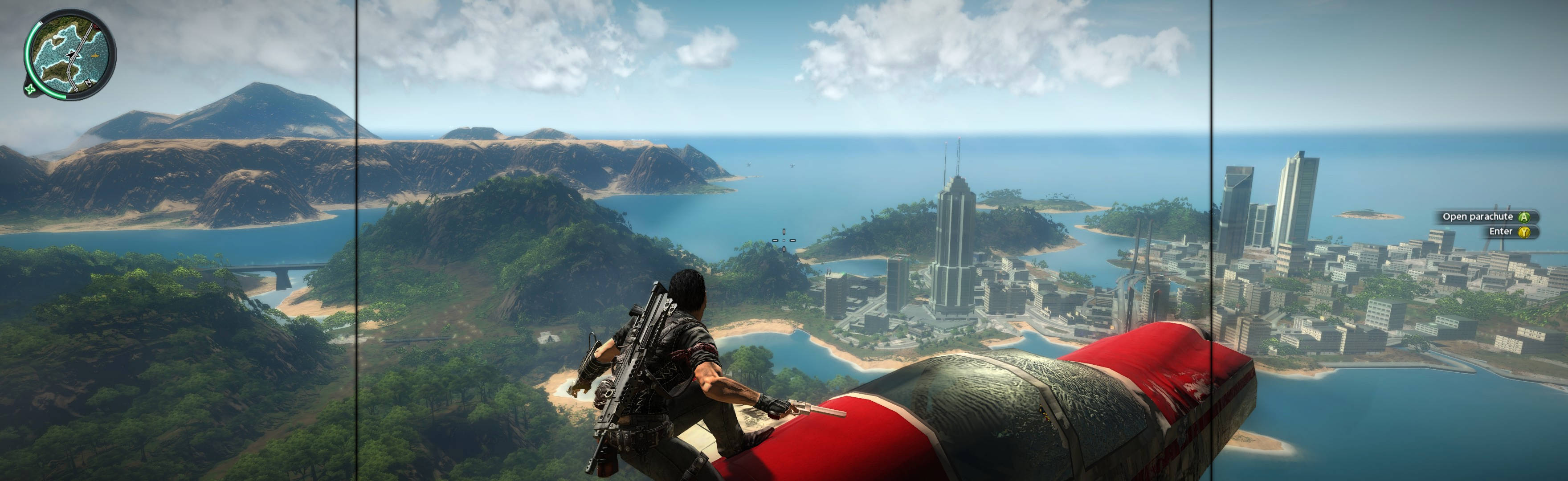
(PLP compressed screenshot with bezel effect; stunt-riding an airplane)

(airplane view)

(motorbike. It's raining)

(boat - MTA Powerrun 77. Super light & fast, complete with mounted gun)

(grappling-hook flight to heli)

(shoot gunner...)

(attack pilot...)

(...& throw him out)

(helicopter view)
1. Setup Game:
A. In-game under Resolution Settings, Full Screen Off. Exit to Windows.
B. Shortcut/launcher argument: /widthW=#### /heightW=#### (fullscreen values).
C. Start Borderless Gaming (BG), then start game.
D. Correct BG settings *. Quit game & BG (or can leave BG on).
2. Play Game: Start BG, start game (BG auto-triggers full-spread & remembers).

(parachute. This is one of two common parachute distances; when quite active, often camera gets closer)

(stationary view -- godmode vanity shot)

(minigun)

(2H machine gun)

(running hipshot, revolver)

(aim-view, 1H submachine gun. But hipshots often work well in this game, very very forgiving & works better when surrounded by murderous chaos)
NOTES:
1. Motion-Blur-On on default-game is junk, causing grey-washed & lower-contrast; no benefit.
2. Recommend mod justcause2mods.com/mods/jc2-remastered/ (some improved textures, more wildlife etc).
3. ShiftWindow/WinShift also works, but not-quite full spread.
4. * BG Usage:
A. Right-click game-name in left-pane & Add To Favorites.
B. Now select game in right-pane, & then right-click it; in popup, select "No Size Change."
C. Then select game again (in right-pane), & then right-click it; in popup, select "Set Window Size."
D. Enter values (prompted): X-coordinate= -1x left-screen-width; Y-coordinate=0; window-width & height your fullscreen.

(big mounted gun)

(mounted gun on boat stern, rear)

(sniper scope)

(rendered cutscene)

(loading screen. Notice full spread background & also on forefront effect. Better than average)

(PDA's map, default distance)

(PDA's map, zoomed out to show full game-world)
View guide for general help with the instructions.
- Just Cause 2 2010 0.jpg
- Just Cause 2 2010 2.jpg
- Just Cause 2 2010 3.jpg
- Just Cause 2 2010 4.jpg
- Just Cause 2 2010 5.jpg
- Just Cause 2 2010 6.jpg
- Just Cause 2 2010 7.jpg
- Just Cause 2 2010 8.jpg
- Just Cause 2 2010 9.jpg
- Just Cause 2 2010 10.jpg
- Just Cause 2 2010 11.jpg
- Just Cause 2 2010 12.jpg
- Just Cause 2 2010 13.jpg
- Just Cause 2 2010 14.jpg
- Just Cause 2 2010 15.jpg
- Just Cause 2 2010 16.jpg
- Just Cause 2 2010 17.jpg
- Just Cause 2 2010 18.jpg
- Just Cause 2 2010 19.jpg
- Just Cause 2 2010 20.jpg
- Just Cause 2 2010 21.jpg
- Just Cause 2 2010 22.jpg





