


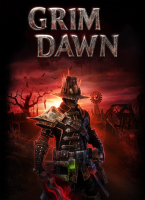


A dark fantasy hack 'n' slash built from the ashes of Titan Quest and cram-full of innovative gameplay subsystems.
Support Summary
Game Information
Game Status:Released
Release Date:
Tested Version:Steam
Play Styles:
Genre:Action-RPG
Developer:Crate Entertainment
Screenshots Comparison
Solutions & Issues
Widescreen Solution & Issues:
Native Hor+ support. Settings are stored in %USERPROFILE%\Documents\my games\Grim Dawn\Settings\options.txt
- Intro FMV and loading screens are 16:9 anamorphic.
- Default size of most UI elements changes with display height. Use the UI Scale slider in Video Options to compensate.
Ultra/Super-Wide Specific Solution & Issues:
Native Hor+ support.
- FMV & loading screens are Vert-.
- Grim Dawn logo on the main menu stretches.
Eyefinity / Surround Specific Solution & Issues:
Native Hor+ support.
- Some FX (like aether haze) are visibly degraded; see Additional screenshots.
- FMV & loading screens are Vert-.
- Devotion map is Hor+ up to a 4.1:1 aspect ratio, then "pillarboxed" by level architecture.
- Codex window and Devotion Affinities pop-up menu scale to the left monitor. Minimap scales to the right monitor.
- Grim Dawn logo on the main menu stretches !
4K UHD Specific Solution & Issues:
Native Hor+ support.
Gameplay Screenshots
4:3 Screenshot

16:10 Screenshot

16:9 Screenshot

21:9 Screenshot

32:9 Screenshot

Eyefinity / Surround Screenshot

FMV Cutscenes
4:3 FMV Cutscene

16:10 FMV Cutscene

16:9 FMV Cutscene

21:9 FMV Cutscene

Eyefinity / Surround FMV Cutscene

Menu Screenshots
4:3 Menu

16:10 Menu

16:9 Menu

21:9 Menu

Eyefinity / Surround Menu

4K UHD Screenshots
4K Gameplay Screenshot

4K FMV Cutscene

4K Menu Screenshot

Additional Screenshots

Dialog, 4:3

Dialog, 16:10

Dialog, 16:9

Dialog, 21:9

Dialog, 48:10

Codex and Inventory, 4:3

Codex and Inventory, 16:10

Codex and Inventory, 16:9

Codex and Inventory, 21:9

Codex and Inventory, 48:10

Devotion, 4:3

Devotion, 16:10

Devotion, 16:9

Devotion, 21:9

Devotion, 48:10

Loading Screen, 4:3

Loading Screen, 16:10

Loading Screen, 16:9

Loading Screen, 21:9

Loading Screen, 48:10

Minimum In-Game UI Scale (0) at 1280x720

Maximum In-Game UI Scale (1) at 3840x2160

Aether Haze and Maiven's Sphere at 1920x1200

Aether Haze and Maiven's Sphere at 6060x1200
Resolutions & Configurations
15:9 Resolutions:1280x768
4K UHD Resolutions:3840x2160
Multi-Monitor Types:Nvidia Surround
Multi-Monitor Layouts:3x1-L
Unsupported Resolutions:1024x640


