Page 1 of 1
Cold War
Posted: 06 Feb 2018, 11:54
by czarman
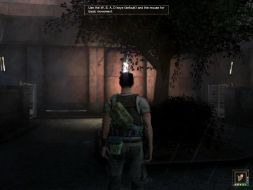
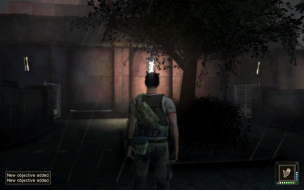
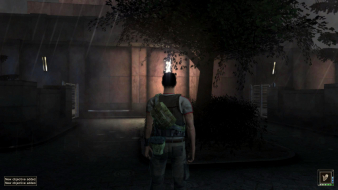
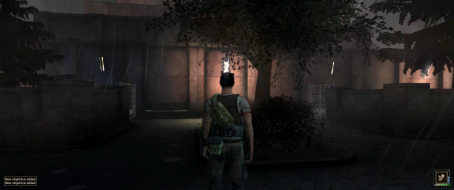
 Widescreen Grade: CUltra-Widescreen Grade: CMulti-monitor Grade: C4k Grade: CRead Full Detailed Report - Cold WarCold War's gameplay is based on stealth, similar to games like Splinter Cell or Dark Project. Being a journalist you are no weapons expert, so you should try to be stealthy and attack only when necessary. To help even the odds, you can create useful gadgets out of items you find, improvising things like gas grenades, anesthesia ammunition or distraction items.
Re: Cold War
Posted: 06 Feb 2018, 11:57
by czarman
Optional hex edit:
remove bloom Effect --> Offset A4FA0: 00 00 F0 BF --> 00 00 00 00
remove ingame FOG --> Offset A5710: 8F DC C1 3F --> 00 00 00 41
Re: Cold War
Posted: 26 Jul 2018, 12:50
by Celidor
I don't know where to post this..
This worked for me, at first. About a month of not playing this game I went back to it and now at 1920x1080 (native resolution) the game wont fit on screen. It is zoomed in on the top left. If I change the resolution to 1440 or 4k it just is more and more zoomed in on the top left. If i change the resolution to 720 it fits in the screen properly. What the heck is going on?
Does this hack still work for other people at resolutions above 720?
Any fix for this?
Re: Cold War
Posted: 26 Jul 2018, 13:09
by Celidor
I figured it out. After over 4 hours of tinkering, and a completely unnecessary reinstall I was able to get it working by using compatibility mode.
To fix it:
Go to the coldwar.exe. Right click and go to properties.
Under the Compatibility tab click on "Change high DPI settings".
At the bottom check the box under High DPI Scaling override.
The box should say:
Override high DPI scaling behavior.
Scaling performed by:
Application.
Now it should work. Don't know why I developed this issue later and not at first.