Page 1 of 1
Renegade Ops
Posted: 29 Oct 2011, 07:00
by scavvenjahh
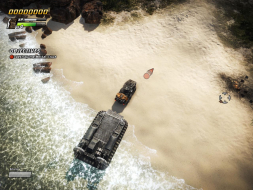
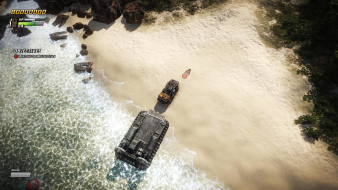
 Widescreen Grade: AMulti-monitor Grade: BRead Full Detailed Report - Renegade OpsDX-10 only, gamepad-friendly top-down vehicular shooter from the makers of Just Cause 2. Features 2-player splitscreen and 4-player online co-op.
The stretching of that one
Posted: 29 Oct 2011, 16:55
by skipclarke
The stretching of that one HUD element isn't enough to prevent the game from being Certified. Do you think the res issue with NV Surround is a deal breaker? If there's a demo, I will download and check for Eyefinity.
We don't sanction multi-mon
Posted: 30 Oct 2011, 19:43
by scavvenjahh
We don't sanction multi-mon resolution support AFAIK, so I'd certify it. This issue calls for further investigation, though.
Check your PM.
A couple of years ago we
Posted: 31 Oct 2011, 00:51
by skipclarke
A couple of years ago we updated the Cert requirements to include multi-mon support for a Gold medal. You can get Silver without it...
http://widescreengamingforum.com/article/wsgf-certification-requirements-page-2
I can confirm this works
Posted: 05 Nov 2011, 22:59
by AussieTimmeh
I can confirm this works seamlessly on Eyefinity. The multi-mon support is as good as it gets, barring a centered HUD and the one HUD element (point counter) stretching. It's a game I am able to (and will) happily game with on three screens.
(BTW I am running 5292x1050)
Mmm scavv sent me a key and i
Posted: 14 Jan 2012, 11:06
by thales100
Mmm scavv sent me a key and i just tested this game, it works out of the box on Nvidia Surround, at 5040x1050, the solution described in the DR doesnt seem to be necessary anymore, this game should get an A then, since it supports natively both eyefinity and Nvidia Surround, can someone running Nvidia Surround please confirm it ?
Nothing new for me, still no
Posted: 17 Jan 2012, 17:23
by scavvenjahh
Nothing new for me, still no res wider than 4080 in-game...
Feel free to edit the DR as you see fit. Whether you certify it or not, please don't delete the Surround solution though.
Cool, thanks.
Posted: 17 Jan 2012, 19:12
by thales100
Cool, thanks.
I did the little Settings
Posted: 23 Jul 2012, 03:14
by Saturn2888
I did the little Settings hack because I want to run the game Windowed, but I found that while the FMVs were in the correct aspect, nothing else was. How would I go about making sure the aspect ratio in the settings file matches my windowed resolution?
Aspect ratio adjustment
Posted: 30 Jul 2012, 13:35
by scavvenjahh
Aspect ratio adjustment should be automatic. With no hack the game looked ok in a 3840x800 window over my 5760x1080 desktop.
What is your windowed resolution ?