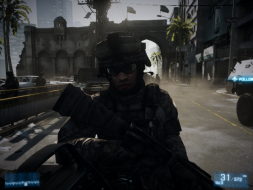
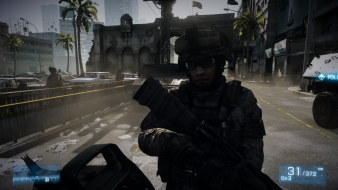
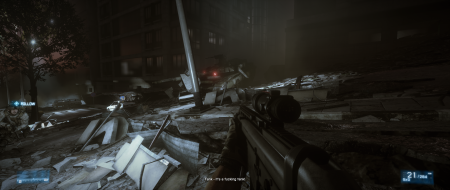
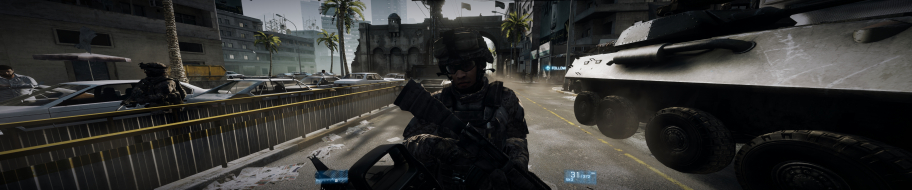
The direct sequel to Battlefield 2. It is build on this foundation and includes things left out of the Bad Company series such as fighter jets, the prone position and 64-player battles. The game features maps set in Paris, Tehran, Sarajevo, Sulaymaniyah, New York, Wake Island and Oman. As a whole, combat takes place in urban streets, metropolitan downtown areas, and open landscapes suited to vehicle combat.
Battlefield 3 introduces Battlelog, a free cross-platform social service with built-in text and voice communicator, game statistics and ability to join the game that friend is already playing (both players need to be on the same platform). The campaign is set near the Iraq-Iran border, where the US Marine Corps is fighting the People's Liberation and Resistance (PLR). Players are be able to use vehicles during the campaign, but their use is limited.
The direct sequel to Battlefield 2. It is build on this foundation and includes things left out of the Bad Company series such as fighter jets, the prone position and 64-player battles. The game features maps set in Paris, Tehran, Sarajevo, Sulaymaniyah, New York, Wake Island and Oman. As a whole, combat takes place in urban streets, metropolitan downtown areas, and open landscapes suited to vehicle combat.
Battlefield 3 introduces Battlelog, a free cross-platform social service with built-in text and voice communicator, game statistics and ability to join the game that friend is already playing (both players need to be on the same platform). The campaign is set near the Iraq-Iran border, where the US Marine Corps is fighting the People's Liberation and Resistance (PLR). Players are be able to use vehicles during the campaign, but their use is limited.
As I see you don't have enough video memory for DX11 and such resolution.
Hard to say exact FPS. Still need to play with options to find happy medium fps. Currently playing on everything Medium + no AA, getting 40-70+ fps. But there is some kind of microlag or something like that. Hope it's software issue and will be some good new driver/ game update and etc.
My specs are:
6970 2GB in Crossfire
Q9550 @3.9
4GB DDR2
Enable memory usage monitoring in MSIAF to see usage and enable also to show this statistic in OSD (directly in the game) to find out what options are suitable for 1.5 Gb of video ram
2.2GB of Vram. I am happy I bought the 2.5GB version of the GTX570 now.
I am sure that the final game will be better optimized but when we start playing some of the 64 player maps I am sure that the optimized game will still be pretty high for those huge maps.
I have two 6970's in crossfire/i5 2500k @ 4.5ghz/8GB Ram, i get 25-40 fps outdoors@5948x1080 (havn't tried indoors) everything maxed out, although even when it's at 40 it feels more like 15-20 fps, really bad, on a single screen (1920x1080) it jumps to 80-130 outdoors and 140-220 indoors.
I managed to get into Caspian Border the other day, and let's just say...the game was nigh on impossible to play on eyefinity, 10-15 fps, 20 if i got lucky, taking everything from ultra to low didn't seem to make much of a difference strangely enough, maybe a 5 fps (10 max) gain, on a single screen (again 1920x1080) i was getting 35-55 fps, although i didn't get the chance to muck around on the map too much.
you can modify the FOV by using the following steps:
Step 1)
Go get a program called Notepad++ from here: http://download.tuxfamily.org/notepadplus/5.9.3/npp.5.9.3.Installer.exe
Step2)
Go to My Documents/Battlefield 3 Open Beta/settings
right click on PROF_SAVE_body, open with notepad++
Go to Line 3, and change the 70.00000 to 90.0000 and save the file.
Ive tried the fov fix yesterday. changed from 70 to 90. afterwards the game doesnt start anymore. it just stops in browser when "inializing". than tried to change it to 80. same thing. tried to change back to 70. same thing. only after deleting the whole file (and creating new one by program) it started again.
can someone confirm this, or is it just me?
edit: i used windows "editor". not notepad. maybe thats the problem?
I managed to get into Caspian Border the other day, and let's just say...the game was nigh on impossible to play on eyefinity, 10-15 fps, 20 if i got lucky, taking everything from ultra to low didn't seem to make much of a difference strangely enough, maybe a 5 fps (10 max) gain, on a single screen (again 1920x1080) i was getting 35-55 fps, although i didn't get the chance to muck around on the map too much.
Remember that you need to exit the game and reload it for your graphical changes to take effect. Could be why you didn't see much of a change.
Ill take some screens of the default and 90 fov on Thursday night if nobody else does it first.
i also noticed in the detailed report, the missing hud elements in the 2560x1600 screenshot.
It may be known, but just in case its not, there is a setting in game video options "open screen adjust"
When i first got into this setting I wasn't sure what it was for, so I used the arrow keys to push the red area out to the edges. This did not help the HUD.
You actually need to pull them in with the arrow keys so that the red covers the majority, and there is only a 12-14" clear box in the center. This will set the HUD to appear correctly. you can tweek as needed, but it seems like a HUD placement tool. However, it still does not help with eyefinity (reported by clan member). But on my 30" at 2560x1600 I have a proper HUD.
again, probably already known, but I didnt see it in the report
i know with BFBC2 the bloom effect was a hit on FPS, not to mention old eyes like mine...
disabling it in BFBC2 made a huge difference in the playability of that game.
With that, I saw the following for disabling the bloom
(WARNING!! I have not personally tested this, but i will on Thursday night)
Following the same procedure from the FOV change with using Notepad++
Where you look for line 3 for FOV
This time you:
1) Find the line or do a Ctrl+F search for the string ' Enlighten '
2) Change the value of enlighten from a one to a zero.
If anyone gets the chance, I would be interested to know if this helps your performance in eyefinity, or single screen. If not, I will test Thursday on my 30" and report back if it works, and if it helps.
you can modify the FOV by using the following steps:
Step 1)
Go get a program called Notepad++ from here: http://download.tuxfamily.org/notepadplus/5.9.3/npp.5.9.3.Installer.exe
Step2)
Go to My Documents/Battlefield 3 Open Beta/settings
right click on PROF_SAVE_body, open with notepad++
Go to Line 3, and change the 70.00000 to 90.0000 and save the file.
right now 90 is the max value allowed
Launch the game and enjoy a proper FOV
Lovely lovely lovely lovely. Thank you kind sir.
I was getting owned for the last 3 days whilst having thos ghastly 70FOV blinkers on, changed 90FOV and NOW I am BACK BABY and enjoying the game alot more. Can't wait for the full release.