Hi everyone, sorry to resurrect an old thread, but I feel that it's relevant to my issue.
I have been able to get everything working up to the point where I can change the resolution (1920x1080). I run into trouble when changing the FOV settings. As I understand it, changing the FOV should only change how much is shown in the horizontal direction, i.e. the horizontal direction should be affected, while the vertical direction is left unaffected. As a result, it should look as if the horizontal direction is getting "squeezed" so that you can see more on the left and right sides (my left and right peripherals). But....
When I change my FOV settings, it simply appears as if the camera is zooming out, so not only do I see more on the left and right sides, but i also see more above and below me. That defeats the entire purpose of changing the FOV.
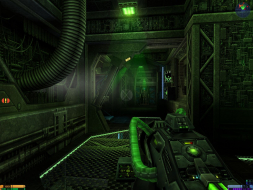
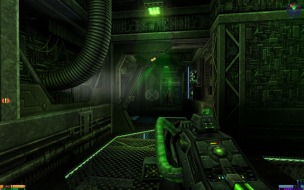
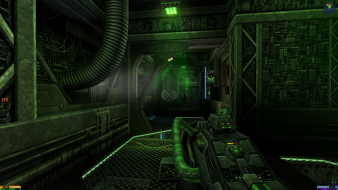
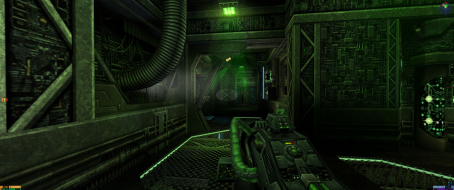
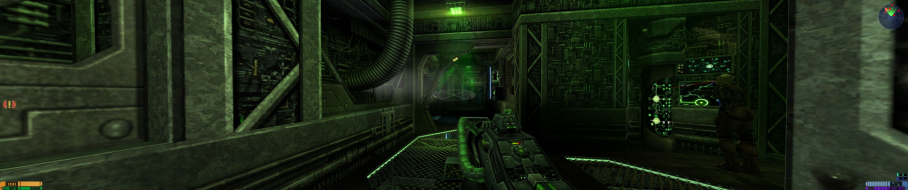
In order to better illustrate this, I took some of my own screenshots to compare to the ones posted in the Detailed Widescreen Report...
Screenshot 1: FOV set to 90 (typical 4:3 aspect ratio). It's being displayed at 1920x1080, so naturally the image would appear stretched to fit the 16:9 AR

Screenshot 2: Proof that the AR is in fact set to 90

Screenshot 3: FOV set to 120 (typical 16:9 AR). It's being displayed at 1920x1080, so it SHOULD appear correct, but it is not. As you can see, the image is still distorted. More can be seen above and below, unlike the screenshots posted in the original Detailed Widescreen Report.

Screenshot 4: Proof that the AR is in fact set to 120

Has this happened before to anyone? Am I doing something wrong? I have scoured the internet and all websites say the same thing:
seta r_mode "-1"
seta r_customheight "1080"
seta r_customwidth "1920"
seta userFov "120"