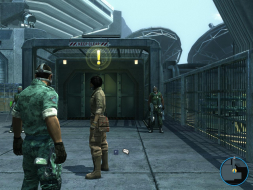
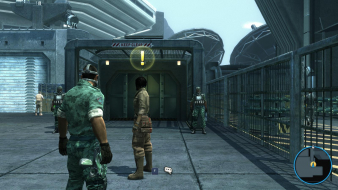
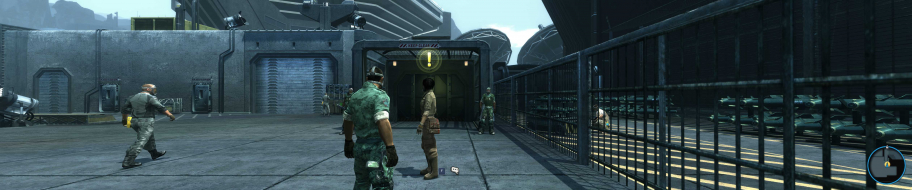
Avatar: The Game is a third-person shooter set a couple years before the movie on the same lush planet. As an RDA soldier, you'll first assist the colonial army but may eventually switch sides and "become" a tall tree-hugging Na'vi warrior. Mission objectives and "scanned" creatures will earn you experience points, and levelling up will upgrade the arsenal of weapons and techno/magical superpowers at your disposal.
Avatar supports both DX9 & DX10 and is compatible with a host of stereoscopic 3D display modes.
I recently got my copy of Assassin's Creed II pre-order and it seems to have come with an unlock code for some 'Exclusive Content' for James Cameron's Avatar - The Game.
If anyone wants it, yell out and I'll PM you the code.
When I clicked on the Widescreen button, and accepted, the game switched to 640x480 windowed.
Now 5323x1050 is not even listed anymore. When I uncheck the box again, and start the game again...still only a maximum of 1650.
Something went wrong, I don't think I'd be the only one.
The FOV was way too close to the character, it was unplayable. Now I don't have anything playable at all with 3monitors. :/
What can I do now...? Maybe it's the bezel compensation? The game only knows resolutions such as 5040x1050 when using FOV fix?
I don't want to disable and then re-create the bezel comp just for that. (just to find out it wasn't the error :P)
EDIT
ooookay... wasn't as difficult as expected. I've found out that there is an "Avatar" folder in the My Documents -> My Games folder.
Open GamerProfile.xml with notepad, change ResolutionX="" and ResolutionY="" to your needs. (line 3)
Every time you do changes on the graphics it switches back to bad resolution since ultra wide resolutions doesn't seem to be listed at all. (it only listed 5232x1050 after the initial start of the game, but the FOV fixing button broke that list)
I tested the DEMO version and it looks like 2160p and more is working correctly, everything is scaled proportionally. I also tested 21:9, but DEMO version doesn't have FOV option so it behaves as vert-, Oh, and the HUD is centered. So i guess, the retail version works without a problem. 1080p 2160p