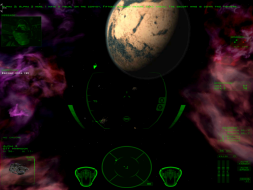
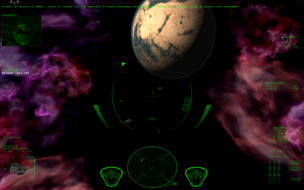
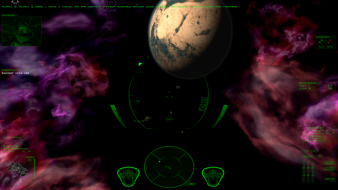
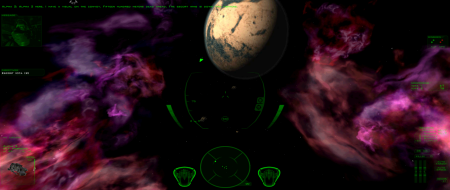
FreeSpace 2 is a space shooter from Volition, the sequel to Descent: FreeSpace. FSO is an open-source port of the game that adds tons of new features to the engine like pixel shaders, and more importantly, widescreen support.
These instructions assume you've properly installed Freespace Open. When using the launcher, be sure you browse and select the fs2_open_ant_7r beta version and not the latest 3_6_12 version as the code hasn't been tweaked in that version to accomodate the hud fix table. These instructinos will tentatively fix the stretched hud when running Freespace Open on three-monitor setup for a 3 X 1920 X 1200. This will not fix large fonts or stretched menus, so don't expect it to be the final solution. This is just temporary to get by until widescreen multimontors are fully implemented in a final FSO version.
You have to use Freespace Open, not the mere retail and you have to download the beta for fs2_open_ant_7r_INF for this to work. This will eventually make it into a final release in Open, but it's just experimental for now.
1.Take the following code, which was created by Hurlybird, and paste it into a .txt file
2. Rename the txt file to hud_gauges.tbl and drop the hud_gauges.tbl into your Freespace 2/data/tables folder.
3. launch the game using the FreeSpace open mod launcher and enjoy!
If you need to tweak the data to suit another resolution setup, then you'll find the following thread useful and you'll want to get your hands on the ResolutionCalculator_1440810_base.rar file, that will figure out the positions for whatever setup you want.
Here's the thread where all of the geniuses are for further exploration:
Here's a much better HUD code that only requires you to enter your base resolution. I found this from a guru on one of the forums. Not my code. It autocalculates your eyefinity or nvsurround settings. Just enter your resolution in the $Base field and your off and trucking:
I have updated the report with the latest FSOpen details and the simpler multi-monitor HUD fix above. The HUD is a bit smaller than the default with this script so there is probably something that needs to be tweaked a bit more to get that result.