
Thief II: The Metal Age

Detailed breakdowns of how games react to widescreen, ultra-wide, 4k and multi-mon
Post Reply
The_cranky_hermit
Insiders
Insiders
Posts: 3010
Joined: 07 Nov 2005, 04:16

Thief II: The Metal Age

Post by The_cranky_hermit »


Widescreen Grade: A
Ultra-Widescreen Grade: A
Multi-monitor Grade: B
4k Grade: Incomplete

Read Full Detailed Report - Thief II: The Metal Age

Thief™ II: The Metal Age gives you a chance to revisit the dark streets of the City, now changed by the Order of Mechanists, a new cult which has embraced many of the followers of the fallen religion of the Hammerites. In a world of steam robots and cameras Garrett will have to face a new opponent - Sheriff Gorman Truart, a lawman determined to rid the City of all criminals, starting with master-thief Garrett.

Equipped with a new set of tools, including flash mines and scouting orbs, Garrett has to keep himself alive and unveil the secret behind Truart's actions. Starts out looking as a simple case of corruption will eventually become much more, and Garrett again finds himself a reluctant savior--but that doesn’t mean he’s not going to rob the City blind while he saves it!

(Source: gog.com)


4:3
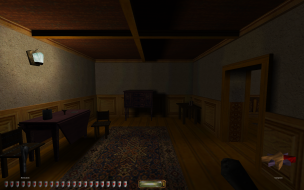

16:10
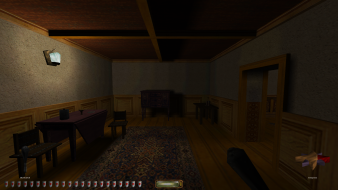

16:9
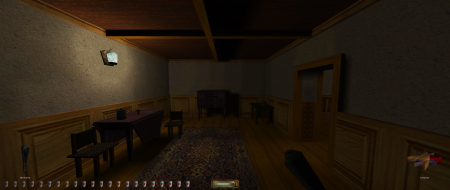

21:9


3x1

Last edited by The_cranky_hermit on 04 Feb 2016, 09:53, edited 6 times in total.
Reason: Edit
b1k3rdude
Posts: 11
Joined: 09 Aug 2008, 23:50

Thief (1/2) Dark/Metal age: confirmed solution

Post by b1k3rdude »

Along with DDfix we now have Widescreen support for the Darkengine Thief 1/G/2

Installation instructions
[list]
[*]Download the widescreen patch - http://files.filefront.com/DarkWidescreen+v6zip/;10450521;/fileinfo.html to your desktop, then as before unpack the contet directly to your Thief 1/2 game folder, [/*:m]
[*]then brows to the thief 1/2 game folder and doubleclick on 'widescreen.bat' - [/*:m]
[*]a little black window will pop up, then type (y/n) if you want to read the readme, [/*:m]
[*]then the next step is to select the widescreen resolution you want, (in my case thats 1680*1050) first you input horizontal res (eg 1680 then press enter), then it prompts for the vertical res (eg 1050 then press enter) [/*:m]
[*]then it prompts for the FOV (field of view) then you input 100[/*:m]
[*]Once you have done all the above close the little black window[/*:m]
[*]Now run Thief 1/2 and you should now have it running in glorious widescreen.[/*:m][/list:u]
Addition info - trouble shooting
[list]
[*]Should you need to, you can set a custom resolution manually in Cam.cfg [/*:m]
[*]In my fiddlings with widescreen patch I found that if you just install the widescreen patch you get a multitude of resolutions(that are all usable in game) - but note these extra resolutions can only utilised on X1000 ati or older and geforce 7 or older gfx cards. If you have anything newer eg a DX10 card and or latest drivers installed and or vista installed you will HAVE to have DDfix installed otherwise as you know Thief wont run or look crap etc.[/*:m]
[*]The TTlg thread - http://www.ttlg.com/forums/showthread.php?p=1733308#post1733308[/*:m][/list:u]
4:3

16:10


This patch implements widescreen mode flawlessly so should be eligible for the WSGF certification.

biker
Post Reply

Who is online

Users browsing this forum: No registered users and 6 guests