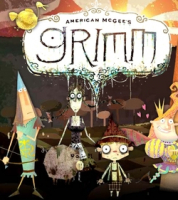
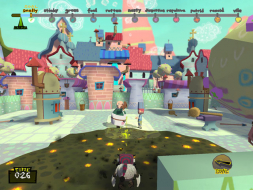
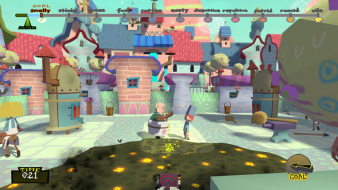
American McGee's Grimm is an adventure game from famed developer American McGee. It offers a twisted version of the venerable Grimm's Fairy Tales. The game is available exclusively through GameTap. The game has a great art style, but very basic gameplay. Some of the game and art decisions leave me wondering what the hell goes through McGee's mind. Grimm peeing any time you stop walking, to mark his spot to jump? Please, even 2nd graders aren't as juvenile. I understand the idea, but having him spit would have even been far less sophomoric. All in all, the art style and stories are great. But they aren't enough to overcome the simplistic gameplay and crudeness. Certainly doesn't live up to the hype.
Well, it's an improvement over Bad Day L.A. for what it's worth. But the gameplay doesn't hold up for the 45 minutes it takes to finish the first episode, and somehow they've got the idea that they're going to produce another 23 of them.
The spitting actually sounds like a pretty good idea - have him hawk a quick loogie and it leaves a big slimey mark where it lands, indicating where you too will land should you hit the jump button.
And what kind of a dev team name is "Spicy Horse?" Were all the better names like "Purple Nose" taken?
Anyway, I think the cut-scenes should be graded as anamorphic. Even though the window borders get cropped, when you look at the actual cut-scene viewport, it looks like not one pixel gets trimmed off - it's simply enlarged to fill more of the screen. Grade is C+, vert - is a consequential flaw.
I was actually kinda excited the first day (even made a thread in the other forum), then I saw the UE3 logo and thought dev failed this one. After playing the first episode, I didn't even want to do it anymore. :X
Well, I did encounter one problem: I have a 1440x900 19" widescreen monitor, but it does not offer the resolution, only 1280x800.
In the first, standalone version, I could edig the ini file, and it went fine, but in the sequels, where you have to use the gametap loader, this cannot be done that easily. :(
Bugger, you are correct. I forgot that part. On my 2560x1600 panel, it does show a resolution option of "1440x1050 (widescreen)." That is a 4:3 resolution, not widescreen. Sorry for the goof. I've edited the info a the top.
There isn't any. While it might be possible to force it in the first episode with a .ini edit, I didn't bother testing, since the rest of the episodes are GameTap based and don't have any .ini files to edit.