Unreal Tournament

Detailed breakdowns of how games react to widescreen, ultra-wide, 4k and multi-mon
The_cranky_hermit
Insiders
Insiders
Posts: 3010
Joined: 07 Nov 2005, 04:16

Unreal Tournament

Post by The_cranky_hermit »


Widescreen Grade: C
Ultra-Widescreen Grade: C
Multi-monitor Grade: C
4k Grade: C

Read Full Detailed Report - Unreal Tournament

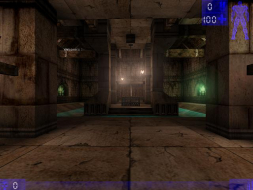
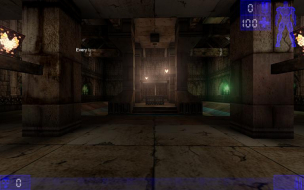
Unreal Tournament is an online FPS from Epic Games and GT Software. Its main competition being Quake 3, it distinguishes itself from the Quake games by focusing on team-based games such as team deathmatch, capture the flag, and assault, rather than free-for-all deathmatch.


4:3


16:10


16:9


3x1

Last edited by The_cranky_hermit on 13 Jul 2017, 07:32, edited 10 times in total.
Reason: Edit
borbosha
Posts: 16
Joined: 20 Jan 2006, 17:27

Unreal Tournament: Detailed report

Post by borbosha »

Very nice report. I think the reason it doesn't allow widescreen without ini tweaks is because when it came out widescreen wasn't really out if it was out at all at a consumer level. The newest versions of the series, '03 & '04, have the FOV selection in game (though they cap at 100 so perfect FOV calculations from my fovCalc program aren't accepted without ini tweaking).
Death_Masta187
Posts: 15
Joined: 08 Jul 2005, 06:59

Unreal Tournament: Detailed report

Post by Death_Masta187 »

Also along with the hud being 33% bigger so is the cross hair... but you can change the size of the hud but not the cross hair...other then that this works like a charm.. thanks
aapje
Posts: 3
Joined: 22 Jul 2007, 15:33

Unreal Tournament: Detailed report

Post by aapje »

For some reason when I increase the resolution to widescreen. The screen tilts to the right.


I just edited the ini file like described and I also use UT 4.36 GOTY.
ctrlsteef
Editors
Editors
Posts: 2820
Joined: 17 Nov 2005, 09:02

Unreal Tournament: Detailed report

Post by ctrlsteef »

Uhm, those screenshots aren't widescreen. At what resolution are you running your screen?
Because if your running a 4:3 resolution it's not so strange that the widescreen resolution doesn't fit.
aapje
Posts: 3
Joined: 22 Jul 2007, 15:33

Unreal Tournament: Detailed report

Post by aapje »

Uhm, those screenshots aren't widescreen. At what resolution are you running your screen?
Because if your running a 4:3 resolution it's not so strange that the widescreen resolution doesn't fit.


I have a Philips 190CW TFT monitor. And I use a resoltution of 1440x900. Strangely 1280x1024 works perfect...
ctrlsteef
Editors
Editors
Posts: 2820
Joined: 17 Nov 2005, 09:02

Unreal Tournament: Detailed report

Post by ctrlsteef »

At what res do you run Windows?
aapje
Posts: 3
Joined: 22 Jul 2007, 15:33

Unreal Tournament: Detailed report

Post by aapje »

At what res do you run Windows?


I run Windows at 1440x900 as well. But I don't see how that could contribute to the problem? I'm playing at fullscreen mode not windowed..
Stonefish
Posts: 11
Joined: 08 Sep 2006, 06:20

Unreal Tournament: Detailed report

Post by Stonefish »

If I set my Y resolution to anything above 1024, it drops back to that figure before loading, no matter what I do. This is on both D3D and OGL.
The X resolution remains at what I set it to, and I get that terrible "falling off the right hand side of the screen" thing aapje gets.

WinXP, 8800GTX, Detonator 169.21

Desktop res is 1920x1200.

I'd put up with 1280x1024 for this game, but that goddamned Fixed Aspect Scaling bug is still present. It simply won't engage.

The funny part is that I'm sure it worked in widescreen on the first startup, then failed after that.
averageguy
Posts: 4
Joined: 28 Apr 2008, 18:36

Unreal Tournament: Detailed report

Post by averageguy »

I just ran UT at 1440x900 using Vista32, updated BIOS, 8600GT w/ latest avail driver and Acer2216wbd plug and play - 1440x900 on the desktop. In the nvidia control panel I have opted for "nvidia scaling with fixed aspect ratio".

I used the instructions here to modify the configuration files.
It appears this may not be necessary as I noticed any number of widescreen resolutions available from the preferences / video menu.

I am not sure if this is a function of the new nvidia driver or Vista or what - but wouldn't this qualify as a native solution?


Edited to add; deathmatch against bots in UT (practice session) is my all time favorite gaming experience. What's nice about this is that there are so many options to modify; game speed, difficulty, style, bot skill - that it can always be set up to provide the perfect balance of action and speed, perfectly tailored to the player - always a satisfying gaming experience.
A seemingly endless number of maps at Nali City doesn't hurt either.
The_cranky_hermit
Insiders
Insiders
Posts: 3010
Joined: 07 Nov 2005, 04:16

Unreal Tournament: Detailed report

Post by The_cranky_hermit »

I am not sure if this is a function of the new nvidia driver or Vista or what - but wouldn't this qualify as a native solution?

Only if EVERY resolution (out of the ones we require) that the game is compatible with work natively. There have been some games that supported everything but 1280x720 or 1280x768 natively, but one of these two had to be put in via .ini edit, making the whole solution .ini for lowest common denominator purposes.
hamsterdan
Posts: 1
Joined: 17 May 2008, 03:30

Unreal Tournament: Detailed report

Post by hamsterdan »

For some reason when I increase the resolution to widescreen. The screen tilts to the right.


I just edited the ini file like described and I also use UT 4.36 GOTY.


I had the same problem with Unreal, UT and DS9: The Fallen.

Had to use 1280*800 until I rememred I had to use Win9x compatibility mode (otherwise the game would not run at the correct speed)

Removed the compatibility mode, rez works like a charm, but not a the correct speed (something a quick trip to AMD's website fixed)

It's called AMD's Dual-Core optimiser. I now have to test it with power management enabled, although I think Unreal's engine checks the speed only at launching... But it fixed it for me... DS9 at 1680*1050 (yeah!)
Vipes
Posts: 1
Joined: 06 Jul 2008, 20:36

Unreal Tournament: Detailed report

Post by Vipes »

My UT'99 supports widescreen naturally... I wonder why. Well I did get mine from Unreal Anthology, and all of thoes games support widescreen.
infernus
Posts: 544
Joined: 20 Feb 2007, 05:14

Unreal Tournament: Detailed report

Post by infernus »

It might show you what you can display, but it's highly unlikely you'll be in the right fov for each of them.
Caffi
Posts: 2
Joined: 16 Jul 2008, 19:40

Unreal Tournament: Detailed report

Post by Caffi »

I can confirm that Unreal Tournament does indeed work with 1920x1200.
I use windows vista 32, 8800gts, with a 26" Benq monitor.
Lucas80 Jodokast
Posts: 33
Joined: 28 Dec 2007, 17:57

Unreal Tournament: Detailed report

Post by Lucas80 Jodokast »

works fine in 1360x768


i had the same problem with my LCD TV when i first started using widescreen resolutions (the shifting to the right) i enabled "WXGA" on the TV and now everything is perfectly centered
huh?
UDoKuoio
Posts: 8
Joined: 10 Dec 2008, 19:43

Unreal Tournament: Detailed report

Post by UDoKuoio »

Hi all.

After posting here:
http://www.widescreengamingforum.com/node/9849#comment-180768
the moderator Tamlin asked me to post here 'cause I have different ideas about fov setting in UT.

Here The_cranky_Hermit says that Unreal Tournament use hor+ method.
It doesn't. Every Unreal engine use the vert- method.
If U switch from a 4:3 resolution to an 16:9 or 16:10, the horizontal field remains the same, where the vertical will be decreased.

This behavior is found in Unreal, Unreal Tournament, UT2003, UT2004 and UT3 and also in other games which use the U-engines like America's Army (UE2) or Gears of War (UE3).
There 2 games are shown in this site as vert-, where Unreal Tournament and UT2004 descriptions report a hor+.

So, I think it's better to verify if I'm in wrong or not.

Just for adding a tip.. In every U-engine (but where is not permitted), you can change the FOV typing in console
FOV
without touching the .ini files.

I'm here for every question. thx.
The_cranky_hermit
Insiders
Insiders
Posts: 3010
Joined: 07 Nov 2005, 04:16

Unreal Tournament: Detailed report

Post by The_cranky_hermit »

Unreal games are hor + if you fix the FOV manually (assuming you can), and vert - if you do not. We always provide solutions for fixing the FOV manually if it's possible, and in the case of UT and every other Unreal engine game we list as hor +, it is. I have no idea what your point is, or what your "different ideas" about FOV are.
UDoKuoio
Posts: 8
Joined: 10 Dec 2008, 19:43

Unreal Tournament: Detailed report

Post by UDoKuoio »

My idea about FOV is specified in the link posted to me last post.
And I agree with the WSGFWiki:
Vert-:
A vert - game is a game that when played on a widescreen monitor with a widescreen resolution, decreases the vertical component of the FOV.

Hor+:
A hor + game is a game that when played on a widescreen monitor with a widescreen resolution, expands the horizontal component of the FOV while keeping the vertical component roughly or exactly the same.

Unreal engines behavior is ALWAYS vert- native, although you can set the FOV manually to reach the hor+ like U wrote. If the commong meaning here of the hor+ is this (a hor+ native or a vert- than can be fixed) it's ok for me.

In every game I tested with U engines, I can modify the fov in more than a way (menu and/or .ini and/or console command), so U-Engines are hor+ here.

So it's better to fix here:
http://www.widescreengamingforum.com/node/9624
where Red Orchestra (Unreal Engine 2) was declared vert-

The_cranky_hermit
Insiders
Insiders
Posts: 3010
Joined: 07 Nov 2005, 04:16

Unreal Tournament: Detailed report

Post by The_cranky_hermit »

My idea about FOV is specified in the link posted to me last post.

I think your idea is flawed. You are assuming that vertical FOV should be proportional to the monitor's height. You will never find any FPS that works this way natively. If you take any FPS ever created, play it on a 15" 1024x768 monitor and a 20" 1600x1200 monitor side by side, they will both display the exact same image, only the 20" one is bigger.

The only games that work the way you are suggesting are essentially 2D. In a true 3D game, the vertical FOV should always be fixed.

Unreal engines behavior is ALWAYS vert- native, although you can set the FOV manually to reach the hor+ like U wrote.

That's more or less exactly what I said in my last post.

In every game I tested with U engines, I can modify the fov in more than a way (menu and/or .ini and/or console command), so U-Engines are hor+ here.

Are any of these games ones that we list as "vert -"? If so, you could help us by showing us how to increase the FOV in those games and taking comparison screenshots.
Post Reply

Who is online

Users browsing this forum: No registered users and 4 guests