
Galactic Civilizations II: Dread Lords

Detailed breakdowns of how games react to widescreen, ultra-wide, 4k and multi-mon
Post Reply
User avatar
X-Warrior
Posts: 1045
Joined: 24 Jun 2005, 22:58

Galactic Civilizations II: Dread Lords

Post by X-Warrior »


Widescreen Grade: A
Multi-monitor Grade: B

Read Full Detailed Report - Galactic Civilizations II: Dread Lords

Galactic Civilizations II: Dread Lords (commonly GalCiv II or GalCiv2) is a 4X turn-based strategy computer game by Stardock. It is the sequel to the original Galactic Civilizations. Two expansions Dark Avatar (2007) and Twilight of the Arnor (2008) were collected with the original title into the "Ultimate Edition".

GalCiv II is set in the 23rd Century, when multiple alien races, including Humans, scramble to conquer the galaxy, planet by planet, by force, diplomacy, influence (culture), or technology. GalCiv II focuses on the single-player experience that consists of a Campaign mode and a "Sandbox" mode, and omits multiplayer. The game is notable for its artificial intelligence, which is challenging without being given resources and abilities not available to the player, as is common in the majority of strategy games.
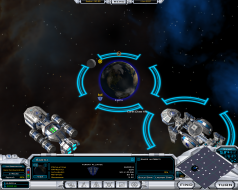
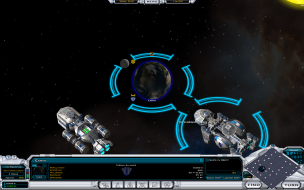
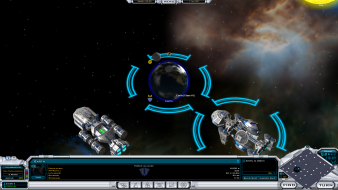




Last edited by X-Warrior on 11 Mar 2013, 04:02, edited 1 time in total.
Reason: Edit
User avatar
X-Warrior
Posts: 1045
Joined: 24 Jun 2005, 22:58

Galactic Civilizations II: Dread Lords

Post by X-Warrior »


Widescreen Grade: A
Ultra-Widescreen Grade: A
Multi-monitor Grade: B
4k Grade: Incomplete

Read Full Detailed Report - Galactic Civilizations II: Dread Lords

Galactic Civilizations II: Dread Lords (commonly GalCiv II or GalCiv2) is a 4X turn-based strategy computer game by Stardock. It is the sequel to the original Galactic Civilizations. Two expansions Dark Avatar (2007) and Twilight of the Arnor (2008) were collected with the original title into the "Ultimate Edition".

GalCiv II is set in the 23rd Century, when multiple alien races, including Humans, scramble to conquer the galaxy, planet by planet, by force, diplomacy, influence (culture), or technology. GalCiv II focuses on the single-player experience that consists of a Campaign mode and a "Sandbox" mode, and omits multiplayer. The game is notable for its artificial intelligence, which is challenging without being given resources and abilities not available to the player, as is common in the majority of strategy games.


4:3


16:10


16:9


21:9


3x1

Last edited by X-Warrior on 21 Aug 2015, 11:46, edited 1 time in total.
Reason: Edit
User avatar
skipclarke
Founder
Founder
Posts: 7358
Joined: 13 Oct 2003, 05:00

Galactic Civilizations 2: Detailed report

Post by skipclarke »

Cool. I just updated the MGL page I had just put up.
The_cranky_hermit
Insiders
Insiders
Posts: 3010
Joined: 07 Nov 2005, 04:16

Galactic Civilizations 2: Detailed report

Post by The_cranky_hermit »

I just tested the demo, and I can confirm that all resolutions except 1280x720 work.

== Grading ==

Calculated grade: B

Major unresolved issues: None
Minor unresolved issues: None

Summary of widescreen-related flaws:
1280x720 unsupported.
Broken fullscreen tutorials.

Cranky's coverage estimate: 100%
MaXiMiUS
Posts: 1
Joined: 25 Nov 2007, 21:58

Galactic Civilizations 2: Detailed report

Post by MaXiMiUS »

Rather inconvenient for somebody like me that has their computer hooked up to a widescreen TV.. (it only goes up to 1152*648.. anything higher and it 'squishes' the picture to fit, which looks horrible..)
PGHammer
Posts: 2
Joined: 02 Aug 2009, 20:44

Confirmed!

Post by PGHammer »

Confirmed; this also applies to the shipping Ultimate Edition.

In addition, Sins of a Solar Empire and the Entrenchment add-on (also from Stardock) support WS natively (in fact, I play all three at 1920x1080, despite HD3450 PCIe graphics and a Celeron DC CPU).
whismerhill
Posts: 760
Joined: 28 Jun 2009, 22:17

Galactic Civilizations 2: Detailed report

Post by whismerhill »

I just saw this thread (coming from the solution which was updated ;) )and 1280x720 works as a custom resolution
to setup a custom resolution you need only change the "prefs.ini" file
which is located in :
"My DocumentsMy GamesGalciv2"
or "My DocumentsMy GamesGC2DarkAvatar"
or "My DocumentsMy GamesGC2TwilightArnor"
depending on the specific version you have

in this file lookup the lines :

Code: Select all

[Video]

   DisplayWidth=1680
   DisplayHeight=1050

change them to whatever you want

could not find any obvious flaw in 1280x720
The_cranky_hermit
Insiders
Insiders
Posts: 3010
Joined: 07 Nov 2005, 04:16

Galactic Civilizations 2: Detailed report

Post by The_cranky_hermit »

Can you post this info in a new thread on the confirmed solutions forum?
whismerhill
Posts: 760
Joined: 28 Jun 2009, 22:17

Galactic Civilizations 2: Detailed report

Post by whismerhill »

Can you post this info in a new thread on the confirmed solutions forum?

Done : http://www.widescreengamingforum.com/node/#comment-
be aware though that there is currently another one in this section for this game : http://www.widescreengamingforum.com/forum/viewtopic.php?t=3444
The_cranky_hermit
Insiders
Insiders
Posts: 3010
Joined: 07 Nov 2005, 04:16

Galactic Civilizations 2: Detailed report

Post by The_cranky_hermit »

Thanks. MGL updated to link to yours, since that's needed for 1280x720. Grade is unaffected.
Post Reply

Who is online

Users browsing this forum: Bing [Bot], Google [Bot] and 8 guests