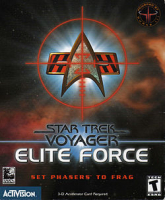
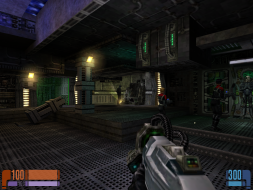
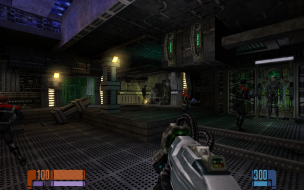
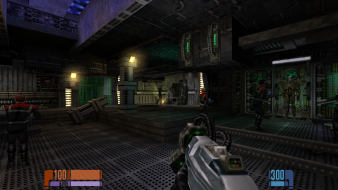
Star Trek: Voyager – Elite Force is a first-person shooter video game developed by Raven Software and published by Activision. The game is set in the Star Trek universe, specifically relating to the fourth Star Trek television series, Star Trek: Voyager. The dates in the game place Elite Force's plot late in Voyager's sixth season.
In the retail version of the game, the efconfig.cfg is located in the BaseEF folder. My efconfig.cfg file did not contain the line "seta cg_fov." I had to add it. The FOV can also be manually adjusted via the console from within the game. The console can be accessed with the tilde (~) key.
I successfully ran the game at 2560x1600 resolution.
I have a crazy problem with this game. The game seems to render at a resolution larger than my own and then display a cropped image. Also I get crazy mouse movements, where randomly the mouse will 'stick' in one direction and carry on slowly moving that way. Playing with these two problems makes me actually feel sick, a bit like VR sickness! This is constant with the old ini mod and with the new modified fix. The mod does get the cinematics to work but neither method makes a difference to the aforementioned problems. I'm running Windows 10 with NVidia drivers 384.94 and I'm trying to run at my native resolution of 2560x1440 at 144hz.
Please see the screenshots.
I should also mention my system specs: Gigabyte GA-Z68X-UD5-B3 Intel i7 2700K @ 4.5ghz 2 x 4GB Corsair DDR3 1600mhz MSI GTX 1080Ti Gaming X Gigabyte GTX 670 OC Acer XF270HUA
Attachments
Menu Cropping Issue
Star Trek Elite Force Screenshot.png (1.58 MiB) Viewed 10887 times
In-Game Cropping Issue
Star Trek Elite Force Screenshot ingame.png (4.6 MiB) Viewed 10904 times
kcajjones wrote:I have a crazy problem with this game. The game seems to render at a resolution larger than my own and then display a cropped image. Also I get crazy mouse movements, where randomly the mouse will 'stick' in one direction and carry on slowly moving that way. Playing with these two problems makes me actually feel sick, a bit like VR sickness! This is constant with the old ini mod and with the new modified fix. The mod does get the cinematics to work but neither method makes a difference to the aforementioned problems. I'm running Windows 10 with NVidia drivers 384.94 and I'm trying to run at my native resolution of 2560x1440 at 144hz.
Please see the screenshots.
I should also mention my system specs: Gigabyte GA-Z68X-UD5-B3 Intel i7 2700K @ 4.5ghz 2 x 4GB Corsair DDR3 1600mhz MSI GTX 1080Ti Gaming X Gigabyte GTX 670 OC Acer XF270HUA
kcajjones wrote:I have a crazy problem with this game. The game seems to render at a resolution larger than my own and then display a cropped image. Also I get crazy mouse movements, where randomly the mouse will 'stick' in one direction and carry on slowly moving that way. Playing with these two problems makes me actually feel sick, a bit like VR sickness! This is constant with the old ini mod and with the new modified fix. The mod does get the cinematics to work but neither method makes a difference to the aforementioned problems. I'm running Windows 10 with NVidia drivers 384.94 and I'm trying to run at my native resolution of 2560x1440 at 144hz.
Please see the screenshots.
I should also mention my system specs: Gigabyte GA-Z68X-UD5-B3 Intel i7 2700K @ 4.5ghz 2 x 4GB Corsair DDR3 1600mhz MSI GTX 1080Ti Gaming X Gigabyte GTX 670 OC Acer XF270HUA
Just got round to doing this, and tried the game in windowed mode. No luck I'm afraid. Any other suggestions would be greatly appreciated. Please see the screenshot below.
Attachments
Star Trek Elite Force Main Menu - Windowed
Star Trek Elite Force Screenshot Windowed.png (1.7 MiB) Viewed 11573 times
I'm using the new widescreen solution with the corrected weapon fov, but I have a strange problem. When the game loads the first level (Stasis Ship), it crashes to the main menu every time I try it. It also happens in all other maps (i tested that using the "map" console command). I have a 21:9 screen with a 2560x1080 resolution. I have attached a picture to show what I mean.
kcajjones wrote:Just got round to doing this, and tried the game in windowed mode. No luck I'm afraid. Any other suggestions would be greatly appreciated. Please see the screenshot below.
I'm using the new widescreen solution with the corrected weapon fov, but I have a strange problem. When the game loads the first level (Stasis Ship), it crashes to the main menu every time I try it. It also happens in all other maps (i tested that using the "map" console command). I have a 21:9 screen with a 2560x1080 resolution. I have attached a picture to show what I mean.
I've been trying to use DSR (Dynamic Super Resolution), that is, 3840x2160 with my 1920x1200 monitor. For some reason the game reverts to 1920x1080 during loadup, though. :-/ I am using seta r_mode "-1" and customwidth/height, but that is obviously not enough to force that particular resolution... :-/
UPDATE: the culprit were forgotten entries in autoexec.cfg that overrode any other settings. I noticed that when I manually altered the resolution ingame through the console (r_customwidth, r_customheight and vid_restart) and it worked.