Tired of going medieval on mercs in subtropical settings ? Go mesolithic then, and unleash the fury of forest animals on unsuspecting arsonists and cannibals. Primal is the first Far Cry to feature neither guns nor intelligible dialogs. It follows the exploits of Takkar, an unfortunate hunter trying to organize the Wenja against vicious rival tribes invading the lush land of Oros.
I play it on my rig, no issue at all. The resolution I play is 4269x768 ( 3x 1366x768 + bezel correction) so the game does not go too low FPS wise. But it runs fine in 6000x1080 too.
Nickola_FR wrote:I play it on my rig, no issue at all. The resolution I play is 4269x768 ( 3x 1366x768 + bezel correction) so the game does not go too low FPS wise. But it runs fine in 6000x1080 too.
Nickola
Is the FOV issues fixed? If so i think ill go and buy it. I held off at realease day because of the broken FOV.
| i7 6850K Broadwell-e @4.2Ghz | DDR4 32GB @3200Mhz| 2x Msi 1080 X | Asus X99 Deluxe II /H110i/AX1200iw | | 3x Dell P2314H @ 5760x1080 + Philips 43" 4K IPS BDM4350UC Monitor + Oculus Rift CV1 | | 1*Samsung EVO 960 500GB NVMe x4 gen.3 | 2x Intel SSD SATA III Raid 0 | 2x Intel SSD SATA III Raid 0 | 2x 2TB SSHD Seagate SATA III Raid 0 | | Logitech G810 - G502 - G240 - G27 - G940 - | TrackIR 5 Pro | Saitek RHINO X55 HOTAS | Xbox One Elite Gpad | Asus Vulcan Pro | Asus Xonar U7 | Sony STR-DE495P External Surround Home Cinema Reciever |
I remember that Far Cry 4 had the same issue. Unfortunately it wasn't ever added to flawlesswidescreen. Ultimately someone made a trainer that would increase the FoV via cheat engine for multi-monitor. It would seem that someone knowledgeable with cheat engine would need to make something for Primal.
I don't know what's happening here, I can't get my 3 screens working , wth !
I'm in DG (DisplayGroup) mode in 3840 x 1024 @60 Hz, when trying to change AR, it won't let me. I have set to Display 3, the main is 1, in the ingame settings.
Nor can I change resolution in 3840 x 1024 in-game / out-game, so I'm confused when I see all this info that says it works. It always revert back to 1 monitor. Even restarting or forcing / locking the GamerProfile.xml won't make the change.
In Extended Mode [3 | 1 | 2], it's almost the same, no change to play in 3 screens.
Did I missed something ?
I will try the beta drivers now the 'non-whql-64bit-nieg-radeon-crimson-16.2.1-win10-win8.1-win7-feb27' to see if crossfire works better & surround configuring.
Any help in Welcomed to show me the steps to set it correctly ! My wish would be to play it @ 3072 x 768 px from my 3840 x 1024 px desktop res but IDK if anyone tried this, just downscaling the whole game, obviously for FPS reasons.
Thanks *************** PC Specs :
AMD FX-8350, 4000 MHz Gigabyte GA-990FXA-UD3 AMD HD Flex 6870 1GB GDRR5 256 Bits x2 G Skill Ripjaws - 16GB - DDR3-1333 Hitachi 2000 GB WDC 1000 GB Corsair Enthusiast TX 750W Azza 260X PC Case Triple Screen 19" LCD 3x DVI Max. 3840 x 1024 px @75Hz Win 7 Ultimate SP1 x64 EyeFinity Logitech G15 Logitech G25 Microsoft X360 Controller Homido VR Headset
*************** Drivers :
Driver Packaging Version : 13.251-131206a-165817C-ATI Catalyst Version : 14.12 AMD Catalyst Omega Software Direct3D Version : 9.14.10.01001 OpenGL Version : 6.14.10.12618 AMD Catalyst Control Center Version : 2013.1206.1603.28764




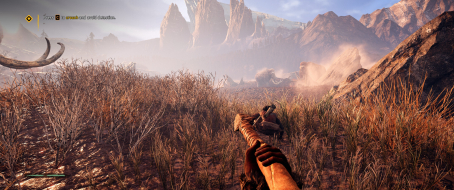




 Running latest ...