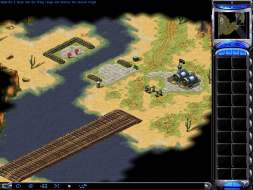
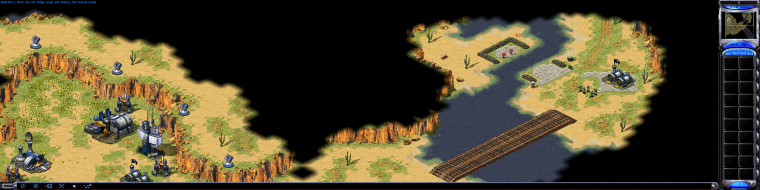
Command & Conquer: Red Alert 2 is an RTS from Westwood Studios and EA. In the alternate universe where Germany never rose to power, the Allies and Soviets are at it again, but this time the Soviets have launched a full scale invasion of the US. You can command Allied forces and repel the invasion, or command Soviet forces and lay waste to the US and its allies.
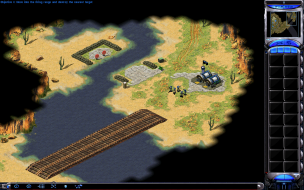
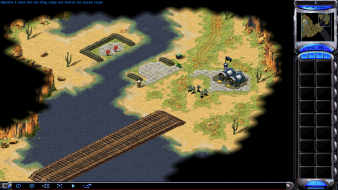
I just tested this online, and it's definitely possible to play online with a custom widescreen resolution. But when hosting a game, there is an option to limit screen resolution, and if you try to join a game where the host has set a max resolution limit, then you will have to use that one. This option is not available if the host is using a custom resolution.
So in a nutshell, widescreen online can be done, but only if the host lets you.
I just tested this online, and it's definitely possible to play online with a custom widescreen resolution. But when hosting a game, there is an option to limit screen resolution, and if you try to join a game where the host has set a max resolution limit, then you will have to use that one. This option is not available if the host is using a custom resolution.
So in a nutshell, widescreen online can be done, but only if the host lets you.
No. I tried playing online multiple times with my friend using custom resolutions above 1024x768 - even if the host does not set a max resolution, it still doesn't work.
For some reason one of the players will automatically get set to 640x480 when the game starts even if resolutions are not restricted. For some reason, anything above 1024x768 does not work correctly in MP. I'm not sure why, and I haven't tested it with more than 2 players - but it's definitely a big anomaly.
I believe it's a big enough anomaly to have the grade re-reviewed.
P.S. What do you mean by: "slowdown during time warp" ?
I had just played online in 1920x1200 mode when I made that last post, so I don't know what you mean by "anything above 1024x768 does not work correctly in MP."
P.S. What do you mean by: "slowdown during time warp" ?
It's described in greater detail in the "singleplayer anomalies" section.
I had just played online in 1920x1200 mode when I made that last post, so I don't know what you mean by "anything above 1024x768 does not work correctly in MP."
I said that in the first part of the sentence:
For some reason one of the players will automatically get set to 640x480 when the game starts even if resolutions are not restricted.
It bumps one of the players connected to you in MP to 640x480 if someone is using a custom INI res, even if resolutions aren't restricted. I had this happen to me multiple times when testing with my friend.
However We'll have to do more testing to get to the bottom of this.
Another way is to type the word HIRES at the main menu screen (you will hear a beep sound if you did it correctly), go to options and change resolution.
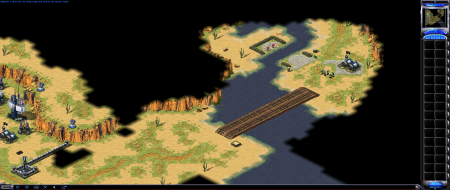
When i tried 2560x1080 on my setup it worked, albeit hard to see some things based on the way it reacts to larger resolution numbers, save one issue. When i moused over the lower HUD containing battle commands the game became choppy, and this only happens when i mouse over that HUD. Does any one else have this happen? And if so, why would that happen after i change the resolution?