Turok 2: Seeds of Evil

Detailed breakdowns of how games react to widescreen, ultra-wide, 4k and multi-mon
Post Reply
Tanuki
Posts: 2866
Joined: 07 Jul 2007, 23:55

Turok 2: Seeds of Evil

Post by Tanuki »


Widescreen Grade: C
Ultra-Widescreen Grade: C
Multi-monitor Grade: C
4k Grade: C

Read Full Detailed Report - Turok 2: Seeds of Evil

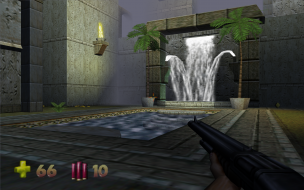
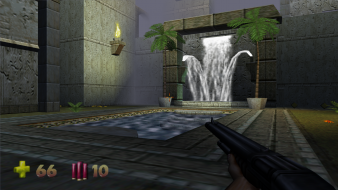
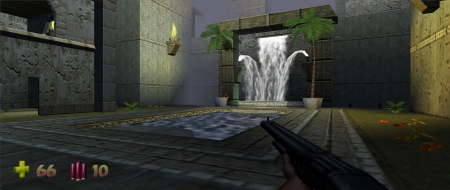
You are the Turok Joshua Fireseed, who has been summoned to the Lost Land to defeat the alien race known as the Primogen. The collection of weapons available to Turok are arguably the best selection of weapons to ever appear in a first-person shooter. This game boasts an aiming system that allows for specific body parts to be targeted and "removed". Razor Wind = Carnage.


4:3


16:10


16:9


21:9


3x1

Last edited by Tanuki on 21 Dec 2016, 10:10, edited 4 times in total.
Reason: Edit
The_cranky_hermit
Insiders
Insiders
Posts: 3010
Joined: 07 Nov 2005, 04:16

Turok 2: Detailed Report

Post by The_cranky_hermit »

Predator 2 was released in November of 1999.

1990.

==Grading==

Calculated grade: D+

Major unresolved issues: None
Minor unresolved issues: None

Summary of widescreen-related flaws:
Hack solution
Stretched gameplay
Stretched HUD
Stretched cut-scenes

Cranky's coverage estimate: 100%
Tanuki
Posts: 2866
Joined: 07 Jul 2007, 23:55

Turok 2: Detailed Report

Post by Tanuki »

1990.


It was worth a shot. :D
Celestis
Posts: 7
Joined: 15 Mar 2010, 14:14

Re: Turok 2: Detailed Report

Post by Celestis »

Hi guys,

this Report is great! I´m sure this works, but not for me. Maybe I did something wrong or misinterpret the steps, but they are so easy and good documented there is no space for mistakes. I also contacted Tanuki to find the bug (in my brain) or resolve the prob... But it seems I do everything right.

Here is what I do so far:

Code: Select all

So I followed your steps and get a really strange issue. The game is working fine, but the resolution is suspect.

   
   My target resolution is 1680x1050.
   
   - So I open the dll file and search the both first hex strings: "40 01 and F0 00" - both found.
   - Now I calculate the 1680x1050 in hexadecimal. That should be "0690 and 041A" Right?
   - After that, I overwrite the old values with new one and flip it. Now we have "9006 and 1A04" Right?
   - I add them to the dll and save the file.
   
   So far so the good. The game runs but the ingame resolution is "656x496" <- WTF? I never heard that this resolution ever exist, but its right. Or rather to say this resolution is shown by my monitor (Onscreen Hud).
   
   Did I something wrong? I changed not the "Video_D3D.dll" as you wrote, because there is an Glidewrapper out which works perfect with Turok 2. So I changed the "Video_3Dfx.dll" but this should make no difference. In my opinion Turok2 looks much better in Glide mode and shows the ingame map correctly.
   
   The other strange thing is after I changed the resolution I get a small black border around the screen. Means on all sides, vertical and horizonal. But this could happend due the generally strange overall resolution ;)
   
   Please help an old Turok fan. And you are right with, Seeds of Evil is the best Turok. I love it! :)


Tanuki wrote to me later it could be prob together with the Glide Wrapper, but I get the same resolution corruption in Direct3D. The values are seem okay, but I´m not 100% sure. Please help me!

Update: After some tests the resolution 320x240 and 512x384 are unused in the Glide dll and occurs to an resolution error. The value 640x480 and all above work fine so far with Direct3D dll. The Glide dll doesn´t work yet properly... I keep you in touch.

Tanuki
Posts: 2866
Joined: 07 Jul 2007, 23:55

Re: Turok 2: Detailed Report

Post by Tanuki »

Update: After some tests the resolution 320x240 and 512x384 are unused in the Glide dll and occurs to an resolution error. The value 640x480 and all above work fine so far with Direct3D dll. The Glide dll doesn´t work yet properly... I keep you in touch.


When you say 640x480 works fine in D3D do you mean your custom resolution or 640x480?

The Glide dll is different so let us try and get custom resolutions working in D3D first. Make sure you select unlisted Direct3D card in the Properities section and then select the resolution that you changed. If the resolution you selected is already selected you need to select a different resolution and then select that original one again. This tells me that the resolution is being written in a config somewhere which I should probably hunt down.
Celestis
Posts: 7
Joined: 15 Mar 2010, 14:14

Re: Turok 2: Detailed Report

Post by Celestis »

I mean the custom 640x480 resolution with the first value 80 02 / E0 01 - changed to 1680x1050 Pixels.

In the root folder is a file called "turok2.ini"

Code: Select all

[glide]

   Resolution=0xe
   Refresh=0x0
   NumColorBuffers=3
   NumAuxBuffers=1
   Windowed=0
   WaitForVRetrace=1
   Width=1600
   Height=1200


It seems "Width" and "Height" are ignored, only the "Resolution" work. But not very good, most values ends in a screen resolution error.
Tanuki
Posts: 2866
Joined: 07 Jul 2007, 23:55

Re: Turok 2: Detailed Report

Post by Tanuki »

It seems "Width" and "Height" are ignored, only the "Resolution" work. But not very good, most values ends in a screen resolution error.


Interesting. D3D writes nothing resolution related to that file.

What is your video card and what Glide wrapper are you using?

Also, is there some specific features that Glide has in this game that D3D does not? I ask because the game supports 32 bit color as well as 16 bit. AFAIK Glide can only do 16 bit unless the wrappers have added that support so it would seem D3D is a better choice in that regard.
Celestis
Posts: 7
Joined: 15 Mar 2010, 14:14

Re: Turok 2: Detailed Report

Post by Celestis »

My video card is a Nvidia 8600GTS (Driver: 196.75)
The Glide Wrapper that I use is called "nGlide" you will find them here -> http://www.zeus-software.com/downloads/nglide
And I have less graphic options in Glide, here is a pic from the options menu -> http://img532.imageshack.us/i/t2glide.jpg/
Tanuki
Posts: 2866
Joined: 07 Jul 2007, 23:55

Re: Turok 2: Detailed Report

Post by Tanuki »

My video card is a Nvidia 8600GTS (Driver: 196.75)
The Glide Wrapper that I use is called "nGlide" you will find them here -> http://www.zeus-software.com/downloads/nglide
And I have less graphic options in Glide, here is a pic from the options menu -> http://img532.imageshack.us/i/t2glide.jpg/


I will try and fool with the Glide options in the next day or so.

Why are you using Glide? Is D3D unstable?
Celestis
Posts: 7
Joined: 15 Mar 2010, 14:14

Re: Turok 2: Detailed Report

Post by Celestis »

I will try and fool with the Glide options in the next day or so.

Would be great, if you need any help post it here. In my opinion Turok 2 in Glide mode offers better graphics and less fog. This is reason why I would play Turok 2 in Glide. :)
Tanuki
Posts: 2866
Joined: 07 Jul 2007, 23:55

Re: Turok 2: Detailed Report

Post by Tanuki »

I cannot get that Glide wrapper to work on my system.

Here is a resolution block from the Glide dll. I would try and use a resolution that is native on your desktop if possible. I know you may have already found these but I cannot think of any other way to help you without being able to use Glide.

40 01 00 00 C7 00 F0 00 00 00 C3 8B 4C 24 08 8B 54 24 0C C7 01 90 01 00 00 C7 02 00 01 00 00 C3 8B 44 24 08 8B 4C 24 0C C7 00 90 01 00 00 C7 01 2C 01 00 00 C3 8B 54 24 08 8B 44 24 0C C7 02 00 02 00 00 C7 00 00 01 00 00 C3 8B 4C 24 08 8B 54 24 0C C7 01 00 02 00 00 C7 02 80 01 00 00 C3 8B 44 24 08 8B 4C 24 0C C7 00 80 02 00 00 C7 01 C8 00 00 00 C3 8B 54 24 08 8B 44 24 0C C7 02 80 02 00 00 C7 00 5E 01 00 00 C3 8B 4C 24 08 8B 54 24 0C C7 01 80 02 00 00 C7 02 90 01 00 00 C3 8B 44 24 08 8B 4C 24 0C C7 00 80 02 00 00 C7 01 E0 01 00 00 C3 8B 54 24 08 8B 44 24 0C C7 02 20 03 00 00 C7 00 58 02 00 00 C3 8B 4C 24 08 8B 54 24 0C C7 01 58 03 00 00 C7 02 E0 01 00 00 C3 8B 44 24 08 8B 4C 24 0C C7 00 C0 03 00 00 C7 01 D0 02 00 00 C3 8B 54 24 08 8B 44 24 0C C7 02 00 04 00 00 C7 00 00 03 00 00 C3 8B 4C 24 08 8B 54 24 0C C7 01 00 05 00 00 C7 02 00 04 00 00 C3 8B 44 24 08 8B 4C 24 0C C7 00 40 06 00 00 C7 01 B0 04


I may have already asked this but what happens when you use an available 4:3 resolution with the Glide wrapper? Do you still get the odd behavior? Then the problem may be with the wrapper itself.
Celestis
Posts: 7
Joined: 15 Mar 2010, 14:14

Re: Turok 2: Detailed Report

Post by Celestis »

Whats wrong on your machine with the Glide wrapper?

640x480, 800x600, 1024x768, 1280x1024 and 1600x1200 works fine in Glide.
I try to edit your hex string, I think the values 40 06 00 00 C7 01 B0 04 are for the latest resolution in Glide, right?
Thanks in advance, I will contact you later after my next test :)

edit: Ok I´ve changed the values 40 06 B0 04 to 40 08 1A 04 and this made changes in the latest resolution of Glide (1600x1200).
The game runs, but I miss a part of my screen, check out the picture. The right hand weapon is nearly not visible, and on top of the screen I get a border. The ingame resolution is still 1600x1200. I think its the right hex position, but maybe wrong values?

http://img686.imageshack.us/i/t2glide1600x1200.jpg/

edit2: OMG this is freaking me. I´ve set the wrong values... this <*!~°> is absolutly brain cracking... Damn it! After I´ve corrected my values to 90 06 and 1A 04 the resolution glitch (see at the picture) is gone. The game runs again in fullscreen filled 1600x1200 Pixels... *argh*
Tanuki
Posts: 2866
Joined: 07 Jul 2007, 23:55

Re: Turok 2: Detailed Report

Post by Tanuki »

edit2: OMG this is freaking me. I´ve set the wrong values... this <*!~°> is absolutly brain cracking... Damn it! After I´ve corrected my values to 90 06 and 1A 04 the resolution glitch (see at the picture) is gone. The game runs again in fullscreen filled 1600x1200 Pixels... *argh*


Try using a smaller resolution value. The 1200 is greater than your 1050.

Make sure you do not pick the resolution you changed in the options menu until after you have hex edited the values. Then check the ini file and change those values to 1680x1050 as well. Also make sure to take screenshots to observe the behavior. Do not rely on your monitor info or your eyes.

After that you may need to consider using a different Glide wrapper or playing in D3D.
Sqadala
Posts: 2
Joined: 22 Apr 2010, 21:52

Re: Turok 2: Detailed Report

Post by Sqadala »

I'm assuming I need 1.04(have 1.03) to use the listed resolution blocks because none of those values are found in my DLLs. If so, it would be VERY nice for someone to upload that patch or link it as it seems to have disappeared from the web :D.
Tanuki
Posts: 2866
Joined: 07 Jul 2007, 23:55

Re: Turok 2: Detailed Report

Post by Tanuki »

http://www.patches-scrolls.de/

The search function sucks. Use the letters. The patch says US I have no idea about the EU version.
Sqadala
Posts: 2
Joined: 22 Apr 2010, 21:52

Re: Turok 2: Detailed Report

Post by Sqadala »

Thanks much Tanuki, though my resolution block still differs quite a bit for some reason. Still, I found the block and have 1680x1050 goodness now :).
domfather
Posts: 15
Joined: 21 Jan 2010, 23:58

hay can someone help me

Post by domfather »

hay can someone help me configure this widescreen for turok 2 i tryd following the instructions but i found it to complicated dident quite understand it.i downloaded a hex editor opend it up searched for the values as shown in the report but now what?..i have no idea what to do next i just want to get my game running in 1920 x 1080 how do i do it? allso whats this thing about glide.dll?? iv used project 64 a bit and found out u can use a thing calld glide64 but i dont reely understand al of this..its all very confusing. can some one break it down for me..thanks
MajorFoley
Posts: 15
Joined: 09 Jul 2013, 12:40

Re: Turok 2: Seeds of Evil

Post by MajorFoley »

So i see there was something added on the post, about a rar file that has all resolutions ready or something?

So i copied the files over but is it necessary to use the EXE included? or can i just use the games one? (cos apparently my turok 2 exe is called turok2english.exe.

If i use the rar file will i need to use the hex editor?
Post Reply

Who is online

Users browsing this forum: No registered users and 6 guests