Discover the true meaning of fear in Alien: Isolation, a survival horror set in an atmosphere of constant dread and mortal danger. Fifteen years after the events of Alien™, Ellen Ripley’s daughter, Amanda enters a desperate battle for survival, on a mission to unravel the truth behind her mother's disappearance.
Oculus Rift support can be enabled by editing Alien Isolation\Data\ENGINE_SETTINGS.XML following these instructions from reddit. I gave it a quick spin last night on the DK1 and it worked relatively well.
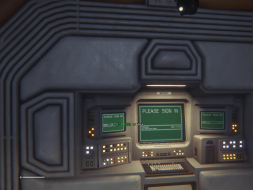
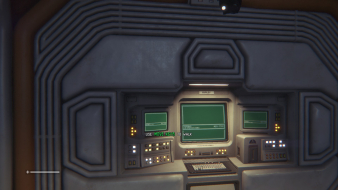
I've noticed an annoying artifact/bug when playing Alien: Isolation on my Nvidia powered rig. The lens flare effect that accompanies use of the flare in-game is wildly stretched, which really detracts from immersion.
Not far, I hadn't met the first survivor yet or even had enough items to craft an item yet. Less than an hour into the game I imagine. I noticed it immediately once I popped my first flare. I've been looking for a solution to the problem and stumbled across these forums, so I thought I'd post this issue for anyone else who is playing this game. I've got all graphics settings set to max, except that I keep Vertical Sync disabled (which still yields screen tearing when enabled, but I imagine that has to do with a triple monitor setup).
TheDestroyer wrote:How far into the game is that? I can see about power-pushing through the game to see if that happens to me on my AMD rig.
You can pick up the flare really early on - maybe an 1 hour at most? This kinda of effect still happens with Battlefield and some other games, it is a shame.
起死回生(kishi kaisei)Wake from death and return to life..
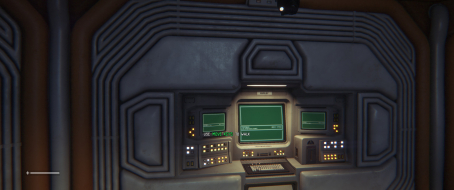
De-certified because of a few squished/stretched 2D elements. If anybody could check these on Eyefinity just to be sure... To see the "teaser trailer", just wait a couple minutes on the start screen.
TheDestroyer wrote:How far into the game is that? I can see about power-pushing through the game to see if that happens to me on my AMD rig.
For the record, I can confirm that the lens flare issue is the same on an AMD card (no Eyefinity though, just faux TripleHead). I suppose this could be what actual lens flare looks like on a hypothetical 5:1 film shot with a panoramic lens (?), but as far as gameplay is concerned it's definitely a big issue in TripleWide.
As of today crafting works while the fix is active, so I guess that's a yes. For some reason the HUD fix never really worked for me, though. I can see it affect the menus, but the health bar remains anchored to the bottom-left corner of my left screen no matter what. Hopefully, someone with better luck will confirm that everything works OK...
scavvenjahh wrote:As of today crafting works while the fix is active, so I guess that's a yes. For some reason the HUD fix never really worked for me, though. I can see it affect the menus, but the health bar remains anchored to the bottom-left corner of my left screen no matter what. Hopefully, someone with better luck will confirm that everything works OK...
Same here.
Running NVIDIA 980GTX's in SLI. Health is also pegged to the bottom left. Save icon and audio tape countdown pegged to upper right monitor as well.
Is anyone on Nvidia Surround getting this to work properly?
I've sent the update to Hayden one month ago, along with other patches for other fixes...But apparently I think he is really busy as he didn't push any of the updates on the repo....
I don't know what he is up to;)) The crafting menu worked initially until they changed the engine...
WideScreen Fixer... Fixes your Surround problems to give a gorgeous 3D Surround Experience! WideScreen Fixer
Only website to show TRUE 3D Vision Surround Gaming Videos(viewable by anyone) only at 3D Vision Surround Gallery