
Chaser
-
fokkertism
- Posts: 6
- Joined: 11 Apr 2013, 15:41


Re: Chaser
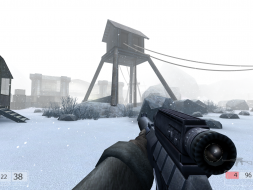
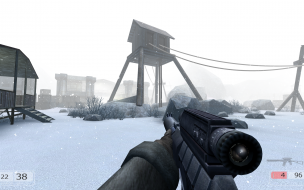
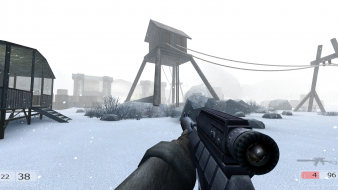
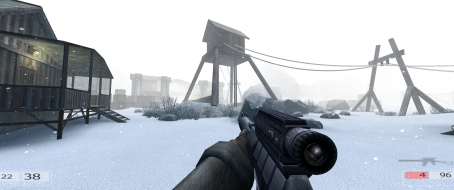
I have an issue where when I play the game at 1920x1080 there appears to be parts of the screen missing in the sides, like this:

If anyone knows anything about this issue I'd be very grateful.
I am using two monitors, windows 7 64 bit and two AMD Radeon HD 6870 in crossfire.
I am also very sorry if this is the completely wrong place to post this.
If anyone knows anything about this issue I'd be very grateful.
I am using two monitors, windows 7 64 bit and two AMD Radeon HD 6870 in crossfire.
I am also very sorry if this is the completely wrong place to post this.
-
SuicideMachine
- Posts: 14
- Joined: 19 Jan 2014, 17:11
- Location: Poland
Re: Chaser
I added your Chaser FOV Tool to the widescreen solution. It works fine in my GOG version. To fully happiness we need Weapon FOV fix in widescreen. But thank you for your job.
http://www.wsgf.org/dr/chaser/en
http://www.wsgf.org/dr/chaser/en
-
fokkertism
- Posts: 6
- Joined: 11 Apr 2013, 15:41
Re: Chaser
FOV tool doesn't work with the Steam version - it just shows "Nothing found in the file, sorry". I have it installed to D:\Games\Steam\steamapps\Chaser.


Re: Chaser
vekio wrote:To fully happiness we need Weapon FOV fix in widescreen.
Weapon FOV fixed.
fokkertism wrote:FOV tool doesn't work with the Steam version - it just shows "Nothing found in the file, sorry". I have it installed to D:\Games\Steam\steamapps\Chaser.
Steam version has packed exe that unavailable to modification.
Check new solution in Detailed Report. Should work for Steam version.
Re: Chaser
I noticed that a portion of the top screen is missing(possibly on the bottom too). When loading a saved file the message "Game loaded" in the top left corner of the screen is not properly displayed, only the bottom half of the text is visible. There was supposed to be some space before the "Game loaded" line message would be displayed in the top left corner of the screen.
Also, during the cut-scenes there are some flickering lines that appear before a video starts, during the beginning of it or during the black screen transition to the next one, apparently, again, only on the top of the screen(the lines seem to be of the same color and pattern as same parts of the video image).
Also, during the cut-scenes there are some flickering lines that appear before a video starts, during the beginning of it or during the black screen transition to the next one, apparently, again, only on the top of the screen(the lines seem to be of the same color and pattern as same parts of the video image).
Who is online
Users browsing this forum: No registered users and 12 guests