This game is an action RPG with a top-down perspective. Players can recruit additional NPCs to expand the size of their party. Character development is based upon skill points which allows for customization of abilities. Take Dungeon Siege. Take Diablo II. Mix together. Serve chilled.
I am using version 2.2 of the Dungeon Seige 2 game.
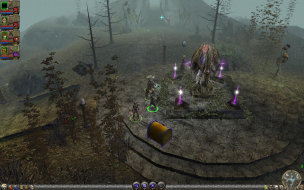
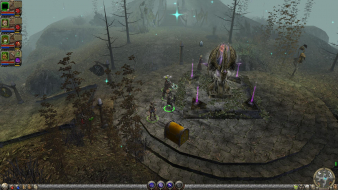
Although you cannot choose the resolutions in game, you can force the game into widescreen resolutions, simply by editing the shortcut and inputting the desired width and height settings in the shortcut.
This is given in the readme file supplied with the game which I paste below.
"Changing Default Resolution on Widescreen Monitors If you have a widescreen monitor, you can modify the default resolution. Create a desktop shortcut to your game's .exe file, and then modify the command line in the shortcut by adding the arguments "width=xxxxx height=xxxxx" to the end of the command line. To do so, right-click the shortcut on your desktop, choose Properties from the shortcut menu, and, in the Target text box, type the arguments. For example:
Simply choose your desktop width and height resolutions.
The main menus always displays in low resolution, but when you play the game it will adopt the resolution that was input in the shortcut and scales accordingly.
The off center main character portrait is listed as a result of choosing widescreen resolutions.
Does anyone here still have the Camera/FOV hack files mentioned in this article? There's instructions but I assumes there's some kind of files involved. I recently got these games in a pack on steam (with Dungeon Siege III) and am rather interested.
The two files for widescreen and multi-monitor cam fixes were still on the server. They just weren't attached to the Detailed Report. I have re-uploaded them and attached them to the DR. Click the link below and scroll down to find them.