Widescreen Gaming Forum

[-noun] Web community dedicated to ensuring PC games run properly on your tablet, netbook, personal computer, HDTV and multi-monitor gaming rig.
It is currently 10 Jun 2026, 15:38

All times are UTC [ DST ]


Post new topic Reply to topic  [ 18 posts ]  Go to page Previous  1, 2
Author Message
 Post subject: Re: Blur
PostPosted: 08 Jun 2010, 01:10 
Offline
Insiders
Insiders

Joined: 07 Nov 2005, 04:16
Posts: 3010
Thanks. Missed the MP part.

Calculated grade: B
Potential grade: B+

Minor outstanding DR omissions:
Support for 1920x1080 and 1920x1200

Surround issues amount to a blemish.

CCE: 99.5%


Top
 Profile  
Reply with quote  
 Post subject: Re: Blur
PostPosted: 21 Jun 2010, 00:52 
Offline

Joined: 26 Jan 2010, 00:20
Posts: 190
I accidentally got the menu to work in triple wide (5760x1080). I'm not sure if it's reproduceable, but I've done this twice and it's worked both times (the first time by accident).

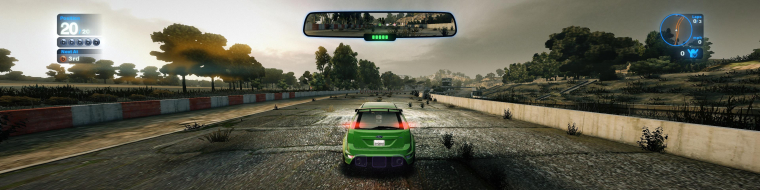
When I launch the game, I pressed alt+f4 to terminate. After launching it again, blur will run into an error (the windows message), then terminate. If you launch a 3rd time, it will then default to some sort of 'safe mode' where it defaults to 640x480 windowed mode. Except, for me it appears as 5760x1080 windowed and all the menus act like it's 640x480 (centered). What's more, the HUD is centered in a race yet the game itself is running in triple wide. The graphics options will report 640x480 for the resolution.

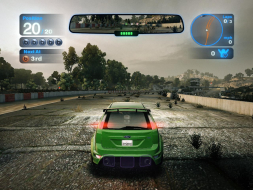
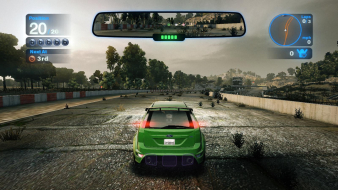
Here's a shot of the menu. You can clearly see that it thinks it's running in 4:3 (even has the horizontal bars?), but I'm clearly running in triple wide.


I'm not sure if it's reproduceable... but it seems to work for me.


Top
 Profile  
Reply with quote  
 Post subject: Re: Blur
PostPosted: 21 Jun 2010, 00:56 
Offline

Joined: 13 Feb 2010, 20:03
Posts: 145
I accidentally got the menu to work in triple wide (5760x1080). I'm not sure if it's reproduceable, but I've done this twice and it's worked both times (the first time by accident).

When I launch the game, I pressed alt+f4 to terminate. After launching it again, blur will run into an error (the windows message), then terminate. If you launch a 3rd time, it will then default to some sort of 'safe mode' where it defaults to 640x480 windowed mode. Except, for me it appears as 5760x1080 windowed and all the menus act like it's 640x480 (centered). What's more, the HUD is centered in a race yet the game itself is running in triple wide. The graphics options will report 640x480 for the resolution.

Here's a shot of the menu. You can clearly see that it thinks it's running in 4:3 (even has the horizontal bars?), but I'm clearly running in triple wide.


I'm not sure if it's reproduceable... but it seems to work for me.


DEAR GOD IF THIS WORKS WHEN I GET HOME....

(Mod Edit)


Top
 Profile  
Reply with quote  
 Post subject: Re: Blur
PostPosted: 22 Jul 2010, 01:47 
Offline

Joined: 22 Jul 2010, 01:43
Posts: 1
[quote]I accidentally got the menu to work in triple wide (5760x1080). I'm not sure if it's reproduceable, but I've done this twice and it's worked both times (the first time by accident).

When I launch the game, I pressed alt+f4 to terminate. After launching it again, blur will run into an error (the windows message), then terminate. If you launch a 3rd time, it will then default to some sort of 'safe mode' where it defaults to 640x480 windowed mode. Except, for me it appears as 5760x1080 windowed and all the menus act like it's 640x480 (centered). What's more, the HUD is centered in a race yet the game itself is running in triple wide. The graphics options will report 640x480 for the resolution.

Here's a shot of the menu. You can clearly see that it thinks it's running in 4:3 (even has the horizontal bars?), but I'm clearly running in triple wide.


I'm not sure if it's reproduceable... but it seems to work for me.


DEAR GOD IF THIS WORKS WHEN I GET HOME....

(Mod Edit)

Yeah, I WISH this worked - - no joy.

Tried Alt-F4-ing out, never got the error code on entry back in, game always launches in Eyefinity as it should . . .

Bummer!

HOWEVER, I can testify that once, months ago when I first got the game, I experienced a similar bug, and was amazed - - until it went away on a restart, and I could never get it back.

Must be SOMETHING that can be altered in the MENU resolution that doesn't mess with the GAME resolution!

Maybe someone will find a fix . . . or they will patch it . . . or I will win a million dollars . . .

But I can hope!

ANYONE else get this workaround to function?

-J


Top
 Profile  
Reply with quote  
 Post subject: Re: Blur
PostPosted: 29 Sep 2010, 07:44 
Offline
User avatar

Joined: 06 Nov 2006, 10:37
Posts: 97
Is anybody looking into this issue? It would be great to have it like Hydralisk_X has shown

_________________
Asus Rampage IV Formula / Intel i7 3930K C2 / 32 GB G.Skill RipjawsZ DDR3 2133 Quad Channel
Corsair Force GT 60 GB SATA3 / WD Caviar Black 2 TB / Seagate Barracuda Green 2 TB
3 x Radeon 7970 in Benq XL2420T (EyeFinity 5760x1080 @ 120Hz)
Oculus Rift


Top
 Profile  
Reply with quote  
 Post subject: Re: Blur
PostPosted: 03 Nov 2010, 10:01 
Offline
Editors
Editors
User avatar

Joined: 06 Mar 2008, 17:20
Posts: 3424
I can't get a centered HUD in multi-mon either. No error message whatsoever. :(

Minor outstanding DR omissions:
Support for 1920x1080 and 1920x1200
1920x1080, 1920x1200 and 2560x1600 confirmed to work.

In Win7 settings are saved in C:UsersAppDataRoamingbizarre creationsblursettings.xml. There's only basic settings and window coordinates in there, though.


Top
 Profile  
Reply with quote  
PostPosted: 01 Jan 2012, 15:42 
Offline

Joined: 23 Dec 2011, 03:00
Posts: 25
Im having problems with my 3 monitor eyefinity and Blur. If i set the game resolution to 4800x900, all three monitors are fine. If i set the game to 5760x1080, my centre and right monitors have a black border around the picture. My other games dont do this. Have i set something up wrong? The zoomed in menu system i can live with, but a 1" black border i cant!

Any Ideas?

_________________
Gaming Rig: Intel i7-5820K 3.30GHz::Asus X99 Deluxe II::Corsair Dom 16GB DDR4 2133MHz::2xATI HD7950 3GB::120GB SSD+3TB+2TB::Samsung Syncmaster SA350 x3::Win10 Pro x64
Media Centre: AMD Phenom II X4 965BE::Asus M4A87TD::Corsair Dom 8GB DDR3 1600MHz::ATI HD4890::120GB SSD::Acer H6518BD Projector::Win10 Pro x64


Top
 Profile  
Reply with quote  
PostPosted: 18 Mar 2012, 12:07 
Offline

Joined: 22 Jan 2012, 15:48
Posts: 19
Did anyone ever figured out how to go around the zoomed in UI menus? It's such a fun game that plays awesome in triple screen mode, but having to switch to 1920*1200 everytime I want to do something is kind off annoying :D
Thanks community


Top
 Profile  
Reply with quote  
Display posts from previous:  Sort by  
Post new topic Reply to topic  [ 18 posts ]  Go to page Previous  1, 2

All times are UTC [ DST ]


Who is online

Users browsing this forum: No registered users and 9 guests


You cannot post new topics in this forum
You cannot reply to topics in this forum
You cannot edit your posts in this forum
You cannot delete your posts in this forum
You cannot post attachments in this forum

Search for:
Jump to:  
cron


Powered by phpBB® Forum Software © phpBB Group