Blur

Detailed breakdowns of how games react to widescreen, ultra-wide, 4k and multi-mon
Post Reply
User avatar
Skid
Administrators
Administrators
Posts: 1031
Joined: 02 Nov 2009, 12:14
Location: Lincoln, UK
Contact:

Blur

Post by Skid »


Widescreen Grade: B
Ultra-Widescreen Grade: Incomplete
Multi-monitor Grade: Unsupported
4k Grade: Incomplete

Read Full Detailed Report - Blur

Blur is an arcade racing game that would like you to think of it as Mario Cart for adults.


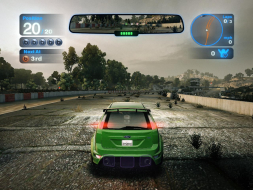
4:3


16:10


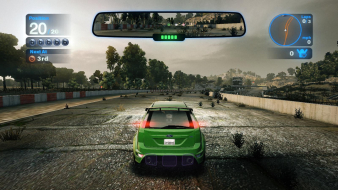
16:9


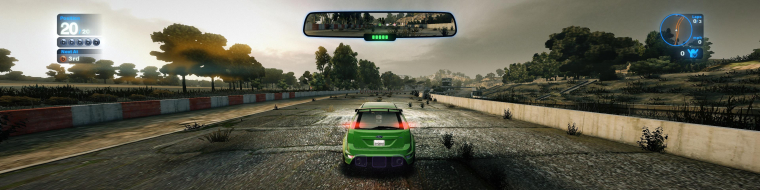
3x1

Last edited by Skid on 05 Jan 2015, 03:28, edited 4 times in total.
Reason: Edit
: ) Skid : )
My Multi-Monitor Focused YouTube Channel: http://www.youtube.com/c/SkidIncGaming
My Twitch channel which I've been known to stream on from time to time: http://www.twitch.tv/SkidInc
"Imagination is the only weapon in the war against reality."
whismerhill
Posts: 760
Joined: 28 Jun 2009, 22:17

Re: Blur

Post by whismerhill »

Game Related Flaw: Its yet another game that is designed for an XBox360 controller, so if you don't have a compatible one, or yours is older then the 360, it won't work.

for those who could come here and still be unaware of this :
there's an "XBOX 360 Controller emulator vibmod by Virus"
http://virusdev.ovh.org/files/

it's also nicknamed "xinputemu" (because games limited to x360 controllers are in fact using xinput libraries instead of directinput ones from directX)
User avatar
Skid
Administrators
Administrators
Posts: 1031
Joined: 02 Nov 2009, 12:14
Location: Lincoln, UK
Contact:

Re: Blur

Post by Skid »

[quote]Game Related Flaw: Its yet another game that is designed for an XBox360 controller, so if you don't have a compatible one, or yours is older then the 360, it won't work.

for those who could come here and still be unaware of this :
there's an "XBOX 360 Controller emulator vibmod by Virus"
http://virusdev.ovh.org/files/

it's also nicknamed "xinputemu" (because games limited to x360 controllers are in fact using xinput libraries instead of directinput ones from directX)

I quickly tried that, and it crashed the game, or rather stopped it from loading, but the keyboard controls are reponsive enough so I don't mind not having something anloge to turn with in this game.

Also, currently uploading a gameplay video to youtube from loading the game, to race select, to a pre rendered cut screen, to ingame then back to the race select menu, its 550MBs in size so its going to take around 4 hours.
: ) Skid : )
My Multi-Monitor Focused YouTube Channel: http://www.youtube.com/c/SkidIncGaming
My Twitch channel which I've been known to stream on from time to time: http://www.twitch.tv/SkidInc
"Imagination is the only weapon in the war against reality."
whismerhill
Posts: 760
Joined: 28 Jun 2009, 22:17

Re: Blur

Post by whismerhill »

did you try the "FakeAPI" option ?
User avatar
Skid
Administrators
Administrators
Posts: 1031
Joined: 02 Nov 2009, 12:14
Location: Lincoln, UK
Contact:

Re: Blur

Post by Skid »

OK added the youtube video.

did you try the "FakeAPI" option ?


Nope, as I said I only quickly tried it and since I'm happy with the keyboard controls I didn't bother looking into it any deeper.

Edit:

I've also now tested 15:9 and online and have updated the DR accordingly, if anyone sees anything I've missed please let me know.
: ) Skid : )
My Multi-Monitor Focused YouTube Channel: http://www.youtube.com/c/SkidIncGaming
My Twitch channel which I've been known to stream on from time to time: http://www.twitch.tv/SkidInc
"Imagination is the only weapon in the war against reality."
The_cranky_hermit
Insiders
Insiders
Posts: 3010
Joined: 07 Nov 2005, 04:16

Re: Blur

Post by The_cranky_hermit »

I need to know about the following resolutions:
1280x720
1280x800
1440x900
1920x1080
1920x1200

These resolutions need to be listed as either untested (you could not or did not test them), or unsupported (you can confirm they don't work).

Regarding SP anomalies, is there anything that affects widescreen? Things that specifically affect surround should be noted in the surround section.
User avatar
Skid
Administrators
Administrators
Posts: 1031
Joined: 02 Nov 2009, 12:14
Location: Lincoln, UK
Contact:

Re: Blur

Post by Skid »

I need to know about the following resolutions:
1280x720
1280x800
1440x900
1920x1080
1920x1200

These resolutions need to be listed as either untested (you could not or did not test them), or unsupported (you can confirm they don't work).

Regarding SP anomalies, is there anything that affects widescreen? Things that specifically affect surround should be noted in the surround section.


1280x720 was already in the list, 1280x800 has now been tested fine and added, 1440x900 isn't listed and manual editing of the settings file defaults to 1280x1024, and my monitors are too small to test 1920x1080 and 1920x1200, 1920x1080 is listed thought, god knows why my graphics card thinks my screen can support it. All this has been added to the DR.

There are no anomalies that effect widescreen hense why I didn't put anything down, but I've now stated as much and split the surround ones from widescreen ones.
: ) Skid : )
My Multi-Monitor Focused YouTube Channel: http://www.youtube.com/c/SkidIncGaming
My Twitch channel which I've been known to stream on from time to time: http://www.twitch.tv/SkidInc
"Imagination is the only weapon in the war against reality."
The_cranky_hermit
Insiders
Insiders
Posts: 3010
Joined: 07 Nov 2005, 04:16

Re: Blur

Post by The_cranky_hermit »

1280x720 was already in the list,

Look again - it's actually not there. And regarding 1440x900, does that work in other games? Are you able to set your desktop to that resolution?

Also, does this game have a multiplayer mode? And if so, widescreen works fine in it, right?
User avatar
Skid
Administrators
Administrators
Posts: 1031
Joined: 02 Nov 2009, 12:14
Location: Lincoln, UK
Contact:

Re: Blur

Post by Skid »

Look again - it's actually not there. And regarding 1440x900, does that work in other games? Are you able to set your desktop to that resolution?

Also, does this game have a multiplayer mode? And if so, widescreen works fine in it, right?


You are quite right sorry, I was reading it as 1280x768, 1440x900 isn't listed by windows or nvidia but its in PowerDesk mode management so I should be able to test it.

==Multi-Player Support==

A full multi-player mode is supported, menus have the same problem as in single player mode at TH resolutions but because there is more information this is more of a problem, ingame handles just as well as single player.
: ) Skid : )
My Multi-Monitor Focused YouTube Channel: http://www.youtube.com/c/SkidIncGaming
My Twitch channel which I've been known to stream on from time to time: http://www.twitch.tv/SkidInc
"Imagination is the only weapon in the war against reality."
User avatar
Skid
Administrators
Administrators
Posts: 1031
Joined: 02 Nov 2009, 12:14
Location: Lincoln, UK
Contact:

Re: Blur

Post by Skid »

Both 1280x720 and 1440x900 worked after putting them into the TH2GD mode list.
: ) Skid : )
My Multi-Monitor Focused YouTube Channel: http://www.youtube.com/c/SkidIncGaming
My Twitch channel which I've been known to stream on from time to time: http://www.twitch.tv/SkidInc
"Imagination is the only weapon in the war against reality."
The_cranky_hermit
Insiders
Insiders
Posts: 3010
Joined: 07 Nov 2005, 04:16

Re: Blur

Post by The_cranky_hermit »

Thanks. Missed the MP part.

Calculated grade: B
Potential grade: B+

Minor outstanding DR omissions:
Support for 1920x1080 and 1920x1200

Surround issues amount to a blemish.

CCE: 99.5%
Hydralisk_X
Posts: 190
Joined: 26 Jan 2010, 00:20

Re: Blur

Post by Hydralisk_X »

I accidentally got the menu to work in triple wide (5760x1080). I'm not sure if it's reproduceable, but I've done this twice and it's worked both times (the first time by accident).

When I launch the game, I pressed alt+f4 to terminate. After launching it again, blur will run into an error (the windows message), then terminate. If you launch a 3rd time, it will then default to some sort of 'safe mode' where it defaults to 640x480 windowed mode. Except, for me it appears as 5760x1080 windowed and all the menus act like it's 640x480 (centered). What's more, the HUD is centered in a race yet the game itself is running in triple wide. The graphics options will report 640x480 for the resolution.

Here's a shot of the menu. You can clearly see that it thinks it's running in 4:3 (even has the horizontal bars?), but I'm clearly running in triple wide.


I'm not sure if it's reproduceable... but it seems to work for me.
BRPunk
Posts: 145
Joined: 13 Feb 2010, 20:03

Re: Blur

Post by BRPunk »

I accidentally got the menu to work in triple wide (5760x1080). I'm not sure if it's reproduceable, but I've done this twice and it's worked both times (the first time by accident).

When I launch the game, I pressed alt+f4 to terminate. After launching it again, blur will run into an error (the windows message), then terminate. If you launch a 3rd time, it will then default to some sort of 'safe mode' where it defaults to 640x480 windowed mode. Except, for me it appears as 5760x1080 windowed and all the menus act like it's 640x480 (centered). What's more, the HUD is centered in a race yet the game itself is running in triple wide. The graphics options will report 640x480 for the resolution.

Here's a shot of the menu. You can clearly see that it thinks it's running in 4:3 (even has the horizontal bars?), but I'm clearly running in triple wide.


I'm not sure if it's reproduceable... but it seems to work for me.


DEAR GOD IF THIS WORKS WHEN I GET HOME....

(Mod Edit)
jmashby
Posts: 1
Joined: 22 Jul 2010, 01:43

Re: Blur

Post by jmashby »

[quote]I accidentally got the menu to work in triple wide (5760x1080). I'm not sure if it's reproduceable, but I've done this twice and it's worked both times (the first time by accident).

When I launch the game, I pressed alt+f4 to terminate. After launching it again, blur will run into an error (the windows message), then terminate. If you launch a 3rd time, it will then default to some sort of 'safe mode' where it defaults to 640x480 windowed mode. Except, for me it appears as 5760x1080 windowed and all the menus act like it's 640x480 (centered). What's more, the HUD is centered in a race yet the game itself is running in triple wide. The graphics options will report 640x480 for the resolution.

Here's a shot of the menu. You can clearly see that it thinks it's running in 4:3 (even has the horizontal bars?), but I'm clearly running in triple wide.


I'm not sure if it's reproduceable... but it seems to work for me.


DEAR GOD IF THIS WORKS WHEN I GET HOME....

(Mod Edit)

Yeah, I WISH this worked - - no joy.

Tried Alt-F4-ing out, never got the error code on entry back in, game always launches in Eyefinity as it should . . .

Bummer!

HOWEVER, I can testify that once, months ago when I first got the game, I experienced a similar bug, and was amazed - - until it went away on a restart, and I could never get it back.

Must be SOMETHING that can be altered in the MENU resolution that doesn't mess with the GAME resolution!

Maybe someone will find a fix . . . or they will patch it . . . or I will win a million dollars . . .

But I can hope!

ANYONE else get this workaround to function?

-J

User avatar
LordJuanlo
Posts: 97
Joined: 06 Nov 2006, 10:37

Re: Blur

Post by LordJuanlo »

Is anybody looking into this issue? It would be great to have it like Hydralisk_X has shown
Asus Rampage IV Formula / Intel i7 3930K C2 / 32 GB G.Skill RipjawsZ DDR3 2133 Quad Channel
Corsair Force GT 60 GB SATA3 / WD Caviar Black 2 TB / Seagate Barracuda Green 2 TB
3 x Radeon 7970 in Benq XL2420T (EyeFinity 5760x1080 @ 120Hz)
Oculus Rift
User avatar
scavvenjahh
Editors
Editors
Posts: 3424
Joined: 06 Mar 2008, 17:20

Re: Blur

Post by scavvenjahh »

I can't get a centered HUD in multi-mon either. No error message whatsoever. :(

Minor outstanding DR omissions:
Support for 1920x1080 and 1920x1200
1920x1080, 1920x1200 and 2560x1600 confirmed to work.

In Win7 settings are saved in C:UsersAppDataRoamingbizarre creationsblursettings.xml. There's only basic settings and window coordinates in there, though.
nips_uk
Posts: 25
Joined: 23 Dec 2011, 03:00

Im having problems with my 3

Post by nips_uk »

Im having problems with my 3 monitor eyefinity and Blur. If i set the game resolution to 4800x900, all three monitors are fine. If i set the game to 5760x1080, my centre and right monitors have a black border around the picture. My other games dont do this. Have i set something up wrong? The zoomed in menu system i can live with, but a 1" black border i cant!

Any Ideas?
Gaming Rig: Intel i7-5820K 3.30GHz::Asus X99 Deluxe II::Corsair Dom 16GB DDR4 2133MHz::2xATI HD7950 3GB::120GB SSD+3TB+2TB::Samsung Syncmaster SA350 x3::Win10 Pro x64
Media Centre: AMD Phenom II X4 965BE::Asus M4A87TD::Corsair Dom 8GB DDR3 1600MHz::ATI HD4890::120GB SSD::Acer H6518BD Projector::Win10 Pro x64
amdr
Posts: 19
Joined: 22 Jan 2012, 15:48

Did anyone ever figured out

Post by amdr »

Did anyone ever figured out how to go around the zoomed in UI menus? It's such a fun game that plays awesome in triple screen mode, but having to switch to 1920*1200 everytime I want to do something is kind off annoying :D
Thanks community
Post Reply

Who is online

Users browsing this forum: No registered users and 6 guests