Widescreen Gaming Forum

[-noun] Web community dedicated to ensuring PC games run properly on your tablet, netbook, personal computer, HDTV and multi-monitor gaming rig.
It is currently 12 Jul 2026, 07:34

All times are UTC [ DST ]


Post new topic Reply to topic  [ 377 posts ]  Go to page 1, 2, 3, 4, 5 ... 377  Next
Author Message
PostPosted: 21 Mar 2019, 08:21 
Offline

Joined: 08 Nov 2017, 01:16
Posts: 17
Can confirm black bars on the side. Can't verify 16:10 support.

http://www.pcmrace.com/wp-content/uploa ... 21-434.jpg


Top
 Profile  
Reply with quote  
PostPosted: 21 Mar 2019, 13:40 
Offline

Joined: 07 Nov 2017, 16:36
Posts: 14
I was going to create an "official" Fix request topic and saw your topic. You can change the Topic title to something like "Sekiro: Shadows Die Twice 21:9 Fix Request" so no one creates another topic asking fix for it.

Waiting for fix. 21:9 (2560 x 1080)


Top
 Profile  
Reply with quote  
PostPosted: 21 Mar 2019, 13:41 
Offline

Joined: 12 Mar 2019, 17:25
Posts: 11
I saw, it's a shame. I'm hoping a 3440x1440 hex edit is posted on this thread soon after launch tonight.


Top
 Profile  
Reply with quote  
PostPosted: 21 Mar 2019, 16:21 
Offline

Joined: 24 Nov 2017, 00:27
Posts: 7
Will uploading the exe here help? I could do that in a few minutes


Top
 Profile  
Reply with quote  
PostPosted: 21 Mar 2019, 16:37 
Offline

Joined: 11 Aug 2018, 21:06
Posts: 9
So I am in the game as well... SO HYPED! Can I do anything to help? What does anyone need? I wish I knew how to do this stuff but I'll help however I can.


Top
 Profile  
Reply with quote  
PostPosted: 21 Mar 2019, 16:48 
Offline

Joined: 12 Mar 2019, 17:25
Posts: 11
Redven wrote:
Will uploading the exe here help? I could do that in a few minutes


Yep, please do.


Top
 Profile  
Reply with quote  
PostPosted: 21 Mar 2019, 17:13 
Offline

Joined: 21 Mar 2019, 17:03
Posts: 4
Here's the EXE

https://we.tl/t-yDNU2GGDgJ


Top
 Profile  
Reply with quote  
PostPosted: 21 Mar 2019, 17:40 
Offline

Joined: 21 Mar 2019, 17:38
Posts: 1
nikos wrote:


What resolution does this EXE support?


Top
 Profile  
Reply with quote  
PostPosted: 21 Mar 2019, 17:44 
Offline

Joined: 21 Mar 2019, 17:03
Posts: 4
Auzik wrote:
nikos wrote:


What resolution does this EXE support?


I should have elaborated that it was posted for potential modders to work on. The game does support 3440x1440 but does not run in ultrawide.


Top
 Profile  
Reply with quote  
PostPosted: 21 Mar 2019, 18:00 
Offline

Joined: 21 Mar 2019, 17:58
Posts: 1
Sorry I am new to this and may be a stupid question but has anyone tried the same fix for DS3 on this game? Im guessing it's the same engine


Top
 Profile  
Reply with quote  
PostPosted: 21 Mar 2019, 18:12 
Offline

Joined: 08 Dec 2017, 20:25
Posts: 15
I would appreciate a fix.

Hoping it will be easy since it's the same engine as Dark Souls 3.


Top
 Profile  
Reply with quote  
PostPosted: 21 Mar 2019, 18:23 
Offline

Joined: 11 Aug 2018, 21:06
Posts: 9
itsPanic wrote:
Sorry I am new to this and may be a stupid question but has anyone tried the same fix for DS3 on this game? Im guessing it's the same engine


I'm not sure on DS3, I think we used a HEX edit in the beginning but then Kaldeian made the mod Souls-Unsqueezed and I just used that the rest of the time.

I should see if maybe that mod would work haha I doubt it but worth a shot.


Top
 Profile  
Reply with quote  
PostPosted: 21 Mar 2019, 18:29 
Offline

Joined: 11 Aug 2018, 21:06
Posts: 9
It does not seem to work, unsurprisingly. Though I wonder if there's just some filenames I need to change to make it work or what.


Top
 Profile  
Reply with quote  
PostPosted: 21 Mar 2019, 20:28 
Offline

Joined: 21 Mar 2019, 20:26
Posts: 5
Anyone try the DS3 hex fix?


Top
 Profile  
Reply with quote  
PostPosted: 21 Mar 2019, 20:45 
Offline

Joined: 11 Aug 2018, 21:06
Posts: 9
Axir wrote:
Anyone try the DS3 hex fix?

I don't know how to find the values to change, and what values to change them to or I would.

Someone has to know how to do this. And all the Sekiro files are online now since it released in Asia.


Top
 Profile  
Reply with quote  
PostPosted: 21 Mar 2019, 21:18 
Offline

Joined: 04 Oct 2018, 00:23
Posts: 3
I tried a couple of things from Dark Souls 3 (doing the hex edit in this video https://www.youtube.com/watch?v=30CoVM-HSQQ as well as changing the typical resolution hex values for 2560x1080) and it did make my FoV wider but it's still locked to 16:9, so additional work must be done. Hopefully jackfuste or susahamat can take a look before the game officially launches


Top
 Profile  
Reply with quote  
PostPosted: 21 Mar 2019, 22:25 
Offline
Insiders
Insiders
User avatar

Joined: 16 Jul 2011, 19:35
Posts: 285
Location: Canada
Damn that sucks :( , but I guess it was a given this would happen. I hope there can be a fix found based of DS3 or 2 or soemthing.


Top
 Profile  
Reply with quote  
PostPosted: 21 Mar 2019, 23:17 
Offline

Joined: 22 Oct 2018, 21:28
Posts: 11
i am just waiting for someone to fix this out to begin to play this awesome game
Thank you guys for the effort yours always put in our community


Top
 Profile  
Reply with quote  
PostPosted: 21 Mar 2019, 23:21 
Offline

Joined: 23 Oct 2018, 20:28
Posts: 8
igork2 wrote:
i am just waiting for someone to fix this out to begin to play this awesome game
Thank you guys for the effort yours always put in our community

Same, we will have to wait -maybe a while- until someone found a way to fix this problem


Last edited by acecel on 21 Mar 2019, 23:42, edited 2 times in total.

Top
 Profile  
Reply with quote  
PostPosted: 21 Mar 2019, 23:29 
Offline
Insiders
Insiders
User avatar

Joined: 19 Dec 2011, 16:03
Posts: 521
Replace sekiro.exe in the game folder - sekiro.7z
or
Unpack sekiro.exe using Steamless - https://github.com/atom0s/Steamless/releases/
Using Hex-editor replace the following bytes:
74 47 47 8B 94 C7 1C 02 00 00 => EB 47 47 8B 94 C7 1C 02 00 00

HUD is limited to 16:9. Perhaps the HUD can be fixed by modifying shaders using 3Dmigoto, but I don't know anything about shader programming.


Attachments:
sekiro.jpg
sekiro.jpg [ 713.71 KiB | Viewed 37088 times ]
Top
 Profile  
Reply with quote  
PostPosted: 21 Mar 2019, 23:39 
Offline

Joined: 21 Mar 2019, 23:37
Posts: 3
jackfuste wrote:
Replace sekiro.exe in the game folder - sekiro.7z
or
Unpack sekiro.exe using Steamless - https://github.com/atom0s/Steamless/releases/
Using Hex-editor replace the following bytes:
74 47 47 8B 94 C7 1C 02 00 00 => EB 47 47 8B 94 C7 1C 02 00 00

HUD is limited to 16:9. Perhaps the HUD can be fixed by modifying shaders using 3Dmigoto, but I don't know anything about shader programming.


Thanks this worked great on 3440x1440!

Only thing is we have the same thing as in DS3 where enemies on the far end of the screen outside the normal window size moves like in 5fps but thats A'right.
Game looks freaking nice in 3440x1440.


Top
 Profile  
Reply with quote  
PostPosted: 21 Mar 2019, 23:44 
Offline

Joined: 17 Jan 2019, 15:41
Posts: 4
jackfuste wrote:
Replace sekiro.exe in the game folder - sekiro.7z
or
Unpack sekiro.exe using Steamless - https://github.com/atom0s/Steamless/releases/
Using Hex-editor replace the following bytes:
74 47 47 8B 94 C7 1C 02 00 00 => EB 47 47 8B 94 C7 1C 02 00 00

HUD is limited to 16:9. Perhaps the HUD can be fixed by modifying shaders using 3Dmigoto, but I don't know anything about shader programming.
Nevermind, I am retarded. That exe works for 16:10


Last edited by zeto3211 on 22 Mar 2019, 00:02, edited 2 times in total.

Top
 Profile  
Reply with quote  
PostPosted: 21 Mar 2019, 23:49 
Offline

Joined: 21 Mar 2019, 23:48
Posts: 2
jackfuste wrote:
Replace sekiro.exe in the game folder - sekiro.7z
or
Unpack sekiro.exe using Steamless - https://github.com/atom0s/Steamless/releases/
Using Hex-editor replace the following bytes:
74 47 47 8B 94 C7 1C 02 00 00 => EB 47 47 8B 94 C7 1C 02 00 00

HUD is limited to 16:9. Perhaps the HUD can be fixed by modifying shaders using 3Dmigoto, but I don't know anything about shader programming.


Is there no way to get rid of that red box?


Top
 Profile  
Reply with quote  
PostPosted: 21 Mar 2019, 23:57 
Offline

Joined: 21 Mar 2019, 23:56
Posts: 1
octopusloot wrote:
jackfuste wrote:
Replace sekiro.exe in the game folder - sekiro.7z
or
Unpack sekiro.exe using Steamless - https://github.com/atom0s/Steamless/releases/
Using Hex-editor replace the following bytes:
74 47 47 8B 94 C7 1C 02 00 00 => EB 47 47 8B 94 C7 1C 02 00 00

HUD is limited to 16:9. Perhaps the HUD can be fixed by modifying shaders using 3Dmigoto, but I don't know anything about shader programming.


Is there no way to get rid of that red box?

The red box is there because of low health. It disappears after healing yourself.


Top
 Profile  
Reply with quote  
PostPosted: 21 Mar 2019, 23:59 
Offline

Joined: 21 Mar 2019, 23:48
Posts: 2
HellKove wrote:
octopusloot wrote:
jackfuste wrote:
Replace sekiro.exe in the game folder - sekiro.7z
or
Unpack sekiro.exe using Steamless - https://github.com/atom0s/Steamless/releases/
Using Hex-editor replace the following bytes:
74 47 47 8B 94 C7 1C 02 00 00 => EB 47 47 8B 94 C7 1C 02 00 00

HUD is limited to 16:9. Perhaps the HUD can be fixed by modifying shaders using 3Dmigoto, but I don't know anything about shader programming.


Is there no way to get rid of that red box?

The red box is there because of low health. It disappears after healing yourself.


oh ok thanks was like this giant red box is uncool lol.

Comes up everytime ur low health thats a bummer.


Last edited by octopusloot on 22 Mar 2019, 00:16, edited 1 time in total.

Top
 Profile  
Reply with quote  
PostPosted: 22 Mar 2019, 00:02 
Offline

Joined: 11 Aug 2018, 21:06
Posts: 9
Thank you!

EDIT: OMG It's so good. Thanks again.


Top
 Profile  
Reply with quote  
PostPosted: 22 Mar 2019, 00:20 
Offline

Joined: 06 Feb 2019, 17:39
Posts: 12
Thank you game time change to release tonight cant wait to try it out at ultrawide now!


Top
 Profile  
Reply with quote  
PostPosted: 22 Mar 2019, 00:30 
Offline

Joined: 21 Mar 2019, 17:03
Posts: 4
jackfuste wrote:
Replace sekiro.exe in the game folder - sekiro.7z
or
Unpack sekiro.exe using Steamless - https://github.com/atom0s/Steamless/releases/
Using Hex-editor replace the following bytes:
74 47 47 8B 94 C7 1C 02 00 00 => EB 47 47 8B 94 C7 1C 02 00 00

HUD is limited to 16:9. Perhaps the HUD can be fixed by modifying shaders using 3Dmigoto, but I don't know anything about shader programming.


Works great at 3440x1440. Thank you so much!


Top
 Profile  
Reply with quote  
PostPosted: 22 Mar 2019, 00:31 
Offline

Joined: 08 Dec 2017, 20:25
Posts: 15
Once again thanks jackfuste.

appreciate all that you do.


Top
 Profile  
Reply with quote  
PostPosted: 22 Mar 2019, 00:38 
Offline

Joined: 11 Aug 2018, 21:06
Posts: 9
Has there been one for 2560x1080? I have someone asking on Steam. Thanks.


Top
 Profile  
Reply with quote  
PostPosted: 22 Mar 2019, 00:47 
Offline

Joined: 22 Mar 2019, 00:45
Posts: 4
jackfuste wrote:
Replace sekiro.exe in the game folder - sekiro.7z
or
Unpack sekiro.exe using Steamless - https://github.com/atom0s/Steamless/releases/
Using Hex-editor replace the following bytes:
74 47 47 8B 94 C7 1C 02 00 00 => EB 47 47 8B 94 C7 1C 02 00 00

HUD is limited to 16:9. Perhaps the HUD can be fixed by modifying shaders using 3Dmigoto, but I don't know anything about shader programming.


Will this file work for 2560x1080?


Top
 Profile  
Reply with quote  
PostPosted: 22 Mar 2019, 01:28 
Offline

Joined: 20 May 2016, 18:24
Posts: 11
Thank you sooo much for yet another lightning fast Ultrawide fix jackfuste ^^

Now let's hope some modder find a way to get rid of that ugly color mask that appears when Wolf is injured (red screen) and when he's concealed (gray-blackish screen). Why would they want to ruin such great visual-design and atmosphere with this BS is beyond me


Top
 Profile  
Reply with quote  
PostPosted: 22 Mar 2019, 01:41 
Offline

Joined: 12 Mar 2019, 17:25
Posts: 11
RyoHazukiITA wrote:
Now let's hope some modder find a way to get rid of that ugly color mask that appears when Wolf is injured (red screen) and when he's concealed (gray-blackish screen). Why would they want to ruin such great visual-design and atmosphere with this BS is beyond me


It wouldn't be nearly as bad if it just worked with ultrawide, but I agree being able to just turn it off would be great. No setting does this?

Also, is the opening cutscene that is ultrawide pillarboxed with this fix? If so, it's going to take Nier Automata style mod to fix, right?


Top
 Profile  
Reply with quote  
PostPosted: 22 Mar 2019, 01:49 
Offline

Joined: 21 Mar 2019, 20:26
Posts: 5
PH_SXE wrote:
jackfuste wrote:
Replace sekiro.exe in the game folder - sekiro.7z
or
Unpack sekiro.exe using Steamless - https://github.com/atom0s/Steamless/releases/
Using Hex-editor replace the following bytes:
74 47 47 8B 94 C7 1C 02 00 00 => EB 47 47 8B 94 C7 1C 02 00 00

HUD is limited to 16:9. Perhaps the HUD can be fixed by modifying shaders using 3Dmigoto, but I don't know anything about shader programming.


Will this file work for 2560x1080?


Yes


Top
 Profile  
Reply with quote  
PostPosted: 22 Mar 2019, 02:16 
Offline

Joined: 22 Mar 2019, 02:11
Posts: 1
jackfuste wrote:
Replace sekiro.exe in the game folder - sekiro.7z
or
Unpack sekiro.exe using Steamless - https://github.com/atom0s/Steamless/releases/
Using Hex-editor replace the following bytes:
74 47 47 8B 94 C7 1C 02 00 00 => EB 47 47 8B 94 C7 1C 02 00 00

HUD is limited to 16:9. Perhaps the HUD can be fixed by modifying shaders using 3Dmigoto, but I don't know anything about shader programming.


Is this overly difficult to do? I just made the switch from console to pc with an ultrawide and am loving it so far. But I have absolutely no idea how to do this. Would anyone be able to kinda walk me through this process at all? It would be greatly appreciated. Thanks.


Top
 Profile  
Reply with quote  
PostPosted: 22 Mar 2019, 03:42 
Offline

Joined: 22 Mar 2019, 03:40
Posts: 1
Jackfuste thanks a lot for the fix man, seriously!

Now all we need is a way to disable the red/black box, i can live whit the 16:9 UI.


Top
 Profile  
Reply with quote  
PostPosted: 22 Mar 2019, 06:03 
Offline

Joined: 22 Mar 2019, 06:01
Posts: 2
jackfuste wrote:
Replace sekiro.exe in the game folder - sekiro.7z
or
Unpack sekiro.exe using Steamless - https://github.com/atom0s/Steamless/releases/
Using Hex-editor replace the following bytes:
74 47 47 8B 94 C7 1C 02 00 00 => EB 47 47 8B 94 C7 1C 02 00 00

HUD is limited to 16:9. Perhaps the HUD can be fixed by modifying shaders using 3Dmigoto, but I don't know anything about shader programming.


Once again you make everything right in the world. Thank you Jackfuste! Keep up the good work man.


Top
 Profile  
Reply with quote  
PostPosted: 22 Mar 2019, 06:16 
Offline

Joined: 22 Mar 2019, 00:45
Posts: 4
jackfuste wrote:
Replace sekiro.exe in the game folder - sekiro.7z
or
Unpack sekiro.exe using Steamless - https://github.com/atom0s/Steamless/releases/
Using Hex-editor replace the following bytes:
74 47 47 8B 94 C7 1C 02 00 00 => EB 47 47 8B 94 C7 1C 02 00 00

HUD is limited to 16:9. Perhaps the HUD can be fixed by modifying shaders using 3Dmigoto, but I don't know anything about shader programming.

Thank you, Jackfuste.


Top
 Profile  
Reply with quote  
PostPosted: 22 Mar 2019, 06:22 
Offline

Joined: 05 Mar 2019, 09:31
Posts: 7
jackfuste wrote:
Replace sekiro.exe in the game folder - sekiro.7z
or
Unpack sekiro.exe using Steamless - https://github.com/atom0s/Steamless/releases/
Using Hex-editor replace the following bytes:
74 47 47 8B 94 C7 1C 02 00 00 => EB 47 47 8B 94 C7 1C 02 00 00

HUD is limited to 16:9. Perhaps the HUD can be fixed by modifying shaders using 3Dmigoto, but I don't know anything about shader programming.


You always save us 16:10 users. I don't know how you do it or how you do it so fast, but I can't thank you enough for this. The fact that I don't have to live with black bars thanks to you mostly it's the best thing ever. :twothumb:


Top
 Profile  
Reply with quote  
PostPosted: 22 Mar 2019, 06:24 
Offline

Joined: 22 Mar 2019, 06:20
Posts: 5
Dear people, but for 1280 x 1024 resolution is there an opportunity to fix a fix? :oops:


Top
 Profile  
Reply with quote  
PostPosted: 22 Mar 2019, 06:40 
Offline

Joined: 05 Mar 2019, 09:31
Posts: 7
Small tree wrote:
Dear people, but for 1280 x 1024 resolution is there an opportunity to fix a fix? :oops:


That's a 16:9 resolution, what's your problem? It should not have black bars.


Top
 Profile  
Reply with quote  
PostPosted: 22 Mar 2019, 06:43 
Offline

Joined: 22 Mar 2019, 06:20
Posts: 5
haloce22
my bad, sry
jackfuste
thx :twothumb: work fine


Top
 Profile  
Reply with quote  
PostPosted: 22 Mar 2019, 06:55 
Offline

Joined: 22 Mar 2019, 06:30
Posts: 1
if there was a way to increse the fov a little bit would be nice


Top
 Profile  
Reply with quote  
PostPosted: 22 Mar 2019, 07:36 
Offline

Joined: 22 Mar 2019, 07:35
Posts: 7
indeed a fov changer would be nice however the ugly boxes when wolf goes into stealth or is damage would probably need to be fixed by a mod correct?


Top
 Profile  
Reply with quote  
PostPosted: 22 Mar 2019, 08:13 
Offline

Joined: 21 Feb 2019, 22:37
Posts: 2
Great job jack.

+1 to adjustable FOV, it's definitely playable but at times it does get quite claustrophobic (tight CQC), stealth also makes it kinda ehh. I think trying to find a fix for the low health/stealth box would be the most important fix right now, not sure how possible it is, whether or not it's hard coded or not.


Top
 Profile  
Reply with quote  
PostPosted: 22 Mar 2019, 08:18 
Offline

Joined: 10 Apr 2011, 10:19
Posts: 12
Prayers for 3840 x 1200 fix :)


Top
 Profile  
Reply with quote  
PostPosted: 22 Mar 2019, 08:47 
Offline
Insiders
Insiders
User avatar

Joined: 16 Jul 2011, 19:35
Posts: 285
Location: Canada
jackfuste wrote:
Replace sekiro.exe in the game folder - sekiro.7z
or
Unpack sekiro.exe using Steamless - https://github.com/atom0s/Steamless/releases/
Using Hex-editor replace the following bytes:
74 47 47 8B 94 C7 1C 02 00 00 => EB 47 47 8B 94 C7 1C 02 00 00

HUD is limited to 16:9. Perhaps the HUD can be fixed by modifying shaders using 3Dmigoto, but I don't know anything about shader programming.


Awesome! Thanks jackfuste I will have to try this on the weekend! :rockout:


Top
 Profile  
Reply with quote  
PostPosted: 22 Mar 2019, 10:00 
Offline

Joined: 22 Mar 2019, 09:56
Posts: 1
Hello, any hope for 1680x1050 fix ? Black bars driving me crazy :(


Top
 Profile  
Reply with quote  
PostPosted: 22 Mar 2019, 10:23 
Offline

Joined: 21 Mar 2019, 21:45
Posts: 1
jackfuste wrote:
Replace sekiro.exe in the game folder - sekiro.7z
or
Unpack sekiro.exe using Steamless - https://github.com/atom0s/Steamless/releases/
Using Hex-editor replace the following bytes:
74 47 47 8B 94 C7 1C 02 00 00 => EB 47 47 8B 94 C7 1C 02 00 00

HUD is limited to 16:9. Perhaps the HUD can be fixed by modifying shaders using 3Dmigoto, but I don't know anything about shader programming.


can I use this file on Steam without problems?


Top
 Profile  
Reply with quote  
PostPosted: 22 Mar 2019, 11:44 
Offline

Joined: 22 Mar 2019, 11:23
Posts: 1
What would I have to do if I want to play the game on 32:9 3820x1080 ?


Top
 Profile  
Reply with quote  
PostPosted: 22 Mar 2019, 12:53 
Offline
Insiders
Insiders
User avatar

Joined: 19 Dec 2011, 16:03
Posts: 521
Replace sekiro.exe in the game folder - sekiro_v3.7z

  • Fixed NPC blur/freeze outside of the 16:9


Attachments:
normal.jpg
normal.jpg [ 83.58 KiB | Viewed 15372 times ]
blurred.jpg
blurred.jpg [ 80 KiB | Viewed 15373 times ]


Last edited by jackfuste on 22 Mar 2019, 15:22, edited 1 time in total.
Top
 Profile  
Reply with quote  
PostPosted: 22 Mar 2019, 13:14 
Offline

Joined: 01 Nov 2012, 11:20
Posts: 25
All heil the almighty Jackfuste.

Waiting patiently for a FoV fix to start playing....


Top
 Profile  
Reply with quote  
PostPosted: 22 Mar 2019, 13:31 
Offline

Joined: 22 Mar 2019, 13:30
Posts: 2
Thanks so much for this! Hoping someone can fix the stealth and damage frames as well, but this is a great start!


Top
 Profile  
Reply with quote  
PostPosted: 22 Mar 2019, 13:34 
Offline

Joined: 22 Mar 2019, 13:32
Posts: 2
The v2 exe has the problem of icons floating about in wrong places which is not present in the first edited version.


Top
 Profile  
Reply with quote  
PostPosted: 22 Mar 2019, 14:14 
Offline

Joined: 02 Mar 2019, 10:42
Posts: 4
Awesome fix! :twothumb:

Attachment:
20190322204138_1.jpg
20190322204138_1.jpg [ 1.16 MiB | Viewed 15555 times ]


Top
 Profile  
Reply with quote  
PostPosted: 22 Mar 2019, 15:00 
Offline

Joined: 21 Mar 2019, 17:03
Posts: 4
balala wrote:
The v2 exe has the problem of icons floating about in wrong places which is not present in the first edited version.


Having the same issue. Really appreciate the work, Jack. Grateful to be able to play this on day one at 21:9.


Top
 Profile  
Reply with quote  
PostPosted: 22 Mar 2019, 15:11 
Offline

Joined: 22 Mar 2019, 15:08
Posts: 1
jackfuste wrote:
Replace sekiro.exe in the game folder - sekiro_v2.7z

  • Fixed NPC blur/freeze outside of the 16:9

Love you man, thanks for this!


Top
 Profile  
Reply with quote  
PostPosted: 22 Mar 2019, 16:10 
Offline

Joined: 10 Jul 2018, 23:46
Posts: 6
Floating icons over here as well with v2 exe. Thanks for making the game playable though, it's really awesome how a fix was available so soon on release day.


Top
 Profile  
Reply with quote  
PostPosted: 22 Mar 2019, 16:27 
Offline

Joined: 22 Mar 2019, 16:17
Posts: 2
The red field annoys .. so you can not play.

when does a fix come out?
already have the V3 on it and still the red = (


Top
 Profile  
Reply with quote  
PostPosted: 22 Mar 2019, 16:28 
Offline

Joined: 06 Jun 2018, 13:37
Posts: 4
jackfuste wrote:
Replace sekiro.exe in the game folder - sekiro_v3.7z

  • Fixed NPC blur/freeze outside of the 16:9


Hi Jack,
tested on 3840x1600, works but i am getting red tint in the middle while edge is whitish. same as in your picture. is that a bug?


Top
 Profile  
Reply with quote  
PostPosted: 22 Mar 2019, 16:32 
Offline

Joined: 22 Mar 2019, 16:17
Posts: 2
dexth1977 wrote:
jackfuste wrote:
Replace sekiro.exe in the game folder - sekiro_v3.7z

  • Fixed NPC blur/freeze outside of the 16:9


Hi Jack,
tested on 3840x1600, works but i am getting red tint in the middle while edge is whitish. same as in your picture. is that a bug?


the same with the red I have ... it annoys somehow = (

hope blad a fix for that


Top
 Profile  
Reply with quote  
PostPosted: 22 Mar 2019, 16:43 
Offline

Joined: 03 Feb 2019, 20:20
Posts: 7
So in order to fix the health and stealth overlays, I believe we'd need to leverage 3D Migoto, as was said in an earlier post.

https://github.com/bo3b/3Dmigoto/wiki/U ... ix-shaders

https://www.deadendthrills.com/forum/di ... 0-11-games

Unfortunately, the link I used before as a tutorial has vanished, and I cannot find a cached page.

When I was attempting to solve a similar issue for Ace Combat 7, and failed, a user in that thread said that the people in the Helixmod/3Dmigoto Discord were more than happy to help.

Probably the best place to start.

Edit:

Posted in discord.

Pixel Shader 120/184 hides the stealth/damage HUD
Code:
// ---- Created with 3Dmigoto v1.3.1 on Fri Mar 22 10:01:36 2019

SamplerState sampler_tex_s : register(s0);
Texture2D<float4> tex : register(t0);


// 3Dmigoto declarations
#define cmp -
Texture1D<float4> IniParams : register(t120);
Texture2D<float4> StereoParams : register(t125);


void main(
  float4 v0 : COLOR0,
  float4 v1 : TEXCOORD0,
  float4 v2 : TEXCOORD1,
  float2 v3 : TEXCOORD2,
  out float4 o0 : SV_Target0)
{
  float4 r0;
  uint4 bitmask, uiDest;
  float4 fDest;

  r0.xyzw = tex.Sample(sampler_tex_s, v3.xy).xyzw;
  r0.xyzw = saturate(r0.xyzw * v2.xyzw + v1.xyzw);
  o0.w = v0.w * r0.w;
  o0.xyz = r0.xyz;
  return;
}

/*~~~~~~~~~~~~~~~~~~~~~~~~~~~~~~~~~~~~~~~~~~~~~~~~~~~~~~~~~~~~~~~~~~~~~~~~~~~
//
// Generated by Microsoft (R) HLSL Shader Compiler 6.3.9600.16384
//
//   using 3Dmigoto v1.3.1 on Fri Mar 22 10:01:36 2019
//
//
// Resource Bindings:
//
// Name                                 Type  Format         Dim Slot Elements
// ------------------------------ ---------- ------- ----------- ---- --------
// sampler_tex                       sampler      NA          NA    0        1
// tex                               texture  float4          2d    0        1
//
//
//
// Input signature:
//
// Name                 Index   Mask Register SysValue  Format   Used
// -------------------- ----- ------ -------- -------- ------- ------
// COLOR                    0   xyzw        0     NONE   float      w
// TEXCOORD                 0   xyzw        1     NONE   float   xyzw
// TEXCOORD                 1   xyzw        2     NONE   float   xyzw
// TEXCOORD                 2   xy          3     NONE   float   xy
//
//
// Output signature:
//
// Name                 Index   Mask Register SysValue  Format   Used
// -------------------- ----- ------ -------- -------- ------- ------
// SV_Target                0   xyzw        0   TARGET   float   xyzw
//
ps_5_0
dcl_globalFlags refactoringAllowed
dcl_sampler s0, mode_default
dcl_resource_texture2d (float,float,float,float) t0
dcl_input_ps linear v0.w
dcl_input_ps linear v1.xyzw
dcl_input_ps linear v2.xyzw
dcl_input_ps linear v3.xy
dcl_output o0.xyzw
dcl_temps 1
sample_indexable(texture2d)(float,float,float,float) r0.xyzw, v3.xyxx, t0.xyzw, s0
mad_sat r0.xyzw, r0.xyzw, v2.xyzw, v1.xyzw
mul o0.w, r0.w, v0.w
mov o0.xyz, r0.xyzx
ret
// Approximately 5 instruction slots used

~~~~~~~~~~~~~~~~~~~~~~~~~~~~~~~~~~~~~~~~~~~~~~~~~~~~~~~~~~~~~~~~~~~~~~~~~~~*/


Vertex Shader 86/94 hides the stealth/damage HUD
Code:
// ---- Created with 3Dmigoto v1.3.1 on Fri Mar 22 10:07:04 2019

cbuffer Constants : register(b0)
{
  float4 vfuniforms[144] : packoffset(c0);
}


// 3Dmigoto declarations
#define cmp -
Texture1D<float4> IniParams : register(t120);
Texture2D<float4> StereoParams : register(t125);


void main(
  float4 v0 : COLOR0,
  float4 v1 : SV_Position0,
  out float4 o0 : COLOR0,
  out float4 o1 : TEXCOORD0,
  out float4 o2 : TEXCOORD1,
  out float2 o3 : TEXCOORD2,
  out float4 o4 : SV_Position0)
{
  float4 r0;
  uint4 bitmask, uiDest;
  float4 fDest;

  o0.xyzw = v0.xyzw;
  r0.xy = v0.zz * float2(1530.05994,1530.05994) + float2(0.100000001,1.10000002);
  r0.xy = (uint2)r0.xy;
  o1.xyzw = vfuniforms[r0.x].xyzw;
  o2.xyzw = vfuniforms[r0.y].xyzw;
  r0.xyzw = v0.zzzz * float4(1530.05994,1530.05994,1530.05994,1530.05994) + float4(2.0999999,3.0999999,4.0999999,5.0999999);
  r0.xyzw = (uint4)r0.xyzw;
  o3.x = dot(v1.xyzw, vfuniforms[r0.z].xyzw);
  o3.y = dot(v1.xyzw, vfuniforms[r0.w].xyzw);
  o4.x = dot(v1.xyzw, vfuniforms[r0.x].xyzw);
  o4.y = dot(v1.xyzw, vfuniforms[r0.y].xyzw);
  o4.zw = float2(0,1);
  return;
}

/*~~~~~~~~~~~~~~~~~~~~~~~~~~~~~~~~~~~~~~~~~~~~~~~~~~~~~~~~~~~~~~~~~~~~~~~~~~~
//
// Generated by Microsoft (R) HLSL Shader Compiler 6.3.9600.16384
//
//   using 3Dmigoto v1.3.1 on Fri Mar 22 10:07:04 2019
//
//
// Buffer Definitions:
//
// cbuffer Constants
// {
//
//   float4 vfuniforms[144];            // Offset:    0 Size:  2304
//
// }
//
//
// Resource Bindings:
//
// Name                                 Type  Format         Dim Slot Elements
// ------------------------------ ---------- ------- ----------- ---- --------
// Constants                         cbuffer      NA          NA    0        1
//
//
//
// Input signature:
//
// Name                 Index   Mask Register SysValue  Format   Used
// -------------------- ----- ------ -------- -------- ------- ------
// COLOR                    0   xyzw        0     NONE   float   xyzw
// SV_Position              0   xyzw        1     NONE   float   xyzw
//
//
// Output signature:
//
// Name                 Index   Mask Register SysValue  Format   Used
// -------------------- ----- ------ -------- -------- ------- ------
// COLOR                    0   xyzw        0     NONE   float   xyzw
// TEXCOORD                 0   xyzw        1     NONE   float   xyzw
// TEXCOORD                 1   xyzw        2     NONE   float   xyzw
// TEXCOORD                 2   xy          3     NONE   float   xy
// SV_Position              0   xyzw        4      POS   float   xyzw
//
vs_5_0
dcl_globalFlags refactoringAllowed
dcl_constantbuffer cb0[144], dynamicIndexed
dcl_input v0.xyzw
dcl_input v1.xyzw
dcl_output o0.xyzw
dcl_output o1.xyzw
dcl_output o2.xyzw
dcl_output o3.xy
dcl_output_siv o4.xyzw, position
dcl_temps 1
mov o0.xyzw, v0.xyzw
mad r0.xy, v0.zzzz, l(1530.059937, 1530.059937, 0.000000, 0.000000), l(0.100000, 1.100000, 0.000000, 0.000000)
ftou r0.xy, r0.xyxx
mov o1.xyzw, cb0[r0.x + 0].xyzw
mov o2.xyzw, cb0[r0.y + 0].xyzw
mad r0.xyzw, v0.zzzz, l(1530.059937, 1530.059937, 1530.059937, 1530.059937), l(2.100000, 3.100000, 4.100000, 5.100000)
ftou r0.xyzw, r0.xyzw
dp4 o3.x, v1.xyzw, cb0[r0.z + 0].xyzw
dp4 o3.y, v1.xyzw, cb0[r0.w + 0].xyzw
dp4 o4.x, v1.xyzw, cb0[r0.x + 0].xyzw
dp4 o4.y, v1.xyzw, cb0[r0.y + 0].xyzw
mov o4.zw, l(0,0,0,1.000000)
ret
// Approximately 13 instruction slots used

~~~~~~~~~~~~~~~~~~~~~~~~~~~~~~~~~~~~~~~~~~~~~~~~~~~~~~~~~~~~~~~~~~~~~~~~~~~*/


I believe this is the line in question:
Code:
r0.xyzw = v0.zzzz * float4(1530.05994,1530.05994,1530.05994,1530.05994) + float4(2.0999999,3.0999999,4.0999999,5.0999999);


From vertex shader.


Top
 Profile  
Reply with quote  
PostPosted: 22 Mar 2019, 17:22 
Offline

Joined: 20 Aug 2017, 14:29
Posts: 16
Aure wrote:
So in order to fix the health and stealth overlays, I believe we'd need to leverage 3D Migoto, as was said in an earlier post.

https://github.com/bo3b/3Dmigoto/wiki/U ... ix-shaders

https://www.deadendthrills.com/forum/di ... 0-11-games

Unfortunately, the link I used before as a tutorial has vanished, and I cannot find a cached page.

When I was attempting to solve a similar issue for Ace Combat 7, and failed, a user in that thread said that the people in the Helixmod/3Dmigoto Discord were more than happy to help.

Probably the best place to start.

Edit:

Posted in discord.

Pixel Shader 120/184 hides the stealth/damage HUD
Code:
// ---- Created with 3Dmigoto v1.3.1 on Fri Mar 22 10:01:36 2019

SamplerState sampler_tex_s : register(s0);
Texture2D<float4> tex : register(t0);


// 3Dmigoto declarations
#define cmp -
Texture1D<float4> IniParams : register(t120);
Texture2D<float4> StereoParams : register(t125);


void main(
  float4 v0 : COLOR0,
  float4 v1 : TEXCOORD0,
  float4 v2 : TEXCOORD1,
  float2 v3 : TEXCOORD2,
  out float4 o0 : SV_Target0)
{
  float4 r0;
  uint4 bitmask, uiDest;
  float4 fDest;

  r0.xyzw = tex.Sample(sampler_tex_s, v3.xy).xyzw;
  r0.xyzw = saturate(r0.xyzw * v2.xyzw + v1.xyzw);
  o0.w = v0.w * r0.w;
  o0.xyz = r0.xyz;
  return;
}

/*~~~~~~~~~~~~~~~~~~~~~~~~~~~~~~~~~~~~~~~~~~~~~~~~~~~~~~~~~~~~~~~~~~~~~~~~~~~
//
// Generated by Microsoft (R) HLSL Shader Compiler 6.3.9600.16384
//
//   using 3Dmigoto v1.3.1 on Fri Mar 22 10:01:36 2019
//
//
// Resource Bindings:
//
// Name                                 Type  Format         Dim Slot Elements
// ------------------------------ ---------- ------- ----------- ---- --------
// sampler_tex                       sampler      NA          NA    0        1
// tex                               texture  float4          2d    0        1
//
//
//
// Input signature:
//
// Name                 Index   Mask Register SysValue  Format   Used
// -------------------- ----- ------ -------- -------- ------- ------
// COLOR                    0   xyzw        0     NONE   float      w
// TEXCOORD                 0   xyzw        1     NONE   float   xyzw
// TEXCOORD                 1   xyzw        2     NONE   float   xyzw
// TEXCOORD                 2   xy          3     NONE   float   xy
//
//
// Output signature:
//
// Name                 Index   Mask Register SysValue  Format   Used
// -------------------- ----- ------ -------- -------- ------- ------
// SV_Target                0   xyzw        0   TARGET   float   xyzw
//
ps_5_0
dcl_globalFlags refactoringAllowed
dcl_sampler s0, mode_default
dcl_resource_texture2d (float,float,float,float) t0
dcl_input_ps linear v0.w
dcl_input_ps linear v1.xyzw
dcl_input_ps linear v2.xyzw
dcl_input_ps linear v3.xy
dcl_output o0.xyzw
dcl_temps 1
sample_indexable(texture2d)(float,float,float,float) r0.xyzw, v3.xyxx, t0.xyzw, s0
mad_sat r0.xyzw, r0.xyzw, v2.xyzw, v1.xyzw
mul o0.w, r0.w, v0.w
mov o0.xyz, r0.xyzx
ret
// Approximately 5 instruction slots used

~~~~~~~~~~~~~~~~~~~~~~~~~~~~~~~~~~~~~~~~~~~~~~~~~~~~~~~~~~~~~~~~~~~~~~~~~~~*/


Vertex Shader 86/94 hides the stealth/damage HUD
Code:
// ---- Created with 3Dmigoto v1.3.1 on Fri Mar 22 10:07:04 2019

cbuffer Constants : register(b0)
{
  float4 vfuniforms[144] : packoffset(c0);
}


// 3Dmigoto declarations
#define cmp -
Texture1D<float4> IniParams : register(t120);
Texture2D<float4> StereoParams : register(t125);


void main(
  float4 v0 : COLOR0,
  float4 v1 : SV_Position0,
  out float4 o0 : COLOR0,
  out float4 o1 : TEXCOORD0,
  out float4 o2 : TEXCOORD1,
  out float2 o3 : TEXCOORD2,
  out float4 o4 : SV_Position0)
{
  float4 r0;
  uint4 bitmask, uiDest;
  float4 fDest;

  o0.xyzw = v0.xyzw;
  r0.xy = v0.zz * float2(1530.05994,1530.05994) + float2(0.100000001,1.10000002);
  r0.xy = (uint2)r0.xy;
  o1.xyzw = vfuniforms[r0.x].xyzw;
  o2.xyzw = vfuniforms[r0.y].xyzw;
  r0.xyzw = v0.zzzz * float4(1530.05994,1530.05994,1530.05994,1530.05994) + float4(2.0999999,3.0999999,4.0999999,5.0999999);
  r0.xyzw = (uint4)r0.xyzw;
  o3.x = dot(v1.xyzw, vfuniforms[r0.z].xyzw);
  o3.y = dot(v1.xyzw, vfuniforms[r0.w].xyzw);
  o4.x = dot(v1.xyzw, vfuniforms[r0.x].xyzw);
  o4.y = dot(v1.xyzw, vfuniforms[r0.y].xyzw);
  o4.zw = float2(0,1);
  return;
}

/*~~~~~~~~~~~~~~~~~~~~~~~~~~~~~~~~~~~~~~~~~~~~~~~~~~~~~~~~~~~~~~~~~~~~~~~~~~~
//
// Generated by Microsoft (R) HLSL Shader Compiler 6.3.9600.16384
//
//   using 3Dmigoto v1.3.1 on Fri Mar 22 10:07:04 2019
//
//
// Buffer Definitions:
//
// cbuffer Constants
// {
//
//   float4 vfuniforms[144];            // Offset:    0 Size:  2304
//
// }
//
//
// Resource Bindings:
//
// Name                                 Type  Format         Dim Slot Elements
// ------------------------------ ---------- ------- ----------- ---- --------
// Constants                         cbuffer      NA          NA    0        1
//
//
//
// Input signature:
//
// Name                 Index   Mask Register SysValue  Format   Used
// -------------------- ----- ------ -------- -------- ------- ------
// COLOR                    0   xyzw        0     NONE   float   xyzw
// SV_Position              0   xyzw        1     NONE   float   xyzw
//
//
// Output signature:
//
// Name                 Index   Mask Register SysValue  Format   Used
// -------------------- ----- ------ -------- -------- ------- ------
// COLOR                    0   xyzw        0     NONE   float   xyzw
// TEXCOORD                 0   xyzw        1     NONE   float   xyzw
// TEXCOORD                 1   xyzw        2     NONE   float   xyzw
// TEXCOORD                 2   xy          3     NONE   float   xy
// SV_Position              0   xyzw        4      POS   float   xyzw
//
vs_5_0
dcl_globalFlags refactoringAllowed
dcl_constantbuffer cb0[144], dynamicIndexed
dcl_input v0.xyzw
dcl_input v1.xyzw
dcl_output o0.xyzw
dcl_output o1.xyzw
dcl_output o2.xyzw
dcl_output o3.xy
dcl_output_siv o4.xyzw, position
dcl_temps 1
mov o0.xyzw, v0.xyzw
mad r0.xy, v0.zzzz, l(1530.059937, 1530.059937, 0.000000, 0.000000), l(0.100000, 1.100000, 0.000000, 0.000000)
ftou r0.xy, r0.xyxx
mov o1.xyzw, cb0[r0.x + 0].xyzw
mov o2.xyzw, cb0[r0.y + 0].xyzw
mad r0.xyzw, v0.zzzz, l(1530.059937, 1530.059937, 1530.059937, 1530.059937), l(2.100000, 3.100000, 4.100000, 5.100000)
ftou r0.xyzw, r0.xyzw
dp4 o3.x, v1.xyzw, cb0[r0.z + 0].xyzw
dp4 o3.y, v1.xyzw, cb0[r0.w + 0].xyzw
dp4 o4.x, v1.xyzw, cb0[r0.x + 0].xyzw
dp4 o4.y, v1.xyzw, cb0[r0.y + 0].xyzw
mov o4.zw, l(0,0,0,1.000000)
ret
// Approximately 13 instruction slots used

~~~~~~~~~~~~~~~~~~~~~~~~~~~~~~~~~~~~~~~~~~~~~~~~~~~~~~~~~~~~~~~~~~~~~~~~~~~*/


I believe this is the line in question:
Code:
r0.xyzw = v0.zzzz * float4(1530.05994,1530.05994,1530.05994,1530.05994) + float4(2.0999999,3.0999999,4.0999999,5.0999999);


From vertex shader.


If by any chance no one can fix these static overlays, I think it would be the best to simply remove them. From a gameplay standpoint, you don't need them anyway. You can see when your health is low by looking at the health gauge and you can know when you are in stealth (when you are crouching). This would be easier to do anyway. Maybe you just need to delete some lines in the code.


Top
 Profile  
Reply with quote  
PostPosted: 22 Mar 2019, 17:43 
Offline

Joined: 08 Dec 2017, 20:25
Posts: 15
I agree I would actually prefer if the low health and stealth screen tint would just get removed entirely


Top
 Profile  
Reply with quote  
PostPosted: 22 Mar 2019, 17:44 
Offline

Joined: 03 Feb 2019, 20:20
Posts: 7
This is hard.


Top
 Profile  
Reply with quote  
PostPosted: 22 Mar 2019, 18:05 
Offline

Joined: 02 Feb 2019, 00:37
Posts: 2
Guys have already performed the miracle, we do not expect too much, you will see that someone else should not put too much pressure, the most absurd thing that those who develop the game, did not do it in 21: 9 really incredible.


Top
 Profile  
Reply with quote  
PostPosted: 22 Mar 2019, 18:21 
Offline
Insiders
Insiders
User avatar

Joined: 19 Dec 2011, 16:03
Posts: 521
Aure wrote:
This is hard.

Health and stealth textures can be disabled:

Code:
[ShaderOverride_Health]
Hash = 0df411bc90598bf0
checktextureoverride = ps-t0

[ShaderOverride_Stealth]
Hash = b40b3dbc3938f4ff
checktextureoverride = ps-t0

[TextureOverride_Health]
Hash = 3ab99f76
ps-t0 = ResourceReplaceTexture_Health

[TextureOverride_Stealth]
Hash = 7a066bd6
ps-t0 = ResourceReplaceTexture_Health

[ResourceReplaceTexture_Health]
filename = ReplacementTextures\nothing.dds

[ResourceReplaceTexture_Stealth]
filename = ReplacementTextures\nothing.dds


Top
 Profile  
Reply with quote  
PostPosted: 22 Mar 2019, 18:30 
Offline

Joined: 03 Feb 2019, 20:20
Posts: 7
jackfuste wrote:
Aure wrote:
This is hard.

Health and stealth textures can be disabled:

Code:
[ShaderOverride_Health]
Hash = 0df411bc90598bf0
checktextureoverride = ps-t0

[ShaderOverride_Stealth]
Hash = b40b3dbc3938f4ff
checktextureoverride = ps-t0

[TextureOverride_Health]
Hash = 3ab99f76
ps-t0 = ResourceReplaceTexture_Health

[TextureOverride_Stealth]
Hash = 7a066bd6
ps-t0 = ResourceReplaceTexture_Health

[ResourceReplaceTexture_Health]
filename = ReplacementTextures\nothing.dds

[ResourceReplaceTexture_Stealth]
filename = ReplacementTextures\nothing.dds


For those unaware, and willing to use this in lieu of stretching the hud:

1) download https://github.com/bo3b/3Dmigoto/releas ... -1.3.1.zip (or any newer version)
2) extract contents directly into Sekiro folder (C:\Program Files (x86)\Steam\steamapps\common\Sekiro)
3) Open d3dx.ini in text editor
4) Paste the above code at the bottom of the file
5) Search for "hunting=" and make sure hunting=0.


Last edited by Aure on 23 Mar 2019, 02:19, edited 1 time in total.

Top
 Profile  
Reply with quote  
PostPosted: 22 Mar 2019, 18:40 
Offline

Joined: 22 Mar 2019, 18:38
Posts: 7
Aure wrote:
jackfuste wrote:
Aure wrote:
This is hard.

Health and stealth textures can be disabled:

Code:
[ShaderOverride_Health]
Hash = 0df411bc90598bf0
checktextureoverride = ps-t0

[ShaderOverride_Stealth]
Hash = b40b3dbc3938f4ff
checktextureoverride = ps-t0

[TextureOverride_Health]
Hash = 3ab99f76
ps-t0 = ResourceReplaceTexture_Health

[TextureOverride_Stealth]
Hash = 7a066bd6
ps-t0 = ResourceReplaceTexture_Health

[ResourceReplaceTexture_Health]
filename = ReplacementTextures\nothing.dds

[ResourceReplaceTexture_Stealth]
filename = ReplacementTextures\nothing.dds


For those unaware, and willing to use this in lieu of stretching the hud:

1) download https://github.com/bo3b/3Dmigoto/releas ... -1.3.1.zip
2) extract contents directly into Sekiro folder (C:\Program Files (x86)\Steam\steamapps\common\Sekiro)
3) Open d3d11_log.txt in text editor
4) Paste the above code at the bottom of the file
5) Search for "hunting=" and make sure hunting=0.


Why 1.3.1 instead of 1.3.15?


Top
 Profile  
Reply with quote  
PostPosted: 22 Mar 2019, 18:45 
Offline

Joined: 02 Feb 2019, 00:37
Posts: 2
I wait for Hud stretching, and I'm sure someone will succeed.


Top
 Profile  
Reply with quote  
PostPosted: 22 Mar 2019, 18:46 
Offline

Joined: 12 Mar 2019, 17:25
Posts: 11
Aure wrote:
jackfuste wrote:
Aure wrote:
This is hard.

Health and stealth textures can be disabled:

Code:
[ShaderOverride_Health]
Hash = 0df411bc90598bf0
checktextureoverride = ps-t0

[ShaderOverride_Stealth]
Hash = b40b3dbc3938f4ff
checktextureoverride = ps-t0

[TextureOverride_Health]
Hash = 3ab99f76
ps-t0 = ResourceReplaceTexture_Health

[TextureOverride_Stealth]
Hash = 7a066bd6
ps-t0 = ResourceReplaceTexture_Health

[ResourceReplaceTexture_Health]
filename = ReplacementTextures\nothing.dds

[ResourceReplaceTexture_Stealth]
filename = ReplacementTextures\nothing.dds


For those unaware, and willing to use this in lieu of stretching the hud:

1) download https://github.com/bo3b/3Dmigoto/releas ... -1.3.1.zip
2) extract contents directly into Sekiro folder (C:\Program Files (x86)\Steam\steamapps\common\Sekiro)
3) Open d3d11_log.txt in text editor
4) Paste the above code at the bottom of the file
5) Search for "hunting=" and make sure hunting=0.


I'm having trouble finding "d3d11_log.txt" after I extracted the file. Did I have to run the modified .exe that jackfuste posted first?


Top
 Profile  
Reply with quote  
PostPosted: 22 Mar 2019, 18:48 
Offline

Joined: 20 Aug 2017, 14:29
Posts: 16
jackfuste wrote:
Aure wrote:
This is hard.

Health and stealth textures can be disabled:

Code:
[ShaderOverride_Health]
Hash = 0df411bc90598bf0
checktextureoverride = ps-t0

[ShaderOverride_Stealth]
Hash = b40b3dbc3938f4ff
checktextureoverride = ps-t0

[TextureOverride_Health]
Hash = 3ab99f76
ps-t0 = ResourceReplaceTexture_Health

[TextureOverride_Stealth]
Hash = 7a066bd6
ps-t0 = ResourceReplaceTexture_Health

[ResourceReplaceTexture_Health]
filename = ReplacementTextures\nothing.dds

[ResourceReplaceTexture_Stealth]
filename = ReplacementTextures\nothing.dds


Could you please upload an updated EXE that has these disabled? I would really appreciate it.


Top
 Profile  
Reply with quote  
PostPosted: 22 Mar 2019, 18:56 
Offline

Joined: 06 Feb 2019, 17:39
Posts: 12
straniero wrote:
I wait for Hud stretching, and I'm sure someone will succeed.


I'm with you on that I don't watch my health bar when im in battle that tint of red actually helps me personally maybe im bad lol the stealth aspect doesnt really bother me but even that helps it certain situations knowing your stealth with the greyish white helps you dont just stealth when your crouched...


Top
 Profile  
Reply with quote  
PostPosted: 22 Mar 2019, 18:59 
Offline

Joined: 22 Mar 2019, 07:35
Posts: 7
yes please, disable the health & stealth effects, they are bad even without the bug on 21:9


Top
 Profile  
Reply with quote  
PostPosted: 22 Mar 2019, 19:01 
Offline

Joined: 20 Aug 2017, 14:29
Posts: 16
Aure wrote:
jackfuste wrote:
Aure wrote:
This is hard.

Health and stealth textures can be disabled:

Code:
[ShaderOverride_Health]
Hash = 0df411bc90598bf0
checktextureoverride = ps-t0

[ShaderOverride_Stealth]
Hash = b40b3dbc3938f4ff
checktextureoverride = ps-t0

[TextureOverride_Health]
Hash = 3ab99f76
ps-t0 = ResourceReplaceTexture_Health

[TextureOverride_Stealth]
Hash = 7a066bd6
ps-t0 = ResourceReplaceTexture_Health

[ResourceReplaceTexture_Health]
filename = ReplacementTextures\nothing.dds

[ResourceReplaceTexture_Stealth]
filename = ReplacementTextures\nothing.dds


For those unaware, and willing to use this in lieu of stretching the hud:

1) download https://github.com/bo3b/3Dmigoto/releas ... -1.3.1.zip
2) extract contents directly into Sekiro folder (C:\Program Files (x86)\Steam\steamapps\common\Sekiro)
3) Open d3d11_log.txt in text editor
4) Paste the above code at the bottom of the file
5) Search for "hunting=" and make sure hunting=0.


I did exactly what you have said but the overlays are still there and on the top of that there are green words on the top and bottom of my screen (Stereo Disabled, etc.).


Top
 Profile  
Reply with quote  
PostPosted: 22 Mar 2019, 19:10 
Offline
Insiders
Insiders
User avatar

Joined: 19 Dec 2011, 16:03
Posts: 521
DaemonXHUN wrote:
Could you please upload an updated EXE that has these disabled? I would really appreciate it.

Attachment:
Disable_textures.7z [2.04 MiB]
Downloaded 16739 times

Copy d3d11.dll; d3dcompiler_46.dll; d3dx.ini to the game folder.


Top
 Profile  
Reply with quote  
PostPosted: 22 Mar 2019, 19:16 
Offline

Joined: 12 Mar 2019, 17:25
Posts: 11
jackfuste wrote:
DaemonXHUN wrote:
Could you please upload an updated EXE that has these disabled? I would really appreciate it.

Attachment:
Disable_textures.7z

Copy d3d11.dll; d3dcompiler_46.dll; d3dx.ini to the game folder.


This worked, but now I have a console message in the upper left stating that the textures can't be loaded. Anyone have a solution?


Top
 Profile  
Reply with quote  
PostPosted: 22 Mar 2019, 19:18 
Offline
User avatar

Joined: 07 Nov 2015, 23:37
Posts: 20
The message goes away after 5 seconds and never comes back.

_________________
https://steamcommunity.com/id/f4lk/


Top
 Profile  
Reply with quote  
PostPosted: 22 Mar 2019, 19:19 
Offline

Joined: 20 Aug 2017, 14:29
Posts: 16
jackfuste wrote:
DaemonXHUN wrote:
Could you please upload an updated EXE that has these disabled? I would really appreciate it.

Attachment:
The attachment Disable_textures.7z is no longer available

Copy d3d11.dll; d3dcompiler_46.dll; d3dx.ini to the game folder.


Dude, you are amazing, thank you so much!

Here's how the game looks now:

Attachment:
sekiro Screenshot 2019.03.22 - 19.13.58.94.jpg
sekiro Screenshot 2019.03.22 - 19.13.58.94.jpg [ 1.52 MiB | Viewed 13412 times ]


Top
 Profile  
Reply with quote  
PostPosted: 22 Mar 2019, 19:24 
Offline

Joined: 22 Mar 2019, 19:21
Posts: 1
Hi,

Could you please share the .exe file for 32:9 (3840x1080) screens.

Thanks in advance!


Top
 Profile  
Reply with quote  
PostPosted: 22 Mar 2019, 19:27 
Offline

Joined: 22 Mar 2019, 19:25
Posts: 2
jackfuste wrote:
DaemonXHUN wrote:
Could you please upload an updated EXE that has these disabled? I would really appreciate it.

Attachment:
Disable_textures.7z

Copy d3d11.dll; d3dcompiler_46.dll; d3dx.ini to the game folder.


Hey I'm new here and I appreciate your work here! I applied the v2 .exe last night so do I just add the 3 files from the zip and that's all I do?


Top
 Profile  
Reply with quote  
PostPosted: 22 Mar 2019, 19:31 
Offline

Joined: 06 Feb 2019, 17:39
Posts: 12
DaemonXHUN wrote:
jackfuste wrote:
DaemonXHUN wrote:
Could you please upload an updated EXE that has these disabled? I would really appreciate it.

Attachment:
Disable_textures.7z

Copy d3d11.dll; d3dcompiler_46.dll; d3dx.ini to the game folder.


Dude, you are amazing, thank you so much!

Here's how the game looks now:

Attachment:
sekiro Screenshot 2019.03.22 - 19.13.58.94.jpg


It looks like that when your health is not low anyways... but i know it seems to bother some when it is on still hoping we can stretch it full screen.


Top
 Profile  
Reply with quote  
PostPosted: 22 Mar 2019, 19:34 
Offline

Joined: 22 Mar 2019, 19:31
Posts: 1
I have a unique situation. When I am at home, I plug my laptop into an Acer X34 ultrawide. When I travel I unplug my laptop and play on that screen which is a 1920x1080 screen. Can I use the fix, or will I need to do it every time? Is there a file I can drag and drop?


Top
 Profile  
Reply with quote  
PostPosted: 22 Mar 2019, 19:37 
Offline

Joined: 20 Aug 2017, 14:29
Posts: 16
Cloudz: I don't know why but I can't quote your comment so I answer this way: the point is that there's no stealth overlay finally (which was just as distracting because it was on all the time while I was in stealth). As you can see, I'm crouching yet the screen is totally clear.
mebcidatel: Yes, you just keep switching the EXE files and maybe files for the overlay removal mod.


Top
 Profile  
Reply with quote  
PostPosted: 22 Mar 2019, 19:39 
Offline

Joined: 12 Mar 2019, 17:25
Posts: 11
f4Lk wrote:
The message goes away after 5 seconds and never comes back.


Thanks haha, I should have figured that one out.


Top
 Profile  
Reply with quote  
PostPosted: 22 Mar 2019, 19:46 
Offline

Joined: 06 Feb 2019, 17:39
Posts: 12
DaemonXHUN wrote:
Cloudz: I don't know why but I can't quote your comment so I answer this way: the point is that there's no stealth overlay finally (which was just as distracting because it was on all the time while I was in stealth). As you can see, I'm crouching yet the screen is totally clear.
mebcidatel: Yes, you just keep switching the EXE files and maybe files for the overlay removal mod.


I get what ya mean to each and their own =) not sure why you can't quote me anyways though but enjoy the game bud. I may end up trying this out later but ugh during combat I prob should get used to look at my health bar a bit more.


Top
 Profile  
Reply with quote  
PostPosted: 22 Mar 2019, 20:00 
Offline

Joined: 08 Mar 2019, 19:13
Posts: 4
jackfuste wrote:
DaemonXHUN wrote:
Could you please upload an updated EXE that has these disabled? I would really appreciate it.

Attachment:
Disable_textures.7z

Copy d3d11.dll; d3dcompiler_46.dll; d3dx.ini to the game folder.


Thank you Jackfuste, for everything you have done.

Not only here, but also a buttload of other things.

I only just witnessed your greatness around DMC5 and now Sekiro.


But you are making me enjoy these games to the fullest.
i hope you never stop fighting for this community until the day developers wake up and you will have a well-deserved rest for fixing their mistakes.


Top
 Profile  
Reply with quote  
PostPosted: 22 Mar 2019, 20:01 
Offline

Joined: 22 Mar 2019, 07:35
Posts: 7
thank you so much for you work @jackfuste you fixed what the devs couldnt, thank you so much


Top
 Profile  
Reply with quote  
PostPosted: 22 Mar 2019, 20:05 
Offline
User avatar

Joined: 17 Feb 2019, 00:16
Posts: 9
jackfuste wrote:
Replace sekiro.exe in the game folder - sekiro_v3.7z

  • Fixed NPC blur/freeze outside of the 16:9

First of all, thank you so much for all you always do

But may you tell us what you changed to fix the npcs ? Because if a new patch brake this, we can fix too and not bother you

Thank you, have a nice weekend


Top
 Profile  
Reply with quote  
PostPosted: 22 Mar 2019, 20:25 
Offline

Joined: 12 Mar 2019, 17:25
Posts: 11
Is there a fix for when talking to NPC's?


Top
 Profile  
Reply with quote  
PostPosted: 22 Mar 2019, 20:29 
Offline
User avatar

Joined: 09 Mar 2019, 04:24
Posts: 10
Can u add 3840x1080 plz?

_________________
Samsung LC49J890DKI 49inch 32:9 144hz, 5ms, VA panel Qled Monitor
A Plague Tale Innocence 39 8E E3 3F to 39 8E 63 40
Dark Souls III 800700003804 to 000F00003804


Top
 Profile  
Reply with quote  
PostPosted: 22 Mar 2019, 20:32 
Offline

Joined: 22 Mar 2019, 20:31
Posts: 1
When i replace the .exe file i get a error when is starting up the game (missing .exe file)
if i press play again it adds the standard sekiro.exe file
any1 can help me?


Top
 Profile  
Reply with quote  
PostPosted: 22 Mar 2019, 20:43 
Offline

Joined: 06 Feb 2019, 17:39
Posts: 12
jackfuste wrote:
Replace sekiro.exe in the game folder - sekiro_v3.7z

  • Fixed NPC blur/freeze outside of the 16:9


I just downloaded this one dropped in and it worked nothing about missing .exe is that the one you downloaded?


Top
 Profile  
Reply with quote  
PostPosted: 22 Mar 2019, 20:48 
Offline

Joined: 22 Mar 2019, 18:38
Posts: 7
Need one more texture fixed, the box overlay when talking to npcs.


Top
 Profile  
Reply with quote  
PostPosted: 22 Mar 2019, 20:52 
Offline

Joined: 22 Mar 2019, 20:49
Posts: 2
I'm having trouble even launching the game, it keeps changing my resolution constantly so I can't even get past the company logos. First I thought it was an ultrawide issue but apparently people are able to play? Is there a known issue with high refreshrate monitors perhaps? I've got a 100hz 3440x1440 screen flanked by two 1080p monitors. Can't find a way to resolve this problem so far...


Top
 Profile  
Reply with quote  
PostPosted: 22 Mar 2019, 20:56 
Offline

Joined: 06 Feb 2019, 17:39
Posts: 12
Clavus wrote:
I'm having trouble even launching the game, it keeps changing my resolution constantly so I can't even get past the company logos. First I thought it was an ultrawide issue but apparently people are able to play? Is there a known issue with high refreshrate monitors perhaps? I've got a 100hz 3440x1440 screen flanked by two 1080p monitors. Can't find a way to resolve this problem so far...


Sucks man I read somewhere having multiple monitors screw with the game you could try taking them off =/ I'm running same res and refresh rate no problems just one monitor.


Top
 Profile  
Reply with quote  
PostPosted: 22 Mar 2019, 20:57 
Offline

Joined: 22 Mar 2019, 19:25
Posts: 2
Clavus wrote:
I'm having trouble even launching the game, it keeps changing my resolution constantly so I can't even get past the company logos. First I thought it was an ultrawide issue but apparently people are able to play? Is there a known issue with high refreshrate monitors perhaps? I've got a 100hz 3440x1440 screen flanked by two 1080p monitors. Can't find a way to resolve this problem so far...


Try unplugging the 2 1080p monitors and see if it fixes it.


Top
 Profile  
Reply with quote  
PostPosted: 22 Mar 2019, 20:57 
Offline

Joined: 22 Mar 2019, 20:52
Posts: 2
jackfuste wrote:
Replace sekiro.exe in the game folder - sekiro_v3.7z

  • Fixed NPC blur/freeze outside of the 16:9


Jackfuste, you're the man! Thank you for this. Worked beautifully on my 21:9 (3440 x 1440) Alienware monitor.

Just one bug I'm noticing that others have reported:

balala wrote:
The v2 exe has the problem of icons floating about in wrong places which is not present in the first edited version.


Also:

nikos wrote:
Having the same issue. Really appreciate the work, Jack. Grateful to be able to play this on day one at 21:9.


There were others whom reported it. Just want to make sure this is seen.

Thank you very much for your talent.


Top
 Profile  
Reply with quote  
PostPosted: 22 Mar 2019, 20:58 
Offline

Joined: 22 Mar 2019, 20:57
Posts: 1
Thank you guys for 16:10 support!!


Last edited by NikUlq on 22 Mar 2019, 21:06, edited 1 time in total.

Top
 Profile  
Reply with quote  
PostPosted: 22 Mar 2019, 21:00 
Offline

Joined: 10 Jul 2018, 23:46
Posts: 6
Asarec wrote:
jackfuste wrote:
Replace sekiro.exe in the game folder - sekiro_v3.7z

  • Fixed NPC blur/freeze outside of the 16:9


Jackfuste, you're the man! Thank you for this. Worked beautifully on my 21:9 (3440 x 1440) Alienware monitor.

Just one bug I'm noticing that others have reported:

balala wrote:
The v2 exe has the problem of icons floating about in wrong places which is not present in the first edited version.


Also:

nikos wrote:
Having the same issue. Really appreciate the work, Jack. Grateful to be able to play this on day one at 21:9.


There were others whom reported it. Just want to make sure this is seen.

Thank you very much for your talent.


He updated his original post with a v3 exe. I didn't notice either until someone pointed it out later in the thread.


Top
 Profile  
Reply with quote  
PostPosted: 22 Mar 2019, 21:08 
Offline

Joined: 22 Mar 2019, 20:49
Posts: 2
Clavus wrote:
I'm having trouble even launching the game, it keeps changing my resolution constantly so I can't even get past the company logos. First I thought it was an ultrawide issue but apparently people are able to play? Is there a known issue with high refreshrate monitors perhaps? I've got a 100hz 3440x1440 screen flanked by two 1080p monitors. Can't find a way to resolve this problem so far...


Follow-up to my post: to fix it, I disconnected my two 1080p monitors (from display properties, not physically). In the display settings I noticed it had defaulted my resolution to 3840x1620, while I have a 3440x1440 monitor. Changed this to the correct resolution. Also turned off "automatic rendering adjustment" or what's-it-called right next to the display option, though I don't know if that helped. After that I shut down the game, re-enabled my 1080p monitors, and the game now launches without issues.


Top
 Profile  
Reply with quote  
PostPosted: 22 Mar 2019, 21:15 
Offline

Joined: 22 Mar 2019, 20:52
Posts: 2
BakedCookie wrote:
Asarec wrote:
jackfuste wrote:
Replace sekiro.exe in the game folder - sekiro_v3.7z

  • Fixed NPC blur/freeze outside of the 16:9


Jackfuste, you're the man! Thank you for this. Worked beautifully on my 21:9 (3440 x 1440) Alienware monitor.

Just one bug I'm noticing that others have reported:

balala wrote:
The v2 exe has the problem of icons floating about in wrong places which is not present in the first edited version.


Also:

nikos wrote:
Having the same issue. Really appreciate the work, Jack. Grateful to be able to play this on day one at 21:9.


There were others whom reported it. Just want to make sure this is seen.

Thank you very much for your talent.


He updated his original post with a v3 exe. I didn't notice either until someone pointed it out later in the thread.


Oh....

Sorry about that! I'll test it now.


Top
 Profile  
Reply with quote  
 Post subject:
PostPosted: 22 Mar 2019, 21:46 
Offline

Joined: 22 Mar 2019, 21:44
Posts: 3
Wow !! thank you so much for the quick fixes !!!! Do anyone knows how to change the FOV in config ? would it be possible ? thanks !


Top
 Profile  
Reply with quote  
PostPosted: 22 Mar 2019, 21:47 
Offline

Joined: 22 Mar 2019, 21:44
Posts: 3
zorranco wrote:
All heil the almighty Jackfuste.

Waiting patiently for a FoV fix to start playing....


Yes ! hope to get a fix soon !!


Top
 Profile  
Reply with quote  
PostPosted: 22 Mar 2019, 22:14 
Offline

Joined: 12 Aug 2014, 15:22
Posts: 8
Hello, the game is in fullscreen after i applied the fix (21:9), but when i stream it using OBS and YouTube or Twitch, image looks like a small rectangle. Why is this happening?


Top
 Profile  
Reply with quote  
PostPosted: 22 Mar 2019, 22:54 
Offline

Joined: 23 Oct 2018, 20:28
Posts: 8
Thanks a lot jackfuste for both fix.


Top
 Profile  
Reply with quote  
PostPosted: 23 Mar 2019, 00:06 
Offline

Joined: 20 Aug 2017, 14:29
Posts: 16
I'm wondering would it be possible to remove the NPC dialogue overlay, the death screen overlay and the item pick up overlay as well? All of these are 16:9 just like the red health overlay and the black stealth overlay. These are not really big problems, but if these were done, this modification would be totally perfect.


Top
 Profile  
Reply with quote  
PostPosted: 23 Mar 2019, 01:02 
Offline

Joined: 23 Mar 2019, 00:56
Posts: 3
Firstly I would like to say thank you for everyone that work on and supports these games and fixes.

Now, I have installed the latest version for the 21:9 fix and also got the disabled_textures files. Do I need the 3giamoto files also for it to work ?

And lastly I have lost the reshade effects since replacing the disabled_textures files. Any way to have reshade work with all the current fixes ?

Thanks again :)


Top
 Profile  
Reply with quote  
PostPosted: 23 Mar 2019, 02:19 
Offline

Joined: 03 Feb 2019, 20:20
Posts: 7
Darktalon wrote:
Why 1.3.1 instead of 1.3.15?


Sorry for delay, shouldn't matter which version.

DaemonXHUN wrote:
I did exactly what you have said but the overlays are still there and on the top of that there are green words on the top and bottom of my screen (Stereo Disabled, etc.).


christofin wrote:
I'm having trouble finding "d3d11_log.txt" after I extracted the file. Did I have to run the modified .exe that jackfuste posted first?


My fault! It should have read d3dx.ini. I've since fixed my post.


Top
 Profile  
Reply with quote  
PostPosted: 23 Mar 2019, 03:03 
Offline

Joined: 23 Mar 2019, 00:56
Posts: 3
CaptnNemo wrote:
Firstly I would like to say thank you for everyone that work on and supports these games and fixes.

Now, I have installed the latest version for the 21:9 fix and also got the disabled_textures files. Do I need the 3giamoto files also for it to work ?

And lastly I have lost the reshade effects since replacing the disabled_textures files. Any way to have reshade work with all the current fixes ?

Thanks again :)


Never mind, I re-applied the reshade on it and now everything is dandy!! :)

Now, if we can get, FOV modifier, HUD 21:9 and unlocked fps, this game will be perfect loll!! Which it already is :)


Top
 Profile  
Reply with quote  
PostPosted: 23 Mar 2019, 03:24 
Offline

Joined: 23 Mar 2019, 03:22
Posts: 3
CaptnNemo wrote:
CaptnNemo wrote:
Firstly I would like to say thank you for everyone that work on and supports these games and fixes.

Now, I have installed the latest version for the 21:9 fix and also got the disabled_textures files. Do I need the 3giamoto files also for it to work ?

And lastly I have lost the reshade effects since replacing the disabled_textures files. Any way to have reshade work with all the current fixes ?

Thanks again :)


Never mind, I re-applied the reshade on it and now everything is dandy!! :)

Now, if we can get, FOV modifier, HUD 21:9 and unlocked fps, this game will be perfect loll!! Which it already is :)

With this ultrawide fix, I only really want to have it run at 100 FPS so I can actually utilize my screen fully.
Oh, FromSoft, you were supposed to be our saviour amidst bad devs!


Top
 Profile  
Reply with quote  
PostPosted: 23 Mar 2019, 03:28 
Offline

Joined: 02 Mar 2019, 10:42
Posts: 4
It works like a charm with the Disable_textures.7z and sekiro_v3.7z fixes, thanks jackfuste!

Attachment:
20190323102241_1.jpg
20190323102241_1.jpg [ 396.29 KiB | Viewed 7503 times ]


Top
 Profile  
Reply with quote  
PostPosted: 23 Mar 2019, 05:08 
Offline

Joined: 22 Mar 2019, 21:44
Posts: 3
Vovegog wrote:
CaptnNemo wrote:
CaptnNemo wrote:
Firstly I would like to say thank you for everyone that work on and supports these games and fixes.

Now, I have installed the latest version for the 21:9 fix and also got the disabled_textures files. Do I need the 3giamoto files also for it to work ?

And lastly I have lost the reshade effects since replacing the disabled_textures files. Any way to have reshade work with all the current fixes ?

Thanks again :)


Never mind, I re-applied the reshade on it and now everything is dandy!! :)

Now, if we can get, FOV modifier, HUD 21:9 and unlocked fps, this game will be perfect loll!! Which it already is :)

With this ultrawide fix, I only really want to have it run at 100 FPS so I can actually utilize my screen fully.
Oh, FromSoft, you were supposed to be our saviour amidst bad devs!


FOV x2 pleeeaaaaasseeeee XD


Top
 Profile  
Reply with quote  
PostPosted: 23 Mar 2019, 05:43 
Offline

Joined: 23 Mar 2019, 05:41
Posts: 1
hi ...new member here ...can someone please link the updated fixes in a post...cheers


Top
 Profile  
Reply with quote  
PostPosted: 23 Mar 2019, 06:30 
Offline

Joined: 03 Feb 2019, 20:20
Posts: 7
Just realized we still have some of the "stealth" hud in play during subtitles/conversation. Minor annoyance.


Top
 Profile  
Reply with quote  
PostPosted: 23 Mar 2019, 07:33 
Offline

Joined: 21 Jan 2014, 21:50
Posts: 112
Great stuff Jackfuste!

Won’t be able to test this until later this weekend. Meanwhile, can anyone confirm if this works with triple wide 48:9? If not, Jack please help!

Jack, please post a donate link!


Top
 Profile  
Reply with quote  
PostPosted: 23 Mar 2019, 08:08 
Offline

Joined: 02 Mar 2019, 10:42
Posts: 4
Yes jackfuste please post a donate link!


Top
 Profile  
Reply with quote  
PostPosted: 23 Mar 2019, 11:12 
Offline

Joined: 10 Aug 2018, 17:20
Posts: 5
Hey


is it possible to make a 3840x1080 (16:10) Mod?

THX


Top
 Profile  
Reply with quote  
PostPosted: 23 Mar 2019, 11:25 
Offline

Joined: 22 Mar 2019, 13:32
Posts: 2
A bit off-topic, but can one edit the exe to turn off camera auto-adjust? It's the one thing killing the game for me right now. I have to fight the camera more than I do anything else in the game.


Top
 Profile  
Reply with quote  
PostPosted: 23 Mar 2019, 11:51 
Offline

Joined: 12 Nov 2017, 22:49
Posts: 4
Hi can anyone edit the codex version please , I am not the editor type...I could not upload the file since I have 5MB limit. So I will copy the link here. Thanks.
https://ufile.io/th7lw


Top
 Profile  
Reply with quote  
PostPosted: 23 Mar 2019, 11:53 
Offline

Joined: 16 Nov 2013, 12:33
Posts: 22
No need for that, the exe does not get modified by "the alternative release". You can copy the edited exe from jackfuste and the rest of your "free" version and done. Anyway its from the makers of dark souls thou. Go get a paid copy...


Top
 Profile  
Reply with quote  
PostPosted: 23 Mar 2019, 12:04 
Offline

Joined: 12 Nov 2017, 22:49
Posts: 4
Oh gosh , first time it crashed but second time it loaded perfectly...Thanks Armin1702 for pointing it out..yeah will sure to buy it its an awesome game.


Top
 Profile  
Reply with quote  
PostPosted: 23 Mar 2019, 12:17 
Offline
Insiders
Insiders
User avatar

Joined: 19 Dec 2011, 16:03
Posts: 521
DaemonXHUN wrote:
I'm wondering would it be possible to remove the NPC dialogue overlay, the death screen overlay and the item pick up overlay as well? All of these are 16:9 just like the red health overlay and the black stealth overlay. These are not really big problems, but if these were done, this modification would be totally perfect.

Attachment:
Disable_textures_v2.7z [1.98 MiB]
Downloaded 3746 times


Top
 Profile  
Reply with quote  
PostPosted: 23 Mar 2019, 12:55 
Offline

Joined: 23 Mar 2019, 12:54
Posts: 1
Thanks for making 21:9 possible! Is it also possible to get the cut scenes into 21:9 as well?


Top
 Profile  
Reply with quote  
PostPosted: 23 Mar 2019, 13:36 
Offline
User avatar

Joined: 28 Dec 2017, 19:17
Posts: 10
jackfuste is the best thing that can happen for ultrawide user. thanks mate for yet another awesome fix!


Top
 Profile  
Reply with quote  
PostPosted: 23 Mar 2019, 13:46 
Offline

Joined: 23 Mar 2019, 13:41
Posts: 1
jackfuste wrote:
DaemonXHUN wrote:
I'm wondering would it be possible to remove the NPC dialogue overlay, the death screen overlay and the item pick up overlay as well? All of these are 16:9 just like the red health overlay and the black stealth overlay. These are not really big problems, but if these were done, this modification would be totally perfect.

Attachment:
Disable_textures_v2.7z


That's brilliant! I also noticed that the black fade-in and fade-out graphics are now fullscreen, so you don't see when the game is loading in and out of certain scenes.

Is there a way to stretch the NPC dialogue overlay, death screen overlay and item overlay instead of removing them altogether? The former is a gradient, and the other two just blocks of colour, so I don't think they'd show any signs of deformation in the graphic if this was done? The NPC dialogue needs some work especially, as it can be difficult to read the subtitles in some instances without it.

These are minor things of course, what's been done so far is nothing short of amazing. Thank you very much for your hard work.

:rockout:


Top
 Profile  
Reply with quote  
PostPosted: 23 Mar 2019, 13:53 
Offline
Insiders
Insiders
User avatar

Joined: 19 Dec 2011, 16:03
Posts: 521
FOV trainer:
[Admin Edit: File flagged as malware by Google, resulting in the entire WSGF flagged as malware. Had to delete. Sorry.]


Top
 Profile  
Reply with quote  
PostPosted: 23 Mar 2019, 13:53 
Offline

Joined: 22 Mar 2019, 07:44
Posts: 7
jackfuste wrote:
DaemonXHUN wrote:
I'm wondering would it be possible to remove the NPC dialogue overlay, the death screen overlay and the item pick up overlay as well? All of these are 16:9 just like the red health overlay and the black stealth overlay. These are not really big problems, but if these were done, this modification would be totally perfect.

Attachment:
Disable_textures_v2.7z

Thank you so much jackfuste.
Edit: Holy shit a Fov Trainer! From Software should have you on their payroll because all of this should have been done by them.


Last edited by orka16605 on 23 Mar 2019, 13:57, edited 2 times in total.

Top
 Profile  
Reply with quote  
PostPosted: 23 Mar 2019, 13:54 
Offline

Joined: 10 Apr 2016, 23:56
Posts: 20
jackfuste wrote:
FOV trainer:
Attachment:
Sekiro_FOV.7z


Doing the job the developers should have done. Thank you.

Anyone found a way to window mode 2560x1080/3440x1440 yet?

Edit: nvm replacing 800700003804 with 000A00003804 in the binary works well enough.


Last edited by ggouki on 23 Mar 2019, 15:35, edited 1 time in total.

Top
 Profile  
Reply with quote  
PostPosted: 23 Mar 2019, 14:21 
Offline

Joined: 23 Mar 2019, 00:56
Posts: 3
jackfuste wrote:
FOV trainer:
Attachment:
Sekiro_FOV.7z


Wow!! Thanks Jack!! Awesome man!!

Any updates on fps unlock ? or full uw hud ?

Thanks again :thumbup:

*btw how do I activate this ? Do I copy the files into the sekiro install directory ?

**Ok got it to work! :) Awesome job again!! :)

Thanks


Top
 Profile  
Reply with quote  
PostPosted: 23 Mar 2019, 14:29 
Offline

Joined: 22 Mar 2019, 07:44
Posts: 7
*Deleteing duplicate comment* Thanks again to jackfuste


Last edited by orka16605 on 24 Mar 2019, 09:37, edited 1 time in total.

Top
 Profile  
Reply with quote  
PostPosted: 23 Mar 2019, 14:36 
Offline

Joined: 22 Mar 2019, 07:44
Posts: 7
CaptnNemo wrote:
jackfuste wrote:
FOV trainer:
Attachment:
Sekiro_FOV.7z


Wow!! Thanks Jack!! Awesome man!!

Any updates on fps unlock ? or full uw hud ?

Thanks again :thumbup:

*btw how do I activate this ? Do I copy the files into the sekiro install directory ?

**Ok got it to work! :) Awesome job again!! :)

Thanks

Start Sekiro_FOV.exe (dosen't have to be in the same folder) and sekiro. Press F5 to increase FOV. I do 5 presses for my 3440x1440. Press F6 to decrease and F7 to reset. You have to do this everytime you start sekiro. It's not permanent.


Top
 Profile  
Reply with quote  
PostPosted: 23 Mar 2019, 14:47 
Offline
Insiders
Insiders
User avatar

Joined: 19 Dec 2011, 16:03
Posts: 521
CaptnNemo wrote:
Any updates on fps unlock ?

May cause bugs, so testing is needed.

    Attachment:
    Sekiro_FPS.7z [16.22 KiB]
    Downloaded 41231 times

  • Unpack sekiro.exe using Steamless - https://github.com/atom0s/Steamless/releases/
    sekiro.exe is already unpacked in the pirated version or with ultrawide fix, so skip this step if you use them.
     
  • Run the patcher and apply patch to sekiro.exe


Top
 Profile  
Reply with quote  
PostPosted: 23 Mar 2019, 15:22 
Offline
User avatar

Joined: 20 Sep 2015, 00:58
Posts: 530
works great on 75hz thanks master


Attachments:
sekiro_2019_03_23_21_42_06_765.png
sekiro_2019_03_23_21_42_06_765.png [ 3.67 MiB | Viewed 101889 times ]

_________________
if you supporting what I do, buy me a coffee here https://ko-fi.com/kevinsesario or instead direct to paypal.me/kevinsesario . EMAIL:[email protected], Steam: https://steamcommunity.com/id/sesariok


Last edited by susahamat on 23 Mar 2019, 16:24, edited 1 time in total.
Top
 Profile  
Reply with quote  
PostPosted: 23 Mar 2019, 15:37 
Offline

Joined: 23 Mar 2019, 15:30
Posts: 7
Thanks jackfuste for all the great fixes.

I'm testing the fps patch, it seems it doesn't work when in fullscreen mode, still capped at 60. It does work in windowed.

Also my native monitor resolution is missing from the windowed settings, last one available is 2560x1440 and I have a 3440x1440 monitor. Can someone tell me what's wrong?


Top
 Profile  
Reply with quote  
PostPosted: 23 Mar 2019, 15:48 
Offline

Joined: 23 Mar 2019, 15:45
Posts: 1
talua wrote:
Thanks jackfuste for all the great fixes.

I'm testing the fps patch, it seems it doesn't work when in fullscreen mode, still capped at 60. It does work in windowed.

Also my native monitor resolution is missing from the windowed settings, last one available is 2560x1440 and I have a 3440x1440 monitor. Can someone tell me what's wrong?


Also had the same results regarding fps when in fullscreen and resolution not available in windowed mode.

Thanks so far jackfuste. You're awesome!


Top
 Profile  
Reply with quote  
PostPosted: 23 Mar 2019, 16:21 
Offline
User avatar

Joined: 20 Sep 2015, 00:58
Posts: 530
Sekiro Window/Borderless Fix

  • Open Program HxD > Click File and Open sekiro.exe
  • Ctrl+F > Click "Hex Values" > Click Search Direction "All" > Write 80 07 00 00 38 04
  • Replace Value with your desired resolution , choose one
    • 2560x1080 = 00 0A 00 00 38 04
    • 3440x1440 = 70 0D 00 00 A0 05
    • 3840x1080 = 00 0F 00 00 38 04
      For Another Resolution Use ResHex to get Horizontal and Vertical Hex value's . At First Bold Text in Above is Hor , Second is Ver
    • Save and play
  • Change Screen Mode to WINDOWED in Graphics Option
  • if you want to force borderless use Windowed Borderless Gaming or try another Borderless app.


Attachments:
Sekiro_Window.png
Sekiro_Window.png [ 3.89 MiB | Viewed 95254 times ]

_________________
if you supporting what I do, buy me a coffee here https://ko-fi.com/kevinsesario or instead direct to paypal.me/kevinsesario . EMAIL:[email protected], Steam: https://steamcommunity.com/id/sesariok


Last edited by susahamat on 23 Mar 2019, 21:22, edited 3 times in total.
Top
 Profile  
Reply with quote  
PostPosted: 23 Mar 2019, 16:35 
Offline

Joined: 23 Mar 2019, 16:31
Posts: 1
3440*1440 All fixes Works Great!


Attachments:
sekiro_2019_03_23_23_18_10_023.jpg
sekiro_2019_03_23_23_18_10_023.jpg [ 1.15 MiB | Viewed 95216 times ]
Top
 Profile  
Reply with quote  
PostPosted: 23 Mar 2019, 17:03 
Offline

Joined: 23 Mar 2019, 15:30
Posts: 7
susahamat wrote:
Sekiro Window/Borderless Fix

  • Open Program HxD > Click File and Open sekiro.exe
  • Ctrl+F > Click "Hex Values" > Click Search Direction "All" > Write 80 07 00 00 38 04
  • Replace Value with your desired resolution , choose one
    • 2560x1080 = 00 0A 00 00 38 04
    • 3440x1440 = 70 0D 00 00 A0 05
    • 3840x1080 = 00 0F 00 00 38 04
      For Another Resolution Use ResHex to get Horizontal and Vertical Hex value's . At First Bold Text in Above is Hor , Second is Ver
    • Save and play
  • Change Screen Mode to WINDOWED in Graphics Option
  • if you want to force borderless use Windowed Borderless Gaming or try another Borderless app.


Thanks a lot, did it and it works perfectly.


Top
 Profile  
Reply with quote  
PostPosted: 23 Mar 2019, 17:34 
Offline

Joined: 23 Mar 2019, 17:26
Posts: 3
jackfuste wrote:
May cause bugs, so testing is needed.

    Attachment:
    Sekiro_FPS.7z

  • Unpack sekiro.exe using Steamless - https://github.com/atom0s/Steamless/releases/
    sekiro.exe is already unpacked in the pirated version or with ultrawide fix, so skip this step if you use them.
     
  • Run the patcher and apply patch to sekiro.exe


Thanks for your work so far. Playing on 3820x1080 144Hz and installed sekiro_v3 and disable_textures_v2, both works great.

But every of the FPS patcher dont work. Message comes up: Process succeeded - *sekiro.exe - File was NOT patched! [0 bytes written]

What iam doing wrong?


Top
 Profile  
Reply with quote  
PostPosted: 23 Mar 2019, 17:50 
Offline

Joined: 23 Mar 2019, 17:39
Posts: 2
Creeth, be sure you're selecting the right program path for example "C:\Program Files (x86)\Steam\steamapps\common\Sekiro\Sekiro.exe"

Also, for anyone trying to use the FPS unlock with 3440 x 1440 note that using sushamat's hex modifications I had to find and replace "00 0A 00 00 A0 05" with the 3440 x 1440 resolution value instead of replacing "80 07 00 00 38 04". Using his modifications as written was not properly selecting 3440 x 1440 in my case. The value I replaced is exactly one line below his suggested line.

Thank you so much for the fixes!


Top
 Profile  
Reply with quote  
PostPosted: 23 Mar 2019, 17:57 
Offline

Joined: 23 Mar 2019, 17:26
Posts: 3
The path is correct. The sekiro.exe is from the V3 uwd fix.

Attachment:
sekiro_fps_patcher.PNG
sekiro_fps_patcher.PNG [ 46.7 KiB | Viewed 19717 times ]


Top
 Profile  
Reply with quote  
PostPosted: 23 Mar 2019, 17:59 
Offline

Joined: 23 Mar 2019, 17:56
Posts: 2
jackfuste wrote:
CaptnNemo wrote:
Any updates on fps unlock ?

May cause bugs, so testing is needed.

    Attachment:
    Sekiro_FPS.7z

  • Unpack sekiro.exe using Steamless - https://github.com/atom0s/Steamless/releases/
    sekiro.exe is already unpacked in the pirated version or with ultrawide fix, so skip this step if you use them.
     
  • Run the patcher and apply patch to sekiro.exe


Hi thanks so much for everything

But I trief the fps patcher for 144hz, it doesnt seems to work, and I have a missing textures message apprearing. Also I crashed few mintes after.

I didnt changed the exe since I had the version 3 for widescreen fix already installed.

Is there a way to go back before I patched the game?


Top
 Profile  
Reply with quote  
PostPosted: 23 Mar 2019, 18:01 
Offline

Joined: 22 Mar 2019, 07:35
Posts: 7
anyone know if the game works fine with the fps unlocker? dont want to start wandering if i really did miss that parry or it was just the fps unlocker :D
also if there was a way to save an fov offset it would be amazing, will get annoying having to set the perfect FOV every time


Last edited by 97menace on 23 Mar 2019, 18:04, edited 1 time in total.

Top
 Profile  
Reply with quote  
PostPosted: 23 Mar 2019, 18:03 
Offline

Joined: 23 Mar 2019, 17:39
Posts: 2
Creeth, all I can think of is to be sure to run as admin. Maybe drop the UW exe back in there as well.

Cyber, the patch just adjusts the .exe file, just redownload the original widescreen fix exe and replace your patched version to go back. Finally, the missing textures message will go away after 5-10 seconds.


Top
 Profile  
Reply with quote  
PostPosted: 23 Mar 2019, 18:07 
Offline

Joined: 23 Mar 2019, 18:06
Posts: 4
Looks like mod engine doesn't work that fps patch, unless I did something wrong.

Creeth wrote:
The path is correct. The sekiro.exe is from the V3 uwd fix.

Attachment:
sekiro_fps_patcher.PNG

Rename the unpacked .exe to sekiro.exe, move the OG sekiro.exe to somewhere else for safe keeping


Top
 Profile  
Reply with quote  
PostPosted: 23 Mar 2019, 18:15 
Offline

Joined: 22 Mar 2019, 07:35
Posts: 7
Lashley wrote:
Looks like mod engine doesn't work that fps patch, unless I did something wrong.

Creeth wrote:
The path is correct. The sekiro.exe is from the V3 uwd fix.

Attachment:
sekiro_fps_patcher.PNG

Rename the unpacked .exe to sekiro.exe, move the OG sekiro.exe to somewhere else for safe keeping


fps patch works perfectly fine for me so far, all you have to do is get the modded sekiro exe and then use Windowed mode, fullscreen doesnt work with it


Top
 Profile  
Reply with quote  
PostPosted: 23 Mar 2019, 18:21 
Offline

Joined: 23 Mar 2019, 18:17
Posts: 1
jackfuste wrote:
CaptnNemo wrote:
Any updates on fps unlock ?

May cause bugs, so testing is needed.

    Attachment:
    Sekiro_FPS.7z

  • Unpack sekiro.exe using Steamless - https://github.com/atom0s/Steamless/releases/
    sekiro.exe is already unpacked in the pirated version or with ultrawide fix, so skip this step if you use them.
     
  • Run the patcher and apply patch to sekiro.exe


i tried with 3440x1440 120fps fullscreen
it does not work...

but it works in windows mode with other resolution


Top
 Profile  
Reply with quote  
PostPosted: 23 Mar 2019, 18:30 
Offline
Insiders
Insiders
User avatar

Joined: 19 Dec 2011, 16:03
Posts: 521
Replace sekiro.exe in the game folder - sekiro_v4.7z

  • Windowed mode changed to borderless fullscreen

97menace wrote:
also if there was a way to save an fov offset it would be amazing, will get annoying having to set the perfect FOV every time

You can patch sekiro.exe

FOV + ~15%:
F3 0F 10 08 F3 0F 59 0D 0C E7 9B 02 => F3 0F 10 08 F3 0F 59 0D 10 E7 9B 02

FOV + ~40%:
F3 0F 10 08 F3 0F 59 0D 0C E7 9B 02 => F3 0F 10 08 F3 0F 59 0D 14 E7 9B 02

FOV + ~75%:
F3 0F 10 08 F3 0F 59 0D 0C E7 9B 02 => F3 0F 10 08 F3 0F 59 0D 18 E7 9B 02

FOV + ~90%:
F3 0F 10 08 F3 0F 59 0D 0C E7 9B 02 => F3 0F 10 08 F3 0F 59 0D 1C E7 9B 02


Top
 Profile  
Reply with quote  
PostPosted: 23 Mar 2019, 18:33 
Offline

Joined: 23 Mar 2019, 18:06
Posts: 4
97menace wrote:
Lashley wrote:
Looks like mod engine doesn't work that fps patch, unless I did something wrong.

Creeth wrote:
The path is correct. The sekiro.exe is from the V3 uwd fix.

Attachment:
sekiro_fps_patcher.PNG

Rename the unpacked .exe to sekiro.exe, move the OG sekiro.exe to somewhere else for safe keeping


fps patch works perfectly fine for me so far, all you have to do is get the modded sekiro exe and then use Windowed mode, fullscreen doesnt work with it

It's working fine for me too, just doesn't work with mod engine. Which is needed for DS4 prompts.


Top
 Profile  
Reply with quote  
PostPosted: 23 Mar 2019, 18:36 
Offline

Joined: 07 Nov 2017, 16:36
Posts: 14
FPS unlock not working here...It patches and overwrite the files, but it does nothing when I enter the game...still 60fps locked.


Top
 Profile  
Reply with quote  
PostPosted: 23 Mar 2019, 18:45 
Offline

Joined: 23 Oct 2018, 20:28
Posts: 8
Hitsui wrote:
FPS unlock not working here...It patches and overwrite the files, but it does nothing when I enter the game...still 60fps locked.
It doesn't work in fullscreen mode, only in window mode, at least for now.


Top
 Profile  
Reply with quote  
PostPosted: 23 Mar 2019, 19:48 
Offline

Joined: 23 Mar 2019, 19:46
Posts: 2
Fantastic work on this so far.

One minor complaint. With Disable textures v2, there's a fairly large white-ish box showing up in the middle of all posture bars.


Top
 Profile  
Reply with quote  
PostPosted: 23 Mar 2019, 19:58 
Offline
User avatar

Joined: 17 Feb 2019, 00:16
Posts: 9
vesterG0D wrote:
Fantastic work on this so far.

One minor complaint. With Disable textures v2, there's a fairly large white-ish box showing up in the middle of all posture bars.


Can you show a screen pls ?


Top
 Profile  
Reply with quote  
PostPosted: 23 Mar 2019, 20:04 
Offline

Joined: 22 Mar 2019, 07:35
Posts: 7
yep, theres a white box in the middle of all posture bars, for now im just using the first texture remover


Top
 Profile  
Reply with quote  
PostPosted: 23 Mar 2019, 20:04 
Offline

Joined: 23 Mar 2019, 19:46
Posts: 2
Here you go https://i.imgur.com/npFVR4v.jpg


Top
 Profile  
Reply with quote  
PostPosted: 23 Mar 2019, 21:54 
Offline

Joined: 23 Mar 2019, 17:26
Posts: 3
@bombardier Iam sorry, seems the message was wrong and i just forget about windows mode. Had some problems with borderless windows but with the v4 now it works perfect.


Top
 Profile  
Reply with quote  
PostPosted: 24 Mar 2019, 00:12 
Offline

Joined: 22 Mar 2019, 18:38
Posts: 7
The fps 144hz unlocker works in fullscreen for me using v4. I do have a gsync screen though.


Top
 Profile  
Reply with quote  
PostPosted: 24 Mar 2019, 00:39 
Offline

Joined: 23 Mar 2019, 18:06
Posts: 4
Darktalon wrote:
The fps 144hz unlocker works in fullscreen for me using v4. I do have a gsync screen though.

Same here


Top
 Profile  
Reply with quote  
PostPosted: 24 Mar 2019, 00:40 
Offline

Joined: 25 Aug 2016, 06:13
Posts: 13
vesterG0D wrote:


This exact problem occurs for me, using the same EXE and texture patches. :oops:


Top
 Profile  
Reply with quote  
PostPosted: 24 Mar 2019, 01:39 
Offline

Joined: 23 Mar 2019, 17:56
Posts: 2
maybe not the place to ask it, but you guys are so skilled on files edition so Ill try my luke. I want to play in "hide HUD automaticaly" but I really need to remove the spots that shows you where you can launch the grap. It kills the immersion so much. Do you guys have any idea how to remove it? (and no I cant use the full HUD hiding since you cant use items this way so its unplayable)


Top
 Profile  
Reply with quote  
PostPosted: 24 Mar 2019, 02:29 
Offline

Joined: 11 Aug 2018, 21:06
Posts: 9
I don't mean to add more ontop of this. But I saw the FPS unlock and had to give it a go. I have an X34 so 3440x1440 @ 100Hz.

So I patched my v3 .exe and loaded into the game, saw it wasn't working and came back here. Saw I needed to change values. So I did that, went back in and changed to windowed. And everything works, except that windowed mode is not borderless, it's still windowed. Am I doing something wrong, or does anyone know the quick answer? I'm going to start over with a fresh .exe see if it works this time.

Thanks for everything guys, it's sad that within two days the community does all this and the devs couldn't be bothered. But what can ya do I suppose.


Top
 Profile  
Reply with quote  
PostPosted: 24 Mar 2019, 03:14 
Offline

Joined: 24 Mar 2019, 01:26
Posts: 2
@jackfuste

Thank you so much for all your fixes, especially the FPS unlocker :)

However, I have experienced one pretty big bug.

When your character brushes up against walls, debris, or a bumps he will go in stealth speed, but you are still standing up.
To break out of it you have to stop and move again, dodge, or jump.
http://i.imgur.com/XlFZm0S.gifv

This kinda breaks the smooth flow, because pretty much any of the above slows you to a crawl.

This is a pretty big deal imo, especially in boss fights where this could get you killed very easily.


Top
 Profile  
Reply with quote  
PostPosted: 24 Mar 2019, 03:55 
Offline

Joined: 24 Mar 2019, 03:52
Posts: 1
Only just joined but I have to commend the workarounds/fixes I've seen here. Excellent work. Happy to contribute where I can.

Thanks for the FPS unlocker for sekiro..brilliant.


Top
 Profile  
Reply with quote  
PostPosted: 24 Mar 2019, 05:32 
Offline

Joined: 21 Mar 2019, 20:26
Posts: 5
DemonSeed wrote:
@jackfuste

Thank you so much for all your fixes, especially the FPS unlocker :)

However, I have experienced one pretty big bug.

When your character brushes up against walls, debris, or a bumps he will go in stealth speed, but you are still standing up.
To break out of it you have to stop and move again, dodge, or jump.
http://i.imgur.com/XlFZm0S.gifv

This kinda breaks the smooth flow, because pretty much any of the above slows you to a crawl.

This is a pretty big deal imo, especially in boss fights where this could get you killed very easily.


Can confirm, however its not every wall or debris. It's weirdly inconsistent. But I don't think its a big deal


Top
 Profile  
Reply with quote  
PostPosted: 24 Mar 2019, 05:34 
Offline

Joined: 21 Mar 2019, 20:26
Posts: 5
jackfuste wrote:
Replace sekiro.exe in the game folder - sekiro_v4.7z

  • Windowed mode changed to borderless fullscreen

97menace wrote:
also if there was a way to save an fov offset it would be amazing, will get annoying having to set the perfect FOV every time

You can patch sekiro.exe

FOV + ~15%:
F3 0F 10 08 F3 0F 59 0D 0C E7 9B 02 => F3 0F 10 08 F3 0F 59 0D 10 E7 9B 02

FOV + ~40%:
F3 0F 10 08 F3 0F 59 0D 0C E7 9B 02 => F3 0F 10 08 F3 0F 59 0D 14 E7 9B 02

FOV + ~75%:
F3 0F 10 08 F3 0F 59 0D 0C E7 9B 02 => F3 0F 10 08 F3 0F 59 0D 18 E7 9B 02

FOV + ~90%:
F3 0F 10 08 F3 0F 59 0D 0C E7 9B 02 => F3 0F 10 08 F3 0F 59 0D 1C E7 9B 02


You are an absolute god btw. Is there any chance you can try to unlock the fps of the dark souls games? I honestly never thought I'd see the day where a from software game runs uncapped. You rock dude


Top
 Profile  
Reply with quote  
PostPosted: 24 Mar 2019, 05:41 
Offline

Joined: 21 Mar 2019, 20:26
Posts: 5
gamertaboo wrote:
I don't mean to add more ontop of this. But I saw the FPS unlock and had to give it a go. I have an X34 so 3440x1440 @ 100Hz.

So I patched my v3 .exe and loaded into the game, saw it wasn't working and came back here. Saw I needed to change values. So I did that, went back in and changed to windowed. And everything works, except that windowed mode is not borderless, it's still windowed. Am I doing something wrong, or does anyone know the quick answer? I'm going to start over with a fresh .exe see if it works this time.

Thanks for everything guys, it's sad that within two days the community does all this and the devs couldn't be bothered. But what can ya do I suppose.


There is a v4 exe, that has true windowed mode. Check jackfustes posts that I quoted on this page.


Top
 Profile  
Reply with quote  
PostPosted: 24 Mar 2019, 05:46 
Offline

Joined: 22 Mar 2019, 07:35
Posts: 7
DemonSeed wrote:
@jackfuste

Thank you so much for all your fixes, especially the FPS unlocker :)

However, I have experienced one pretty big bug.

When your character brushes up against walls, debris, or a bumps he will go in stealth speed, but you are still standing up.
To break out of it you have to stop and move again, dodge, or jump.
http://i.imgur.com/XlFZm0S.gifv

This kinda breaks the smooth flow, because pretty much any of the above slows you to a crawl.

This is a pretty big deal imo, especially in boss fights where this could get you killed very easily.


the bug you found is pretty minor but what im scared of is if the fps unlocker fucks with deflect timings or skills, I would rather play it safe on my 1st playthrough and just go with 60fps


Top
 Profile  
Reply with quote  
PostPosted: 24 Mar 2019, 06:09 
Offline

Joined: 23 Mar 2019, 03:22
Posts: 3
jackfuste wrote:
CaptnNemo wrote:
Any updates on fps unlock ?

May cause bugs, so testing is needed.

    Attachment:
    Sekiro_FPS.7z

  • Unpack sekiro.exe using Steamless - https://github.com/atom0s/Steamless/releases/
    sekiro.exe is already unpacked in the pirated version or with ultrawide fix, so skip this step if you use them.
     
  • Run the patcher and apply patch to sekiro.exe

Great stuff, Jackfuste!
I see some people having trouble using the FPS fix in fullscreen mode, but it works perfectly for me with the v3 .exe, FOV-fix and 100 FPS in fullscreen.

Only bug I've seen so far after ~6 hours of play is stubbing into anything on the ground may slow you to stealth speed until you let go of the stick and start moving again. Very minor complaint, probably not much to do about it?
Doesn't really matter though, game works much better than it did on release! You the best, Jackfuste :rockout:


Top
 Profile  
Reply with quote  
PostPosted: 24 Mar 2019, 06:20 
Offline

Joined: 24 Mar 2019, 06:17
Posts: 1
Axir wrote:
jackfuste wrote:
Replace sekiro.exe in the game folder - sekiro_v4.7z

  • Windowed mode changed to borderless fullscreen

97menace wrote:
also if there was a way to save an fov offset it would be amazing, will get annoying having to set the perfect FOV every time

You can patch sekiro.exe

FOV + ~15%:
F3 0F 10 08 F3 0F 59 0D 0C E7 9B 02 => F3 0F 10 08 F3 0F 59 0D 10 E7 9B 02

FOV + ~40%:
F3 0F 10 08 F3 0F 59 0D 0C E7 9B 02 => F3 0F 10 08 F3 0F 59 0D 14 E7 9B 02

FOV + ~75%:
F3 0F 10 08 F3 0F 59 0D 0C E7 9B 02 => F3 0F 10 08 F3 0F 59 0D 18 E7 9B 02

FOV + ~90%:
F3 0F 10 08 F3 0F 59 0D 0C E7 9B 02 => F3 0F 10 08 F3 0F 59 0D 1C E7 9B 02


I can't findF3 0F 10 08 F3 0F 59 0D 0C E7 9B 02 in my hex editor...am I missing something?


You are an absolute god btw. Is there any chance you can try to unlock the fps of the dark souls games? I honestly never thought I'd see the day where a from software game runs uncapped. You rock dude


Top
 Profile  
Reply with quote  
PostPosted: 24 Mar 2019, 07:12 
Offline

Joined: 06 Feb 2019, 17:39
Posts: 12
97menace wrote:
DemonSeed wrote:
@jackfuste

Thank you so much for all your fixes, especially the FPS unlocker :)

However, I have experienced one pretty big bug.

When your character brushes up against walls, debris, or a bumps he will go in stealth speed, but you are still standing up.
To break out of it you have to stop and move again, dodge, or jump.
http://i.imgur.com/XlFZm0S.gifv

This kinda breaks the smooth flow, because pretty much any of the above slows you to a crawl.

This is a pretty big deal imo, especially in boss fights where this could get you killed very easily.


the bug you found is pretty minor but what im scared of is if the fps unlocker fucks with deflect timings or skills, I would rather play it safe on my 1st playthrough and just go with 60fps


Played a few hours with the fps unlocker with the 120hz and texture mod no problems with deflection on enemies or bosses here yet so I wouldn't be to scared give. Again thank you guys for all the fixes I'm not missing the health or stealth screens anymore lol.


Top
 Profile  
Reply with quote  
PostPosted: 24 Mar 2019, 07:45 
Offline

Joined: 24 Mar 2019, 07:14
Posts: 6
DemonSeed wrote:
@jackfuste

Thank you so much for all your fixes, especially the FPS unlocker :)

However, I have experienced one pretty big bug.

When your character brushes up against walls, debris, or a bumps he will go in stealth speed, but you are still standing up.
To break out of it you have to stop and move again, dodge, or jump.
http://i.imgur.com/XlFZm0S.gifv

This kinda breaks the smooth flow, because pretty much any of the above slows you to a crawl.

This is a pretty big deal imo, especially in boss fights where this could get you killed very easily.


First off I also wanted to send out a huge thanks to jackfuste for making the awesome FPS unlocker (and so quickly too!).

But I just made an account on here because I was going to mention the EXACT same issue, thanks very much DemonSeed for posting the details of the bug and posting that gif!

I know some here are stating its quite minor but I don't think it is. It happens all the time when just moving around the environment and it's gotten me killed a few times now.

Absolutely adore playing the game at 120fps and it would suck having to go back to 60fps because of this small bug. Really hoping there is a way to fix it because its so close to being perfect.


Top
 Profile  
Reply with quote  
PostPosted: 24 Mar 2019, 08:51 
Offline
User avatar

Joined: 13 Mar 2019, 12:01
Posts: 7
Hello,

Anyone know what is this error?


Attachments:
unknown.png
unknown.png [ 437.65 KiB | Viewed 14531 times ]
Top
 Profile  
Reply with quote  
PostPosted: 24 Mar 2019, 10:06 
Offline

Joined: 22 Mar 2019, 07:44
Posts: 7
giannisww wrote:
Hello,

Anyone know what is this error?

That warning is from the Disable Textrures thing. It goes away after a few seconds and never comes back.


Top
 Profile  
Reply with quote  
PostPosted: 24 Mar 2019, 10:38 
Offline
User avatar

Joined: 13 Mar 2019, 12:01
Posts: 7
orka16605 wrote:
giannisww wrote:
Hello,

Anyone know what is this error?

That warning is from the Disable Textrures thing. It goes away after a few seconds and never comes back.

Tho one thing i noticed when i launched the game a second time the texture on the middle bar(enemies etc) was now that wierd box, where before when i first installed the fix and disable textures it was the normal size


Top
 Profile  
Reply with quote  
PostPosted: 24 Mar 2019, 10:43 
Offline
User avatar

Joined: 24 Mar 2019, 10:41
Posts: 1
vesterG0D wrote:
Fantastic work on this so far.

One minor complaint. With Disable textures v2, there's a fairly large white-ish box showing up in the middle of all posture bars.


Have u found the sollution to the problem?


Top
 Profile  
Reply with quote  
PostPosted: 24 Mar 2019, 11:12 
Offline
User avatar

Joined: 24 Mar 2019, 11:04
Posts: 1
Thanks for the fixes, everything works amazingly well in 3440x1440 100Hz!

I also have the white box bug in the middle of the posture bars. Not a huge deal but I hope we find a way to fix it.

Also, would it be possible to get the PS4 button prompts (as in https://www.nexusmods.com/sekiro/mods/7) with this mod? The one I linked requires the Sekiro Mod Engine (https://www.nexusmods.com/sekiro/mods/6), which obviously doesn't work with the edited exe.

Thanks again!


Top
 Profile  
Reply with quote  
PostPosted: 24 Mar 2019, 12:08 
Offline
User avatar

Joined: 07 Nov 2015, 23:37
Posts: 20
Hey man Mod Engine 0.1.7 now works with modified a .exe.

_________________
https://steamcommunity.com/id/f4lk/


Top
 Profile  
Reply with quote  
PostPosted: 24 Mar 2019, 12:15 
Offline

Joined: 24 Mar 2019, 12:12
Posts: 1
jackfuste wrote:
Replace sekiro.exe in the game folder - sekiro_v4.7z

  • Windowed mode changed to borderless fullscreen

97menace wrote:
also if there was a way to save an fov offset it would be amazing, will get annoying having to set the perfect FOV every time

You can patch sekiro.exe

FOV + ~15%:
F3 0F 10 08 F3 0F 59 0D 0C E7 9B 02 => F3 0F 10 08 F3 0F 59 0D 10 E7 9B 02

FOV + ~40%:
F3 0F 10 08 F3 0F 59 0D 0C E7 9B 02 => F3 0F 10 08 F3 0F 59 0D 14 E7 9B 02

FOV + ~75%:
F3 0F 10 08 F3 0F 59 0D 0C E7 9B 02 => F3 0F 10 08 F3 0F 59 0D 18 E7 9B 02

FOV + ~90%:
F3 0F 10 08 F3 0F 59 0D 0C E7 9B 02 => F3 0F 10 08 F3 0F 59 0D 1C E7 9B 02


Thanks for this. When I search for these values in the Hex Editor I get an error "can't find F3 0F 10 08 F3 0F 59 0D 0C E7 9B 02". I'm using the legit exe downloaded from steam. Do I need the unpacked version?


Top
 Profile  
Reply with quote  
PostPosted: 24 Mar 2019, 12:22 
Offline

Joined: 22 Mar 2019, 07:44
Posts: 7
kewwwwl wrote:
jackfuste wrote:
Replace sekiro.exe in the game folder - sekiro_v4.7z

  • Windowed mode changed to borderless fullscreen

97menace wrote:
also if there was a way to save an fov offset it would be amazing, will get annoying having to set the perfect FOV every time

You can patch sekiro.exe

FOV + ~15%:
F3 0F 10 08 F3 0F 59 0D 0C E7 9B 02 => F3 0F 10 08 F3 0F 59 0D 10 E7 9B 02

FOV + ~40%:
F3 0F 10 08 F3 0F 59 0D 0C E7 9B 02 => F3 0F 10 08 F3 0F 59 0D 14 E7 9B 02

FOV + ~75%:
F3 0F 10 08 F3 0F 59 0D 0C E7 9B 02 => F3 0F 10 08 F3 0F 59 0D 18 E7 9B 02

FOV + ~90%:
F3 0F 10 08 F3 0F 59 0D 0C E7 9B 02 => F3 0F 10 08 F3 0F 59 0D 1C E7 9B 02


Thanks for this. When I search for these values in the Hex Editor I get an error "can't find F3 0F 10 08 F3 0F 59 0D 0C E7 9B 02". I'm using the legit exe downloaded from steam. Do I need the unpacked version?

Are you sure that you are searching for a hex value? There are several kinds of searches in those editors.
Are you searching in sekrio v4 exe? Because i found it. It works great. I did +75% on my 3440x1440 monitor.
Edit: i use HxD


Top
 Profile  
Reply with quote  
PostPosted: 24 Mar 2019, 14:28 
Offline

Joined: 24 Mar 2019, 14:26
Posts: 1
What is this v4 thing? People keep mentioning it and I can't find any explanations.


Top
 Profile  
Reply with quote  
PostPosted: 24 Mar 2019, 14:35 
Offline

Joined: 23 Mar 2019, 18:06
Posts: 4
v4 randomly stopped working for me, back at 60


Top
 Profile  
Reply with quote  
PostPosted: 24 Mar 2019, 14:49 
Offline

Joined: 24 Mar 2019, 14:30
Posts: 2
Not sure if these bugs were already reported here, but when running against a house or object and you keep running your character runs more slowly than usual. You have to let go of left stick then you can run normal again.

Also parry/deflect is kinda broken. Sometimes works and sometimes when deflecting at last second you get no deflect and hit goes thorugh you without damage.

Especially the second bug makes me not use this mod. Are there fixes and if not will this be fixed in near future?
Other than that appriciate the mod a lot cause playing this game on 144 fps feels so great.


Top
 Profile  
Reply with quote  
PostPosted: 24 Mar 2019, 14:50 
Offline
User avatar

Joined: 20 Sep 2015, 00:58
Posts: 530
Unlock FPS to Unlimited (USE AT OWN RISK!!!)

This Method to helps unlock fps higher than 144 to unlimited ∞ w/ vsync off , make custom refresh rate works, helps to get properly works w/ Scanline Sync x2 and adaptive sync without tearing

  • Unpack sekiro.exe using Steamless . sekiro has already unpacked in cracked version (CODEX) or ultrawide fix v4,v3 by jackfuste.
  • Open Program HxD > Click File and Open sekiro.exe
  • Ctrl+F > Click "Hex Values" > Click Search Direction "All" > Write 89 88 88 3C 4C 89 AB 70
  • Replace Value with 00 00 00 00 4C 89 AB 70
  • Save and play

if your .exe already patched w/ fps unlock (by Jackfuste) , search this value instead . then replace w/ value above.
  • 75 fps = 0E 74 5A 3C 4C 89 AB 70
  • 100 fps = 0A D7 23 3C 4C 89 AB 70
  • 120 FPS = 89 88 08 3C 4C 89 AB 70
  • 144 FPS = 39 8E E3 3B 4C 89 AB 70

EDIT
: Updated Some Information


Update : Use Jackfuste FPS Patcher v2 instead !!!


Attachments:
sekiro_2019_03_24_20_10_44_207.png
sekiro_2019_03_24_20_10_44_207.png [ 749.18 KiB | Viewed 7803 times ]

_________________
if you supporting what I do, buy me a coffee here https://ko-fi.com/kevinsesario or instead direct to paypal.me/kevinsesario . EMAIL:[email protected], Steam: https://steamcommunity.com/id/sesariok


Last edited by susahamat on 24 Mar 2019, 21:58, edited 3 times in total.
Top
 Profile  
Reply with quote  
PostPosted: 24 Mar 2019, 15:24 
Offline

Joined: 24 Mar 2019, 15:12
Posts: 3
susahamat wrote:
Unlock FPS to Unlimited (USE AT OWN RISK!!!)

This Method to helps unlock fps higher than 144 to unlimited ∞ w/ vsync off , make custom refresh rate works, and helps to get properly works w/ Scanline Sync x2

  • Unpack sekiro.exe using Steamless . sekiro has already unpacked in cracked version (CODEX) or ultrawide fix v4,v3 by jackfuste.
  • Open Program HxD > Click File and Open sekiro.exe
  • Ctrl+F > Click "Hex Values" > Click Search Direction "All" > Write 89 88 88 3C 4C 89 AB 70
  • Replace Value with 00 00 00 00 4C 89 AB 70
  • Save and play

if your .exe already patched w/ fps unlock (by Jackfuste) , search this value instead . then replace w/ value above.
  • 75 fps = 0E 74 5A 3C 4C 89 AB 70
  • 100 fps = 0A D7 23 3C 4C 89 AB 70
  • 120 FPS = 89 88 08 3C 4C 89 AB 70
  • 144 FPS = 39 8E E3 3B 4C 89 AB 70


What is the value of 74FPS, please?
My monitor can be up to 74Hz,
so I want to change this number,
but I don't know the rule,
[ 75 fps = 0E 74 5A 3C 4C 89 AB 70
100 fps = 0A D7 23 3C 4C 89 AB 70 ] is hexadecimal or what?
How do you correspond to 75FPS? or100FPS?
Can you help me?
Thank you


Top
 Profile  
Reply with quote  
PostPosted: 24 Mar 2019, 15:38 
Offline
User avatar

Joined: 20 Sep 2015, 00:58
Posts: 530
basically w/ 75 or higher are works on fps/refreshrate below that without judder/microstuttering . but if you want to specific refreshrate/fps here how to calculate

1/fps , for example target is 74 then exact value is 1/74= 0.0135135135135135 > convert 0.0135135135135135 (float) to hex here https://www.h-schmidt.net/FloatConverter/IEEE754.html . you'll get 0x3c5d67c9 then switch to little endian hex C9 67 5D 3C.

the hex value for 74hz is C9 67 5D 3C 4C 89 AB 70

_________________
if you supporting what I do, buy me a coffee here https://ko-fi.com/kevinsesario or instead direct to paypal.me/kevinsesario . EMAIL:[email protected], Steam: https://steamcommunity.com/id/sesariok


Top
 Profile  
Reply with quote  
PostPosted: 24 Mar 2019, 16:17 
Offline

Joined: 24 Mar 2019, 16:17
Posts: 3
I'm 2 days looking for a solution to run the game at 60 fps. It gets locked at 20 fps. Play on a 4k 60hz tv. If someone can help, I appreciate it. Sorry English, I used Google translator


Top
 Profile  
Reply with quote  
PostPosted: 24 Mar 2019, 16:22 
Offline
User avatar

Joined: 20 Sep 2015, 00:58
Posts: 530
did you plug another monitor or tv ?? try unplug the cable
https://www.reddit.com/r/pcgaming/comme ... m/ej4b2xz/

_________________
if you supporting what I do, buy me a coffee here https://ko-fi.com/kevinsesario or instead direct to paypal.me/kevinsesario . EMAIL:[email protected], Steam: https://steamcommunity.com/id/sesariok


Top
 Profile  
Reply with quote  
PostPosted: 24 Mar 2019, 16:30 
Offline

Joined: 24 Mar 2019, 16:17
Posts: 3
susahamat wrote:
did you plug another monitor or tv ?? try unplug the cable
https://www.reddit.com/r/pcgaming/comme ... m/ej4b2xz/

I do not use another monitor


Top
 Profile  
Reply with quote  
PostPosted: 24 Mar 2019, 16:31 
Offline

Joined: 24 Mar 2019, 16:17
Posts: 3
susahamat wrote:
did you plug another monitor or tv ?? try unplug the cable
https://www.reddit.com/r/pcgaming/comme ... m/ej4b2xz/

I do not use another monitor


Top
 Profile  
Reply with quote  
PostPosted: 24 Mar 2019, 16:36 
Offline

Joined: 24 Mar 2019, 15:12
Posts: 3
LeoRoqueSilva wrote:
susahamat wrote:
did you plug another monitor or tv ?? try unplug the cable
https://www.reddit.com/r/pcgaming/comme ... m/ej4b2xz/

I do not use another monitor


I think it may be that your system is not performing enough?

OR uses something like RTSS FPS limit?


Top
 Profile  
Reply with quote  
PostPosted: 24 Mar 2019, 16:37 
Offline

Joined: 24 Mar 2019, 15:12
Posts: 3
susahamat wrote:
basically w/ 75 or higher are works on fps/refreshrate below that without judder/microstuttering . but if you want to specific refreshrate/fps here how to calculate

1/fps , for example target is 74 then exact value is 1/74= 0.0135135135135135 > convert 0.0135135135135135 (float) to hex here https://www.h-schmidt.net/FloatConverter/IEEE754.html . you'll get 0x3c5d67c9 then switch to little endian hex C9 67 5D 3C.

the hex value for 74hz is C9 67 5D 3C 4C 89 AB 70


I get it. I tried to change. it worked. !

Thank you so much for your help.! :twothumb:


Top
 Profile  
Reply with quote  
PostPosted: 24 Mar 2019, 17:04 
Offline

Joined: 24 Mar 2019, 17:00
Posts: 1
Hello!
Does anyone know what causes sharpening effect while rotating camera? Is it bound to 21:9 ratio or anything like it? I used both tweaks to remove low hp/stealth overlays and I used 4.7v exe to force this game to work in 21:9 but I cant get ridnof this sharpening effect.


Top
 Profile  
Reply with quote  
PostPosted: 24 Mar 2019, 17:24 
Offline

Joined: 21 Jan 2014, 21:50
Posts: 112
Can anybody confirm whether the fixes work for nvidia surround/eyefinity 48:9?


Top
 Profile  
Reply with quote  
PostPosted: 24 Mar 2019, 17:30 
Offline
User avatar

Joined: 20 Sep 2015, 00:58
Posts: 530
it works , i saw pictures 48x9 on helifax pics
https://forums.geforce.com/default/topi ... 0/#6016860

_________________
if you supporting what I do, buy me a coffee here https://ko-fi.com/kevinsesario or instead direct to paypal.me/kevinsesario . EMAIL:[email protected], Steam: https://steamcommunity.com/id/sesariok


Top
 Profile  
Reply with quote  
PostPosted: 24 Mar 2019, 17:53 
Offline

Joined: 24 Mar 2019, 17:47
Posts: 2
Hi guys, I'm using Ultrawide exe v4 patched with 144hz and hex-edited to have +15% FOV with modengine installed(v0.1.6) and working and using PS4 Button Prompts on legit steam 1.02 version. (Low health and hunting vignettes also removed)

The bug where you slow down when walking near a wall/debris doesn't happen when you are locked onto an enemy, so it's really not a big deal in boss fights since you will be locked on all the time. Sometimes when you block at a certain time no deflect registers and the enemy's swing goes through you but does no damage. It is not a big deal though, I'd rather have a few bugs than go back to 60 fps. Hopefully it can be fixed.


Top
 Profile  
Reply with quote  
PostPosted: 24 Mar 2019, 19:32 
Offline

Joined: 23 Mar 2019, 15:30
Posts: 7
I also came back to 60hz version. It's much smoother, the frametime is more stable and less deflection bugs.


Top
 Profile  
Reply with quote  
PostPosted: 24 Mar 2019, 21:25 
Offline

Joined: 10 Jul 2018, 23:46
Posts: 6
jackfuste wrote:
DaemonXHUN wrote:
I'm wondering would it be possible to remove the NPC dialogue overlay, the death screen overlay and the item pick up overlay as well? All of these are 16:9 just like the red health overlay and the black stealth overlay. These are not really big problems, but if these were done, this modification would be totally perfect.

Attachment:
Disable_textures_v2.7z


v1 didn't have anything in the 'ShaderFixes' folder, but whatever v2 has introduces the posture bar bug. Are the contents of 'ShaderFixes' important? Removing it removes the posture bug fix while keeping the stealth/damage/dialogue vignette off.

It's specifically 622bc5aa4ce21c9b-vs_replace.txt that causes the bug


Top
 Profile  
Reply with quote  
PostPosted: 24 Mar 2019, 21:39 
Offline
Insiders
Insiders
User avatar

Joined: 19 Dec 2011, 16:03
Posts: 521
vesterG0D wrote:
Fantastic work on this so far.

One minor complaint. With Disable textures v2, there's a fairly large white-ish box showing up in the middle of all posture bars.

vesterG0D wrote:

Attachment:
Disable_textures_v3.7z [1.98 MiB]
Downloaded 21756 times

The message "Failed to load custom texture resource" is disabled.
Bars are fixed, but then the black screen at level loading will be 16:9.
Attachment:
loading.jpg
loading.jpg [ 5.4 KiB | Viewed 46667 times ]


DemonSeed wrote:
@jackfuste

Thank you so much for all your fixes, especially the FPS unlocker :)

However, I have experienced one pretty big bug.

When your character brushes up against walls, debris, or a bumps he will go in stealth speed, but you are still standing up.
To break out of it you have to stop and move again, dodge, or jump.
http://i.imgur.com/XlFZm0S.gifv

This kinda breaks the smooth flow, because pretty much any of the above slows you to a crawl.

This is a pretty big deal imo, especially in boss fights where this could get you killed very easily.

Fixed slow running speed.

Attachment:
Sekiro_FPS_v2.7z [17.15 KiB]
Downloaded 16389 times


Top
 Profile  
Reply with quote  
PostPosted: 24 Mar 2019, 22:21 
Offline

Joined: 24 Mar 2019, 22:16
Posts: 1
Thanks for the patch.

Just to let anyone who is having the same problem I had know, the patch didn't work until I disabled my second monitor.


Top
 Profile  
Reply with quote  
PostPosted: 24 Mar 2019, 22:26 
Offline
User avatar

Joined: 20 Sep 2015, 00:58
Posts: 530
Thanks again jack :cheers:


Attachments:
sekiro_2019_03_25_04_23_31_396.png
sekiro_2019_03_25_04_23_31_396.png [ 4.82 MiB | Viewed 9067 times ]

_________________
if you supporting what I do, buy me a coffee here https://ko-fi.com/kevinsesario or instead direct to paypal.me/kevinsesario . EMAIL:[email protected], Steam: https://steamcommunity.com/id/sesariok
Top
 Profile  
Reply with quote  
PostPosted: 24 Mar 2019, 22:35 
Offline

Joined: 24 Mar 2019, 01:26
Posts: 2
Thank you so much Jack, you are the man! :)


Top
 Profile  
Reply with quote  
PostPosted: 24 Mar 2019, 23:22 
Offline

Joined: 24 Mar 2019, 20:31
Posts: 1
@susahamat, do I understand it right? The game settings are saved directly in the exe file? That's why you can change resolution by editing the file itself?

@jackfuste, as much as I thank you and love the solutions and final result, can you please provide insight and share your knowledge and how you apply it to figure out the solution? I was sticking to developing web apps so far and always wanted to get into file/byte editing, app/process reading and figuring out stuff on my own! Can you share what lead you to this result?

Quote:
Using Hex-editor replace the following bytes:
74 47 47 8B 94 C7 1C 02 00 00 => EB 47 47 8B 94 C7 1C 02 00 00


What exactly is "74 47 47 8B 94 C7 1C 02 00 00" and what made you look for this value? What is "EB 47 47 8B 94 C7 1C 02 00 00" and how did you figure out it's responsible for forcing 21:9 aspect ratio?

Quote:
Fixed NPC blur/freeze outside of the 16:9


What changes did you made and how did you find the setting that is responsible for refreshing stuff that's in the background (or where player is not looking at the moment)? I would like to apply the changes to my own exe file by myself.

Quote:
[ShaderOverride_Health]
Hash = 0df411bc90598bf0
;dump = dump_tex dds ps-t0
checktextureoverride = ps-t0

[ShaderOverride_Stealth_Talk]
Hash = b40b3dbc3938f4ff
;dump = dump_tex dds ps-t0
checktextureoverride = ps-t0

[TextureOverride_Health]
Hash = 3ab99f76
ps-t0 = ResourceReplaceTexture_Health

[TextureOverride_Stealth]
Hash = 7a066bd6
ps-t0 = ResourceReplaceTexture_Stealth_Talk

[TextureOverride_Talk]
Hash = 996ba1e3
ps-t0 = ResourceReplaceTexture_Stealth_Talk

[ResourceReplaceTexture_Health]
filename = ReplacementTextures\nothing.dds

[ResourceReplaceTexture_Stealth_Talk]
filename = ReplacementTextures\nothing.dds


What was the process of finding these hashes? I guess each hash is responsible for each element? Is this memory offset or pointer or something like that? Can you briefly explain each line?

Quote:
FOV + ~15%:
F3 0F 10 08 F3 0F 59 0D 0C E7 9B 02 => F3 0F 10 08 F3 0F 59 0D 10 E7 9B 02

FOV + ~40%:
F3 0F 10 08 F3 0F 59 0D 0C E7 9B 02 => F3 0F 10 08 F3 0F 59 0D 14 E7 9B 02

FOV + ~75%:
F3 0F 10 08 F3 0F 59 0D 0C E7 9B 02 => F3 0F 10 08 F3 0F 59 0D 18 E7 9B 02

FOV + ~90%:
F3 0F 10 08 F3 0F 59 0D 0C E7 9B 02 => F3 0F 10 08 F3 0F 59 0D 1C E7 9B 02


What was the process of finding "F3 0F 10 08 F3 0F 59 0D 0C E7 9B 02" to determine it's FoV value and how did you calculate adjusted values?

Also, fixing slow running speed?

Thank you again for your work and I hope I can learn something great from all of you!


Top
 Profile  
Reply with quote  
PostPosted: 24 Mar 2019, 23:32 
Offline

Joined: 06 Feb 2019, 17:39
Posts: 12
Not sure what happened yesterday I was getting 120hz today back to 60 I tried the new fps patcher same thing =/


Top
 Profile  
Reply with quote  
PostPosted: 24 Mar 2019, 23:41 
Offline
User avatar

Joined: 20 Sep 2015, 00:58
Posts: 530
make sure to patch fps unlock v2 w/ unpatched file e.g original .exe after steamless processed/cracked version or ultrawide fix v4

_________________
if you supporting what I do, buy me a coffee here https://ko-fi.com/kevinsesario or instead direct to paypal.me/kevinsesario . EMAIL:[email protected], Steam: https://steamcommunity.com/id/sesariok


Top
 Profile  
Reply with quote  
PostPosted: 24 Mar 2019, 23:56 
Offline

Joined: 06 Feb 2019, 17:39
Posts: 12
I tried my own .exe file same thing I went back to the v4 fix I switched it from full screen to to windowed that's working.
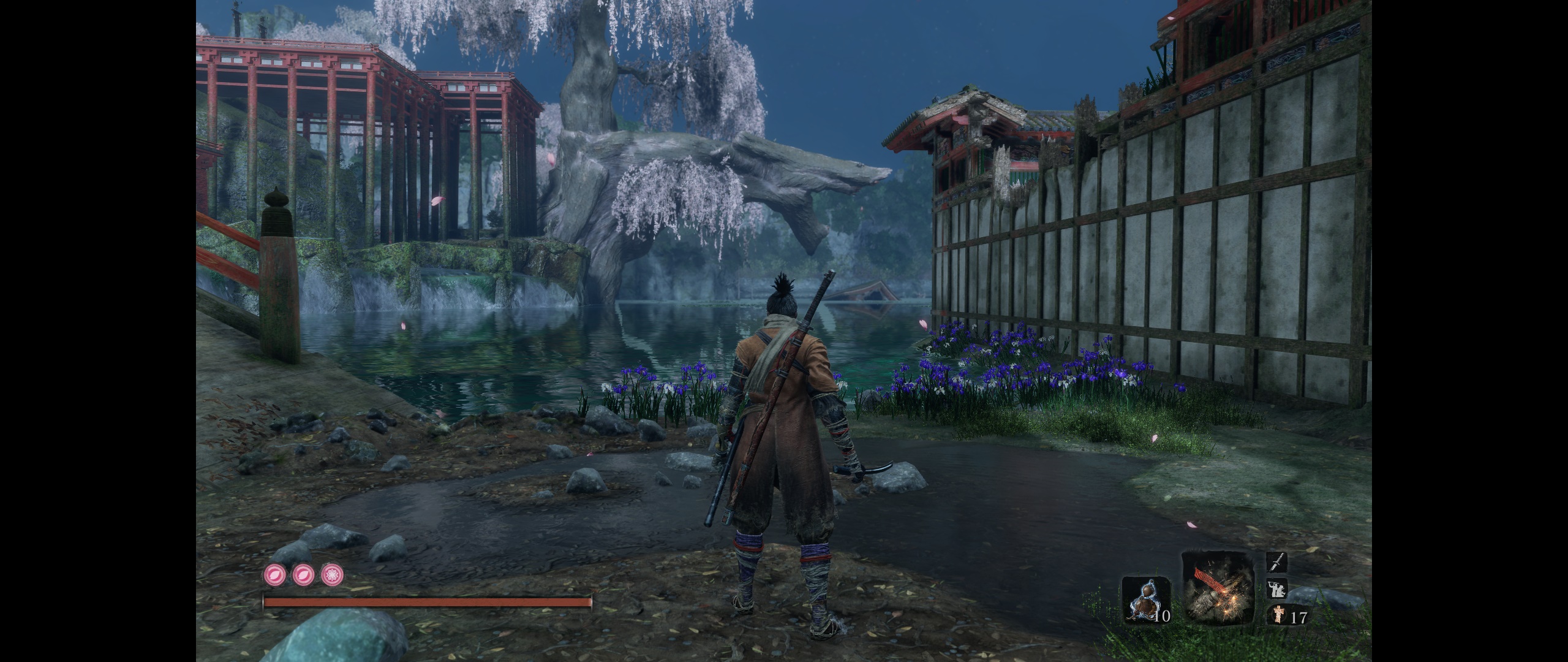

Top
 Profile  
Reply with quote  
PostPosted: 25 Mar 2019, 00:12 
Offline

Joined: 21 Jan 2014, 21:50
Posts: 112
Finally got a chance to load this up.

48:9, looks fantastic. Thanks so much Jackfuste.

Triple monitor would not be a thing without support from modders like you. Thank you for making our hobby the best it can be.

PC master race!

And please, for the love of all things sacred, allow us to support your efforts by posting a donation link!


Top
 Profile  
Reply with quote  
PostPosted: 25 Mar 2019, 01:57 
Offline

Joined: 25 Mar 2019, 01:56
Posts: 1
I can't seem to patch the sekiro.exe with any of the exes provided in the fps unlocker archive. Just says patch not applied?


Top
 Profile  
Reply with quote  
PostPosted: 25 Mar 2019, 02:22 
Offline

Joined: 25 Mar 2019, 02:19
Posts: 1
Barrerayy wrote:
I can't seem to patch the sekiro.exe with any of the exes provided in the fps unlocker archive. Just says patch not applied?


Make a back-up of your original sekiro.exe

Run Steamless on the original sekiro.exe

You will have a file named sekiro.exe.unpacked

Rename sekiro.exe.unpacked to sekiro (without the .exe) replacing the original sekiro.exe

Run the FPS unlock

Run the game in windowed mode. Use Windowed Borderless Gaming to run it fullscreen


Top
 Profile  
Reply with quote  
PostPosted: 25 Mar 2019, 03:01 
Offline

Joined: 25 Mar 2019, 02:55
Posts: 2
Nevermind, the latest fps fix is working great. Game runs fantastic w/ Gsync so far, the framerate is hovering around 144 for me on a i74790k 4.7 oc with a 1080. Surprisingly, it hovers around 160-165 in the Monk Area. I think it has to do with the overall world size, the core locations map is one gigantic interconnected map, which is awesome btw, classic from software. Ill post if I notice any issues with parrying, dodging with the higher cap, but so far it runs fantastic. Thanks again, all the pro modders in this thread.


Top
 Profile  
Reply with quote  
PostPosted: 25 Mar 2019, 04:44 
Offline

Joined: 21 Feb 2019, 19:04
Posts: 2
jackfuste wrote:
Attachment:
Disable_textures_v3.7z

The message "Failed to load custom texture resource" is disabled.
Bars are fixed, but then the black screen at level loading will be 16:9.

Thanks! One question, though.

v2 has an additional file under ShaderFixes, I assume I delete that file when updating to v3?


Top
 Profile  
Reply with quote  
PostPosted: 25 Mar 2019, 06:04 
Offline

Joined: 25 Mar 2019, 06:02
Posts: 1
So a couple of things that are required (at least for me) to get the FPS fix to work which others have mentioned.

I both needed to disable all additional monitors and run in window mode, otherwise the game stays locked to 60 fps.


Top
 Profile  
Reply with quote  
PostPosted: 25 Mar 2019, 06:27 
Offline

Joined: 25 Mar 2019, 06:22
Posts: 1
Forgive my ignorance here, first post. I'm finding it hard to keep track of changes in these 22 pages. I'd like to run the game at 3440x1440 with an fps cap of 100 or uncapped if able, which files would accomplish that?
also, maybe unrelated but when i launch the game the screen goes black for quite a while, i can hear the game running but don't see anything for almost a minute. if i changed from fullscreen to windowed i get the same issue. I assume it times out and just switches back to fullscreen. Anyone else experience that?


Top
 Profile  
Reply with quote  
PostPosted: 25 Mar 2019, 07:25 
Offline

Joined: 22 Mar 2019, 07:44
Posts: 7
acme64 wrote:
Forgive my ignorance here, first post. I'm finding it hard to keep track of changes in these 22 pages. I'd like to run the game at 3440x1440 with an fps cap of 100 or uncapped if able, which files would accomplish that?
also, maybe unrelated but when i launch the game the screen goes black for quite a while, i can hear the game running but don't see anything for almost a minute. if i changed from fullscreen to windowed i get the same issue. I assume it times out and just switches back to fullscreen. Anyone else experience that?

Pay attention to all comments by jackfuste.
Get sekiro_v4.7z it contains sekiro.exe.
Get Sekiro_FPS_v2.7z it contains 100FPS_v2.exe and Unlocked_FPS_v2.exe, use that on sekiro.exe.
Get Disable_textures_v3.7z and put its content in your sekiro folder.
As for FOV. You can get Sekiro_FOV.7z. It contains Sekiro_FOV. You have to run it everytime you run the game. Press F5 to increase FOV, F6 to decrease and F7 to reset. I would press F5 six times.
Or for a permanent solution for FOV. Use a Hex editor, search for F3 0F 10 08 F3 0F 59 0D 0C E7 9B 02 in sekiro.exe and replace it with F3 0F 10 08 F3 0F 59 0D 18 E7 9B 02 This increses your FOV with 75%. I think this is high FOV for 21:9 but I like it.

This will get you 3440x1440 @ 100 fps or uncapped with increased FOV.


Top
 Profile  
Reply with quote  
PostPosted: 25 Mar 2019, 09:03 
Offline

Joined: 22 Mar 2019, 18:38
Posts: 7
So for some reason with FPS fix v1 I could get it to work in fullscreen, and in v2 I can't, windowed only.


Top
 Profile  
Reply with quote  
PostPosted: 25 Mar 2019, 09:06 
Offline
Administrators
Administrators
User avatar

Joined: 05 Jun 2018, 05:10
Posts: 112
The biggest Russian gaming magazine mentioned this thread and jackfuste's FPS mod today.

_________________
you can buy me a coffee at ko-fi.com/rozziroxx


Top
 Profile  
Reply with quote  
PostPosted: 25 Mar 2019, 10:09 
Offline

Joined: 22 Mar 2019, 18:38
Posts: 7
I FIXED IT!!!! AAAAH I can force 144 fps in fullscreen now! I edited d3dx.ini, went down to [Device] section, and uncommented "refresh_rate=60" and changed it to 144.


Top
 Profile  
Reply with quote  
PostPosted: 25 Mar 2019, 11:28 
Offline
User avatar

Joined: 20 Sep 2015, 00:58
Posts: 530
TrBu wrote:
Thanks! One question, though.
v2 has an additional file under ShaderFixes, I assume I delete that file when updating to v3?


yep

Rose wrote:
The biggest Russian gaming magazine mentioned this thread and jackfuste's FPS mod today.


also in digital foundry later today , congrats @jackfuste and wsgf community :cheers:

_________________
if you supporting what I do, buy me a coffee here https://ko-fi.com/kevinsesario or instead direct to paypal.me/kevinsesario . EMAIL:[email protected], Steam: https://steamcommunity.com/id/sesariok


Top
 Profile  
Reply with quote  
PostPosted: 25 Mar 2019, 11:45 
Offline

Joined: 24 Mar 2019, 14:30
Posts: 2
What does disable textures do cause i have been using the mod without it?

The new unlimted FPS thing does not change anything for me. FPS stay at 144.


Top
 Profile  
Reply with quote  
PostPosted: 25 Mar 2019, 12:13 
Offline

Joined: 23 Oct 2018, 01:58
Posts: 10
testeras wrote:
What does disable textures do cause i have been using the mod without it?

The new unlimted FPS thing does not change anything for me. FPS stay at 144.


It removes specific overlays that pop up depending on some conditions, like critical HP level or NPC dialogues, you will see 16:9 box appears on your screen, while not covering the entire area, which looks not so good, more so with higher than 21:9 aspects.


Top
 Profile  
Reply with quote  
PostPosted: 25 Mar 2019, 12:34 
Offline

Joined: 25 Mar 2019, 12:13
Posts: 5
Hi there! Joined to say thank you for the great FPS, FOV and texture mods, to ask if there is a donation link

and also to ask if anyone else is experiencing the missing the "e" at the end of these area name texts

Image
Image

I don't know if it's being caused by one of the mods or if I did something wrong with the modifying and should start over cleanly or what. Thanks again!


Top
 Profile  
Reply with quote  
PostPosted: 25 Mar 2019, 13:41 
Offline
User avatar

Joined: 20 Sep 2015, 00:58
Posts: 530
no problem w/ that here . make sure in folder shader fix only one file b3c2ece20b95d926-vs_replace.txt


Attachments:
sekiro_2019_03_25_19_35_00_433.png
sekiro_2019_03_25_19_35_00_433.png [ 4.39 MiB | Viewed 6671 times ]

_________________
if you supporting what I do, buy me a coffee here https://ko-fi.com/kevinsesario or instead direct to paypal.me/kevinsesario . EMAIL:[email protected], Steam: https://steamcommunity.com/id/sesariok
Top
 Profile  
Reply with quote  
PostPosted: 25 Mar 2019, 14:04 
Offline

Joined: 25 Mar 2019, 12:13
Posts: 5
Wiped Sekiro completely off my pc and did some testing by installing the latest version of the mods cleanly one by one and it's definitely the disable_textures_v3 mod that is causing the missing letters for me. The letter disappeared when I added those files to the sekiro folder and the letter came back the second I removed them. So weird.

susahamat wrote:
no problem w/ that here . make sure in folder shader fix only one file b3c2ece20b95d926-vs_replace.txt

Thanks for the tip! Unfortunately that is indeed the only file in there for me.


Top
 Profile  
Reply with quote  
PostPosted: 25 Mar 2019, 14:08 
Offline

Joined: 25 Mar 2019, 14:04
Posts: 9
Hi guys. I'm new to this, I would like to install the mod to unlock my FPS to 144 and fix the FOV. I have a 16:9 2560x1440 144hz G-sync monitor. How would I go about doing this? I'm unsure if I need to download all of the fixes posted or just the latest one. Can anyone write a quick guide on how to set it up? Sorry to ask, but I'd really appreciate the help!


Top
 Profile  
Reply with quote  
PostPosted: 25 Mar 2019, 14:15 
Offline

Joined: 23 Mar 2019, 03:22
Posts: 3
Zehdah wrote:
Hi guys. I'm new to this, I would like to install the mod to unlock my FPS to 144 and fix the FOV. I have a 16:9 2560x1440 144hz G-sync monitor. How would I go about doing this? I'm unsure if I need to download all of the fixes posted or just the latest one. Can anyone write a quick guide on how to set it up? Sorry to ask, but I'd really appreciate the help!

You need to first download Jackfuste's modified sekiro.exe, preferably the newest version. Extract it into your sekiro game-folder, and overwrite the original.
After that, download the FPS mod and extract the 144 FPS file.
Run that, and patch the modified sekiro.exe in your game-folder.

After that, you should be good. ;)

An optional thing would be to download the texture remover that removes stealth-hud and the warning for low health as well, but since you're 16:9 it shouldn't be an issue to leave that out.


Top
 Profile  
Reply with quote  
PostPosted: 25 Mar 2019, 14:25 
Offline

Joined: 25 Mar 2019, 14:24
Posts: 1
feel eep wrote:
Hi there! Joined to say thank you for the great FPS, FOV and texture mods, to ask if there is a donation link

and also to ask if anyone else is experiencing the missing the "e" at the end of these area name texts

I don't know if it's being caused by one of the mods or if I did something wrong with the modifying and should start over cleanly or what. Thanks again!


I have the missing 'e' too. Very odd! This is on 3440x1440 using the latest EXE patched to unlimited with the latest texture replace/removal.


Top
 Profile  
Reply with quote  
PostPosted: 25 Mar 2019, 14:28 
Offline

Joined: 24 Mar 2019, 07:14
Posts: 6
Thank you so much jackfuste! what a hero :)


Top
 Profile  
Reply with quote  
PostPosted: 25 Mar 2019, 14:35 
Offline

Joined: 25 Mar 2019, 14:04
Posts: 9
Vovegog wrote:
Zehdah wrote:
Hi guys. I'm new to this, I would like to install the mod to unlock my FPS to 144 and fix the FOV. I have a 16:9 2560x1440 144hz G-sync monitor. How would I go about doing this? I'm unsure if I need to download all of the fixes posted or just the latest one. Can anyone write a quick guide on how to set it up? Sorry to ask, but I'd really appreciate the help!

You need to first download Jackfuste's modified sekiro.exe, preferably the newest version. Extract it into your sekiro game-folder, and overwrite the original.
After that, download the FPS mod and extract the 144 FPS file.
Run that, and patch the modified sekiro.exe in your game-folder.

After that, you should be good. ;)

An optional thing would be to download the texture remover that removes stealth-hud and the warning for low health as well, but since you're 16:9 it shouldn't be an issue to leave that out.


Great, thank you very much!


Top
 Profile  
Reply with quote  
PostPosted: 25 Mar 2019, 14:43 
Offline

Joined: 25 Mar 2019, 01:07
Posts: 1
Just got an ultrawide monitor - thanks so much jackfuste for your efforts on this thread.

One question re the FOV fix - my antivirus program detects it as a virus. https://www.virustotal.com/#/file/a3424 ... /detection

On the assumption that this is a false positive, what is causing it please?


Top
 Profile  
Reply with quote  
PostPosted: 25 Mar 2019, 14:52 
Offline
User avatar

Joined: 20 Sep 2015, 00:58
Posts: 530
of course false positive ,must be added to exclude list

_________________
if you supporting what I do, buy me a coffee here https://ko-fi.com/kevinsesario or instead direct to paypal.me/kevinsesario . EMAIL:[email protected], Steam: https://steamcommunity.com/id/sesariok


Top
 Profile  
Reply with quote  
PostPosted: 25 Mar 2019, 14:58 
Offline

Joined: 06 Feb 2019, 17:39
Posts: 12
Darktalon wrote:
I FIXED IT!!!! AAAAH I can force 144 fps in fullscreen now! I edited d3dx.ini, went down to [Device] section, and uncommented "refresh_rate=60" and changed it to 144.


Thanks this worked great back to 120 at fullscreen =)


Top
 Profile  
Reply with quote  
PostPosted: 25 Mar 2019, 15:10 
Offline

Joined: 06 Feb 2019, 17:39
Posts: 12
Reektan wrote:
feel eep wrote:
Hi there! Joined to say thank you for the great FPS, FOV and texture mods, to ask if there is a donation link

and also to ask if anyone else is experiencing the missing the "e" at the end of these area name texts

I don't know if it's being caused by one of the mods or if I did something wrong with the modifying and should start over cleanly or what. Thanks again!


I have the missing 'e' too. Very odd! This is on 3440x1440 using the latest EXE patched to unlimited with the latest texture replace/removal.


Same here as well also missing the the y


Attachments:
20190325100533_1.jpg
20190325100533_1.jpg [ 543.86 KiB | Viewed 5205 times ]
Top
 Profile  
Reply with quote  
PostPosted: 25 Mar 2019, 15:24 
Offline

Joined: 25 Mar 2019, 12:13
Posts: 5
Reektan wrote:
I have the missing 'e' too. Very odd! This is on 3440x1440 using the latest EXE patched to unlimited with the latest texture replace/removal.

Cloudz wrote:
Same here as well also missing the the y

Glad to see I'm not the only one. Hopefully it's a fairly straightforward fix for Jack.

If it helps I'm on 2560x1440 GSYNC165hz Fullscreen, jack's .exe 4.7, patched with full unlocked FPS V2, disable_textures v3.7


Top
 Profile  
Reply with quote  
PostPosted: 25 Mar 2019, 15:57 
Offline

Joined: 24 Mar 2019, 07:14
Posts: 6
I patched the 4.7 exe with the v2.7 FPS fix and now It's back to running at 60fps fullscreen. Was running at 120fps before when fullscreen.

Also tried going back to the previous exe (with the slow running/movement bug) and that doesn't go to 120fps fullscreen either now. Very odd. Wanted the fullscreen for Gsync primarily.

Also i'm not sure if I can use that work around in the d3dx.ini because I have reshade installed and the files in the '3Dmigoto-1.3.1' folder would just overwrite those.
Or maybe there is another way around that.


Top
 Profile  
Reply with quote  
PostPosted: 25 Mar 2019, 16:07 
Offline

Joined: 25 Mar 2019, 16:01
Posts: 1
Fireflew wrote:
I patched the 4.7 exe with the v2.7 FPS fix and now It's back to running at 60fps fullscreen. Was running at 120fps before when fullscreen.


Hi everyone, I registered to thank you all for the great fixes (especially jackfuste), and to answer this question specifically.

I had the same problem with the V2 version of the FPS unlocker, couldn't get it to work in full screen. The simple fix, at least for me, was to go into the .exe properties and toggle on "disable fullscreen optimizations" from the compatibility tab.

I hope this works for you as well.

:onethumb:


Last edited by Manujito on 25 Mar 2019, 16:26, edited 1 time in total.

Top
 Profile  
Reply with quote  
PostPosted: 25 Mar 2019, 16:18 
Offline

Joined: 24 Mar 2019, 07:14
Posts: 6
Manujito wrote:
Fireflew wrote:
I patched the 4.7 exe with the v2.7 FPS fix and now It's back to running at 60fps fullscreen. Was running at 120fps before when fullscreen.


Hi everyone, I registered to thank you all for the great fixes (especially jackfuste), and to answer this question specifically.

Hi had the same problem with the V2 version of the FPS unlocker, couldn't get it to work in full screen. The simple fix, at least for me, was to go into the .exe properties and toggle on "disable fullscreen optimizations" from the compatibility tab.

I hope this works for you as well.

:onethumb:


That did it! Thank you so much!! Man I love this forum :twothumb:


Top
 Profile  
Reply with quote  
PostPosted: 25 Mar 2019, 16:26 
Offline

Joined: 25 Mar 2019, 14:04
Posts: 9
Manujito wrote:
Fireflew wrote:
I patched the 4.7 exe with the v2.7 FPS fix and now It's back to running at 60fps fullscreen. Was running at 120fps before when fullscreen.


Hi everyone, I registered to thank you all for the great fixes (especially jackfuste), and to answer this question specifically.

Hi had the same problem with the V2 version of the FPS unlocker, couldn't get it to work in full screen. The simple fix, at least for me, was to go into the .exe properties and toggle on "disable fullscreen optimizations" from the compatibility tab.

I hope this works for you as well.

:onethumb:


Awesome, that worked for me, thank you! Curious though, why does that work? I don't get what it means by fullscreen optimizations.


Top
 Profile  
Reply with quote  
PostPosted: 25 Mar 2019, 16:28 
Offline
User avatar

Joined: 20 Sep 2015, 00:58
Posts: 530
WSGF Entry has been added http://www.wsgf.org/dr/sekiro-shadows-die-twice/en , hi guys you can contribute information related to the game on link above :)

_________________
if you supporting what I do, buy me a coffee here https://ko-fi.com/kevinsesario or instead direct to paypal.me/kevinsesario . EMAIL:[email protected], Steam: https://steamcommunity.com/id/sesariok


Top
 Profile  
Reply with quote  
PostPosted: 25 Mar 2019, 16:34 
Offline

Joined: 24 Mar 2019, 07:14
Posts: 6
Is it possible to have reshade installed, which is using the d3d11.dll file, and still have a functioning d3dx config file?

For example if I wanted to remove the stealth and low health screen effects I'd have to either replace that d3d11.dll and remove reshade or find some alternative method.

Unless those d3d11.dll files can be merged somehow or it's possible to remove those screen effects in the hex editor?


Top
 Profile  
Reply with quote  
PostPosted: 25 Mar 2019, 16:36 
Offline
User avatar

Joined: 20 Sep 2015, 00:58
Posts: 530
Zehdah wrote:
Awesome, that worked for me, thank you! Curious though, why does that work? I don't get what it means by fullscreen optimizations.


fullscreen optimizations make fulscreen mode to windowed fullscreen in some games , making gsync compatible doesn't works . i'd recommend to tick fullscreen optimizations in per game basis to make exclusive fullscreen works

_________________
if you supporting what I do, buy me a coffee here https://ko-fi.com/kevinsesario or instead direct to paypal.me/kevinsesario . EMAIL:[email protected], Steam: https://steamcommunity.com/id/sesariok


Last edited by susahamat on 25 Mar 2019, 16:39, edited 1 time in total.

Top
 Profile  
Reply with quote  
PostPosted: 25 Mar 2019, 16:38 
Offline

Joined: 25 Mar 2019, 16:36
Posts: 3
Manujito wrote:
Fireflew wrote:
I patched the 4.7 exe with the v2.7 FPS fix and now It's back to running at 60fps fullscreen. Was running at 120fps before when fullscreen.


Hi everyone, I registered to thank you all for the great fixes (especially jackfuste), and to answer this question specifically.

I had the same problem with the V2 version of the FPS unlocker, couldn't get it to work in full screen. The simple fix, at least for me, was to go into the .exe properties and toggle on "disable fullscreen optimizations" from the compatibility tab.

I hope this works for you as well.

:onethumb:


I downloaded the 4.7 exe, patched it with the 2.7 FPS fix and turned on the "disable fullscreen optimizations". However, for some reason, this still won't make it work in fullscreen (max 60 fps and hz). Any ideas?

EDIT: Forgot to mention - it does work in borderless fullscreen though, however the frame pacing seems to be all over the place...


Last edited by Kabann on 25 Mar 2019, 16:41, edited 1 time in total.

Top
 Profile  
Reply with quote  
PostPosted: 25 Mar 2019, 16:39 
Offline
User avatar

Joined: 20 Sep 2015, 00:58
Posts: 530
Fireflew wrote:
Is it possible to have reshade installed, which is using the d3d11.dll file, and still have a functioning d3dx config file?

For example if I wanted to remove the stealth and low health screen effects I'd have to either replace that d3d11.dll and remove reshade or find some alternative method.

Unless those d3d11.dll files can be merged somehow or it's possible to remove those screen effects in the hex editor?


of course compatible ,it works fine here w/ reshade 4.2.1

_________________
if you supporting what I do, buy me a coffee here https://ko-fi.com/kevinsesario or instead direct to paypal.me/kevinsesario . EMAIL:[email protected], Steam: https://steamcommunity.com/id/sesariok


Top
 Profile  
Reply with quote  
PostPosted: 25 Mar 2019, 16:41 
Offline

Joined: 25 Mar 2019, 16:40
Posts: 1
Just registered to say:

THANK YOU !!

Being playing at 3440@120fps smooth as silk 21:9 !

Cheers !


Top
 Profile  
Reply with quote  
PostPosted: 25 Mar 2019, 16:45 
Offline

Joined: 23 Mar 2019, 15:30
Posts: 7
Did some more testing and managed to get the latest fps patch to work in fullscreen and take advantage of freesync.

After applying the fps patch edit d3dx.ini, look for refresh rate, change to whatever hz your monitor supports and remove the semicolon.

Frametime is a lot more stable, everything is smooth as hell like in the original 60hz mode but with more fps now. Still testing the random block/deflection miss bug, could be my lack of skill haha.

Also love how blazing fast the game loads after fps patch.


Top
 Profile  
Reply with quote  
PostPosted: 25 Mar 2019, 16:52 
Offline
User avatar

Joined: 20 Sep 2015, 00:58
Posts: 530
talua wrote:
Still testing the random block/deflection miss bug, could be my lack of skill haha.

Also love how blazing fast the game loads after fps patch.


i noticed that too . i used ssd, it seems w/ uncapped fps make loading even faster haha . hopefully help w/ harddisk too

_________________
if you supporting what I do, buy me a coffee here https://ko-fi.com/kevinsesario or instead direct to paypal.me/kevinsesario . EMAIL:[email protected], Steam: https://steamcommunity.com/id/sesariok


Last edited by susahamat on 25 Mar 2019, 16:53, edited 1 time in total.

Top
 Profile  
Reply with quote  
PostPosted: 25 Mar 2019, 16:52 
Offline

Joined: 25 Mar 2019, 16:36
Posts: 3
talua wrote:
Did some more testing and managed to get the latest fps patch to work in fullscreen and take advantage of freesync.

After applying the fps patch edit d3dx.ini, look for refresh rate, change to whatever hz your monitor supports and remove the semicolon.

Frametime is a lot more stable, everything is smooth as hell like in the original 60hz mode but with more fps now. Still testing the random block/deflection miss bug, could be my lack of skill haha.

Also love how blazing fast the game loads after fps patch.


How'd you do this? I do not have a d3dx.ini file in the folder.


Top
 Profile  
Reply with quote  
PostPosted: 25 Mar 2019, 17:05 
Offline

Joined: 23 Mar 2019, 15:30
Posts: 7
Kabann wrote:

How'd you do this? I do not have a d3dx.ini file in the folder.


You need the disable textures mod.


Top
 Profile  
Reply with quote  
PostPosted: 25 Mar 2019, 17:07 
Offline

Joined: 25 Mar 2019, 16:36
Posts: 3
talua wrote:
Kabann wrote:

How'd you do this? I do not have a d3dx.ini file in the folder.


You need the disable textures mod.


Put in the folder and the three files. Changed hz count under "Device" to 144. Still does not work.

EDIT: Fuck me sideways. I completely did not pay attention to removing the semicolon, and got it to work. Thanks a fucking bunch man!


Top
 Profile  
Reply with quote  
PostPosted: 25 Mar 2019, 17:22 
Offline
User avatar

Joined: 20 Sep 2015, 00:58
Posts: 530
hi people if you've still had problem uncapped fps with all-method in this thread ,try create custom resolution then delete another registered resolution w/ this tool Custom Resolution Utility

_________________
if you supporting what I do, buy me a coffee here https://ko-fi.com/kevinsesario or instead direct to paypal.me/kevinsesario . EMAIL:[email protected], Steam: https://steamcommunity.com/id/sesariok


Top
 Profile  
Reply with quote  
PostPosted: 25 Mar 2019, 17:43 
Offline

Joined: 23 Mar 2019, 15:30
Posts: 7
Apparently the borderless windowed mode (sekiro v4) has worse fps performance than fullscreen for me.


Attachments:
File comment: fs
2.jpg
2.jpg [ 1.04 MiB | Viewed 5432 times ]
File comment: bw
1.jpg
1.jpg [ 1.04 MiB | Viewed 5441 times ]


Last edited by talua on 25 Mar 2019, 17:48, edited 1 time in total.
Top
 Profile  
Reply with quote  
PostPosted: 25 Mar 2019, 17:45 
Offline
User avatar

Joined: 20 Sep 2015, 00:58
Posts: 530
same here , i guess has better job w/ exclusive fullscreen

_________________
if you supporting what I do, buy me a coffee here https://ko-fi.com/kevinsesario or instead direct to paypal.me/kevinsesario . EMAIL:[email protected], Steam: https://steamcommunity.com/id/sesariok


Top
 Profile  
Reply with quote  
PostPosted: 25 Mar 2019, 19:06 
Offline

Joined: 25 Mar 2019, 19:05
Posts: 2
Still can't get the fps unlocked with fullscreen even after changing the refreshrate in the .ini file. Any suggestions?


Top
 Profile  
Reply with quote  
PostPosted: 25 Mar 2019, 19:29 
Offline

Joined: 25 Mar 2019, 19:26
Posts: 1
I unpacked my .exe and ran the 144hz patch. It worked only in windowed mode which runs in a small window so I downloaded the "v4" .exe and it is working in fullscreen windowed mode.

I have a couple of questions. I'm pretty new to modding games. If the developers update the game on Steam will I have to reapply the mod? Also, is messing with this .exe going to get me banned or anything on Steam?


Top
 Profile  
Reply with quote  
PostPosted: 25 Mar 2019, 19:41 
Offline
User avatar

Joined: 20 Sep 2015, 00:58
Posts: 530
Cosmocalypse wrote:
Also, is messing with this .exe going to get me banned or anything on Steam?


no, you'll be fine because this game single-player only.

_________________
if you supporting what I do, buy me a coffee here https://ko-fi.com/kevinsesario or instead direct to paypal.me/kevinsesario . EMAIL:[email protected], Steam: https://steamcommunity.com/id/sesariok


Top
 Profile  
Reply with quote  
PostPosted: 25 Mar 2019, 20:00 
Offline

Joined: 23 Mar 2019, 15:30
Posts: 7
Chimforce wrote:
Still can't get the fps unlocked with fullscreen even after changing the refreshrate in the .ini file. Any suggestions?


Download sekiro v4, disable texture v3 and sekiro fps patch. Unpack all files in the folder, patch sekiro.exe and then modify d3dx.ini file with the corresponding refresh rate. Don't forget to delete the semicolon - ";".

Run the game and change to fullscreen, it should work fine.


Top
 Profile  
Reply with quote  
PostPosted: 25 Mar 2019, 21:26 
Offline

Joined: 22 Mar 2019, 07:44
Posts: 7
I run 3440x1440@100 hex edit +75% FOV
Sekiro V4, Sekiro_FPS V 2 and Disable_textures V3. I did change d3dx.ini
;refresh_rate=60 to
refresh_rate=100
Don't forget to remove the semicolon. In fullscreen I get 85-86 FPS. Windowed 77-78. A 9-10% performance improvement for fullscreen.
Edit. The new nvida drivers have improvements for Sekiro. Have anyone done benchmarks?


Top
 Profile  
Reply with quote  
PostPosted: 25 Mar 2019, 23:14 
Offline

Joined: 25 Mar 2019, 23:12
Posts: 1
Can someone confirm that playing with unlocked FPS won't mess with the i-frames or the like?

Btw, thank you for all the patches and updates. Everyone here is amazing!


Top
 Profile  
Reply with quote  
PostPosted: 25 Mar 2019, 23:26 
Offline

Joined: 25 Mar 2019, 23:18
Posts: 2
I ran into a bug. I can no longer progress past a certain icicle on a ledge
Spoiler:
the one near the white snake
, using the fpspatcher fully unlocked fps.


Top
 Profile  
Reply with quote  
PostPosted: 25 Mar 2019, 23:31 
Offline

Joined: 20 May 2016, 18:24
Posts: 11
thx4nothing wrote:
Can someone confirm that playing with unlocked FPS won't mess with the i-frames or the like?

Btw, thank you for all the patches and updates. Everyone here is amazing!


Unlocked FPS doesn't seems to mess with i-frames on my end. Deflections are on point too.


Top
 Profile  
Reply with quote  
PostPosted: 25 Mar 2019, 23:33 
Offline

Joined: 20 May 2016, 18:24
Posts: 11
byttle wrote:
I ran into a bug. I can no longer progress past a certain icicle on a ledge
Spoiler:
the one near the white snake
, using the fpspatcher fully unlocked fps.


I just surpassed that same zone and did not encountered the bug you describe - playing with patched .exe (the second to last one by Jack for 21:9), hex edit for FOV, texture removal (the one with bigger posture lines) and FPS unlocked via patch


Top
 Profile  
Reply with quote  
PostPosted: 25 Mar 2019, 23:39 
Offline

Joined: 25 Mar 2019, 19:05
Posts: 2
talua wrote:
Chimforce wrote:
Still can't get the fps unlocked with fullscreen even after changing the refreshrate in the .ini file. Any suggestions?


Download sekiro v4, disable texture v3 and sekiro fps patch. Unpack all files in the folder, patch sekiro.exe and then modify d3dx.ini file with the corresponding refresh rate. Don't forget to delete the semicolon - ";".

Run the game and change to fullscreen, it should work fine.


I didn't remove the semicolon, now it works. Thanks buddy!


Top
 Profile  
Reply with quote  
PostPosted: 25 Mar 2019, 23:49 
Offline

Joined: 25 Mar 2019, 23:18
Posts: 2
I was able to pass the icicle but only after rapidly pressing a direction input. I couldn't just hold the directional input and get through... Odd stuff.


Top
 Profile  
Reply with quote  
PostPosted: 26 Mar 2019, 00:30 
Offline

Joined: 26 Mar 2019, 00:28
Posts: 2
Thanks for the FPS patcher, Jack.

Guys, I simply want to play this game fullscreen but with 144hz set and no textures replaced/disabled, how can I do that?

EDIT: I simply deleted the replacement texture file, that seems to have worked just fine.


Last edited by NotWideEnough on 26 Mar 2019, 04:50, edited 2 times in total.

Top
 Profile  
Reply with quote  
PostPosted: 26 Mar 2019, 00:59 
Offline

Joined: 26 Mar 2019, 00:58
Posts: 1
i used steamless and unpacked sekiro.exe but it wont let me apply the fps patch. it keeps telling me Sekiro.exe - File was NOT Patched! (0 bytes written)


Top
 Profile  
Reply with quote  
PostPosted: 26 Mar 2019, 02:26 
Offline

Joined: 22 Mar 2019, 00:45
Posts: 4
I'm also missing both the "e" and the "y" on area names, mentioned earlier.

Thanks again for all the fixes


Top
 Profile  
Reply with quote  
PostPosted: 26 Mar 2019, 02:38 
Offline

Joined: 25 Mar 2019, 12:13
Posts: 5
Peru wrote:
i used steamless and unpacked sekiro.exe but it wont let me apply the fps patch. it keeps telling me Sekiro.exe - File was NOT Patched! (0 bytes written)

You're likely trying to patch the original .exe and not the new one created in the unpacking process, that has a different name (something like sekiro.exe.unpacked.exe) and that you have to rename to sekiro.exe.


Top
 Profile  
Reply with quote  
PostPosted: 26 Mar 2019, 03:55 
Offline

Joined: 12 Aug 2014, 15:22
Posts: 8
Something is up for me. I hope it's just Steam's FPS overlay is somehow broken and now showing anything above 60, but it could also be that fps patch still hasn't taken.

I have downloaded sekiro v4, replaced the original exe, and patched it and I have downloaded disable textures v3, extracted the files, and edited the refresh rate override in d3dx.ini to match the fps patcher I used. Yes, I deleted the semi-colon. It doesn't matter if I'm in Fullscreen or Windowed mode. The result is the same.


Top
 Profile  
Reply with quote  
PostPosted: 26 Mar 2019, 04:34 
Offline

Joined: 26 Mar 2019, 04:32
Posts: 1
Question. Am trying to mod out and see people mentioning the d3dx.ini file that they've edited but I'm not seeing that on my install folder. Where is this file located for me to change? My game is still locked at 60 even after using the fps patcher.


Top
 Profile  
Reply with quote  
PostPosted: 26 Mar 2019, 04:42 
Offline

Joined: 26 Mar 2019, 00:28
Posts: 2
FlameChucks76 wrote:
Question. Am trying to mod out and see people mentioning the d3dx.ini file that they've edited but I'm not seeing that on my install folder. Where is this file located for me to change? My game is still locked at 60 even after using the fps patcher.

That's part of the Disable Texture mod, simply download that and delete the ShaderFixes folder since we don't want any textured disabled.

Then uncomment ; and set your refresh_rate in the .ini file then launch game, ensure your display mode ingame is set to Fullscreen and play in high fps while also having your Full-screen performance

http://www.wsgf.org/forums/viewtopic.ph ... 43#p175543


Top
 Profile  
Reply with quote  
PostPosted: 26 Mar 2019, 06:58 
Offline

Joined: 26 Mar 2019, 06:48
Posts: 5
NotWideEnough wrote:
FlameChucks76 wrote:
Question. Am trying to mod out and see people mentioning the d3dx.ini file that they've edited but I'm not seeing that on my install folder. Where is this file located for me to change? My game is still locked at 60 even after using the fps patcher.

That's part of the Disable Texture mod, simply download that and delete the ShaderFixes folder since we don't want any textured disabled.

Then uncomment ; and set your refresh_rate in the .ini file then launch game, ensure your display mode ingame is set to Fullscreen and play in high fps while also having your Full-screen performance

http://www.wsgf.org/forums/viewtopic.ph ... 43#p175543

This is great now the only thing that isn't working properly for me is the "Unlocked_FPS_v2.exe" doesn't actually work any different than the "144FPS_v2.exe", they're both 144fps max, doesn't matter if I set my refresh_rate in the d3dx.ini to 145, 200, 500, etc, it's 144fps.

Still it's nice to be able to play a FromSoft game above 60fps seemingly without issue


Top
 Profile  
Reply with quote  
PostPosted: 26 Mar 2019, 15:52 
Offline

Joined: 25 Mar 2019, 12:13
Posts: 5
Anyone able to figure out the issue with the missing letters of the area names while using the texture disable mod?


Top
 Profile  
Reply with quote  
PostPosted: 26 Mar 2019, 17:31 
Offline
User avatar

Joined: 20 Sep 2015, 00:58
Posts: 530
it seems texture mod caused an issue with missing letter's in specific resolutions, i've tried using higher than 4k then the letter's are missing . guys you could try using alternative mod here on nexusmods for now MINIMAL HUD

_________________
if you supporting what I do, buy me a coffee here https://ko-fi.com/kevinsesario or instead direct to paypal.me/kevinsesario . EMAIL:[email protected], Steam: https://steamcommunity.com/id/sesariok


Top
 Profile  
Reply with quote  
PostPosted: 26 Mar 2019, 18:19 
Offline

Joined: 24 Mar 2019, 07:14
Posts: 6
If anyone is still having issues with the game still not running at an unlocked framerate at fullscreen with the fps fix installed it ONLY seems to work for me if Gsync is enabled.

I tried turning it off out of curiosity and it was back to 60fps. Tested a bunch of different things like changing the refresh rate in the d3dx config, turning on and off the fullscreen optimisations option, etc. Nothing made any difference as long as Gsync was disabled. But then I turned it on again and hey presto it was running at 120fps fullscreen.

Not sure if this is a bug or I missed something. I went through my Nvidia control panel and profile inspector to check if anything had changed since the last driver update but everything was the same. Currently using a 120fps cap in the inspector but again that doesn't seem to make much of a difference.


Top
 Profile  
Reply with quote  
PostPosted: 26 Mar 2019, 18:41 
Offline

Joined: 26 Mar 2019, 18:23
Posts: 1
I'm having issues as well. I've tried just about everything. I've tried using steamless, editing the hex-file, and running v1 of the FPS fix. I've tried using v4.7 of the file and v2 of the FPS fix. I've tried fullscreen, windowed, hdr on, hdr off, freesync on, freesync off, 100fps, 120fps, 144fps, and unlocked. I've also tried changing the refresh rate in the d3dx.ini file. I've also unplugged all of my other monitors.


Top
 Profile  
Reply with quote  
PostPosted: 26 Mar 2019, 23:13 
Offline

Joined: 20 May 2016, 18:24
Posts: 11
susahamat wrote:
it seems texture mod caused an issue with missing letter's in specific resolutions, i've tried using higher than 4k then the letter's are missing . guys you could try using alternative mod here on nexusmods for now MINIMAL HUD


Thanks for the heads up - got to ask thou: do you know how to disable just that specific part of the texture mod by jack? Cause I need to keep the .ini (at least afaik) to "force" the unlocked framerate on fullscreen.


Top
 Profile  
Reply with quote  
PostPosted: 26 Mar 2019, 23:23 
Offline

Joined: 26 Mar 2019, 23:02
Posts: 1
jackfuste wrote:
Attachment:
Disable_textures_v3.7z


Attachment:
Sekiro_FPS_v2.7z


Hi there jackfuste, I know this is weird to ask but is there is any possibility for you to create a fix for this steam thread (you need to read the 3rd post by me since it has all the details): https://steamcommunity.com/app/814380/d ... 586318379/

Basically I want to test if you can create something that blocks HDR detection when the game launches... I am assuming here if that were possible then it could potentially fix the mixing of multiple monitors non-hdr/hdr capable screens stuck at 20fps issue. Not needing to physically unplug all the other monitors before running the game to fix it.

As in saying if your main display "does not have HDR" which is where you play the game and you have another plugged in screen that "does have HDR" then it causes the issue. I have 4 monitors so its a big hassle to unplug all other screens every time before I go play the game.

Do you think you could create such a thing, block HDR detection upon launching the game? Of course if needed you can use me as a guinea pig for testing either here or on discord


Top
 Profile  
Reply with quote  
PostPosted: 27 Mar 2019, 01:02 
Offline

Joined: 26 Mar 2019, 06:48
Posts: 5
RyoHazukiITA wrote:
susahamat wrote:
it seems texture mod caused an issue with missing letter's in specific resolutions, i've tried using higher than 4k then the letter's are missing . guys you could try using alternative mod here on nexusmods for now MINIMAL HUD


Thanks for the heads up - got to ask thou: do you know how to disable just that specific part of the texture mod by jack? Cause I need to keep the .ini (at least afaik) to "force" the unlocked framerate on fullscreen.

If you don't need to remove textures just get the original files from 3Dmigoto here: https://github.com/bo3b/3Dmigoto/releases
Version 1.3.15 and in the x64 folder all you need is d3d11.dll, d3dcompiler_46.dll, and d3dx.ini and in the d3dx.ini you can delete everything except:
Code:
[Device]

; overrides refresh rate set by game.
refresh_rate=1000


Top
 Profile  
Reply with quote  
PostPosted: 27 Mar 2019, 12:35 
Offline

Joined: 20 May 2016, 18:24
Posts: 11
susahamat wrote:
it seems texture mod caused an issue with missing letter's in specific resolutions, i've tried using higher than 4k then the letter's are missing . guys you could try using alternative mod here on nexusmods for now MINIMAL HUD


I've tried MINIMAL HUD - problem is that mod doesn't take into account 21:9 res or any other than 16:9 so you're back having black 16:9 masks everytime there's a load screen, and also MINIMAL HUD does not remove faded background for dialogues. For now I'd rather have a missing letter or two :D


Top
 Profile  
Reply with quote  
PostPosted: 27 Mar 2019, 13:06 
Offline
User avatar

Joined: 20 Sep 2015, 00:58
Posts: 530
yup some overlays still there w/ that mod . i revert too with jackfuste texture mod

_________________
if you supporting what I do, buy me a coffee here https://ko-fi.com/kevinsesario or instead direct to paypal.me/kevinsesario . EMAIL:[email protected], Steam: https://steamcommunity.com/id/sesariok


Top
 Profile  
Reply with quote  
PostPosted: 27 Mar 2019, 14:34 
Offline
User avatar

Joined: 27 Mar 2019, 14:25
Posts: 1
I made an account on here to just say thanks to Jackfuste and everyone else on this thread who helped with fixes and advice on implementing them. I am playing at 100 fps ultrawide and its incredible. I reached out to Jackfuste about a donation link because I would love to at least contribute something. Or if someone can let me know what people do about that around here I would appreciate it.


Top
 Profile  
Reply with quote  
PostPosted: 27 Mar 2019, 14:40 
Offline

Joined: 27 Mar 2019, 14:37
Posts: 1
I'm loving the FPS unlocker!

But I got a problem that has nothing to do with these mods, whenever I try to look behind me or on my side while running the camera drags back in front of me trying to center itself again...
Is there a fix or anything for it? I'm on PC playing with KMB, I'll upload a clip later.

Cheers!


Top
 Profile  
Reply with quote  
PostPosted: 27 Mar 2019, 14:47 
Offline
User avatar

Joined: 20 Sep 2015, 00:58
Posts: 530
try use disable cam auto-adjust CET script here http://fearlessrevolution.com/viewtopic.php?f=4&t=8938

_________________
if you supporting what I do, buy me a coffee here https://ko-fi.com/kevinsesario or instead direct to paypal.me/kevinsesario . EMAIL:[email protected], Steam: https://steamcommunity.com/id/sesariok


Top
 Profile  
Reply with quote  
PostPosted: 27 Mar 2019, 15:14 
Offline

Joined: 27 Mar 2019, 15:11
Posts: 6
Is anybody currently working on a HUD fix that makes everything 21:9 instead of disabling it? I don't want to mess up icon placements or lose the red screen when health is low.


Top
 Profile  
Reply with quote  
PostPosted: 27 Mar 2019, 17:22 
Offline

Joined: 06 Apr 2016, 12:04
Posts: 5
Hi guys I've not been to this site since the last metal gear solid game (seems aeons ago). Recently RE2 was letterboxed for me and now the same with Sekiro. I run an old 5:4 plasma at 1280 x 1024 but i'm getting letterboxed in game at any resolution I choose. I'd like to run it 5:4 @ 1280 x 1024, tried following a guide here and got ResHex and HxD but had no luck after editing the .exe

IS it possible to run this at my desired resolution and if so could someone give me some pointers please?

Many thanks


Top
 Profile  
Reply with quote  
PostPosted: 27 Mar 2019, 17:41 
Offline
User avatar

Joined: 20 Sep 2015, 00:58
Posts: 530
replace your .exe with AR Fix Mod by Jackfuste


Attachments:
sekiro_2019_03_27_23_39_19_063.png
sekiro_2019_03_27_23_39_19_063.png [ 1.98 MiB | Viewed 6240 times ]

_________________
if you supporting what I do, buy me a coffee here https://ko-fi.com/kevinsesario or instead direct to paypal.me/kevinsesario . EMAIL:[email protected], Steam: https://steamcommunity.com/id/sesariok
Top
 Profile  
Reply with quote  
PostPosted: 27 Mar 2019, 19:47 
Offline

Joined: 06 Apr 2016, 12:04
Posts: 5
Hi Susahamat,

I presume that response was aimed at my comment? If so I tried replacing the .exe with the one you stated. I'm still in letterbox now at 1280 x 1024. The only difference I noticed was the windowed mode was now locked to the same resolution, although it was now borderless (as intended) it was essentially the same 1920 x 1080 size letterbox.

I use Shadow (https://shadow.tech) and have though this possibly an issue with their service maybe (raised a ticket today and posted here also incase it's a game thing) experienced since RE2 which again seemed to suggest support for 1280 x 1024 but same results as above. Prior to that I ran Metro Exodus fine at fullscreen so i'm a bit confused now which is the culprit

Can anyone confirm, should this game support and run fullscreen 1280 x 1024 out of the box? I mean it's there as an option so one would think it should work


Last edited by SirMan0waR on 27 Mar 2019, 20:08, edited 1 time in total.

Top
 Profile  
Reply with quote  
PostPosted: 27 Mar 2019, 20:06 
Offline
User avatar

Joined: 20 Sep 2015, 00:58
Posts: 530
yep, i ran the game at 1280 x 1024 in picture above.


Attachments:
sekiro_2019_03_28_02_05_16_523.png
sekiro_2019_03_28_02_05_16_523.png [ 1.67 MiB | Viewed 6200 times ]

_________________
if you supporting what I do, buy me a coffee here https://ko-fi.com/kevinsesario or instead direct to paypal.me/kevinsesario . EMAIL:[email protected], Steam: https://steamcommunity.com/id/sesariok
Top
 Profile  
Reply with quote  
PostPosted: 27 Mar 2019, 20:58 
Offline

Joined: 12 Aug 2014, 15:22
Posts: 8
I downloaded the AR fix and have hex edited in my desired FOV, but now the vignettes don't go the edges of the screen as they are 16:9. I don't want to disable them as I don't mind them. Is there any way to make the vignettes go to the edge of the screen?


Attachments:
20190327154903_1.jpg
20190327154903_1.jpg [ 303.67 KiB | Viewed 6146 times ]
Top
 Profile  
Reply with quote  
PostPosted: 27 Mar 2019, 21:00 
Offline

Joined: 27 Mar 2019, 15:11
Posts: 6
yobayoba wrote:
I downloaded the AR fix and have hex edited in my desired FOV, but now the vignettes don't go the edges of the screen as they are 16:9. I don't want to disable them as I don't mind them. Is there any way to make the vignettes go to the edge of the screen?


That's what I'm hoping for, but I don't believe anyone has worked on that yet.


Top
 Profile  
Reply with quote  
PostPosted: 27 Mar 2019, 21:05 
Offline
User avatar

Joined: 20 Sep 2015, 00:58
Posts: 530
yobayoba wrote:
I downloaded the AR fix and have hex edited in my desired FOV, but now the vignettes don't go the edges of the screen as they are 16:9. I don't want to disable them as I don't mind them. Is there any way to make the vignettes go to the edge of the screen?


you should need this http://www.wsgf.org/forums/viewtopic.ph ... 43#p175543

_________________
if you supporting what I do, buy me a coffee here https://ko-fi.com/kevinsesario or instead direct to paypal.me/kevinsesario . EMAIL:[email protected], Steam: https://steamcommunity.com/id/sesariok


Top
 Profile  
Reply with quote  
PostPosted: 27 Mar 2019, 21:11 
Offline

Joined: 27 Mar 2019, 15:11
Posts: 6
susahamat wrote:
yobayoba wrote:
I downloaded the AR fix and have hex edited in my desired FOV, but now the vignettes don't go the edges of the screen as they are 16:9. I don't want to disable them as I don't mind them. Is there any way to make the vignettes go to the edge of the screen?


you should need this http://www.wsgf.org/forums/viewtopic.ph ... 43#p175543


As far as I'm aware, that disables them entirely, right?


Top
 Profile  
Reply with quote  
PostPosted: 28 Mar 2019, 03:06 
Offline

Joined: 08 Mar 2019, 07:10
Posts: 13
Can someone post the most recent fix since there are 30 pages to sift through? Usually, OP updates his post with the latest fixes but that hasn't happened here.


Top
 Profile  
Reply with quote  
PostPosted: 28 Mar 2019, 05:57 
Offline

Joined: 26 Mar 2019, 06:48
Posts: 5
So has anyone managed to get a framerate higher than their monitor's refresh rate in exclusive fullscreen or is this not something that's possible?
Like can I get 145fps+ on 144hz in exclusive fullscreen or am I capped at 144fps? Which I'm honestly fine with just curious


Top
 Profile  
Reply with quote  
PostPosted: 28 Mar 2019, 10:06 
Offline

Joined: 09 Feb 2012, 05:35
Posts: 21
Is it possible to activate HDR in Windowed (Borderless), the game will not allow it -- or is this not a function with HDR on Windows in general?


Top
 Profile  
Reply with quote  
PostPosted: 28 Mar 2019, 12:45 
Offline
User avatar

Joined: 20 Sep 2015, 00:58
Posts: 530
Dreamic wrote:
Like can I get 145fps+ on 144hz in exclusive fullscreen or am I capped at 144fps? Which I'm honestly fine with just curious


of course you can , make sure force vysnc off in driver

_________________
if you supporting what I do, buy me a coffee here https://ko-fi.com/kevinsesario or instead direct to paypal.me/kevinsesario . EMAIL:[email protected], Steam: https://steamcommunity.com/id/sesariok


Top
 Profile  
Reply with quote  
PostPosted: 28 Mar 2019, 15:03 
Offline

Joined: 27 Mar 2019, 15:11
Posts: 6
Dreamic wrote:
So has anyone managed to get a framerate higher than their monitor's refresh rate in exclusive fullscreen or is this not something that's possible?
Like can I get 145fps+ on 144hz in exclusive fullscreen or am I capped at 144fps? Which I'm honestly fine with just curious


If you love screen tearing


Top
 Profile  
Reply with quote  
PostPosted: 28 Mar 2019, 19:16 
Offline

Joined: 06 Apr 2016, 12:04
Posts: 5
Thanks I got fullscreen now but how to sort out this red border? Are the fov comments above referring to same thing? I've not changed my fov yet..

Image

Also could someone post link to the fov guide, i'd like to increase it if poss :)


Top
 Profile  
Reply with quote  
PostPosted: 28 Mar 2019, 20:18 
Offline

Joined: 06 Apr 2016, 12:04
Posts: 5
Ignore above, found all the patches, great work!

Only problem now is getting used to this damn camera on keyboard and mouse :P

Actually I cant seem to change Y Axis in the settings, it remains inverted if I choose standard or inverted, is this locked in a config somewhere?


Top
 Profile  
Reply with quote  
PostPosted: 28 Mar 2019, 21:00 
Offline

Joined: 28 Mar 2019, 20:52
Posts: 1
Good evening...

Can i make better my gameplay with my laptop Msi gt72 2QD Dominator ( more fps etc) or to let it go default ?

also these red lines from the right and left how to do something to get them in some way?

Thanks


Top
 Profile  
Reply with quote  
PostPosted: 28 Mar 2019, 22:19 
Offline

Joined: 12 Mar 2019, 17:25
Posts: 11
I'm also still missing random letters from various words like Ashina Castl[e] with the latest modified .exe, 144fps modifier installed, and vignette HUD removed with the latest available download.


Top
 Profile  
Reply with quote  
PostPosted: 28 Mar 2019, 23:06 
Offline

Joined: 26 Mar 2019, 06:48
Posts: 5
susahamat wrote:
Dreamic wrote:
Like can I get 145fps+ on 144hz in exclusive fullscreen or am I capped at 144fps? Which I'm honestly fine with just curious


of course you can , make sure force vysnc off in driver

Thanks I'm dumb lol can't remember the last time I've had to actually use the NVCP for anything

Shoedonym wrote:
Dreamic wrote:
So has anyone managed to get a framerate higher than their monitor's refresh rate in exclusive fullscreen or is this not something that's possible?
Like can I get 145fps+ on 144hz in exclusive fullscreen or am I capped at 144fps? Which I'm honestly fine with just curious


If you love screen tearing

It's not like I'm staying at 144fps max settings anyway so it's already tearing, I'm not that sensitive to tearing at high fps


Top
 Profile  
Reply with quote  
PostPosted: 29 Mar 2019, 06:28 
Offline

Joined: 29 Mar 2019, 06:21
Posts: 1
All the patches work fine for me, thx a lot!

But i still got between 80-100 FPS on any resolution and graph settings, looks like my CPU bottlenecking or smtng like this.
My config: 144hz, GTX 1080ti, i7 8700k, win10 64. No point to play on unclocked FPS when i can't get stable high stable framerate =/

I saw ppl got around 300fps here.

Can you please help?


Top
 Profile  
Reply with quote  
PostPosted: 29 Mar 2019, 10:30 
Offline

Joined: 20 May 2016, 18:24
Posts: 11
Gerija wrote:
All the patches work fine for me, thx a lot!

But i still got between 80-100 FPS on any resolution and graph settings, looks like my CPU bottlenecking or smtng like this.
My config: 144hz, GTX 1080ti, i7 8700k, win10 64. No point to play on unclocked FPS when i can't get stable high stable framerate =/

I saw ppl got around 300fps here.

Can you please help?


At what resolution are you playing? I got i7 6700K (OC'ed @4.6) and a Gigabyte 1080Ti and I get 80ish-90ish FPS at 3440x1440 all maxed out (except no AA) with custom shader injection via ReShade.
Your CPU is definitely not bottlenecking cause mine sits at 30-40% use in Sekiro, even at stock 4Ghz speed.


Top
 Profile  
Reply with quote  
PostPosted: 29 Mar 2019, 14:52 
Offline
User avatar

Joined: 29 Mar 2019, 14:41
Posts: 3
Is it possible to have the bytes for +-25% FOV?
I can only find +-40% and +-15%, but for me one is too much and the other is too low.

I tried to manually edit the string:

+-40% is
Code:
F3 0F 10 08 F3 0F 59 0D 14 E7 9B 02

I tried
Code:
F3 0F 10 08 F3 0F 59 0D 12 E7 9B 02

but it messes up everything (I replaced 14 with 12),
what could I do to get the desired custom FOV?

And btw, thanks to every modder who worked on all the fixes, you guys are amazing!


Top
 Profile  
Reply with quote  
PostPosted: 30 Mar 2019, 02:58 
Offline

Joined: 25 Jan 2012, 18:51
Posts: 3
jackfuste wrote:
Replace sekiro.exe in the game folder - sekiro_v4.7z

  • Windowed mode changed to borderless fullscreen

97menace wrote:
also if there was a way to save an fov offset it would be amazing, will get annoying having to set the perfect FOV every time

You can patch sekiro.exe

FOV + ~15%:
F3 0F 10 08 F3 0F 59 0D 0C E7 9B 02 => F3 0F 10 08 F3 0F 59 0D 10 E7 9B 02

FOV + ~40%:
F3 0F 10 08 F3 0F 59 0D 0C E7 9B 02 => F3 0F 10 08 F3 0F 59 0D 14 E7 9B 02

FOV + ~75%:
F3 0F 10 08 F3 0F 59 0D 0C E7 9B 02 => F3 0F 10 08 F3 0F 59 0D 18 E7 9B 02

FOV + ~90%:
F3 0F 10 08 F3 0F 59 0D 0C E7 9B 02 => F3 0F 10 08 F3 0F 59 0D 1C E7 9B 02


I'm finding 15% not enough, but the jump to 40% is too much, the camera is too far away. 25% would probably be perfect for my setup. What offset would I use I can't figure this shit out on my own :(


Top
 Profile  
Reply with quote  
PostPosted: 30 Mar 2019, 07:02 
Offline
Insiders
Insiders
User avatar

Joined: 19 Dec 2011, 16:03
Posts: 521
danger wrote:
Is it possible to have the bytes for +-25% FOV?

FOV + ~25%:
F3 0F 10 08 F3 0F 59 0D 0C E7 9B 02 => F3 0F 10 08 F3 0F 59 0D 42 9B 9B 02


Top
 Profile  
Reply with quote  
PostPosted: 30 Mar 2019, 13:37 
Offline

Joined: 30 Mar 2019, 13:34
Posts: 1
Help! Each time I try to click and download the file, it saves as a notepad Z7 file. It opens to a bunch of strange characters...

This is my first ultrawide fix - what am I doing wrong here? Thanks!


Top
 Profile  
Reply with quote  
PostPosted: 30 Mar 2019, 13:54 
Offline

Joined: 30 Mar 2019, 13:49
Posts: 1
First off, thank you to everyone for their skills and help on this!

I have a question about the vignettes, would we be able to edit (photoshop) the textures to fit 21:9 or any other resolution and put it back into the game files?


Top
 Profile  
Reply with quote  
PostPosted: 31 Mar 2019, 10:53 
Offline

Joined: 25 Mar 2019, 14:04
Posts: 9
Does anyone know why G-sync isn't working for me? I'm in full screen mode, have it turned on in Nvidia control panel etc, it works in other games but not in Sekiro. I have the FPS unlocked mod and FOV mod installed successfully, everything is working great apart from G-sync. I am using Rivatuner to cap my FPS to 141 because I have a 144 Hz monitor and a 1080ti and don't want to get higher FPS than that, if I turn Rivatuner off I reach 250+ FPS.


Top
 Profile  
Reply with quote  
PostPosted: 31 Mar 2019, 11:22 
Offline
User avatar

Joined: 29 Mar 2019, 14:41
Posts: 3
jackfuste wrote:
danger wrote:
Is it possible to have the bytes for +-25% FOV?

FOV + ~25%:
F3 0F 10 08 F3 0F 59 0D 0C E7 9B 02 => F3 0F 10 08 F3 0F 59 0D 42 9B 9B 02


I love you so much, thank you!
Now I'd like to know how you figured out those numbers :mrgreen:


Top
 Profile  
Reply with quote  
PostPosted: 31 Mar 2019, 13:16 
Offline

Joined: 31 Mar 2019, 13:14
Posts: 1
boomraccoon wrote:
Help! Each time I try to click and download the file, it saves as a notepad Z7 file. It opens to a bunch of strange characters...

This is my first ultrawide fix - what am I doing wrong here? Thanks!

I use WinRAR to open these files


Top
 Profile  
Reply with quote  
PostPosted: 31 Mar 2019, 18:42 
Offline

Joined: 23 Oct 2018, 01:58
Posts: 10
morshrooms wrote:
First off, thank you to everyone for their skills and help on this!

I have a question about the vignettes, would we be able to edit (photoshop) the textures to fit 21:9 or any other resolution and put it back into the game files?


I was also thinking about doing so, but my knowledge on .bdt extraction is null, so hopefully someone could figure that out eventually.
Was looking into it for some time, and I assume if you can extract and redo button prompts and reskin main character and stuff, maybe there is a possibility to do it the same way with vignettes. :think:


Top
 Profile  
Reply with quote  
PostPosted: 31 Mar 2019, 19:05 
Offline

Joined: 25 Jul 2011, 23:33
Posts: 7
jackfuste wrote:
CaptnNemo wrote:
Any updates on fps unlock ?

May cause bugs, so testing is needed.

    Attachment:
    Sekiro_FPS.7z

  • Unpack sekiro.exe using Steamless - https://github.com/atom0s/Steamless/releases/
    sekiro.exe is already unpacked in the pirated version or with ultrawide fix, so skip this step if you use them.
     
  • Run the patcher and apply patch to sekiro.exe


The FPS unlocker refuses to work for me. I've tried about 10 times using both 120fps and 144fps and it still is stuck at 60fps. The monitor I'm using only does 60fps but in the d3dx.ini I changed the refresh_rate to "144" but it still doesn't work.

Would appreciate any help.


Top
 Profile  
Reply with quote  
PostPosted: 31 Mar 2019, 20:55 
Offline

Joined: 31 Mar 2019, 20:51
Posts: 2
Baasha wrote:
jackfuste wrote:
CaptnNemo wrote:
Any updates on fps unlock ?

May cause bugs, so testing is needed.

    Attachment:
    Sekiro_FPS.7z

  • Unpack sekiro.exe using Steamless - https://github.com/atom0s/Steamless/releases/
    sekiro.exe is already unpacked in the pirated version or with ultrawide fix, so skip this step if you use them.
     
  • Run the patcher and apply patch to sekiro.exe


The FPS unlocker refuses to work for me. I've tried about 10 times using both 120fps and 144fps and it still is stuck at 60fps. The monitor I'm using only does 60fps but in the d3dx.ini I changed the refresh_rate to "144" but it still doesn't work.

Would appreciate any help.


Did you disable Vsync in your graphics card's control panel? Eg. for Nvidia:

1. Right Click Desktop -> Nvidia Control Panel

2. Manage 3D Settings

3. Program Settings

4. Select sekiro.exe, or add it if it's not present

5. Vertical Sync -> Off


Top
 Profile  
Reply with quote  
PostPosted: 01 Apr 2019, 01:11 
Offline

Joined: 25 Jul 2011, 23:33
Posts: 7
eccentricity wrote:
Did you disable Vsync in your graphics card's control panel? Eg. for Nvidia:

1. Right Click Desktop -> Nvidia Control Panel

2. Manage 3D Settings

3. Program Settings

4. Select sekiro.exe, or add it if it's not present

5. Vertical Sync -> Off


Wow - thank you so much! That worked! I usually never turn off V-Sync in NVCP and just do it in the game but it worked like a charm.


Top
 Profile  
Reply with quote  
PostPosted: 01 Apr 2019, 11:17 
Offline

Joined: 25 Mar 2019, 14:04
Posts: 9
Quote:
Did you disable Vsync in your graphics card's control panel? Eg. for Nvidia:

1. Right Click Desktop -> Nvidia Control Panel

2. Manage 3D Settings

3. Program Settings

4. Select sekiro.exe, or add it if it's not present

5. Vertical Sync -> Off


Out of curiosity why would you turn Vsync off? I've always heard you should have it on in the Nvidia control panel and off in game. I have it on in the control panel with the fps unlock mod and I have no issues, 144hz G-sync on.


Top
 Profile  
Reply with quote  
PostPosted: 01 Apr 2019, 17:00 
Offline

Joined: 25 Mar 2019, 14:04
Posts: 9
What does the texture mod do exactly if I delete the shaderfixes folder? I need it for the d3dx ini file to set my FPS to 144 or it doesn't work, but I just want the fps + fov fix no texture mods.


Top
 Profile  
Reply with quote  
PostPosted: 02 Apr 2019, 02:07 
Offline

Joined: 31 Mar 2019, 20:51
Posts: 2
Zehdah wrote:
Out of curiosity why would you turn Vsync off?

In this case, Sekiro doesn't provide a way to turn it off in-game, so you have to do it through the control panel.

Zehdah wrote:
I have it on in the control panel with the fps unlock mod and I have no issues, 144hz G-sync on.

What is the native refresh rate of your monitor? If it's 144 Hz, then that's why it works fine. You'd only need to turn it off if you wanted to run at a higher refresh rate than native (eg. the other user who wanted to run at 144 Hz with a 60 Hz monitor).


Top
 Profile  
Reply with quote  
PostPosted: 02 Apr 2019, 14:05 
Offline

Joined: 25 Mar 2019, 14:04
Posts: 9
eccentricity wrote:
Zehdah wrote:
Out of curiosity why would you turn Vsync off?

In this case, Sekiro doesn't provide a way to turn it off in-game, so you have to do it through the control panel.


Zehdah wrote:
I have it on in the control panel with the fps unlock mod and I have no issues, 144hz G-sync on.

What is the native refresh rate of your monitor? If it's 144 Hz, then that's why it works fine. You'd only need to turn it off if you wanted to run at a higher refresh rate than native (eg. the other user who wanted to run at 144 Hz with a 60 Hz monitor).


Ah I see, thanks for the info. My monitor's refresh rate is 144 native. I cap it to 141 using Rivatuner as it often goes over and causes issues when it does. I didn't realize v-sync was on in game, I don't know much about it but I've always read that I should have v-sync on in the control panel and off in game.


Top
 Profile  
Reply with quote  
PostPosted: 03 Apr 2019, 01:00 
Offline

Joined: 03 Apr 2019, 00:56
Posts: 1
Hi all,

can't wait to try the mod to unlock FPS but I get the error "Failed to unpack file." in Steamless.
I have tried Variant30 & 31 (64x) and Steam is not running.

Wasn't able to find anything in this thread or anywhere else.
Did anyone encounter this and knows how to solve it?

Cheers


Top
 Profile  
Reply with quote  
PostPosted: 03 Apr 2019, 18:40 
Offline

Joined: 03 Apr 2019, 18:38
Posts: 2
Is there a way to get the texture disabler working together with Special K? One overwrites the other.

Need Special K for the networking fix (causes random freezes for me) and the texture disabler... well, so the game doesn't look weird.


Top
 Profile  
Reply with quote  
PostPosted: 04 Apr 2019, 01:44 
Offline

Joined: 24 Mar 2019, 17:47
Posts: 2
Does anyone else have the bug where the combat skill "Whirlwind Slash" just doesn't work? It doesn't connect with enemies at all. Not that it's a big deal since I use Ichimonji: Double all the time but I must say it's very weird.


Top
 Profile  
Reply with quote  
PostPosted: 04 Apr 2019, 03:53 
Offline

Joined: 04 Apr 2019, 02:59
Posts: 2
Any one can fix the HUD problem for 21:9 and make the red box whole screen when suffer a low health.


Top
 Profile  
Reply with quote  
PostPosted: 04 Apr 2019, 14:42 
Offline

Joined: 25 Mar 2019, 02:55
Posts: 2
DetectiveSpunkMurphy wrote:
Does anyone else have the bug where the combat skill "Whirlwind Slash" just doesn't work? It doesn't connect with enemies at all. Not that it's a big deal since I use Ichimonji: Double all the time but I must say it's very weird.


Yeah unfortunately, while the game feels a million times better. I've also noticed that the first slash of the dummy guy you can practice with & regular baddies seems to whiff consistently. I tested with 60 fps and it works fine, but then I tried various different fps, gsync, vsync, no vsync etc. The game is absolutely way better with higher fps, but a bug like this might be further reaching. I'd love it if Susahamat or jack can check to see why the first attack if parried seems to whiff on the enemies end, its pretty easy to recreate with the dummy guy in starting area. Other then that, thank you for all the hard work.

Testing parameters:
120fps+ Version
Choose the deflect training mode, and just stand really close to the dummy guy as he swings, and try to perfect parry his first attacks. You will quickly see the animation that is whiffing through Sekiro's body. It's weird to, its only if you parry it perfectly, instead of triggering the parry sound, it seems to be maybe thinking its a perfect dodge.


Top
 Profile  
Reply with quote  
PostPosted: 04 Apr 2019, 18:58 
Offline

Joined: 15 Oct 2016, 22:12
Posts: 5
Hello everyone, I'd like to provide some feedback.

I've applied jack's fixes for 21:9 and removing HP/stealth screen edge effects and my resolution is 3440x1440.

I am also experiencing the issue with letters missing from area names. Ashina Castle is spelled as Ashina Castl and Hirata Estate comes up as Hirata Estat.

Not a super serious problem tbh, just wanted to check in.


Top
 Profile  
Reply with quote  
PostPosted: 04 Apr 2019, 19:03 
Offline

Joined: 04 Apr 2019, 18:55
Posts: 1
Attachment:
Capture.PNG
Capture.PNG [ 18.39 KiB | Viewed 8537 times ]

Malware??? I can't download because my browsers detect a Trojan...


Top
 Profile  
Reply with quote  
PostPosted: 05 Apr 2019, 05:25 
Offline

Joined: 05 Apr 2019, 05:15
Posts: 1
eccentricity wrote:
Zehdah wrote:
Out of curiosity why would you turn Vsync off?

In this case, Sekiro doesn't provide a way to turn it off in-game, so you have to do it through the control panel.

Zehdah wrote:
I have it on in the control panel with the fps unlock mod and I have no issues, 144hz G-sync on.

What is the native refresh rate of your monitor? If it's 144 Hz, then that's why it works fine. You'd only need to turn it off if you wanted to run at a higher refresh rate than native (eg. the other user who wanted to run at 144 Hz with a 60 Hz monitor).

i have the same problem as it is but mine has 75hz monitor, tried anything like disable vsync on radeon settings, make sure none of 3rd party software limiting framerate, and tried 100hz, 120hz, and 144hz uncap from jackfuste but it keep stay at 75 fps

download/file.php?mode=view&id=3283

so the vsync was on by default in game, is there a way to turn it off?


Attachments:
Screenshot_2.png
Screenshot_2.png [ 11.64 KiB | Viewed 8656 times ]
Top
 Profile  
Reply with quote  
PostPosted: 05 Apr 2019, 21:23 
Offline

Joined: 25 Mar 2019, 14:04
Posts: 9
Hey all. been using the FOV mod for a few weeks now and today my MalwareBytes decided to block it, delete it and force me to reboot my computer to remove it... I haven't updated it or changed everything and I've played a little bit every day using it, what changed? Very strange! (I know it's safe of course, just wondering what could've caused this)


Top
 Profile  
Reply with quote  
PostPosted: 06 Apr 2019, 11:13 
Offline
User avatar

Joined: 06 Apr 2019, 11:06
Posts: 2
Erzkonservativ wrote:
Is there a way to get the texture disabler working together with Special K? One overwrites the other.

Need Special K for the networking fix (causes random freezes for me) and the texture disabler... well, so the game doesn't look weird.

Try this mod: Minimal HUD (Customizable HUD). It needs Sekiro Mod Engine, which uses dinput8.dll and is compatible With SpecialK.

I'm currently running a SpecialK build that has a modded ReShade 3.0.8 with it, combined with the Mod Engine mod that removes the 16:9 overlays and of course, jackfuste's modded sekiro.exe that enables using my native 1920x1200 resolution.

For anyone interested, there's info in this Steam Community topic post of me.


Top
 Profile  
Reply with quote  
PostPosted: 06 Apr 2019, 16:37 
Offline

Joined: 06 Apr 2019, 16:32
Posts: 1
jackfuste wrote:
FOV trainer:
Attachment:
Sekiro_FOV.7z


Created a account to thanks a lot for that. Really better to have a decent FOV on pc.
Just a little request, would it be possible to add the disable auto center to that mod ? would be far more handy than having to use cheat engine on top + the script with the auto center

thanks :)


Top
 Profile  
Reply with quote  
PostPosted: 06 Apr 2019, 18:01 
Offline

Joined: 03 Apr 2019, 18:38
Posts: 2
jelbo wrote:
Erzkonservativ wrote:
Is there a way to get the texture disabler working together with Special K? One overwrites the other.

Need Special K for the networking fix (causes random freezes for me) and the texture disabler... well, so the game doesn't look weird.

Try this mod: Minimal HUD (Customizable HUD). It needs Sekiro Mod Engine, which uses dinput8.dll and is compatible With SpecialK.

I'm currently running a SpecialK build that has a modded ReShade 3.0.8 with it, combined with the Mod Engine mod that removes the 16:9 overlays and of course, jackfuste's modded sekiro.exe that enables using my native 1920x1200 resolution.

For anyone interested, there's info in this Steam Community topic post of me.


Thank you so much, worked flawlessly!


Top
 Profile  
Reply with quote  
PostPosted: 07 Apr 2019, 08:58 
Offline

Joined: 20 May 2016, 18:24
Posts: 11
tallgeese wrote:
Hello everyone, I'd like to provide some feedback.

I've applied jack's fixes for 21:9 and removing HP/stealth screen edge effects and my resolution is 3440x1440.

I am also experiencing the issue with letters missing from area names. Ashina Castle is spelled as Ashina Castl and Hirata Estate comes up as Hirata Estat.

Not a super serious problem tbh, just wanted to check in.


There's apparently no fix for the missing letters; I've tried different texture removal and HUD minimizer mods and I'd get either the letter missing bug or a black 16:9 box on my screen for a split second everytime there's a loading screen. For me I'd rather have a missing letter in 4 locations in the game then a flashing black box on the screen everytime I use an idol :)


Top
 Profile  
Reply with quote  
PostPosted: 09 Apr 2019, 01:37 
Offline

Joined: 09 Apr 2019, 01:31
Posts: 1
Does anyone have an issue trying to run higher framerates with the disabled textures for 21:9? I will just have the game freeze and then either play the game audio for a few seconds before crashing, or just crash after the freeze. I did a fresh install of the game and mods. Using the 21:9 fix (3440x1440), the unlocked framerate (120 fps specifically), and the texture disabler for the blood/sneaking. I have included a log in hopes that I can get this issue figured out. It seems to occur only once I've unlocked the framerate. If I use just the 21:9 fix and texture disabler it seems to be fine. Any help would be appreciated!

Edit: Here is a link: https://drive.google.com/file/d/1csrh3Swj3hrd_ZbATID5ylYBt8bofUpX/view?usp=sharing


Top
 Profile  
Reply with quote  
PostPosted: 23 Apr 2019, 03:58 
Offline
User avatar

Joined: 17 Feb 2019, 00:16
Posts: 9
jackfuste wrote:
Replace sekiro.exe in the game folder - sekiro_v4.7z

  • Windowed mode changed to borderless fullscreen

The new patch 1.03 is live and broke the fix for the 1.02

Jack can you tell us what you changed so we can fix without bother you ? Or make one of those trainers that automatically patch the .exes ? Thank you for all you do for us :clap:

PS: The Texture fix still works, only the blackbars need to be removed again


Top
 Profile  
Reply with quote  
PostPosted: 23 Apr 2019, 08:36 
Offline

Joined: 23 Apr 2019, 08:28
Posts: 1
iagob1 wrote:
jackfuste wrote:
Replace sekiro.exe in the game folder - sekiro_v4.7z

  • Windowed mode changed to borderless fullscreen

The new patch 1.03 is live and broke the fix for the 1.02

Jack can you tell us what you changed so we can fix without bother you ? Or make one of those trainers that automatically patch the .exes ? Thank you for all you do for us :clap:

PS: The Texture fix still works, only the blackbars need to be removed again


I just replaced sekiro.exe with jackfuste's version again, and that seemed to do the trick.


Top
 Profile  
Reply with quote  
PostPosted: 23 Apr 2019, 12:44 
Offline
Insiders
Insiders
User avatar

Joined: 19 Dec 2011, 16:03
Posts: 521
Update for v 1.03
   Replace sekiro.exe in the game folder - sekiro_1_03.7z

FPS Unlocker:
Attachment:
Sekiro_FPS_1_03.7z [20.34 KiB]
Downloaded 997 times


FOV patch:
Attachment:
Sekiro_FOV_1_03.7z [20.25 KiB]
Downloaded 787 times

FOV + ~15%
F3 0F 10 08 F3 0F 59 0D 44 F8 9B 02 => F3 0F 10 08 F3 0F 59 0D 48 F8 9B 02

FOV + ~25%:
F3 0F 10 08 F3 0F 59 0D 44 F8 9B 02 => F3 0F 10 08 F3 0F 59 0D C9 62 B3 01

FOV + ~40%
F3 0F 10 08 F3 0F 59 0D 44 F8 9B 02 => F3 0F 10 08 F3 0F 59 0D 4C F8 9B 02

FOV + ~75%
F3 0F 10 08 F3 0F 59 0D 44 F8 9B 02 => F3 0F 10 08 F3 0F 59 0D 50 F8 9B 02

FOV + ~90%
F3 0F 10 08 F3 0F 59 0D 44 F8 9B 02 => F3 0F 10 08 F3 0F 59 0D 54 F8 9B 02


Top
 Profile  
Reply with quote  
PostPosted: 23 Apr 2019, 15:36 
Offline

Joined: 14 Jan 2019, 05:32
Posts: 5
I've edited some sekiro files, to remove the stealth texture, health and some bars and outlines, for the time being, I'm trying to figure out a solution to the cutscenes, loading screen, interactions with objects and npcs. I edited some lines from the talk.gfx file, but the subtitles also disappear :doh:

Image


Top
 Profile  
Reply with quote  
PostPosted: 23 Apr 2019, 15:56 
Offline

Joined: 22 Mar 2019, 00:45
Posts: 4
jackfuste wrote:
Update for v 1.03
   Replace sekiro.exe in the game folder - sekiro_1_03.7z

FPS Unlocker:
Attachment:
Sekiro_FPS_1_03.7z


FOV patch:
Attachment:
Sekiro_FOV_1_03.7z

FOV + ~15%
F3 0F 10 08 F3 0F 59 0D 44 F8 9B 02 => F3 0F 10 08 F3 0F 59 0D 48 F8 9B 02

FOV + ~25%:
F3 0F 10 08 F3 0F 59 0D 44 F8 9B 02 => F3 0F 10 08 F3 0F 59 0D C9 62 B3 01

FOV + ~40%
F3 0F 10 08 F3 0F 59 0D 44 F8 9B 02 => F3 0F 10 08 F3 0F 59 0D 4C F8 9B 02

FOV + ~75%
F3 0F 10 08 F3 0F 59 0D 44 F8 9B 02 => F3 0F 10 08 F3 0F 59 0D 50 F8 9B 02

FOV + ~90%
F3 0F 10 08 F3 0F 59 0D 44 F8 9B 02 => F3 0F 10 08 F3 0F 59 0D 54 F8 9B 02


Thank you again


Top
 Profile  
Reply with quote  
PostPosted: 23 Apr 2019, 17:27 
Offline
User avatar

Joined: 17 Feb 2019, 00:16
Posts: 9
jackfuste wrote:
Update for v 1.03
   Replace sekiro.exe in the game folder - sekiro_1_03.7z

FPS Unlocker:
Attachment:
Sekiro_FPS_1_03.7z

Thank you


Top
 Profile  
Reply with quote  
PostPosted: 23 Apr 2019, 19:37 
Offline
Insiders
Insiders
User avatar

Joined: 16 Jul 2011, 19:35
Posts: 285
Location: Canada
jackfuste wrote:
Update for v 1.03
   Replace sekiro.exe in the game folder - sekiro_1_03.7z

FPS Unlocker:
Attachment:
Sekiro_FPS_1_03.7z


FOV patch:
Attachment:
Sekiro_FOV_1_03.7z

FOV + ~15%
F3 0F 10 08 F3 0F 59 0D 44 F8 9B 02 => F3 0F 10 08 F3 0F 59 0D 48 F8 9B 02

FOV + ~25%:
F3 0F 10 08 F3 0F 59 0D 44 F8 9B 02 => F3 0F 10 08 F3 0F 59 0D C9 62 B3 01

FOV + ~40%
F3 0F 10 08 F3 0F 59 0D 44 F8 9B 02 => F3 0F 10 08 F3 0F 59 0D 4C F8 9B 02

FOV + ~75%
F3 0F 10 08 F3 0F 59 0D 44 F8 9B 02 => F3 0F 10 08 F3 0F 59 0D 50 F8 9B 02

FOV + ~90%
F3 0F 10 08 F3 0F 59 0D 44 F8 9B 02 => F3 0F 10 08 F3 0F 59 0D 54 F8 9B 02


Nice! Thanks a lot Man :rockout: we mega appreciate it!


Top
 Profile  
Reply with quote  
PostPosted: 24 Apr 2019, 03:03 
Offline

Joined: 25 Mar 2019, 14:04
Posts: 9
How do I go about updating the mods now there's been a patch and the patch broke the mods? I have all of them installed but don't know how to update them


Top
 Profile  
Reply with quote  
PostPosted: 24 Apr 2019, 11:31 
Offline
Insiders
Insiders
User avatar

Joined: 19 Dec 2011, 16:03
Posts: 521
Replace sekiro.exe in the game folder - sekiro_1_03_v3.7z
and copy all files from this archive:
Attachment:
Disable_textures_v4.7z [2.04 MiB]
Downloaded 9177 times

  • Stretched textures


Attachments:
blood.gif
blood.gif [ 189.1 KiB | Viewed 8029 times ]
stealth.gif
stealth.gif [ 204.49 KiB | Viewed 8015 times ]


Last edited by jackfuste on 24 Apr 2019, 22:49, edited 1 time in total.
Top
 Profile  
Reply with quote  
PostPosted: 24 Apr 2019, 15:14 
Offline

Joined: 24 Apr 2019, 15:12
Posts: 1
Jack, are the overlays supposed to stretch vertically for all resolutions?

16:10 here and they're showing as 16:9 in the latest file above -


Top
 Profile  
Reply with quote  
PostPosted: 24 Apr 2019, 17:09 
Offline

Joined: 14 Jan 2019, 05:32
Posts: 5
I disabled the textures directly in the game files! Here I teach how to do it.
I just need to figure out a way to edit the gfx files to disable the textures for loading screens, interactions with npcs and cutscenes.
I did this because the mod disable textures (jackfuste) was not being compatible with my reshade

https://youtu.be/976wd3svhUw


Top
 Profile  
Reply with quote  
PostPosted: 24 Apr 2019, 17:27 
Offline

Joined: 14 Jan 2019, 05:32
Posts: 5
@jackfuste do you know if it is possible to edit gfx files to fix the load screens to ultrawide?


Top
 Profile  
Reply with quote  
PostPosted: 24 Apr 2019, 20:48 
Offline

Joined: 24 Apr 2019, 20:40
Posts: 1
jackfuste wrote:
Replace sekiro.exe in the game folder - sekiro_1_03_v2.7z
and copy all files from this archive:
Attachment:
Disable_textures_v4.7z

  • Stretched textures


Thx for all your work Jack.

I'm using both files for your last post and I have a little problem... "Crouch" and "Stealth" textures works as intended but "Low health" red texture is displayed at 16:9. Do you know why?


Top
 Profile  
Reply with quote  
PostPosted: 24 Apr 2019, 20:49 
Offline

Joined: 24 Apr 2019, 20:45
Posts: 1
@jackfuste Hey, Im having trouble with the new ultrawide fix. I have sekiro on PC, thru steam, and your v1.02 fix worked great for me. Once it updated to v1.03 2 days ago, like everyone else it seems the fix broke. However, i have tried re-patching the exe file with both your sekrio 1.03 and sekiro 1.03v2, and the game opens up, but still 16:10 w/ black bars. Any idea what im doing wrong? I just copy the exe file into the game folder like the old fix correct?


Top
 Profile  
Reply with quote  
PostPosted: 24 Apr 2019, 21:31 
Offline
User avatar

Joined: 06 Apr 2019, 11:06
Posts: 2
jackfuste wrote:
Replace sekiro.exe in the game folder - sekiro_1_03_v2.7z
and copy all files from this archive:
Attachment:
Disable_textures_v4.7z

  • Stretched textures

This is great, thanks.

For users that can't use your texture mod because they use another d3d11.dll (e.g. SpecialK), can you make your texture mod as a Sekiro Mod Engine compatible mod? Dziggy over at Nexus Mods has a HUD mod that optionally disables the overlays, but your stretched texture mod is nicer.


Top
 Profile  
Reply with quote  
PostPosted: 24 Apr 2019, 22:57 
Offline
Insiders
Insiders
User avatar

Joined: 19 Dec 2011, 16:03
Posts: 521
heatseeker wrote:
I'm using both files for your last post and I have a little problem... "Crouch" and "Stealth" textures works as intended but "Low health" red texture is displayed at 16:9. Do you know why?

This is probably because you are using a non-English version.
This fix should work - sekiro_1_03_v3.7z

jelbo wrote:
For users that can't use your texture mod because they use another d3d11.dll (e.g. SpecialK), can you make your texture mod as a Sekiro Mod Engine compatible mod? Dziggy over at Nexus Mods has a HUD mod that optionally disables the overlays, but your stretched texture mod is nicer.

Just skip this step:
Quote:
and copy all files from this archive:
Disable_textures_v4.7z


Top
 Profile  
Reply with quote  
PostPosted: 25 Apr 2019, 02:40 
Offline

Joined: 25 Apr 2019, 02:35
Posts: 1
Hey Jack, first off thank you so much for all the great fixes for this amazing game. But anyways, I'm having an issue with the FPS mod, I can't get it to run over 60fps in fullscreen mode (my monitor is 100hz btw). Before the new update, I was able to just run it in windowed mode and it worked flawlessly but with the new update, if I try to run in windowed mode it crashes the game or it flashes black and white and I can't do anything besides Alt+F4'ing. Any insight on how to fix this?? Thanks so much


Top
 Profile  
Reply with quote  
PostPosted: 26 Apr 2019, 06:11 
Offline

Joined: 26 Apr 2019, 06:09
Posts: 2
First of all, huge thanks to jackfuste for making my life so easy. You're the dog!

Freesync on nvidia stopped working in this verison. I get dropped to 720x480p resolution in both Fullscreen and Borderless. Is this fixable? Does it have something to do with the official update or the new widescreen patch? Thanks!


Top
 Profile  
Reply with quote  
PostPosted: 26 Apr 2019, 10:44 
Offline

Joined: 20 May 2016, 18:24
Posts: 11
coltrain566 wrote:
Hey Jack, first off thank you so much for all the great fixes for this amazing game. But anyways, I'm having an issue with the FPS mod, I can't get it to run over 60fps in fullscreen mode (my monitor is 100hz btw). Before the new update, I was able to just run it in windowed mode and it worked flawlessly but with the new update, if I try to run in windowed mode it crashes the game or it flashes black and white and I can't do anything besides Alt+F4'ing. Any insight on how to fix this?? Thanks so much


New version of FPS Fix does not work for me either, but if you go on about page 10-14 you'll find the previous FPS Fix 2.0 which still works ^^
Just remember to edit your d3dx.ini (if you overwrite it) to change FPS limit


Top
 Profile  
Reply with quote  
PostPosted: 26 Apr 2019, 13:23 
Offline

Joined: 26 Apr 2019, 04:46
Posts: 1
After using the hex edit method with dark souls 3 I thought I’d try my hand with Sekiro. It works fine when using one of jackfuste’s Sekiro.exe files but not when I unpack an original file with steamless. Can someone tell me what I’m doing wrong? I say this because there was a small update to 1.04 last night and I got impatient. :). Thanks!

edit: I just used the wrong hex values; follow jackfuste's instructions back around page 3 or 4 and you can unpack and edit the exe and get the proper AR on your own.


Last edited by ruggercb on 27 Apr 2019, 04:00, edited 1 time in total.

Top
 Profile  
Reply with quote  
PostPosted: 26 Apr 2019, 18:38 
Offline

Joined: 01 Oct 2016, 03:45
Posts: 2
jackfuste wrote:
Update for v 1.03
   Replace sekiro.exe in the game folder - sekiro_1_03.7z


Hi Jack, thank you so much for all your helps to get Sekiro to work on Ultrawide. I'm sorry to bother you again. But they just released v1.04. Would it be possible for you to create an ultrawide patch for it too? Thank you.


Top
 Profile  
Reply with quote  
PostPosted: 26 Apr 2019, 22:40 
Offline

Joined: 26 Apr 2019, 22:38
Posts: 1
Would very much appreciate a 1.04 update too, just started the game yesterday and it patched today :\ Thanks.


Top
 Profile  
Reply with quote  
PostPosted: 27 Apr 2019, 09:21 
Offline

Joined: 25 Aug 2016, 06:13
Posts: 13
Malice_Unarmed wrote:
Would very much appreciate a 1.04 update too, just started the game yesterday and it patched today :\ Thanks.


+1! Your amazing assistance has made keeping up with the game and its updates a painless process. Take the time you need but I'm sure we're all looking forward to your 1.04 patched exe once it becomes available. Thanks!


Top
 Profile  
Reply with quote  
PostPosted: 27 Apr 2019, 19:06 
Offline

Joined: 22 Mar 2019, 13:30
Posts: 2
Man, this game went from like no patches for a month to several within a few days. Thanks again for the updates! Anxiously awaiting the 1.04 one.


Top
 Profile  
Reply with quote  
PostPosted: 27 Apr 2019, 22:30 
Offline

Joined: 12 Aug 2014, 15:22
Posts: 8
jackfuste wrote:
Update for v 1.03
   Replace sekiro.exe in the game folder - sekiro_1_03.7z
jackfuste wrote:
This fix should work - sekiro_1_03_v3.7z

Out of curiosity, what is the difference between these two executables? Does one make the texture stretch mod work and the other doesn't?


Top
 Profile  
Reply with quote  
PostPosted: 28 Apr 2019, 05:42 
Offline
User avatar

Joined: 17 Feb 2019, 00:16
Posts: 9
kono wrote:
Hi Jack, thank you so much for all your helps to get Sekiro to work on Ultrawide. I'm sorry to bother you again. But they just released v1.04. Would it be possible for you to create an ultrawide patch for it too? Thank you.

shrgnatlas wrote:
+1! Your amazing assistance has made keeping up with the game and its updates a painless process. Take the time you need but I'm sure we're all looking forward to your 1.04 patched exe once it becomes available. Thanks!

Soygen wrote:
Man, this game went from like no patches for a month to several within a few days. Thanks again for the updates! Anxiously awaiting the 1.04 one.


I followed this

jackfuste wrote:
Unpack sekiro.exe using Steamless - https://github.com/atom0s/Steamless/releases/
Using Hex-editor replace the following bytes:
74 47 47 8B 94 C7 1C 02 00 00 => EB 47 47 8B 94 C7 1C 02 00 00


And here is my working 1.04 exe - https://drive.google.com/file/d/16lOIGJ ... sp=sharing


Top
 Profile  
Reply with quote  
PostPosted: 28 Apr 2019, 07:46 
Offline

Joined: 21 Jan 2014, 21:50
Posts: 112
Jackfuste,

If you post an updated fix, can I point out a nitpick.

As of v1.03, the kanji that appears upon death (which for me, happens all too frequently), is stretched on triple wide. It was not this way with earlier fixes.

I realize this is a tiny issue that affects gameplay in no meaningful way, but the experience in triple wide is otherwise picture perfect, so I hope to see this element restored.

Thanks for all our your support for our games, and please post a donate link.


Top
 Profile  
Reply with quote  
PostPosted: 28 Apr 2019, 09:20 
Offline

Joined: 25 Aug 2016, 06:13
Posts: 13
iagob1 wrote:

I followed this

jackfuste wrote:
Unpack sekiro.exe using Steamless - https://github.com/atom0s/Steamless/releases/
Using Hex-editor replace the following bytes:
74 47 47 8B 94 C7 1C 02 00 00 => EB 47 47 8B 94 C7 1C 02 00 00


And here is my working 1.04 exe - https://drive.google.com/file/d/16lOIGJ ... sp=sharing


The 1.04 exe launches but it does not seem to be compatible with the stretched textures from jackfauste's most recent post:

jackfuste wrote:
Replace sekiro.exe in the game folder - sekiro_1_03_v3.7z
and copy all files from this archive:
Attachment:
Disable_textures_v4.7z

  • Stretched textures


Any ideas?


Top
 Profile  
Reply with quote  
PostPosted: 28 Apr 2019, 15:37 
Offline
Insiders
Insiders
User avatar

Joined: 19 Dec 2011, 16:03
Posts: 521
Update for v 1.04


FPS Unlocker:
Attachment:
Sekiro_FPS_1_04.7z [20.34 KiB]
Downloaded 8230 times

FOV patch:
Attachment:
Sekiro_FOV_1_04.7z [20.25 KiB]
Downloaded 5780 times

FOV + ~15%
F3 0F 10 08 F3 0F 59 0D 44 F8 9B 02 => F3 0F 10 08 F3 0F 59 0D 48 F8 9B 02

FOV + ~25%:
F3 0F 10 08 F3 0F 59 0D 44 F8 9B 02 => F3 0F 10 08 F3 0F 59 0D C9 62 B3 01

FOV + ~40%
F3 0F 10 08 F3 0F 59 0D 44 F8 9B 02 => F3 0F 10 08 F3 0F 59 0D 4C F8 9B 02

FOV + ~75%
F3 0F 10 08 F3 0F 59 0D 44 F8 9B 02 => F3 0F 10 08 F3 0F 59 0D 50 F8 9B 02

FOV + ~90%
F3 0F 10 08 F3 0F 59 0D 44 F8 9B 02 => F3 0F 10 08 F3 0F 59 0D 54 F8 9B 02

esteady1 wrote:
As of v1.03, the kanji that appears upon death (which for me, happens all too frequently), is stretched on triple wide. It was not this way with earlier fixes.

Replace sekiro.exe in the game folder - sekiro_1_04_v2.7z

esteady1 wrote:
Thanks for all our your support for our games, and please post a donate link.

You can gift card in Steam.
Add me to friends - http://steamcommunity.com/id/jackfuste
then send a card - https://store.steampowered.com/digitalgiftcards/selectgiftcard

You can send card only after 3 days, this is Steam restrictions:
Quote:
Are there any restrictions on purchasing digital gift cards?
You and your friend must both have Steam accounts and you'll need to be friends on Steam. You can purchase Steam digital gift cards for any user that you have had on your friends list for at least 3 days. Please note that you cannot use existing wallet funds to purchase a digital gift card.


Top
 Profile  
Reply with quote  
PostPosted: 28 Apr 2019, 18:48 
Offline

Joined: 25 Aug 2016, 06:13
Posts: 13
jackfuste wrote:
Update for v 1.04

[list][*]Stretched textures
[...] copy all files from this archive - Disable_textures_v4.7z

FPS Unlocker:
Attachment:
Sekiro_FPS_1_04.7z

FOV patch:
Attachment:
Sekiro_FOV_1_04.7z


esteady1 wrote:
As of v1.03, the kanji that appears upon death (which for me, happens all too frequently), is stretched on triple wide. It was not this way with earlier fixes.

Replace sekiro.exe in the game folder - sekiro_1_04_v2.7z


1.04_v2 + Disable_textures_v4 + Sekiro_FOV_1_04 all applied flawlessly. The red vignette seen after dying is still 16:9, but aside from the already reported bugs in previous releases this is up to snuff and finally allows for that extra bit of stealth that I had previously been missing an indication of. Thanks again!


Top
 Profile  
Reply with quote  
PostPosted: 29 Apr 2019, 02:55 
Offline

Joined: 21 Jan 2014, 21:50
Posts: 112
Thanks Jackfuste,

Donation sent. Enjoy.


Top
 Profile  
Reply with quote  
PostPosted: 29 Apr 2019, 15:25 
Offline

Joined: 29 Apr 2019, 15:16
Posts: 1
jackfuste wrote:
Update for v 1.04

[list][*]Stretched textures
Replace sekiro.exe in the game folder - sekiro_1_04_v1.7z
and copy all files from this archive - Disable_textures_v4.7z


Just want to say thank you for all your hard work and making my gaming experience even better than I imagined possible.

I do have a noobish question. When you say to copy all files from the archive do you mean to just put those files in the same folder as the exe file? Also I haven't updated the game at all since I downloaded it and I don't even know what version I'm on or where to find that info so will your latest files still work for me if I'm on an old version of the game?


Top
 Profile  
Reply with quote  
PostPosted: 30 Apr 2019, 01:16 
Offline
User avatar

Joined: 30 Apr 2019, 01:03
Posts: 1
Hi, I have doubts about how to get the right executable for me now, for a normal 16:9 screen that I should choose if I just want to have it at 16:9 with no borders added? Which of the 2 should I choose "sekiro_1_04.7z" or "sekiro_1_04_v1.7z"?

The disable textures or modify the interface do not use them, I like the interface as well as the default game, I just want the borderless options (sorry for my bad English).

PS: Thank you for your contributions because with your previous executables my performance in the game is much better, but with the option without borders I need it and I don't know which one to choose.


Top
 Profile  
Reply with quote  
PostPosted: 04 May 2019, 08:10 
Offline

Joined: 04 May 2019, 08:07
Posts: 2
Hi guys. The latest 1.04 FOV "patch" is it for some main FOV package or can it be used as is with the 5 files? Shouldnt there be a .CT file also with it?

Cheers.


Top
 Profile  
Reply with quote  
PostPosted: 04 May 2019, 19:17 
Offline

Joined: 29 Mar 2008, 17:19
Posts: 205
Stretched textures
Replace sekiro.exe in the game folder - sekiro_1_04_v1.7z
and copy all files from this archive - Disable_textures_v4.7z

Updated game to 1.04, copied the two extracted file contents above to the game directory and working great at 5760x1080, thanks! :rockout:

UPDATE: Played the game for about 2 hours, like Dark Souls (same company), not my cup of tea. Die if you misjump, die when a snake appears to knock you off a branch, die die die...moving on to another game, but it looks amazing!

_________________
__________________________________________________________

Core i7-8086K @ 5.0 Ghz | H60 | Nvidia GTX 980 Ti 6GB | Soundblaster Z | Asus Z370-A

16GB DDR4 | Win10 x64 | 3x27" Asus IPS @ 5760x1080 | Samsung 970 1TB NVMe


Last edited by tricky on 04 May 2019, 22:09, edited 1 time in total.

Top
 Profile  
Reply with quote  
PostPosted: 04 May 2019, 21:11 
Offline

Joined: 04 May 2019, 08:07
Posts: 2
Anyone know about the FOV option posted above by Jackfuste? Do i only need the "FOV 1.04" above in order to get it to work? Thought i heard something about CT file needed but there is none in the download above.


Top
 Profile  
Reply with quote  
PostPosted: 05 May 2019, 03:01 
Offline

Joined: 26 Mar 2019, 06:48
Posts: 5
tricky wrote:
UPDATE: Played the game for about 2 hours, like Dark Souls (same company), not my cup of tea. Die if you misjump, die when a snake appears to knock you off a branch, die die die...moving on to another game, but it looks amazing!

If only they had a mod to git gud, how are you gonna get beat by a disabled quadriplegic?
https://youtu.be/tso8u4OJLuI


Top
 Profile  
Reply with quote  
PostPosted: 05 May 2019, 23:31 
Offline

Joined: 29 Mar 2008, 17:19
Posts: 205
Dreamic wrote:
tricky wrote:
UPDATE: Played the game for about 2 hours, like Dark Souls (same company), not my cup of tea. Die if you misjump, die when a snake appears to knock you off a branch, die die die...moving on to another game, but it looks amazing!

If only they had a mod to git gud, how are you gonna get beat by a disabled quadriplegic?
https://youtu.be/tso8u4OJLuI


Haha knew someone would post this...just playing Borderlands 2 with Assassin from scratch instead, waiting for Borderlands 3...Loot 'n Shoot is more my speed.

_________________
__________________________________________________________

Core i7-8086K @ 5.0 Ghz | H60 | Nvidia GTX 980 Ti 6GB | Soundblaster Z | Asus Z370-A

16GB DDR4 | Win10 x64 | 3x27" Asus IPS @ 5760x1080 | Samsung 970 1TB NVMe


Top
 Profile  
Reply with quote  
PostPosted: 11 May 2019, 10:30 
Offline

Joined: 02 Apr 2019, 19:43
Posts: 6
jackfuste wrote:
FPS Unlocker:
Attachment:
Sekiro_FPS_1_04.7z


I was only looking for a way to unlock the framerate, so, thanks for providing this fix, Jack.

However, when I run the "Unlocked_FPS.exe" and point the target file to the correct location, it says that the patch was not applied. I also checked the box to "Make a backup when possible", but, apparently, nothing happened.

Any idea as to what happened?


Top
 Profile  
Reply with quote  
PostPosted: 13 May 2019, 10:05 
Can someone please explain the delete textures hack? I have an X34P and I just want it to be ultrawide compatible. Do I need the disabled textures? Also, is the unlock fps worth it? don't they make the game for 60fps so some attacks/commands may be off?


Top
  
Reply with quote  
PostPosted: 15 May 2019, 03:47 
Offline

Joined: 15 May 2019, 03:43
Posts: 1
Hey I just downloaded the latetst FOVpatch and Windows flagged it as a trojan.

Image


Top
 Profile  
Reply with quote  
PostPosted: 30 May 2019, 23:20 
Offline
User avatar

Joined: 02 May 2015, 23:53
Posts: 4
On Nexus forums there is now FPS Unlocker, but its very inconvenient to be starting the game, then applying that unlocker, then patching the .EXE each and every time... I recall there were permanently pre-patched .EXE files for the original game that unlocked FPS and enabled proper fullscreen in this thread. Are such .EXE still available for version 1.04?


Top
 Profile  
Reply with quote  
PostPosted: 03 Jun 2019, 03:27 
Offline

Joined: 03 Jun 2019, 03:24
Posts: 1
hi there. just downloaded the sekiro 1.4 fps patch and was curious how do I get it to work for full screen? also, it seems to crash after playing a bit as well so could anyone let me know what I might be doing wrong? thank you


Top
 Profile  
Reply with quote  
PostPosted: 24 Jun 2019, 05:21 
Offline

Joined: 24 Jun 2019, 05:18
Posts: 1
Hi, thanks for all the fixes Jack. Everything works fine until I start using reshade. Once installed, all the modifications break. When I delete reshade from the folder, everything works again. Is there any workaround for this? Thank you.


Top
 Profile  
Reply with quote  
Display posts from previous:  Sort by  
Post new topic Reply to topic  [ 377 posts ]  Go to page 1, 2, 3, 4, 5 ... 377  Next

All times are UTC [ DST ]


Who is online

Users browsing this forum: No registered users and 18 guests


You cannot post new topics in this forum
You cannot reply to topics in this forum
You cannot edit your posts in this forum
You cannot delete your posts in this forum
You cannot post attachments in this forum

Search for:
Jump to:  
cron


Powered by phpBB® Forum Software © phpBB Group