Darksiders III

Detailed breakdowns of how games react to widescreen, ultra-wide, 4k and multi-mon
Post Reply
wadood
Posts: 8
Joined: 19 Sep 2015, 06:55

Darksiders III

Post by wadood »


Widescreen Grade: A
Ultra-Widescreen Grade: A
Multi-monitor Grade: B
4k Grade: Incomplete

Read Full Detailed Report - Darksiders III

Darksiders III is an action-adventure game. Players take control of Fury, sister of War and Death, two of the Four Horsemen of the Apocalypse, from a third-person perspective. Fury, a mage who is described as the most unpredictable and enigmatic of the Four Horsemen, relies on whips, swords, flails, daggers and magic in combat.Fury can take on multiple different elemental forms in order to enhance her combat capabilities by granting her new weapons, attacks and traversal abilities. One of these many forms is a Flame form.
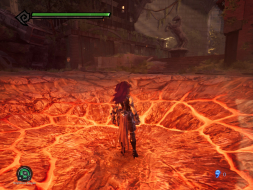

4:3
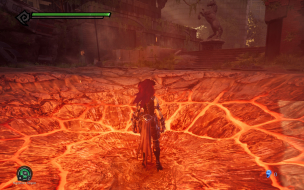

16:10
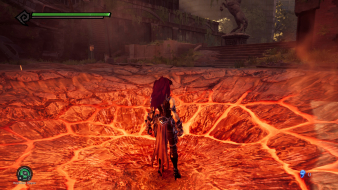

16:9


21:9


3x1

Last edited by wadood on 11 Dec 2018, 15:01, edited 5 times in total.
Reason: Edit
User avatar
helifax
Insiders
Insiders
Posts: 1232
Joined: 21 May 2011, 14:18

Re: Darksiders III

Post by helifax »

Cute... I see all these fixes that deal with downloading exe's and so on. (Last time I recall, neither of our fixes required hacked/cracked exe's and stuff like that, as we always did it at run-time).
I also see all these fixes that don't get the FOV right... the exe FOV modification is one of the hackiest of hacks!
And I also see that no one up-to-date managed to fix the UE4 UI problem!

Well... until now :)
Image

Hayden also did all the heavy lifting and we almost have a universal way of enabling Surround/Eyefinity in Fullscreen (Exclusive) something no-one bothered to look at...again.
And we also have a way to properly calculate the FOV based on the single screen FOV value.
And now perfect UI (yes, mouse interaction and all that works perfectly fine).

Now, don't get me wrong! I really love that people here are still active and there are some new persons who provide fixes! I really do!!!

Will, I release a proper fix, for this? Depends, if people are actually interested or not!

Cheers!
Helifax
WideScreen Fixer... Fixes your Surround problems to give a gorgeous 3D Surround Experience!
WideScreen Fixer

Only website to show TRUE 3D Vision Surround Gaming Videos(viewable by anyone) only at
3D Vision Surround Gallery

E-mail and Paypal (for people who wants it): [email protected]
User avatar
susahamat
Posts: 530
Joined: 20 Sep 2015, 00:58

Re: Darksiders III

Post by susahamat »

wow looks great @helifax :) would love to see hud center on ultrawide setup
if you supporting what I do, buy me a coffee here https://ko-fi.com/kevinsesario or instead direct to paypal.me/kevinsesario . EMAIL:mailto:?subject=&body=, Steam: https://steamcommunity.com/id/sesariok
Amon Amarth
I Donated
I Donated
Posts: 513
Joined: 18 Jul 2007, 04:19

Re: Darksiders III

Post by Amon Amarth »

helifax wrote:Cute... I see all these fixes that deal with downloading exe's and so on. (Last time I recall, neither of our fixes required hacked/cracked exe's and stuff like that, as we always did it at run-time).
I also see all these fixes that don't get the FOV right... the exe FOV modification is one of the hackiest of hacks!
And I also see that no one up-to-date managed to fix the UE4 UI problem!

Well... until now :)
Image

Hayden also did all the heavy lifting and we almost have a universal way of enabling Surround/Eyefinity in Fullscreen (Exclusive) something no-one bothered to look at...again.
And we also have a way to properly calculate the FOV based on the single screen FOV value.
And now perfect UI (yes, mouse interaction and all that works perfectly fine).

Now, don't get me wrong! I really love that people here are still active and there are some new persons who provide fixes! I really do!!!

Will, I release a proper fix, for this? Depends, if people are actually interested or not!

Cheers!
Helifax


Nice! Any chance we can download what you have?
esteady1
Posts: 112
Joined: 21 Jan 2014, 21:50

Re: Darksiders III

Post by esteady1 »

Here's a vote to have this proper fix made public.

Will donate.

That being said, my impression over the last 2 years or so, is that the high quality fixes associated with widescreen fixer and flawless widescreen, have been infrequent. I don't think I 've seen anything from Hayden in a long time.
Wonder if he still plays games.

As such, I have been donating to those folks who have stepped in to attempt to provide solutions, albiet imperfect. Without these efforts, as inelegant as they may be, the titles with support for ultrawide/triplescreen would be few and far between.

This niche must be tiny, because developer support is not increasing. But the experience is so outstanding, one can't go back. I don't play single screen games anymore, I'm so spoiled. If a developer does support, I tend to get the game. (Recently, tomb raider, and Immortal Unchained, which is a sleeper hit and baddass in triples).

For that reason, I have taken to donating quite robustly for titles I'm interested in. I should have donated more when Helifax and Hayden fixes were common, but I was in a different financial situation then.

Here's to the community! PC master race!

A few of the games of the top of my head I would like to see properly fixed by community efforts:

Dragon's quest XI
Final Fantasy XV
Sunset Overdrive
User avatar
Cullanna
Posts: 15
Joined: 20 Oct 2010, 01:14

Re: Darksiders III

Post by Cullanna »

@helifax would also love to have centered HUD for this game!
User avatar
helifax
Insiders
Insiders
Posts: 1232
Joined: 21 May 2011, 14:18

Re: Darksiders III

Post by helifax »

Hi guys,
Sorry for the long wait!

I actually just released this for the 3D Vision Community over at the Nvidia 3D Vision Forums:
https://forums.geforce.com/default/topi ... 9/#5957559

If you want to centre the UI and don't want to play in exclusive fullscreen, follow the steps 3, 8, 9.
If you want to centre the UI and want to play in exclusive fullscreen, follow all the steps!

This addresses only 3xWide Resolutions! (I don't expect it will work under 21:9 Apect ratio).

Enjoy! And do let me know if it works for you!
Cheers!
WideScreen Fixer... Fixes your Surround problems to give a gorgeous 3D Surround Experience!
WideScreen Fixer

Only website to show TRUE 3D Vision Surround Gaming Videos(viewable by anyone) only at
3D Vision Surround Gallery

E-mail and Paypal (for people who wants it): [email protected]
User avatar
Cullanna
Posts: 15
Joined: 20 Oct 2010, 01:14

Re: Darksiders III

Post by Cullanna »

helifax wrote:Hi guys,
Sorry for the long wait!

I actually just released this for the 3D Vision Community over at the Nvidia 3D Vision Forums:
https://forums.geforce.com/default/topi ... 9/#5957559

If you want to centre the UI and don't want to play in exclusive fullscreen, follow the steps 3, 8, 9.
If you want to centre the UI and want to play in exclusive fullscreen, follow all the steps!

This addresses only 3xWide Resolutions! (I don't expect it will work under 21:9 Apect ratio).

Enjoy! And do let me know if it works for you!
Cheers!


Works fairly well. HUD is centered perfectly. In-game menus are also centered however to use them with mouse I have to move mouse to edge of screen a number of times depending on which side of UI I need to press buttons on (it 'skips' back to the other side, and seems that I still have 3 screens, but the mouse shows on middle one always? It's kind of weird but I figured out how to make it work). Overall great work thanks for the fix, super appreciate the work @helifax !

EDIT: Do you think you will release this as a fix in Widescreen Fixer? Or perhaps Hayden's Flawless Widescreen?
Amon Amarth
I Donated
I Donated
Posts: 513
Joined: 18 Jul 2007, 04:19

Re: Darksiders III

Post by Amon Amarth »

Thanks Hayden and Helifax! Keeping the true support alive.
Post Reply

Who is online

Users browsing this forum: No registered users and 12 guests