Shadow Warrior 2 is the stunning evolution of Flying Wild Hog’s offbeat first-person shooter following the further misadventures of former corporate shogun Lo Wang. Now surviving as a reclusive mercenary on the edge of a corrupted world, the formidable warrior must again wield a devastating combination of guns, blades, magic and wit to strike down the demonic legions overwhelming the world. Battle alongside allies online in four-player co-op or go it alone in spectacular procedurally-generated landscapes to complete daring missions and collect powerful new weapons, armor, and arcane relics of legend.
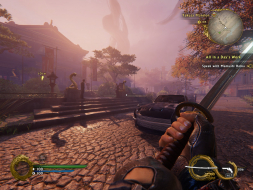
I'm playing on 6048x1080 Bezel Corrected, and the HUD is perfectly centered... so for 5760x1080 that would be nice, in my case tiny wee bit of the HUD is hidden behind the Bezel
And the Spells in Mission Description are way to big ^^
ShadowWarrior2_2016_10_14_03_05_34_034.jpg (696.51 KiB) Viewed 8301 times
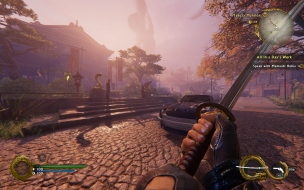
Guns work fine it seems.
ShadowWarrior2_2016_10_14_03_05_40_437.jpg (774.38 KiB) Viewed 8304 times
I am running an MSI GTX 1070 and the game will immediately crash when I go to Full Screen at 5760X1080. I am not sure what to make of this. In both windowed modes it will run but it looks like it is 1920X1080 stretched across three screens. I have turned all settings down to low and it still crashes without even resuming playing. I am patched and all drivers are up to date. DOOM runs and looks great maxed out. just wondering if I am missing something. thank you
charvels4me wrote:I am running an MSI GTX 1070 and the game will immediately crash when I go to Full Screen at 5760X1080. I am not sure what to make of this. In both windowed modes it will run but it looks like it is 1920X1080 stretched across three screens. I have turned all settings down to low and it still crashes without even resuming playing. I am patched and all drivers are up to date. DOOM runs and looks great maxed out. just wondering if I am missing something. thank you
Len
I had a problem with it crashing at 5760x1080 as well in full screen. It was on 144Hz refresh with Vsync off. I stopped the crashing by turning on Vsync and reducing the refresh rate to 60Hz. You can do this in the config file.
I had a problem with it crashing at 5760x1080 as well in full screen. It was on 144Hz refresh with Vsync off. I stopped the crashing by turning on Vsync and reducing the refresh rate to 60Hz. You can do this in the config file.
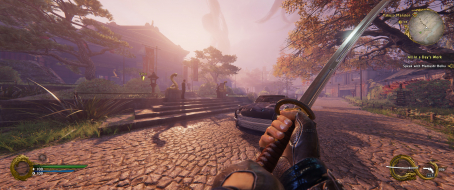
My HUD is no where near centered. I'm running 5760x1080 and my HUD is on the far edges of my outside monitors. Anyone else have this issue or know of a fix?
if you go to %USERPROFILE%\Saved Games\Flying Wild Hog\Shadow Warrior 2\profiles\steam_......\ and open the config.cfg what do these lines say? r_fullscreen "1" r_fullscreen_aspect "3" default:r_fullscreen_aspect "3" r_fullscreen_modes "6048x1080" default:r_fullscreen_modes "6048x1080"
ShadowWarrior2_2016_10_19_18_50_04_900.jpg (795.29 KiB) Viewed 8156 times
I got rid of this by deactivating Eyefinity, Starting the Game in 1920x1080, switiching back to Eyefinity, changing the ini settings to 6048x1080 because if i didnt the game would be stretched and i couldn't see the menues.
I'm running a typical surround setup, using three 1980x1080 screens. My optimal bezel- resolution is 5980x1080, I've configured my nvidia settings accordingly. For obvious reasons I'm using the bezel- res only within games, the windows resolution is set to 5780x1080.
Starting the game with these settings will let me select the select the bezel- resolution ingame, but it doesn't actually apply (although it is shown in the menu), and the frame rate is crap.
Selecting the bezel res within windows, and then firing up the game fixes this -> max frame rate and bezel correction working.
However, changing windows res every time sucks, besides I keep forgetting to do this, having to relaunch the game.
Looks like the developers where aware of the issue and have patched in a solution. Not sure if it's working as I've yet to try the latest patch but the fix was mentioned in the patch notes.
I'm having the problem that Shadow Warrior 2 stretches my preferred resolution of 1920x1080 to full screen, which is 1920x1200, since I have a 16:10 monitor. It should instead add black bars. I have GPU-handled image scaling activated in the Nvidia drivers, which has worked with every other game so far. Any ideas?