
Obduction


Re: Obduction
"This is as it's expected from Unreal Engine.
Easy fix would be switching FoV Bound from X to Y by using:
[Engine.LocalPlayer]
AspectRatioAxisConstraint=AspectRatio_MaintainYFOV
sadly all the .ini files in AppData/LocalLow/Obduction do not seem to accept this command.
Neither have i found a way to open the Console."
The Registration on the Cyan Forums is accepted by hand.... so it'll take some time until my account is ready and i can post in their Forums
Edit: Rant in the official Forums opened:
http://forums.cyan.com/viewtopic.php?f=113&t=1176
Easy fix would be switching FoV Bound from X to Y by using:
[Engine.LocalPlayer]
AspectRatioAxisConstraint=AspectRatio_MaintainYFOV
sadly all the .ini files in AppData/LocalLow/Obduction do not seem to accept this command.
Neither have i found a way to open the Console."
The Registration on the Cyan Forums is accepted by hand.... so it'll take some time until my account is ready and i can post in their Forums
Edit: Rant in the official Forums opened:
http://forums.cyan.com/viewtopic.php?f=113&t=1176
We gonna send it to outa space!
Re: Obduction
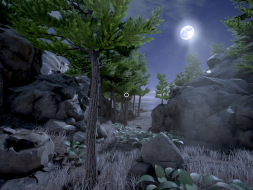
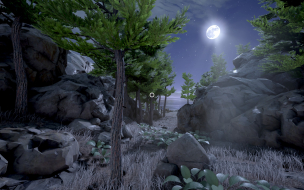
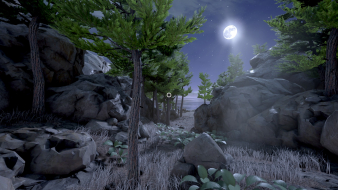
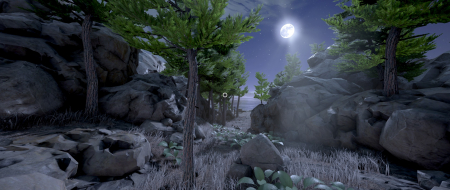
Thanks to Czarman i know how to hack the game with Cheat Engine to increase the FoV.
As i still havent got the hang with cheat engine and pointer scanning there is no proper explanaition/guide yet.
As i still havent got the hang with cheat engine and pointer scanning there is no proper explanaition/guide yet.
We gonna send it to outa space!
-
scavvenjahh

- Editors

- Posts: 3424
- Joined: 06 Mar 2008, 17:20
Re: Obduction
For the record...
The correct syntax is:
[/Script/Engine.LocalPlayer]
AspectRatioAxisConstraint=AspectRatio_MaintainYFOV
Unfortunately with this method you're stuck with a minimum VFOV of 90 which feels wayyy too high.
As for console commands... there's no console in UE4
%LOCALAPPDATA%\Obduction\Saved\Config\WindowsNoEditor\Engine.iniHaldi wrote:sadly all the .ini files in AppData/LocalLow/Obduction do not seem to accept this command.
Neither have i found a way to open the Console."
The correct syntax is:
[/Script/Engine.LocalPlayer]
AspectRatioAxisConstraint=AspectRatio_MaintainYFOV
Unfortunately with this method you're stuck with a minimum VFOV of 90 which feels wayyy too high.
As for console commands... there's no console in UE4

Re: Obduction
I've not tried UE4 yet. I assume it's not possible to bind FOV like in UE3? Example from Enslaved Odyssey to the West 2013 (so ingore "monkey"):
File like MonkeyInput.ini, somewhere. Under like [MonkeyGame.MKInput], add line like: Bindings=(Name="F12",Command="FOV ###.##"). During gameplay, F12.
File like MonkeyInput.ini, somewhere. Under like [MonkeyGame.MKInput], add line like: Bindings=(Name="F12",Command="FOV ###.##"). During gameplay, F12.
Re: Obduction
http://forums.cyan.com/viewtopic.php?f=131&t=1272
Haven't tried it yet.
Czarman made a Cheat Engine file with Pointers back to the FoV setting.
Simply Starting Cheat engine, selecting obduction-win64-shipping.exe and then ingame Pressing F1 for FoV 150 or F2 for 115 (becasue you want to read those damn Letters)
Works MOST of the time... Except when you board something -.-
The ini edit might actually help out in this case
P.S Finished the game few hours ago was pretty short, at the end you started to get the hang of how the creators think and the puzzels got easier but i still like it very much. With more time and more workforce this could have become an AAA title.
Haven't tried it yet.
Czarman made a Cheat Engine file with Pointers back to the FoV setting.
Simply Starting Cheat engine, selecting obduction-win64-shipping.exe and then ingame Pressing F1 for FoV 150 or F2 for 115 (becasue you want to read those damn Letters)
Works MOST of the time... Except when you board something -.-
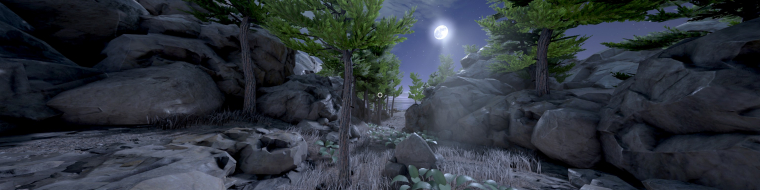
- Obduction-Win64-Shipping_2016_09_04_17_14_57_785.jpg (1.17 MiB) Viewed 9380 times
The ini edit might actually help out in this case
P.S Finished the game few hours ago
was pretty short, at the end you started to get the hang of how the creators think and the puzzels got easier but i still like it very much. With more time and more workforce this could have become an AAA title.- Attachments
-
- Obduction-Win64-Shipping.CT.deleteTheZip.zip
- (29.53 KiB) Downloaded 427 times
We gonna send it to outa space!

Re: Obduction
i tried out some ini commands --> http://forums.cyan.com/viewtopic.php?f=131&t=1272 like adding | OnRelease FOV 110 - still no luck 
CZARMAN aka 彼得爸爸
Re: Obduction
Hey all. Could I get a quick walk through for using the Cheat Engine attachment on the game's page? I have the game and CE installed and working. I can lock CE onto the game process, and load the attachment, but I'm unclear what to do next. The shortcuts are not working in game at this point. The address entry (?) looks like it's missing hex addresses? Do I need to somehow scan to find the fov address and add it to this entry? Thanks!
Who is online
Users browsing this forum: No registered users and 3 guests