Alekhine's Gun

Detailed breakdowns of how games react to widescreen, ultra-wide, 4k and multi-mon
Post Reply
User avatar
scavvenjahh
Editors
Editors
Posts: 3424
Joined: 06 Mar 2008, 17:20

Alekhine's Gun

Post by scavvenjahh »


Widescreen Grade: B
Ultra-Widescreen Grade: B
Multi-monitor Grade: C
4k Grade: A

Read Full Detailed Report - Alekhine's Gun

The covert exploits of a Russian agent lead him to cross paths with a CIA operative between WW2 and the Cuban Missile Crisis... An engaging albeit dated stealth-action game that's basically Death To Spies 3 knocking publishing hardships out, changing clothes and emerging unconspicuous, against all odds.


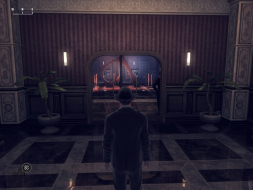
4:3


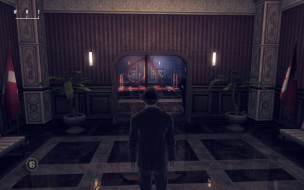
16:10


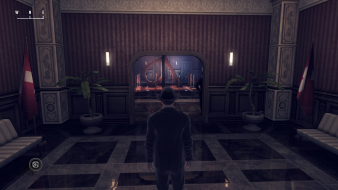
16:9


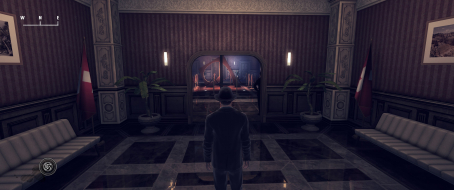
21:9


3x1

Last edited by scavvenjahh on 02 Apr 2016, 13:14, edited 1 time in total.
Reason: Edit
User avatar
scavvenjahh
Editors
Editors
Posts: 3424
Joined: 06 Mar 2008, 17:20

Re: Alekhine's Gun

Post by scavvenjahh »

Additional info, not widescreen-related:
- PCGW has an excellent PC Report of the game. Forced AF works wonders (though it was not used for the DR).
- 'Post Filters: High' is a sort of bokeh apparently tailored for 1920x1080. It gets increasingly smudgy at higher resolutions regardless of aspect ratio, even though the effect is most striking in 3x1L.
- The game is sped up when framerate >500 fps... If you're playing on a smallish screen with a beefy GPU, don't forget to turn on vsync. I've seen 2200 fps on the inventory screen and it is unsettling.
User avatar
SuicideMachine
Posts: 14
Joined: 19 Jan 2014, 17:11
Location: Poland

Re: Alekhine's Gun

Post by SuicideMachine »

I'm glad you enjoyed my PC Report as it was first I even wrote and thanks for interesting information about game's behavior. I have also tried understanding the game's encrypted files, a result of which you can find here - sadly, with the exception of like 2 maybe 3 options, it's pretty much all that's available in game's options. However, some interesting stuff can be found when playing with a console. Since the console cvar completion when pressing a key, here's some notes:
getv variable_name - returns a variable value
setv variable_name value - sets the value

Variable names can be checked using: listv. And if I understand it correctly - cvars can be checked using listc. Despite like going through all of the variables and commands, I wasn't really able to come up with anything that'd make graphics much better, aside from increasing shadow distance (I think it was variable starting with r_ and had CSM in it)

User avatar
scavvenjahh
Editors
Editors
Posts: 3424
Joined: 06 Mar 2008, 17:20

Re: Alekhine's Gun

Post by scavvenjahh »

Great stuff, thanks.
'r_csmdist' seems to control shadow render distance
'r_csmsplits' seems to control shadow starkness/detail
Post Reply

Who is online

Users browsing this forum: Bing [Bot] and 1 guest