Page 1 of 1
Max: The Curse of Brotherhood
Posted: 26 Jan 2016, 10:39
by czarman
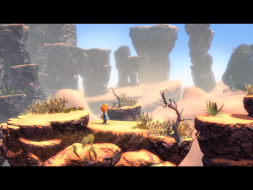
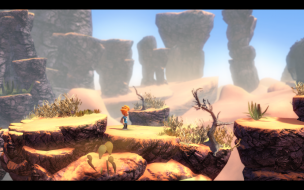
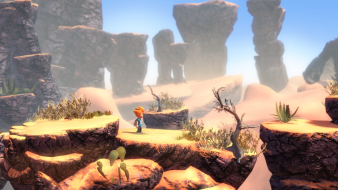
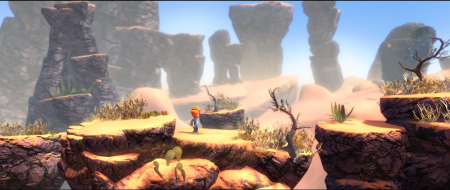
 Widescreen Grade: AUltra-Widescreen Grade: CMulti-monitor Grade: C4k Grade: ARead Full Detailed Report - Max: The Curse of BrotherhoodMax: The Curse of Brotherhood is a reimagening of Max & the Magic Marker. Just like the original game it is a 2D side-scrolling platformer with a focus on physics to solve puzzles. The visuals have been enhanced extensively and are now presented in 2.5D instead of the plain 2D of the original game. Basic movement allows Max to move around, jump, slide down, swing and climb ropes, duck through narrow passages and climb platforms. There is no way to attack, instead he has to use a magic marker in inventive ways. His old marker is turned into a magic one by an old lady and the player uses it to draw in the environment to help Max get around and defeat enemies.
Re: Max: The Curse of Brotherhood
Posted: 26 Jan 2016, 13:45
by scavvenjahh
Ah, excellent. Once upon a time stupid me tried to edit the exe... That didn't go well.
Strictly speaking there are no real-time rendered cut-scenes in the game; they're all FMVs, although most were pre-rendered using the game engine. However I had second thoughts about moving the "Rendered" comparison to Additional sshots and leaving the section empty, so there.
To disable the startup logos, delete or rename Splash.h264 and Splash.ogv in Max The Curse of Brotherhood\Max2_Data\StreamingAssets\
Re: Max: The Curse of Brotherhood
Posted: 26 Jan 2016, 19:18
by czarman
3 x 1 looks awesome - another Unity Game fixed - thanks for finishing the DR

Re: Max: The Curse of Brotherhood
Posted: 08 Sep 2018, 22:30
by Ninjaserver
Just got my new gaming PC and used the zip file with the *.dll for the 21:9 ratio zip file and it keeps the game from starting up. Just a white screen freeze up on load.
Any ideas? Thanks