I'd be fine with a stretched HUD and whatnot (like Dark Souls 2), but no, it's just absolutely unplayable in 21:9 or wider.
I guess we have to politely ask HaYDeN if he can take a look at it.. HUD should be easier to fix than the rendering issues, right? (personally I hate DoF, so it being off doesn't matter for me)
Is there any chance at someone looking into a fix to get 21:9 up and running correctly on this game? Im fairly new with all of this, is there still people here working on flawless widescreen or fixes?
Hey guys, I just sent a copy to HaYDeN and asked if he could check it out when ever he has time so hopefully he can get around to it and the fix is not that bad with the HUDs and menus.
As some of you said I agree I don't give a shit about DOF either we don't need it to work, I only care about the menus and HUDs, so hopefully its not that bad.
valcan_s wrote:Hey guys, I just sent a copy to HaYDeN and asked if he could check it out when ever he has time so hopefully he can get around to it and the fix is not that bad with the HUDs and menus.
As some of you said I agree I don't give a shit about DOF either we don't need it to work, I only care about the menus and HUDs, so hopefully its not that bad.
Thats awesome man! thanks a ton. Ive seen his name quite a bit around here. It seems as if hes the go to guy with this stuff eh? Is he affiliated with this website do you know? Or is he just a member that contributes? The reason Im asking is because I really appreciate people who take their time to fix this stuff for other people and Im wondering where I could donate that its going to get to the source of who does the fixes around here. I found the program Flawless Widescreen on this site, but it seem as though development has slowed or stopped on that.
Anyway, like I said thanks for sending it his way. I am super excited to play this game, but I really dont want to start until I can get it running on my new 3440x1440 100hz monitor!
mitcHELLspawn wrote:Hey guys, I just sent a copy to HaYDeN and asked if he could check it out when ever he has time so hopefully he can get around to it and the fix is not that bad with the HUDs and menus.
Thank you; good to hear.
valcan_s wrote:It seems as if hes the go to guy with this stuff eh? Is he affiliated with this website do you know? Or is he just a member that contributes? ..
Basically the successor to Widescreen Fixer which was made by Dopefish. FWS is the tool for fixing games to run properly on ultrawide or multi-monitor setups.
These folk (Helifax too) are saviors to the widescreen community; though HaYDeN is mostly the one who does the ultrawide/MM fixes for various games nowadays. Unfortunately, he doesn't appear to have much time to work on things anymore, judging by the lack of updates to FWS plugins. If I wasn't unemployed, I'd send some money his way.
*note: possibly wrong with my info; don't kill me if I am!
valcan_s wrote:Hey guys, I just sent a copy to HaYDeN and asked if he could check it out when ever he has time so hopefully he can get around to it and the fix is not that bad with the HUDs and menus.
As some of you said I agree I don't give a shit about DOF either we don't need it to work, I only care about the menus and HUDs, so hopefully its not that bad.
I am also putting a little bit of effort into this. Fresh off my fix for Tales of Zestiria's aspect ratio issues. I figured i'd throw my hat in the ring simply because I'm always pleased to see JRPGs on the PC even if they do need some work.
Right now, I'm a little miffed at Capcom for the way they implemented scaling. Rather than throw some black bars on the sides of the _main_ menu, they thought it made sense to stretch the menu farther below the bottom of the screen. It's alright at marginally widescreen resolutions, at 3-wide it's unusable.
I was considering writing a plug-in for Flawless Widescreen, but every example I have come across is Lua-based and injects x86 / x64 instructions into the game. I prefer to work using GL/D3D API interception, so I think my approach is incompatible with said software :-\ It delivered fantastic results in Tales of Zestiria though, and I'm now considering just releasing a stripped down version of tzfix that fixes aspect ratio in this game.
scavvenjahh wrote:Widescreen Grade: AUltra-Widescreen Grade: CMulti-monitor Grade: Unsupported4k Grade: ARead Full Detailed Report - Dragon's Dogma: Dark ArisenHere it comes, the PC version of the Japan-made WRPG from 2012.4:316:1016:921:93x1Read More
find very little little way...... ok menu is not center but works.......and hack fov for triplewide
until something better.............
change values hexa DDDA.exe ( 398ee33f ) to 0.7 but is my first work (0.65 or 0.6 better.....) whit this the menus not center but work (scavvenjahh help !!! ) fov by cheat engine change camera values 15 to 30 or better if you want...........
for 21:9 i know is better (gedosato strech......) I think that by modifying slightly DDDA.exe this must be good...no ?
The post-processing at resolutions wider than 2160p needs to be taken care of still. I don't know if you can see it in screenshots at non-16:9 resolutions or not, but there's a slight vertical shift in the blur. 3-monitor-wide, it's more than a shift, it's actually a narrow sliver of properly post-processed screen space with everything above and below it clamped to the same pixel color.
I've identified some floating-point problems in their vertex shader constants that are to blame. When I get around to squeezing the UI into the 16:9 center of the screen I can take care of that as well.
(I will have a proper GitHub project for this when it's closer to release)
It's still very early, but I'd like to get feedback on any stability issues. The core injector (d3d9.dll) has been used in many of my projects, but recently it's been giving trouble with GeDoSaTo and I had to spend a lot of time on that in Tales of Zestiria.
Unzip those files into your DDDA directory and then press Ctrl + Shift + A to toggle between aspect ratio correction and none. I'll get the squished menu items, map and various other things sorted out later this week.
Kaldaien wrote:The post-processing at resolutions wider than 2160p needs to be taken care of still. I don't know if you can see it in screenshots at non-16:9 resolutions or not, but there's a slight vertical shift in the blur. 3-monitor-wide, it's more than a shift, it's actually a narrow sliver of properly post-processed screen space with everything above and below it clamped to the same pixel color.
I've identified some floating-point problems in their vertex shader constants that are to blame. When I get around to squeezing the UI into the 16:9 center of the screen I can take care of that as well.
(I will have a proper GitHub project for this when it's closer to release)
It's still very early, but I'd like to get feedback on any stability issues. The core injector (d3d9.dll) has been used in many of my projects, but recently it's been giving trouble with GeDoSaTo and I had to spend a lot of time on that in Tales of Zestiria.
Unzip those files into your DDDA directory and then press Ctrl + Shift + A to toggle between aspect ratio correction and none. I'll get the squished menu items, map and various other things sorted out later this week.
it's much better....hud fix later....scale possible ? thanks if can move my hud to center....option to d3d9 or tzfix...............
I registered just to thank ya'll for your work. I bought an ultrawide monitor just in time for the PC version of DDDA, and was super salty when I discovered it wouldn't be supported. Thanks again, and I look forward to seeing the results!
Kaldaien is there any way to use you fix with an ENB? I tried renaming the d3d9.dll and using it in the enblocal proxy settings but it causes the game to not start.
Posting on these forums is giving me a lot of trouble and I am having to clear my cookies every time. It's a major inconvenience for me, so if at all possible I would ask that you follow-up on the development of my little project on the Steam forums instead.
As for getting this to work with ENB, you need to go the opposite direction. My d3d9.dll cannot be loaded by another DLL and work, but it can load up to 4 DLLs of your choosing.
The d3d9.ini file in ddfix.zip already loads two DLLs:
steam_api.dll (for the achievement unlock sound feature)
TZFix.dll (ignore the name for now - this is where the aspect ratio fix is implemented)

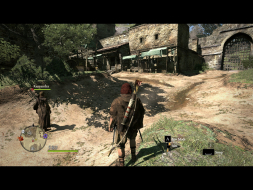
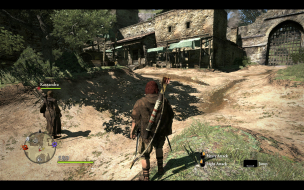
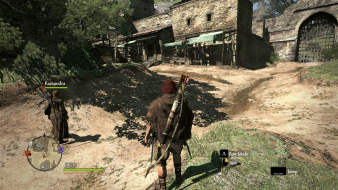
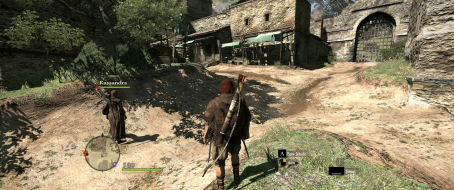





 Is there any chance at someone looking into a fix to get 21:9 up and running correctly on this game? Im fairly new with all of this, is there still people here working on flawless widescreen or fixes?


 )
)



