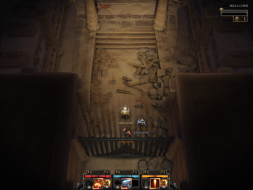
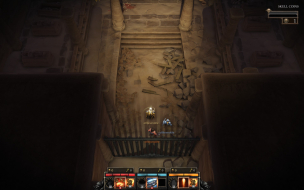
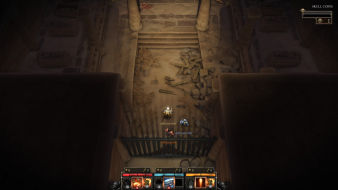
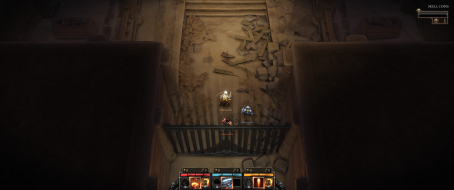
Page 1 of 1
Gauntlet (2014)
Posted: 28 Sep 2014, 00:16
by TheDestroyer
 Widescreen Grade: AUltra-Widescreen Grade: CMulti-monitor Grade: Unsupported4k Grade: ARead Full Detailed Report - Gauntlet (2014)The classic Gauntlet 4-player co-op action gameplay returns in a completely new experience! Battle the endless hordes of foes as you and your friends fight for treasure and glory via both local and online co-op multiplayer. (from Steam)
Re: Gauntlet
Posted: 01 Oct 2014, 12:27
by fft
Thanks for the input but i cannot confirm that the game is supporting Nvidia Surround at all !
I tested à 5760x1080 and there is a FOV issue as stated here :
http://steamcommunity.com/app/258970/di ... 605663213/In 5760x1080 the image is completly zoomed in and the game is totaly unplayable in this mode, I had to switch back to 1920x1080...
There seems no way to hack the config file
Code: Select all
SteamLibrary\SteamApps\common\Gauntlet\contents\settings.ini
neither the user settings file located in
Code: Select all
%APPDATA%/Arrowhead/Gauntlet/user_settings.config
since no FOV settings applies, also the "aspect_ratio" parameter is of no help (-1 by default)
I wonder how you managed to confirm the nvidia surround compatibility...
I have the latest 1.1 version.
Does someone have the solution ?
Thanks
Re: Gauntlet
Posted: 01 Oct 2014, 19:37
by TheDestroyer
I believe it is listed as a Limited Multi-Mon Support ("C" Rating) due to my selection for Multi-Monitor Issues. I selected "Significant Issues (C)" after consulting the DR Grade Calculator (found here:
http://www.wsgf.org/grade_calc/). On this page, vert- is listed under Grade C.
I feel the keyword for the grade is "limited." The resolution is detected without issue. Yes, the game is displayed in a less-than-ideal way. However, the resolution is supported, even though it is in a unsatisfactory way.
This game seems to be rendered in a vert- solution. Taking in account the distance of the right cliff from the edge of the screen in my 3x1 screen shot, I would wager that the game most likely take a 4:3 resolution and cuts off the upper and lower thirds to give a zoomed in view of the game field. I was unable to actually get the game to give me a 4:3 resolution when testing the game, so I am unable to fully confirm this at the moment. When I get home tonight, I'll see what I can do to fix that and post to the thread you linked.
Also, I think we recently reached out to Arrowhead about this game. Hopefully, with an open line of communication, we can figure out a solution to give us the proper display solution for the game.
Re: Gauntlet
Posted: 04 Oct 2014, 00:44
by suiken_2mieu
Aw man, I wanted this game. :P Hopefully the developer fixes this.
Re: Gauntlet
Posted: 04 Oct 2014, 18:24
by TheDestroyer
If anyone was interested, I responded to that post on Steam that FFT linked above. You can find the post here:
http://steamcommunity.com/app/258970/di ... 3019796491
Re: Gauntlet
Posted: 04 Oct 2014, 20:10
by Toothless Spoon
Hayden had a quick look at this, and was able to fix the FOV - but the camera didn't move with the player at first, so you could move into the left and right monitor. I think he said that he was able to fix it, but there might be other issues preventing it from working/playing properly.
Re: Gauntlet
Posted: 26 Jan 2015, 15:20
by harr2969
Any update? Awaiting a fix on this...
Re: Gauntlet
Posted: 16 Feb 2015, 00:02
by 21_9 PC Gamer
For me 21:9 appears to be native @ 2560x1080 I could not spot any obvious issues apart from the usual 16:9 menus & loading screens everything else looked ok to me.
Re: Gauntlet
Posted: 23 Dec 2015, 14:04
by scavvenjahh
DR updated. Not sure about the grading: is (WS=A, UWS=C) more accurate than (WS=B, UWS=B) ?