
Hey - its me again - trying also here to get some answers, for playing
Splinter Cell Blacklist in 21:9 ratio.
In the options menue u can choose 21:9, but it won´t work like that.
THX for answers - best regards, Oliver
Splinter Cell Blacklist 21:9 single monitor
-
GravitySmacked

- Posts: 16
- Joined: 18 Dec 2013, 22:02
Re: Splinter Cell Blacklist 21:9 single monitor
I'd like to hear if anyone has a fix for this one too.
-
prodigalson1
- Posts: 116
- Joined: 07 Jun 2013, 12:25
Re: Splinter Cell Blacklist 21:9 single monitor
please i want a fix too.
paypal gift for my hero !!!!
paypal gift for my hero !!!!


Re: Splinter Cell Blacklist 21:9 single monitor
1st thing to do. Search all the settings.ini or similar files for FoV to check if 21:9 settings are accepted there.
We gonna send it to outa space!
-
prodigalson1
- Posts: 116
- Joined: 07 Jun 2013, 12:25
Re: Splinter Cell Blacklist 21:9 single monitor
there is video settings.ini but change don't work
[Version]
Version=63
[WinDrv.WindowsClient]
WindowStyleFinal=1
MaxRefreshRate=60
FullscreenViewportX=2560
FullscreenViewportY=1080
WindowedViewportX=1645
WindowedViewportY=926
FakeFullscreenViewportX=2560
FakeFullscreenViewportY=1080
AdapterIndex=-1
MonitorAspect=2.3333
IsLetterBoxUsageEnabled=1
Gamma=0.0000
UseVSync=1
AmbientOcclusionStyle=13
AntialiasingStrategy=1
UseBakedAO=1
UseMotionBlur=1
UseBloom=1
TextureDetails=2
AnisotropicFiltering=4
CHSSunWidth=27.0000
CHSFilterSize=7
CHS_NVidia_SunWidth=27.0000
UseCHSShadows=1
UseNVidiaCHS=1
Occlusion_Off=2
SSAO_Radius=25.0000
SSAO_Bias=0.0500
SSAO_Intensity=10.0000
SSAO_InverseAO=0.0000
SSAO_NonLinear=8.0000
SSAO_RadiusScale=1.0000
SSAO_Scale=0.8500
HBAO_Power=2.0000
HBAO_Radius=2.0000
HBAO_Bias=0.0500
HBAO_BlurSharpness=4.0000
HBAO_DetailAO=0.8000
HBAO_CoarseAO=1.2000
ShadowQuality=2
UseParallax=1
EnvDetail=2
StartupGraphicsApi=5
UseTessellation=0
EyefinityMode=2
MinTripleDisplayAspectRatio=3.7000
IsMultiMonitorEmulationEnabled=0
[SystemValidation]
validationRequired=0
[ConfigSentinel]
InitialMonitorAspectRatio=2.3704
InitialMonitorX=2560
InitialMonitorY=1080
PrimaryMonitorDisplayName=\\.\DISPLAY1
PrimaryMonitorContextDescription=NVIDIA GeForce GTX TITAN
[KeyboardSentinel]
defaultLayout=1
[Version]
Version=63
[WinDrv.WindowsClient]
WindowStyleFinal=1
MaxRefreshRate=60
FullscreenViewportX=2560
FullscreenViewportY=1080
WindowedViewportX=1645
WindowedViewportY=926
FakeFullscreenViewportX=2560
FakeFullscreenViewportY=1080
AdapterIndex=-1
MonitorAspect=2.3333
IsLetterBoxUsageEnabled=1
Gamma=0.0000
UseVSync=1
AmbientOcclusionStyle=13
AntialiasingStrategy=1
UseBakedAO=1
UseMotionBlur=1
UseBloom=1
TextureDetails=2
AnisotropicFiltering=4
CHSSunWidth=27.0000
CHSFilterSize=7
CHS_NVidia_SunWidth=27.0000
UseCHSShadows=1
UseNVidiaCHS=1
Occlusion_Off=2
SSAO_Radius=25.0000
SSAO_Bias=0.0500
SSAO_Intensity=10.0000
SSAO_InverseAO=0.0000
SSAO_NonLinear=8.0000
SSAO_RadiusScale=1.0000
SSAO_Scale=0.8500
HBAO_Power=2.0000
HBAO_Radius=2.0000
HBAO_Bias=0.0500
HBAO_BlurSharpness=4.0000
HBAO_DetailAO=0.8000
HBAO_CoarseAO=1.2000
ShadowQuality=2
UseParallax=1
EnvDetail=2
StartupGraphicsApi=5
UseTessellation=0
EyefinityMode=2
MinTripleDisplayAspectRatio=3.7000
IsMultiMonitorEmulationEnabled=0
[SystemValidation]
validationRequired=0
[ConfigSentinel]
InitialMonitorAspectRatio=2.3704
InitialMonitorX=2560
InitialMonitorY=1080
PrimaryMonitorDisplayName=\\.\DISPLAY1
PrimaryMonitorContextDescription=NVIDIA GeForce GTX TITAN
[KeyboardSentinel]
defaultLayout=1
-
prodigalson1
- Posts: 116
- Joined: 07 Jun 2013, 12:25
Re: Splinter Cell Blacklist 21:9 single monitor
16/9 stretched

21/9 select on option menu , with black border left and right

21/9 select on option menu , with black border left and right
-
prodigalson1
- Posts: 116
- Joined: 07 Jun 2013, 12:25
-
prodigalson1
- Posts: 116
- Joined: 07 Jun 2013, 12:25
-
prodigalson1
- Posts: 116
- Joined: 07 Jun 2013, 12:25


Re: Splinter Cell Blacklist 21:9 single monitor
Upload your Blacklist_game.exe and Blacklist_DX11_game.exe
-
prodigalson1
- Posts: 116
- Joined: 07 Jun 2013, 12:25
Re: Splinter Cell Blacklist 21:9 single monitor
thank you so much jackfust
last version from steam
http://www.mediafire.com/download/xt1up ... cklist.rar
last version from steam
http://www.mediafire.com/download/xt1up ... cklist.rar
-
GravitySmacked
- Posts: 16
- Joined: 18 Dec 2013, 22:02
Re: Splinter Cell Blacklist 21:9 single monitor
Oooh  Here you go!
http://www.gravitysmacked.co.uk/imagesn ... _DX11_game
http://www.gravitysmacked.co.uk/imagesnw/Blacklist_game
edit: Boo beat to it These are the standard uplay .exe's
Here you go!http://www.gravitysmacked.co.uk/imagesn ... _DX11_game
http://www.gravitysmacked.co.uk/imagesnw/Blacklist_game
edit: Boo beat to it
These are the standard uplay .exe's
Last edited by GravitySmacked on 22 Feb 2014, 22:15, edited 1 time in total.
-
prodigalson1
- Posts: 116
- Joined: 07 Jun 2013, 12:25
Re: Splinter Cell Blacklist 21:9 single monitor
when i launch the game uplay ask me activation code, and i can't use my original code from steam
-
GravitySmacked
- Posts: 16
- Joined: 18 Dec 2013, 22:02
Re: Splinter Cell Blacklist 21:9 single monitor
Don't use the links I provided, they're just the standard ones.
-
prodigalson1
- Posts: 116
- Joined: 07 Jun 2013, 12:25
Re: Splinter Cell Blacklist 21:9 single monitor
ok i believe it's fixed .exe 
-
prodigalson1
- Posts: 116
- Joined: 07 Jun 2013, 12:25
Re: Splinter Cell Blacklist 21:9 single monitor
have you seen the exe file jackfust ? there is a way to play in 21:9 in your opinion or i must stop dreaming ?
Re: Splinter Cell Blacklist 21:9 single monitor
Copy the loader in src\SYSTEM\ and run game from it.
Fix available from the PC Gaming Wiki Community Files (search there)
Fix available from the PC Gaming Wiki Community Files (search there)
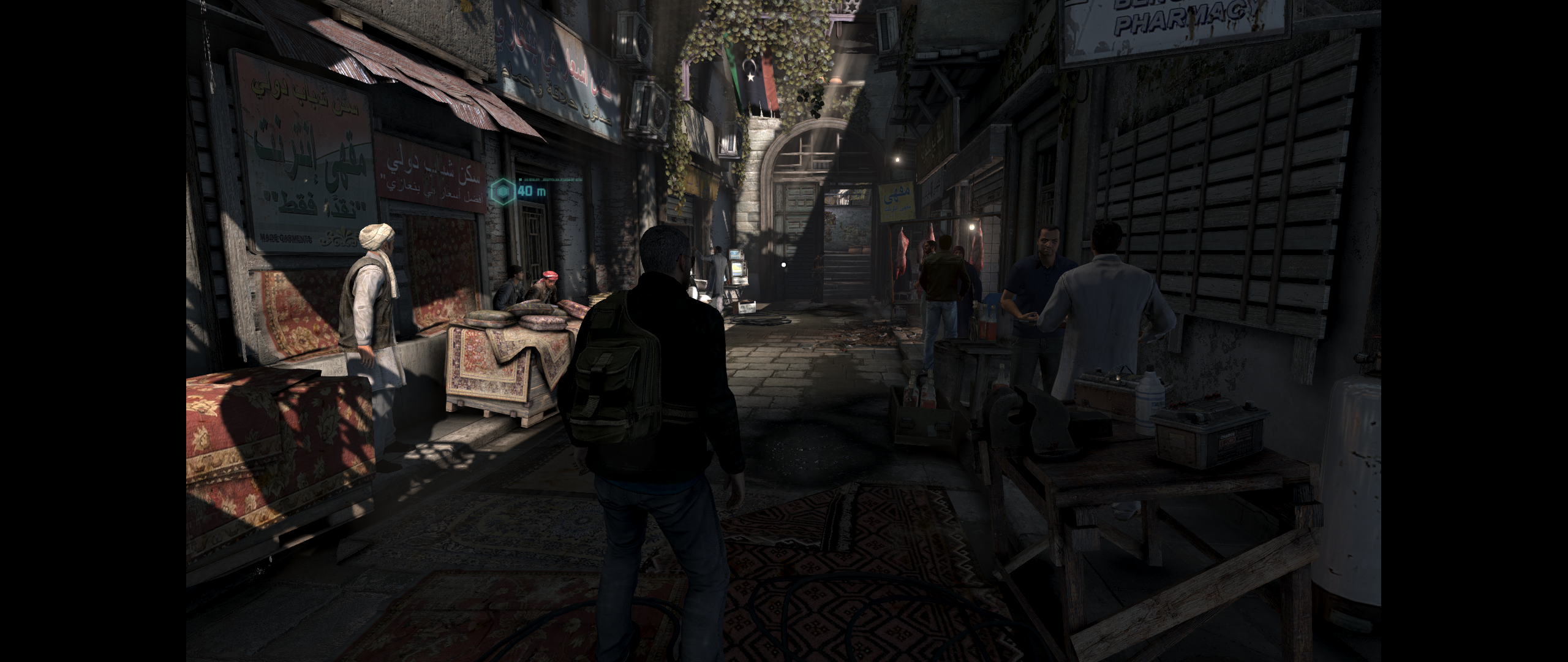
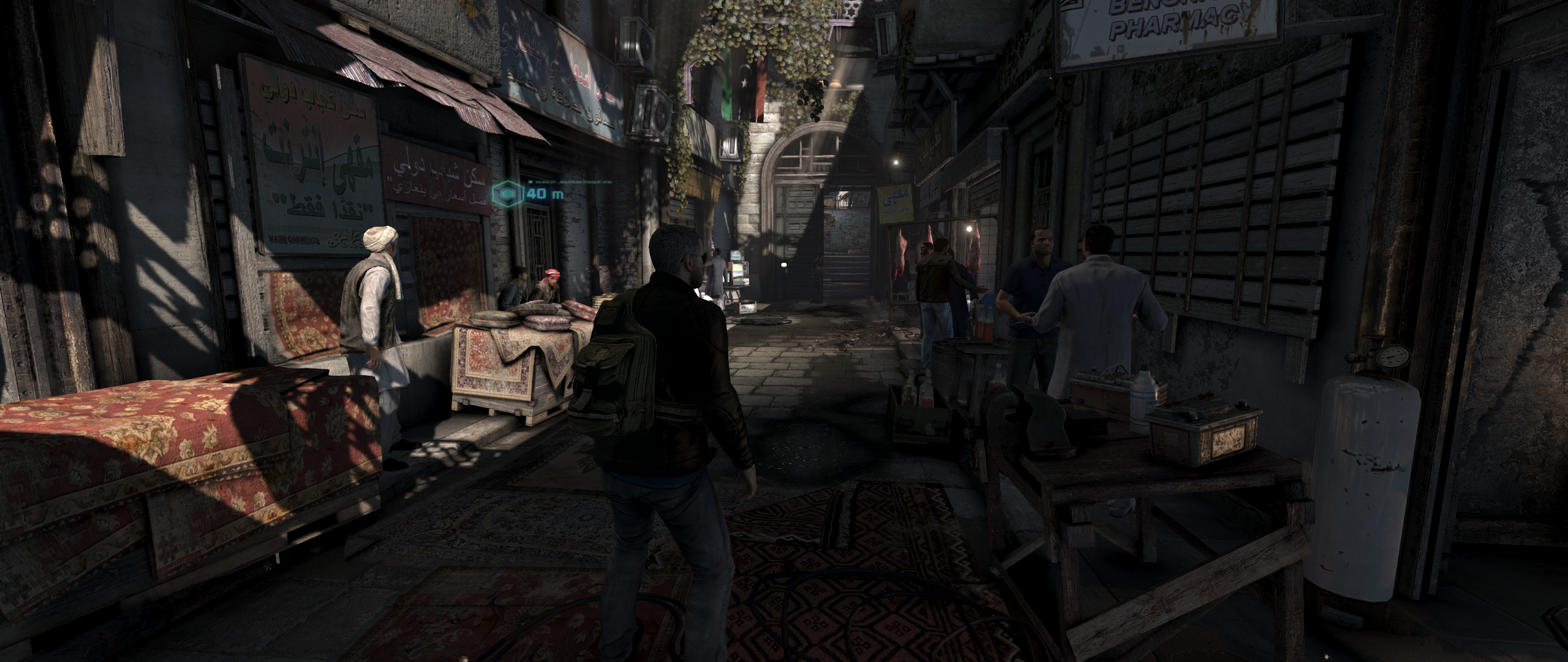
Last edited by jackfuste on 20 Jul 2015, 10:28, edited 1 time in total.
-
prodigalson1
- Posts: 116
- Joined: 07 Jun 2013, 12:25
Re: Splinter Cell Blacklist 21:9 single monitor
thanks jackfust for your work but don't work for me.
i launch the loader in src/system, it launch uplay alone, and when i click play game in UPLAY, it launch the game from steam.
At final the game il still 16/9. Have got idea ?
i launch the loader in src/system, it launch uplay alone, and when i click play game in UPLAY, it launch the game from steam.
At final the game il still 16/9. Have got idea ?
Re: Splinter Cell Blacklist 21:9 single monitor
is it working already with a 21:9 aspect ratio? i have a free code for this game but just waiting for the fix so i can play it in ultrawide goodness 
-
prodigalson1
- Posts: 116
- Joined: 07 Jun 2013, 12:25
Re: Splinter Cell Blacklist 21:9 single monitor
yes it s patch for 21:9 but work only with cracked version of the game
Who is online
Users browsing this forum: No registered users and 5 guests