Page 1 of 1

AquaNox

Posted: 02 Jun 2013, 17:23
by czarman


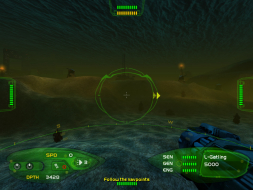
Widescreen Grade: C
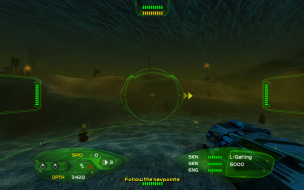
Ultra-Widescreen Grade: C
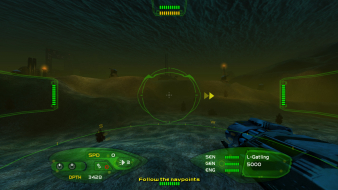
Multi-monitor Grade: C
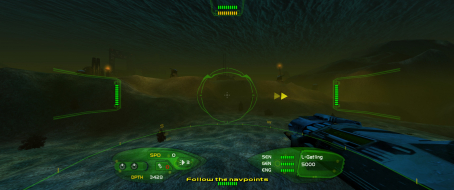
4k Grade: C

Read Full Detailed Report - AquaNox

The water is no longer calm. The undersea world has undergone a transformation from tranquil environment to a place of unspeakable violence, graphic murder and horrific danger. It is now the 27th century and mercenaries such as 'Emerald' Dead Eye Flint ply their deadly trade among the warring forces of man and nature.


4:3


16:10


16:9


21:9


3x1


Re: AquaNox

Posted: 07 Sep 2015, 23:43
by SuicideMachine
So... I've been looking into making this game run in widescreen mode without stretching. Oddly enough, GOG version seems to be really easy to get running just fine (although with Vert- FOV), by finding 1.33333 in float in EXE file and changing it to other aspect ratio.

Steam version however doesn't seem to stand any changes in its EXE file, even if it's like a latter in a string and outright results in Steam error if you try to hex edit it.

So I went and played a bit with CheatEngine. I have some limited knowledge of assembly and some theoretical knowledge about video games, but still lacking in many areas. Anyway...
I played a bit, I found 1.33333, turned out it affects aspect ratio (but sadly instructions can not be broken in a way that would prevent them to writing into that address at all, cause this way you'd break the zoom function.

So I went and analysed the instruction and wrote a code injection script. Didn't help, cause it turned out, it was crashing during cutscenes. Fortunately it turned out, there is other value which is responsible for displaying aspect ratio. So I analysed the instruction that writes to it. And wrote a script around it. Turned out, this time it wasn't crashing the game (although it had a downside of FOV scaling being Vert-).

However I also stumbled upon a way to scale the FOV, so I wrote other script which would increase it. And it worked.

So here's my monster of a creation:

Code: Select all

[ENABLE]
//scalesFOV, cause aspect ratio scaling is vert-
alloc(fovscaling,2048)
label(returnfromfov)
label(exitfovscaling)

fovscaling:
push eax
movd xmm0,eax
mov eax,3FAAAAAB
movd xmm1,eax
pop eax
mulss xmm0,xmm1
movd [ecx+0C],xmm0
mov [ecx+10],edx

exitfovscaling:
jmp returnfromfov

"Aqua.exe"+149CB1:
jmp fovscaling
nop
returnfromfov:

//Fixes aspect ratio
alloc(aspectratio,2048)
label(returnfromaspect)
label(exitaspect)

aspectratio:
repe movsd
push edi
sub edi,C
push edi
movd xmm0,[edi]
mov edi,3FAAAAAB
movd xmm1,edi
mulss xmm0,xmm1
pop edi
movd [edi],xmm0
pop edi
mov ecx,[Aqua.exe+26D100]

exitaspect:
jmp returnfromaspect

"Aqua.exe"+44874:
jmp aspectratio
nop
nop
nop
returnfromaspect:

[DISABLE]
dealloc(fovscaling)
"Aqua.exe"+149CB1:
mov [ecx+0C],eax
mov [ecx+10],edx

dealloc(aspectratio)
"Aqua.exe"+44874:
repe movsd
mov ecx,[Aqua.exe+26D100]


Notice lines:
mov edi,3FAAAAAB
movd xmm1,edi

Basically, I move 1.3333334 to xmm1 and multiply original aspect ratio by it (I do a similar thing for FOV).
This is however something only for 16:9 aspect ratio. For other aspects you'll probably need to calculate another one. I'm not completely certain if this is the way of doing it, but, here's how I calculated 1.3333333.
The original value is 1.0, so:
1.0 divided by 1.3333333 (4:3) = 0.75
0.75 * 1.7777778 (16:9) = 1.3333333

I hope I made it clear enough.

If anyone has any way how to convert this into an easier fix, please go ahead. I would write a fix for Flawless widescreen, but I get completely lost in its code. Plus this is still a really half-assed way of making it run in widescreen mode.

Image
Image

Since why I don't have an Eyefinity set-up (or a good PC, while we're at it), here's my attempt at a screenshot in eyefinity aspect ratio (using my 2 screens) just to see if it works. It kinda does, although there are some glitches:
Image

Re: AquaNox

Posted: 10 Sep 2015, 21:15
by czarman
WOW looks AWESOME - i only found via HEX the right Aspect Ratio but it was VERT- :think:

But with your FOV Solution (i changed some Values) its now Perfect - GREAT JOB :twothumb:

I hope Aquanox 2 is on your List :D

Aqua 21.jpg
Aqua 21.jpg (329.55 KiB) Viewed 9418 times


I put the 21:9 Solution here -> http://www.wsgf.org/forums/viewtopic.php?f=95&t=30251

Re: AquaNox

Posted: 10 Sep 2015, 22:06
by SuicideMachine
Well currently I wrote to HaYDeN if he can help me convert the script to Flawless Widescreen. So it's a bit more automated and easier to use. But yeah, I'll look into increasing FOV in Aquanox 2 (cause the aspect ratio can be just hex edited by exe (fine, it's a dat file) file, unlike the one in AquaNox on Steam).

Re: AquaNox

Posted: 11 Sep 2015, 07:32
by czarman
Yup thats right, the Aspect Ratio for Aquanox 2 (AN2.dat) is here:
Aquanox2 Aspect Ratio.jpg
Aquanox2 Aspect Ratio.jpg (81.37 KiB) Viewed 9415 times


But ist VERT- :thumbdown:

Re: AquaNox

Posted: 13 Sep 2015, 00:17
by SuicideMachine

Re: AquaNox

Posted: 13 Sep 2015, 23:43
by Sinbad
Anything special to get this to work with Steam, or is it incompatible? When I run it, the screen goes black and causes an error.

Re: AquaNox

Posted: 17 Sep 2015, 05:01
by SuicideMachine
I've rewritten the script using some of the tricks I've learnt while figuring out Aquanox 2 - it should be more flexible and easier to modify. Here's a new CheatEngine table:
https://raw.githubusercontent.com/SuiMachine/CheatEngine-Scripts/master/Aquanox_widescreen/Aqua.ct (right click and save as).

Not sure about the crashes - works fine for me (yes, Steam version), although I'm using windowed mode (with AHK script, to force a higher resolution).

EDIT: Seems to work fine in fullscreen mode as well. Check the new table. I'll try to look into it further on Friday.

Re: AquaNox

Posted: 17 Sep 2015, 22:12
by czarman
I can confirm 21:9 on Steam Aspect Ratio and FOV - great JOB :twothumb: - the Hud is slightly streched thou.
Aqua 2015-09-17 23-00-51-79.jpg
Aqua 2015-09-17 23-00-51-79.jpg (398.09 KiB) Viewed 9285 times


Edit:
Now its Perfect:
newmem:
VALUE_FOV_Multiplier:
dd (float)2.1 //Keep the same as AspectRatio multiplier for Hor+ FOV

VALUE_ASPECTRATIO_Multiplier: //To get the value calculate: (width/heigh)/2.0
dd (float)2.0

2015-09-19_00001.jpg
2015-09-19_00001.jpg (623.35 KiB) Viewed 8223 times

Re: AquaNox

Posted: 19 Sep 2015, 01:27
by Sinbad
I placed your Aqua.exe and Aqua.ct in the game directory, and ran the game, but it produces the following error. Is there something else I'm supposed to do?

Re: AquaNox

Posted: 19 Sep 2015, 05:57
by SuicideMachine
If you've downloaded the exe from - http://www.wsgf.org/forums/viewtopic.php?f=95&t=30251. Don't do it. This EXE file is for 1.17 version of the game (GOG and others).

The Steam version is 1.18 and it won't run with other EXE (hell, it won't even run, if you try to change a single byte in it). Hence why my script changes both aspect ratio and FOV (while the GOGs version can have aspect ratio edited with hex editor).

Simply install CheatEngine (make sure not to install some bullshit toolbars etc.), download a Cheat Table from: https://raw.githubusercontent.com/SuiMa ... en/Aqua.ct (right click, save as).
Start a game, ALT-TAB. Start CheatEngine, attach it to Aquanox.exe and load the downloaded CheatTable. Then simply check "Active" field for one of the options (not all). If you use a different aspect ratio than 16:9 - you'll have to change the values in the script (but there is a comment where to do it). Plus the new script allocates floats, instead of bytes that represent it, so it's much easier to edit.

Re: AquaNox

Posted: 25 Sep 2015, 04:33
by SuicideMachine
I played a bit more it seems like a value responsible for scaling fonts is: 0.003125
May be possible to find it in exe file as well. Not sure about Steam however, because pretty much nothing seem to write to it (at least at first glance). Gonna have a look in Aquanox 2, because I have byte replacement program ready for it already. Nothing.