Page 1 of 2
Mass Effect 2
Posted: 27 Jan 2010, 07:00
by skipclarke
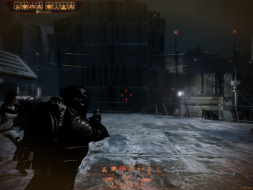
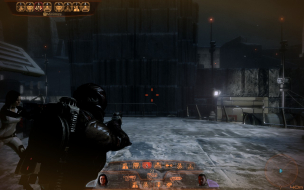
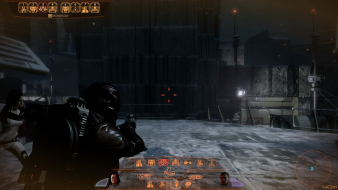
 Widescreen Grade: CMulti-monitor Grade: CRead Full Detailed Report - Mass Effect 2Sequel to Mass Effect. Carries on the adventures of Commander Shepard and his crew. One interesting aspect is that you can import save games from the original game, where decisions will impact the people and story in the sequel.
Mass Effect 2
Posted: 12 Nov 2011, 00:34
by skipclarke
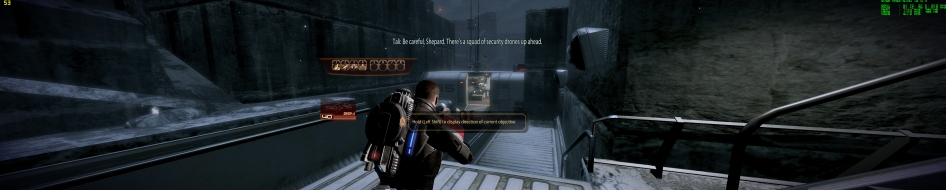
Widescreen Grade: CUltra-Widescreen Grade: IncompleteMulti-monitor Grade: C4k Grade: IncompleteRead Full Detailed Report - Mass Effect 2Sequel to Mass Effect. Carries on the adventures of Commander Shepard and his crew. One interesting aspect is that you can import save games from the original game, where decisions will impact the people and story in the sequel.
zeyrok wrote:Great just found
Posted: 27 Dec 2011, 02:50
by Saturn2888
Great just found how to change the FOV for Mass Effect 2 without breaking the Zoom.
And it work like a charm for me :twothumb
Look here: -> http://www.gamespot.com/masseffect2workingtitle/forum/messages/platform/pc?topic_id=m-1-53263798&pid=944906
Before - After
What exactly does this mean though? Does it mean only when using a sniper or gun with a zoom do you have it fixed or is it always going to be fixed now? I'm assuming I need to change this value somewhere else as well.
Re: Mass Effect 2
Posted: 17 Feb 2015, 09:47
by Saturn2888
This game is having some menu display issues on a 21:9 display at 3440x1440.
While using Flawless Widescreen, the menus including in-game story choices are vert-.
While using Widescreen Fixer, I noticed it didn't show any menu items when enabled if I enabled it prior to the that screen displaying, but the background seemed to adjust with the FOV change. I did this using both manual and automatic screen recognition.
Running both Flawless Widescreen and Widescreen Fixer in tandem did not fix menu item issues.
Re: Mass Effect 2
Posted: 18 Feb 2015, 22:24
by Bartfresse
Hey guys. A fix for the cut off HUDs on 21:9 with Flawless Widescreen can be found here:
http://www.reddit.com/r/masseffect/comm ... _problems/These fixes can be applied to both ME1 and ME2.
The only realy problem remaining now is having to deal with offset target reticles which are way off to the right. A thread about this has been also created at Bioware, with pictures attached and I hope someone could shed some light on the issue. it is at
http://forum.bioware.com/topic/546232-f ... maybe-me1/Hope this helps you guys

.
Re: Mass Effect 2
Posted: 20 Feb 2015, 23:25
by Saturn2888
Here's what I've got workingPrimary resolution: 3440x1440.
Everything checked in Flawless Widescreen (In-Game FOV, FOV Limiting, Cinematic Aspect Ratio, Cinematics FOV, HUD Scaling).
Manually configured Flawless WidescreenCode: Select all
Enable Display Detection Override
Width: 3440
Height: 1440
HUD Width: 2560
HUD Height: 1440
HUD X: 437
HUD Y: 0
I also changed the FOV Fine Adjust to 20 from 0; this helps a lot with mouse sensitivity.
My bullets seem to be going exactly where I'm shooting, and I'm able to get headshots and see all the dialog bits. I didn't get a picture of the dialog, but it's working as well.
-------------------------------------------
And just for kicks, I added this in GamerSettings.ini so my mouse isn't super sensitive; although, dunno if it works yet or not:
Code: Select all
[SFXGame.BioPlayerController]
RotationSensitivityLow=0.1
Re: Mass Effect 2
Posted: 25 Mar 2015, 18:24
by Suspiria
FW works with my Mass Effect 1 dvd retail version but not with my Mass Effect 2 dvd retail version, it cannot find the process even if the game is launched
Does anyone know if it is only working with the steam/origin version for me2 and not with the dvd version ?
Probably that the exe for digital version is different there is no securom or whatever protection there is on the dvd.
Re: Mass Effect 2
Posted: 28 Mar 2015, 17:40
by Suspiria
I will answer to myself maybe it will help someone.
FW works only with the english version of the game, I was playing in french and nothing, I reinstalled it in english and it woked.
Re: Mass Effect 2
Posted: 17 Jul 2015, 17:17
by astromedia
any chance to set map only to central monitor to fix marker places or some other compromis like that?
Re: Mass Effect 2
Posted: 23 Jul 2015, 14:19
by tricky
Using Flawless Widescreen (thanks Hayden!), finally copied ME2 off my laptop to my desktop, and the game still holds up well and looks great at 5760x1080.
I still have two issues (not dealbreakers) and wondering if anyone has a fix:
1) The star map is not useable when in triple wide as the planetary markers do not align with the planets (they fly around all over the place).
Workaround: In game I change to 1920x1080 before using the star map, get where I need to go, save the game and exit. Then restore the 5760x1080 resolution (I have a bat file that copies back the GamerSettings.ini file) and enjoy.
2) On planetary missions (and sometimes on the ship), my team mates are floating heads and weapons, no bodies. Occasionally during the mission their bodies reappear. I got used to it, but no workaround.
Still an awesome game, 10/10 for me, and I can't wait to finish it and give ME3 a play through.
Re: Mass Effect 2
Posted: 06 Aug 2015, 07:22
by Amon Amarth
tricky wrote:2) On planetary missions (and sometimes on the ship), my team mates are floating heads and weapons, no bodies. Occasionally during the mission their bodies reappear. I got used to it, but no workaround.
Same issue here. It seems that you need to keep the FoV at a value of -2.40 or less to keep their bodies from disappearing. However if you get some distance between you and your team, the bodies disappear again.
Re: Mass Effect 2
Posted: 08 Jun 2016, 23:19
by R5GAMER
Hello! I don't understand why he doesn't work i apply my patch in FR but the program don't detect .. Can you help me thanks !
Re: Mass Effect 2
Posted: 09 Jun 2016, 03:21
by Peer_Review
R5GAMER wrote:Hello! I don't understand why he doesn't work i apply my patch in FR but the program don't detect .. Can you help me thanks !
The new Flawless Widescreen plugin fixes the floating heads. Widescreen fixer doesn't have the fix. It also works with pretty much any manner of tweaks you have made to the Coalesced.ini. so bforcestaticterrain=True to force full lod always being loaded instead of streaming in and out. EnableHighPolyChars=True and so on. It can also be used with GeDoSaTo to downsample with a better filter than DSR or the AMD equivalent offers.
It is also compatable with SGSSAA using the 0x080000C1 Anti Aliasing bits in Nvidia Inspector. Although only up to 4xMSAA + 4xSGSSAA in resolutions 5760x1080 or higher.
HBAO+ works great with the 0x00000020 bits also. People have had a hard time getting any AA to work with Mass Effect 2 and have all kinds of convoluted ways of getting it to work with renaming the binaries. All that needs to be done to get it working is to add ME2Game.exe to the profile since that is what Origin, and Steam both call to start the program.
If you don't have enough horsepower to run SGSSAA you can use MSAA+TrSSAA(Transparency SSAA). Although the shadows and some geometry after a certain depth only has MSAA applied. It still looks better than just MSAA though.
Alternatively you can use the generic ENB or Burnout Paradise's ENB to change the post processing. I personally rather have proper AA and HBAO+ (since ENB's SSAO/SSGI doesn't work with ME2's depth buffer). You can use GeDoSaTo+ENB as long as you set interceptOnlySystemDlls=true, and loadd3d9early=false. To me asmodean's Post Processing is superior for this game and is built into GeDoSaTo. The HDR tonemapping+ALU mask is excellent and the texture sharpening is far superior to blursharp, or lumasharpening. I'll upload some screenshots when I get home.
This process is exactly the same for ME1,ME2, and ME3.
0x080000C1 for forced AA in all 3 games. MSAA doesn't need custom bits
ME1 HBAO+ is: 0x0000002F
ME2 HBAO+ is: 0x00000020 (Stronger AO) or 0x0000002F for less pronounced AO.
ME3 HBOA+ is 0x00000020
Finally if you don't care about any of that, and or don't know what I'm even talking about the simple answer is: Just use Flawless Widescreen instead of Widescreen Fixer. You don't have to do anything but start it and pick Mass Effect 2. It will turn the fix on automatically during the Bioware intro. If you already are using Flawless Widescreen and are still having the problems, right click on the plugin and hit reinstall. If you are downsampling already or that didn't work, go to preferences>displaysettings, tick override display detection, and set your resolution manually.
On a final note there is a brand new complete texture overhaul called ALOT (just like ME3) on Nexus that replaces almost every texture in the game with 4K/2K ones, it also has a link to the bink dlls for ME2 so it doesn't bother you with failed checks if you mod the DLC too. Assuming you didn't already do this by hand long ago like I did.
If there is are other questions you might have, don't hesitate to ask.

Re: Mass Effect 2
Posted: 09 Jun 2016, 12:33
by R5GAMER
Thank you for your reply ! : D
Except that if I want to apply the FR patch for the game in French on Mass Effect 1 & 2 no games are detected! '(
(I installed the BIOGame_INT file (French) in place of the BIOGame_INT Version (EN) and the injection does not work ..)
Re: Mass Effect 2
Posted: 10 Jun 2016, 18:23
by R5GAMER
Nobody can help me ?
Re: Mass Effect 2
Posted: 29 Jun 2016, 02:36
by FatGremlins
In my case, Flawless Widescreen doesn't recognize Mass Effect 2 & 3. However I have not this problem with Mass Effect 1. I configured FW just like Saturn 2888 & it's works fine for the 1, but when I launch ME 2 or ME 3, the message on status window is the same: "Searching for Mass Effect 2/3 process, please configure desired settings and launch the game." So I supose that something goes wrong with the plugins. I play in French to, with all the dlcs and the origin version. I play with a single display on 3440x1440. I have the same problem even when I reinstalled the game in english. Anyone have an idea to fix that problem ?
Te concernant R5GAMER, tu joues avec les versions Steam ou Origin? Parce comme je l'ai dit plus haut, j'ai pas de soucis avec ME1 pour ma part. Et pourtant on semble rencontrer le même soucis...

Re: Mass Effect 2
Posted: 11 Dec 2016, 23:57
by theandroids
Did the exact same settings does not work for me. LG34UM88 3440x1440. Game still has black bars and logo and hud missing. Works without this application if I just select 1920x1080 wide but awful looking.
Re: Mass Effect 2
Posted: 12 Dec 2016, 15:39
by Peer_Review
FatGremlins wrote:In my case, Flawless Widescreen doesn't recognize Mass Effect 2 & 3. However I have not this problem with Mass Effect 1. I configured FW just like Saturn 2888 & it's works fine for the 1, but when I launch ME 2 or ME 3, the message on status window is the same: "Searching for Mass Effect 2/3 process, please configure desired settings and launch the game." So I supose that something goes wrong with the plugins. I play in French to, with all the dlcs and the origin version. I play with a single display on 3440x1440. I have the same problem even when I reinstalled the game in english. Anyone have an idea to fix that problem ?
Te concernant R5GAMER, tu joues avec les versions Steam ou Origin? Parce comme je l'ai dit plus haut, j'ai pas de soucis avec ME1 pour ma part. Et pourtant on semble rencontrer le même soucis...
FatGremlins wrote:In my case, Flawless Widescreen doesn't recognize Mass Effect 2 & 3. However I have not this problem with Mass Effect 1. I configured FW just like Saturn 2888 & it's works fine for the 1, but when I launch ME 2 or ME 3, the message on status window is the same: "Searching for Mass Effect 2/3 process, please configure desired settings and launch the game." So I supose that something goes wrong with the plugins. I play in French to, with all the dlcs and the origin version. I play with a single display on 3440x1440. I have the same problem even when I reinstalled the game in english. Anyone have an idea to fix that problem ?
Te concernant R5GAMER, tu joues avec les versions Steam ou Origin? Parce comme je l'ai dit plus haut, j'ai pas de soucis avec ME1 pour ma part. Et pourtant on semble rencontrer le même soucis...
Well it must be from the regional variant of the game. That is the only thing I can imagine being the problem. Have you tried Widescreen fixer instead? The Flawless widescreen plugin has (what appears to be signature scanning to detect the game instead of game version. Perhaps the French translation had a different package maintainer and is signed by the people that did the localization. If you get Widescreen fixer
https://github.com/dlrudie/WidescreenFi ... er-r737.7z (GitHub Source) it has one version of the plugin.
That might work since it is based on game version. However this might be the best option.
http://3dsurroundgaming.com/WSF.htmlThese are Helifax's plugins for widescreen fixer with links to all the updated versions. These are the ones I use for ME2 & ME3. Especially ME3 since the widescreen fixer version is the only one that has in game cutscenes spanned across all monitors.
It's a shame that you guys can't get the Flawless widescreen plugin to work with your patched version, especially since last year the floating head bug was fixed. Still these are all the available fixes I am aware of. I play all the Bioware games quite often and every single one of these work for me on both the Steam and Origin versions. Also tried on regular, deluxe, and collectors editions of the game. That is why I can only think it is the localization option you guys have. If you are changing the actual executable when patching it to one made by a some mod author, we can only hope he kept the correct game version. I hope this helps in some way. I absolutely adore Bioware games (as cheesy as they can be) and I can't imagine a world where I couldn't ever get them playing on a surround/eyefinity setup. Good luck. I'm sick and working at home all week so I'll try and check back here every so often to see if you had any luck.
Re: Mass Effect 2
Posted: 31 Jan 2017, 22:31
by Veilleur
Hi, thank for your tool that was help me for ME1. But now for ME2 I have same problem like my two French friends.
Does anybody have find a solution ???
For the moment I just playing on the laptop or on the 22" 16/9 monitor......
thanks
Re: Mass Effect 2
Posted: 07 Feb 2017, 05:48
by tonyeltigre
tricky wrote:1) The star map is not useable when in triple wide as the planetary markers do not align with the planets (they fly around all over the place).
Workaround: In game I change to 1920x1080 before using the star map, get where I need to go, save the game and exit. Then restore the 5760x1080 resolution (I have a bat file that copies back the GamerSettings.ini file) and enjoy.
This is tough to deal with. Not a deal breaker as you mention, but it's tough. I did the same workaround in ME1, but for ME2, it's much more difficult since you have to change the settings in the GamerSettings.ini file. A bat file sounds like something I'll have to do, but would rather truly fix it for others too. Any idea where to start? I researching ME2 mods and I want to find out if galaxy map HUD/UI can be adjusted separately from the rest of the game.
I'm also thinking of messing with Flawless settings live, as in, don't quit the game, just alt+tab it, adjust settings, bring up game again. Travel and do whatever, then re-enable fix. Should work I hope, it's doing live memory fixes. Might have to "reload" an area such as opening the galaxy map or taking the elevator to see the change. Should test before posting this, but it just came to me.
ME1 was hard to deal with too. Sad ME2 is the same. I hope ME3 will be different, but I have read otherwise.