[-noun] Web community dedicated to ensuring PC games run properly on your tablet, netbook, personal computer, HDTV and multi-monitor gaming rig. https://www.wsgf.org/phpBB3/
Dead Island is a first person horror action-adventure video game developed by Techland. It is centered on the challenge of survival on a zombie-infested open world island with a major emphasis on melee combat. The game features open world gameplay, with up to four-player co-operative play in a heavily interactive environment, focusing on incorporating customizable weaponry, vehicular customization/combat, and RPG elements.
Dead Island is a first person horror action-adventure video game developed by Techland. It is centered on the challenge of survival on a zombie-infested open world island with a major emphasis on melee combat. The game features open world gameplay, with up to four-player co-operative play in a heavily interactive environment, focusing on incorporating customizable weaponry, vehicular customization/combat, and RPG elements.
Wait, so the FOV isn't bad like it was in all other Chrome Engine games?
salad10203 wrote:Wait, so the
Posted: 06 Sep 2011, 23:13
by thales100
Wait, so the FOV isn't bad like it was in all other Chrome Engine games?
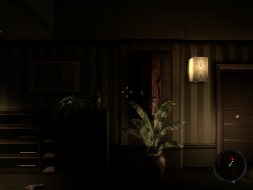
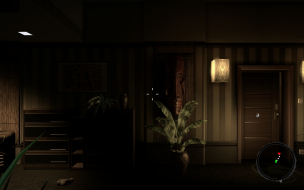
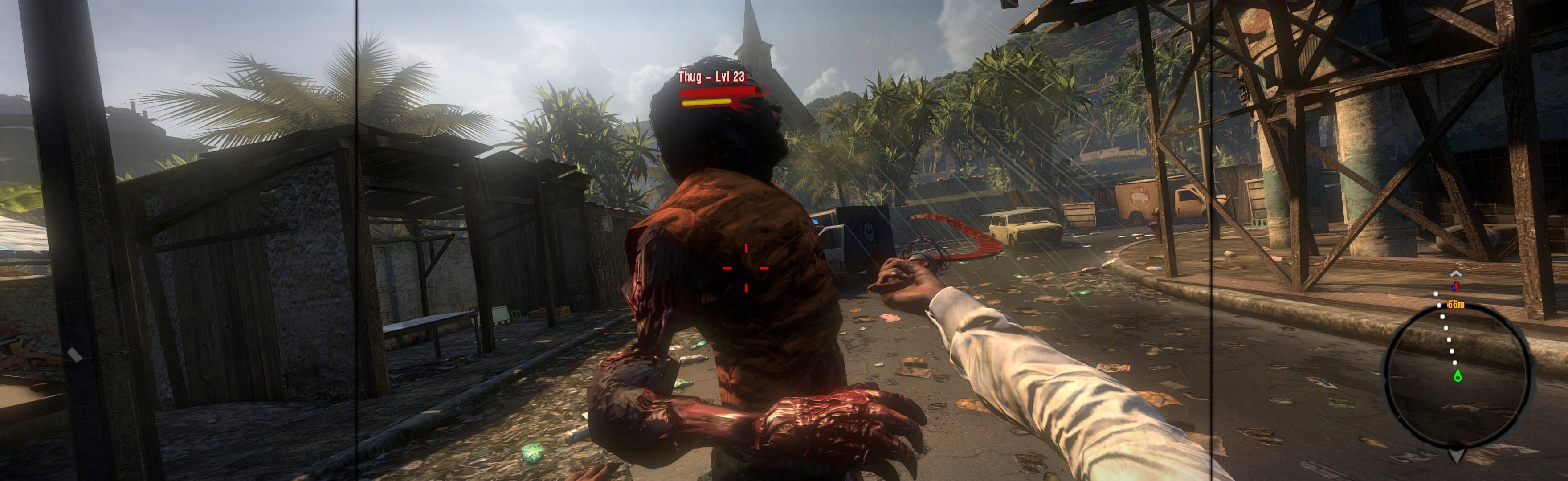
I think the FOV is ok, whats really annoying is the HUD, and the crosshair. :doh
The menu is almost unusable
Posted: 07 Sep 2011, 00:41
by Hydralisk_X
The menu is almost unusable and the inventory etc. is unusable as it is. The game itself is fine in triple... but without being able to use stuff like the inventory kind of breaks it.
THey have alot of critical
Posted: 07 Sep 2011, 00:59
by tet5uo
THey have alot of critical stuff to fix before that , sadly...
Game's a total mess so far... fun mess, but wow what a crappy release, haha.
Yes, ah well, single monitor
Posted: 07 Sep 2011, 01:16
by thales100
Yes, ah well, single monitor for me, at least it looks amazing in 3D. :tired:
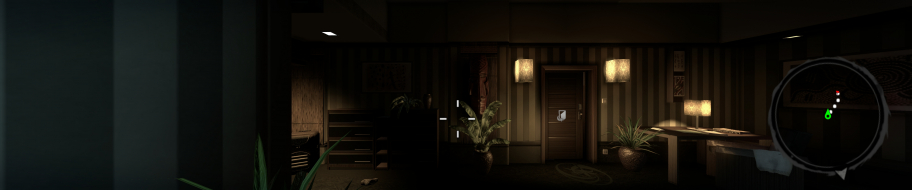
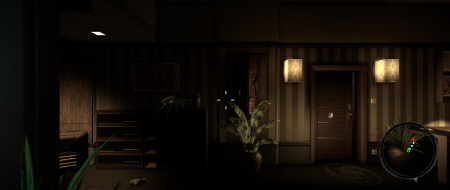
Ive uploaded a 3D gallery
Posted: 07 Sep 2011, 03:24
by thales100
Ive uploaded a 3D gallery (single monitor) of this game, it looks really amazing. :onethumb
http://widescreengamingforum.com/node/16949
does any1 have a fix for the
Posted: 09 Sep 2011, 19:57
by xxdenialxx
does any1 have a fix for the unuseable inventory screen on 5040x1024 it kinda looks the same problem as fallout new vegas with everything zoomed in to far but where wud the file be to edit?
Yes xxdenialxx, have a look
Posted: 12 Sep 2011, 05:49
by DaFox
Yes xxdenialxx, have a look at this thread.
http://widescreengamingforum.com/forum/forums/gaming/mods-tweaks-tools-tutorials/17038/dead-island-hud-and-menu-fix
After placing the "Data"
Posted: 09 Nov 2011, 01:00
by H8Cr1me
After placing the "Data" folder for the HUD fix I can get through the game menu and character selection but when I try to start a game it crashes. Anyone else had this happen or know how to fix it?
H8Cr1me wrote:After placing
Posted: 27 Dec 2011, 09:16
by AussieTimmeh
After placing the "Data" folder for the HUD fix I can get through the game menu and character selection but when I try to start a game it crashes. Anyone else had this happen or know how to fix it?
I can't get this to work either, in 5040x1050 or bezel corrected 5292x1050. I may update the DR to reflect this.
Hy, my Game Crahst and Crasht
Posted: 01 Jan 2012, 16:41
by Gr1zzly
Hy, my Game Crahst and Crasht back to Windows with "Program no longer works", I play in 7680x1440, I've also already tried 5040x1050 but win7 x64 pro keeps crashing with the same error message.
Please help it will be happy to gamble with 3 TFT:)
THX
FIX FOR IN GAME HUD AND INVENTORIES!!!
Posted: 05 Jan 2012, 22:53
by JWCCIS80
Okay guys, I'm new here but I know a thing or two about this stuff and I noticed a bunch of people who said the patch to resize the crosshairs, menus, inventory, etc. didn't work. Same went for me - CTD as soon as you start a game after the main menus... I really wanted to play this game and it was impossible without being able to see the inventory screens so I went on a mission to fix this - and I did. I got the game running in stereo fullscreen in 3D and it's fantastic! Its a bit of work but heres what you'll have to do.
As stated, there is a patch on this site to fix the inventory and HUD elements. Didn't work. What I did was:
1) after downloading the patch, I looked at the files it would put in my usersdeadislandoutdata folder (The data folder is created after unzipping the patch into said location).
2) I located those same files in the steamappscommondeadislandDIData folder. They are spread out and packed into several .pak files. You will need winrar OR (my favorite) IZArc. Its free and can pack / unpack just about any zip file out there. t was time consuming, but one by one I located and compared each file to the files in the patch, and if no differences were found (but for the resolution change at the begining of the file) I loaded them one at a time and starte the game. My game worked each time until I got to DataMenuScrMenuUpgradeCharacter.XUI
3) So, instead of using the modified downloaded file from the patch, I simply edited the resolution at the beggining of the original file (MenuUpgradeCharacter.XUI) from 1280x720 to 3840x720 like in all the other files, saved it, and used that file instead of the one included in the insead of the patch. Now the game is flawless with readable menus as well! I want to get this out there because I know its a big problem and the game is really not playable if you cant access your inventory, upgrades, etc.
4) you will need to edit the ORIGINAL .XUI (MenuUpgradeCharacter.xui) from data3.pak in the DI folder. Use winrar or IZArc to navigate through the data3.pak. open the .xui by dragging it and dropping it into notepad. Look at the patch versions file and replace the new files resolutions ONLY at the beggining ( the first two sets of code) - The beggining of the file should now look like this:
]3840.000000 720.000000
MenuUpgradeCharacter 3840.000000 720.000000
Save, close and put that new file where it was in the patch.
Also, when installing the patch, its probabally better to manually add the files to the outdata folder because many of them (files ending in "CONSOLE" or "PS3" are not needed - the less clutter the better.
I am running in 6060x1080 resolution, bezel corrected. It shouldn't matter what your resolution is - the file should work either way. If you guys want me to make a new version of this patch and upload iit, I will. If you want the working file from me, contact me. I would like to hear back and know that this resolved someones issue.
One last note - I removed many of the files I deemed "unnescessary" and only use the files needed to alter my HUD and in-game elements as well as the start up and choose character screens so there MAY be another "corrupt" or incorrect file in their. Rememeber, if your having trouble, install the files one at a time until your game crashes. Then decide if you really need the file thats crashing your game. If you do, just use the above method to alter an existing version of that file from your steamappscommon folder.
Feel free to cantact me or respond for further assistance and HAVE FUN! The game is great and I was up til 4am playing! Also, if your having trouble getting the game started in fullscreen mode or in 3D (initially my game would go stereo but would not start in 3D) I have solutions for those problems as well so just ask! If you want my video settings file I'll be happy to mail it to you. You can increase the rendering settings beyond what the in game options allow and it will allow you to start in 3D with full screen and everything!
GOOD LUCK!!!
(I will go through the rest of the files later and let you all know if any other .xui's are miscoded.) I'll repak and attach for you later!
Thank you!
Posted: 10 Apr 2012, 06:00
by werezwolf
Just wanted to say thanks to you JWCCIS80. By finding out MenuUpgradeCharacter.xui was the culprit file, I was able to follow your steps above and extract my "clean" version of that file, edit it, and overwrite the patched file (in DocumentsDeadIslandoutDataMenuScr). Amazing how one little file/line of code can make the difference between a game crashing and working flawlessly :party:
I'm attaching the modified file in case anyone wants to just download it, and overwrite the patched file. Be sure to place in DocumentsDeadIslandoutDataMenuScr and overwrite the existing one.
Thank you. The HUD change
Posted: 26 Aug 2012, 00:27
by EasytouchBarBie
Thank you. The HUD change works well and it isn't perfect however the FOV being near perfect makes up for it.
great game.
Re: Dead Island
Posted: 10 May 2013, 23:09
by LuckyNoS7evin
haha, wow look at that HUD
Re: Dead Island
Posted: 31 Jan 2015, 03:59
by majorwitty
The "fix" which is to put the Data directory and contents in the Out directory fail for SLI enabled + Surround 5760 x 1080. When the game loads into 3D (menus works okay) the game stops responding and crashes to desktop. Using Steam version 1.3. I'll play the game in single monitor mode.
Re: Dead Island
Posted: 09 Mar 2016, 02:32
by imusrt
majorwitty, I am not qualified to answer but have couple ideas: 1. Did you put extracted "data" folder in %USERPROFILE%\Documents\DeadIsland\out? Did you also try putting in (path-to-game)\DI\out? Try each location. 2. You should read about a potential MenuUpgradeCharacter.xui problem & fix, here: http://www.wsgf.org/forums/viewtopic.php?f=61&t=25749&start=10 3. Does the game work if no fixes are used? (There are workarounds for cropped-menu that MAY work for LLL, see link's NOTES #2.D.) 4. Failing all else, you could use Manual PLP Instructions to spread the game however wide you wish (does not have to be full spread if that is too heavy for 1 card). http://www.wsgf.org/blog/imusrt/2015/04/01/dead-island-2011-manual-plp-instructions PLP Instructions, notes, & 40 bloody screenshots