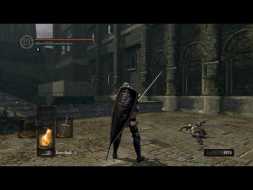
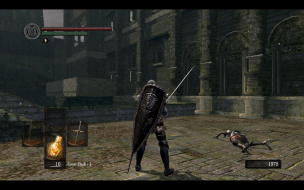
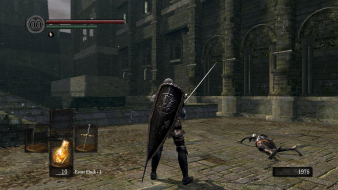
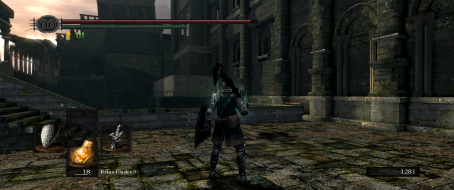
Page 1 of 2
Dark Souls: Prepare to Die Edition
Posted: 11 Sep 2012, 07:00
by helifax
 Widescreen Grade: CUltra-Widescreen Grade: CMulti-monitor Grade: C4k Grade: IncompleteRead Full Detailed Report - Dark Souls: Prepare to Die EditionThe unexpected surprise hit and GameSpot's Best of 2009 - Game of the Year Winner Demon’s Souls now has its spiritual successor in Dark Souls. This once-in-a-generation game will take you through an experience so challenging, so punishing and yet so intensely gratifying that it will leave you anguished for wanting more. Set in a rich, dark fantasy world, experience tense dungeon crawling, fearsome enemy encounters and groundbreaking online features for a truly unforgettable gaming experience.
Re: Dark Souls: Prepare to Die Edition
Posted: 12 Sep 2013, 22:07
by Lawlercoaster
Love, love, love this game! I own it for the PS3, and now my old computer died so I upgraded. The first thing I did was download Dark Souls from Steam. I got it up and running just fine using DSFix mods and the enhanced texture mod pack. It looks phenomenal!
Now, here's where I want to cry. I have a projector setup with an anamorphic lens so my screen is 21:9. I feel like I've exhausted every avenue in order to get this game working in Ultra-widescreen format. Has anyone been able to get this game going in that format? FWIW, I'm using Windows 8 64 bit, and an NVidia GTX 760 superclocked.
I have tried all possible combinations of resolution swaps between my desktop, DSFix and the in-game resolution. I also tried using the Widescreen fixer app and it just crashes the game (and yes, I used DSFix 1.9 also).
I thought that maybe it was my projector or something, then I downloaded Burnout Paradise on Steam (great deal!) and it ran ultra widescreen flawlessly - I just chose 1920 x 816 in the menu, did the stretch with my projector, corrected it with the lens and, voila!
Any help would be much appreciated as this is, by far, my favourite game in the last few years. I'm still enjoying it in 16:9, but I'm giving up a lot of real estate by not using the whole screen.
Re: Dark Souls: Prepare to Die Edition
Posted: 13 Sep 2013, 12:22
by helifax
Lawlercoaster wrote:Love, love, love this game! I own it for the PS3, and now my old computer died so I upgraded. The first thing I did was download Dark Souls from Steam. I got it up and running just fine using DSFix mods and the enhanced texture mod pack. It looks phenomenal!
Now, here's where I want to cry. I have a projector setup with an anamorphic lens so my screen is 21:9. I feel like I've exhausted every avenue in order to get this game working in Ultra-widescreen format. Has anyone been able to get this game going in that format? FWIW, I'm using Windows 8 64 bit, and an NVidia GTX 760 superclocked.
I have tried all possible combinations of resolution swaps between my desktop, DSFix and the in-game resolution. I also tried using the Widescreen fixer app and it just crashes the game (and yes, I used DSFix 1.9 also).
I thought that maybe it was my projector or something, then I downloaded Burnout Paradise on Steam (great deal!) and it ran ultra widescreen flawlessly - I just chose 1920 x 816 in the menu, did the stretch with my projector, corrected it with the lens and, voila!
Any help would be much appreciated as this is, by far, my favourite game in the last few years. I'm still enjoying it in 16:9, but I'm giving up a lot of real estate by not using the whole screen.
I just played the game yesterday and it was working perfectly with WideScreen Fixer. No crashes or anything. The plugin was developed with multi monitors in mind. 21:9 AR wasn't tested. I imagine that if you cannot select the 21:9 resolution from the game there is little I can do...
Re: Dark Souls: Prepare to Die Edition
Posted: 21 Sep 2013, 18:58
by aolsen
The game crashes instantly for me when using Widescreen Fixer. I heard there was a new patch out for the game on Steam? Is that what's causing my problems?
- same thing happens when using dsfix 2.1... meh.
Using 3 16:10 monitors on a 770 GTX at 6030x1200.
Re: Dark Souls: Prepare to Die Edition
Posted: 02 Oct 2013, 08:01
by cappamc
I can confirm that the widescreen .exe crashes dark souls for steam, i tried for hours ( of precious daddy game time!) to get a combination that worked for 5670x1080 eyefinity but had no joy. If anyone has any information or advice on where i am going wrong, it would be greatly appreciated.
regards,
cappa78
Re: Dark Souls: Prepare to Die Edition
Posted: 02 Oct 2013, 15:38
by Toothless Spoon
Have both of you guys updated your game for windows live stuff? Make sure you uninstall the old one and install the latest version. I can confirm that everything is working for me on surround @5760x1080. I also think DSfix is up to 2.2 and obviously make sure you have updated your widescreen fix for dark souls as well
http://3dsurroundgaming.com/WSF.html Let me know if you need any more help.
Re: Dark Souls: Prepare to Die Edition
Posted: 03 Nov 2013, 16:30
by jhall1990
I am having the same issue here, when I launch I get a white screen and then it says that Dark Souls has crashed. If I run it without widescreen fixed the game launches fine, but it only runs on one monitor. I have the latest DSfix and just re-installed GFWL, is there anything else I can do?
Thanks
Re: Dark Souls: Prepare to Die Edition
Posted: 05 Nov 2013, 05:51
by Toothless Spoon
jhall1990 wrote:I am having the same issue here, when I launch I get a white screen and then it says that Dark Souls has crashed. If I run it without widescreen fixed the game launches fine, but it only runs on one monitor. I have the latest DSfix and just re-installed GFWL, is there anything else I can do?
Thanks
Mate, with things like that - check your DSfix settings. Make sure you don't have any Hud things enabled. I also found out that because I have the textures for the game, I cant disable intro movies, or hide cursor - doesn't like that either. just fiddle around - if the game launches on a single monitor, then it's probably something with dsfix.
Re: Dark Souls: Prepare to Die Edition
Posted: 03 Jan 2014, 03:11
by Grave-tm-
aolsen wrote:The game crashes instantly for me when using Widescreen Fixer.
I am having the same problem. I haven't played for a few months and tried playing this today. With WSF running as soon as I hit launch it crashes. If I launch without it I can run DSFix just fine.
Nvidia Surround - 5760 x 1080
Dark Souls - Steam Version
WSF - v3.4 r682
DSFix - 2.2
I have troubleshot this up and down and have even tried running it vanilla with only the resolution changed in DSFix and it still game me the instant-crash with WSF running. I have also reinstalled everything from start-to-finish twice. I;ve been on this for about 6 hours now and haven't got anywhere. Window goes white and Dark Souls crashes instantly.
Re: Dark Souls: Prepare to Die Edition
Posted: 03 Jan 2014, 14:34
by helifax
Grave-tm- wrote:aolsen wrote:The game crashes instantly for me when using Widescreen Fixer.
I am having the same problem. I haven't played for a few months and tried playing this today. With WSF running as soon as I hit launch it crashes. If I launch without it I can run DSFix just fine.
Nvidia Surround - 5760 x 1080
Dark Souls - Steam Version
WSF - v3.4 r682
DSFix - 2.2
I have troubleshot this up and down and have even tried running it vanilla with only the resolution changed in DSFix and it still game me the instant-crash with WSF running. I have also reinstalled everything from start-to-finish twice. I;ve been on this for about 6 hours now and haven't got anywhere. Window goes white and Dark Souls crashes instantly.
I will not repost the same thing here also, but you can read the solution here:
http://www.wsgf.org/forums/viewtopic.ph ... &start=210which is a topic much bigger on the same game:)
Re: Dark Souls: Prepare to Die Edition
Posted: 03 Jan 2014, 16:15
by Grave-tm-
Confirmed. Thank you so much! I was on that website earlier to get the plugin for Enslaved and I must of missed the Dark Souls fix which was right there:
Dark Souls PluginHere's what I just did to get Dark Souls to work with this new WSF plugin:
1. I installed new plugin and had to set WSF to v1.0.3 so it wouldn't crash.
2. Unchecked "
Automatically Detect Resloution" and set display count to 3.
3. Made sure resolutions for uncorrected and bezel-corrected were both 5760 x 1080.
4. Launched game (no crash! yay!) and loaded save. My game picture was distorted/squished so I knew the fix was working.
5. I changed in game resolution from 1920 x 1080 to 5760 x 1080 and it worked! Full 5760 x 1080 resolution, HUD centered, and game not crashing.
Helifax, thanks for your response and for all you do for the community. You're a freaking ninja.
Re: Dark Souls: Prepare to Die Edition
Posted: 10 Jan 2014, 03:46
by Anguished
Grave-tm- wrote:Confirmed. Thank you so much! I was on that website earlier to get the plugin for Enslaved and I must of missed the Dark Souls fix which was right there:
Dark Souls PluginHere's what I just did to get Dark Souls to work with this new WSF plugin:
1. I installed new plugin and had to set WSF to v1.0.3 so it wouldn't crash.
2. Unchecked "
Automatically Detect Resloution" and set display count to 3.
3. Made sure resolutions for uncorrected and bezel-corrected were both 5760 x 1080.
4. Launched game (no crash! yay!) and loaded save. My game picture was distorted/squished so I knew the fix was working.
5. I changed in game resolution from 1920 x 1080 to 5760 x 1080 and it worked! Full 5760 x 1080 resolution, HUD centered, and game not crashing.
Helifax, thanks for your response and for all you do for the community. You're a freaking ninja.
Hi there, thank's for posting this-I tried replicating word for word what you did there, however I did not get the "squished" screen like you did; I'm wondering if this is because I need to edit the DSfix files internal rendering resolution to 5760x1080? I also followed the instructions posted by Helix for 3D vision:
http://helixmod.blogspot.com/2012/08/da ... on-3d.html as well as those listed by "eqzitara" (found in the first comment when you scroll down a little). Just like a lot of you, I've been trying to trouble shoot as much as I can think of, and similarly enough have been to all the same sites-including the patch for v1.0.3 you mentioned. If it's okay, here is a copy of my DSfix file-if anyone could match it up to their working ones and see if I'm missing anything:
https://www.dropbox.com/s/ku05zoxud5h2yhe/DSfix.ini As for my folder composition-I have not added any texture overrides or any particular modes from the community or nexusmods' website to keep things as simple as possible for now. As for my file composition and Flawless Widescreen + Widescreen Fixer; here's a screen cap if anyone can point out something wrong:
https://www.dropbox.com/s/bki5y8i23tmz9 ... Folder.png As for right now, I'm going to edit the internal rendering resolution to 5760x1080 in DSfix and see if that solves my problem. Any feedback regarding edits I need to make to the files to get it working properly would be greatly appreciated. Thank-you.
Re: Dark Souls: Prepare to Die Edition
Posted: 26 Jan 2014, 07:10
by sNOOZ
I'm in the same boat as anguished, in fact the very same emotion I'm feeling is Anguish. I've tried the the suggestions posted above but to no avail.
When I start the game with wide screen fixer the game shuts down two of my monitors and the screen goes black, I can see my mouse and I can see GFLW log in, I can also hear the sounds of the game when I press buttons like mad, but I can't see anything.
Worse yet now my windows 360 controller's buttons are all remapped for some reason, A is now X and all the other buttons are messed up. I really want to beat this game but switching from extended desktop and eyefinity view every time I want to play this game is a huge hassle.
Re: Dark Souls: Prepare to Die Edition
Posted: 12 Feb 2014, 22:21
by Anguished
Just checking back again. I haven't gotten the fix to work yet, and was wondering if anyone who has gotten the surround vision to work could take a look at the files I linked in the initial post to see if the values match theirs. I'll be retrying the fixes another time; in the mean time if anyone could provide some feedback it'd be sincerely appreciate, thanks.
Re: Dark Souls: Prepare to Die Edition
Posted: 02 Mar 2014, 02:53
by helifax
Anguished wrote:Just checking back again. I haven't gotten the fix to work yet, and was wondering if anyone who has gotten the surround vision to work could take a look at the files I linked in the initial post to see if the values match theirs. I'll be retrying the fixes another time; in the mean time if anyone could provide some feedback it'd be sincerely appreciate, thanks.
I am not sure I understand the problem...
I am also using 3D Vision Surround and just re-checked now.
1. You neeed to have DSFix installed and the correct resolution set in dsfix.ini
2. in the plugin set the the exact same resolution
3. For HelixMod install it normally
4. Run the game:)
Also run the game in fullscreen ofc. You need to disable AA in the game menus (since DSFIX applies a better AA anyway)
Have a clean install of DSFIX without any other HUD/Texture options turned on as they compete with my fix.
Hope it helps:)
Re: Dark Souls: Prepare to Die Edition
Posted: 06 Mar 2014, 17:29
by jw48
I'm trying to use the FOV calculator to place the HUD of Dark Souls on the center screen when running at 5760x1080. However I cannot find to save My Dark Soul a ".res" file to upload to the WSGF program. Thanks to Helifax and Durante the game runs great except for this small inconvenience. Am I going about this the wrong way, every wide screen except mine seems to have the HUD centered ? My rig is 2 GTX690s with a TH2go. Any help you can offer is most welcome. Praise the sun !

Re: Dark Souls: Prepare to Die Edition
Posted: 06 Mar 2014, 20:37
by helifax
jw48 wrote:I'm trying to use the FOV calculator to place the HUD of Dark Souls on the center screen when running at 5760x1080. However I cannot find to save My Dark Soul a ".res" file to upload to the WSGF program. Thanks to Helifax and Durante the game runs great except for this small inconvenience. Am I going about this the wrong way, every wide screen except mine seems to have the HUD centered ? My rig is 2 GTX690s with a TH2go. Any help you can offer is most welcome. Praise the sun !
You don't need to upload anything for the HUD to be automatically centered. However in DSFIX you need to disable any HUD related modifications. Then WSF will automatically center the HUD.
Is best if you just install a plain DSFIX and change only the res. Once you got it working enable what settings you want and see if they are compatible or not;)
Re: Dark Souls: Prepare to Die Edition
Posted: 08 Mar 2014, 20:58
by jw48
Hi Helifax, thanks for the advice yet there is still no joy in the Shire. I dropped in as you suggested a fresh and clean DSFix with only the 5760x1080 res change. The results are I can toggle between a small HUD at the left and right screens' corners or A SUPER HUGE HUD across the 3 screens identical to running DSPTD without your's or Durante's fixes. Any advice ?
Thanks in advance
Re: Dark Souls: Prepare to Die Edition
Posted: 25 Jun 2015, 05:58
by Lynko
v1.0.5 - SteamWorks Feb. 2015 crash with the new steam version...
Please help and thanks!
Re: Dark Souls: Prepare to Die Edition
Posted: 06 Aug 2015, 18:37
by Juliacry
Always nothing ?
I've the same problem...
Steam version too....