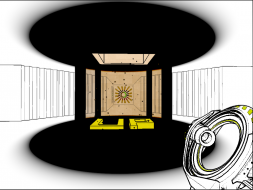
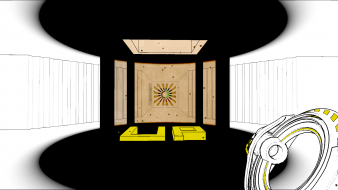
Antichamber

Detailed breakdowns of how games react to widescreen, ultra-wide, 4k and multi-mon
Post Reply
Daimond
Posts: 35
Joined: 02 Sep 2012, 17:14

Antichamber

Post by Daimond »


Widescreen Grade: A
Multi-monitor Grade: C

Read Full Detailed Report - Antichamber

This can be a vary challenging, psychological mind bending, frustrating Game. That can test your skill at not following the norm, and what direction games normally make you follow, but instead makes you think out side the box, in more of 4 dimensions way. If you are use to just following the norm, and get frustrated easy, might be much for you, but still fun.

There is no Story line to this game at all, so do not go into this game looking for that, nor for great graphics, its designed for minimal distraction and tries to make you aware of the more important things, or common fall backs your use to. It tries to make you keep an open mind and aware of your surroundings, but also to take them in, Just trying to quit the game the first time if not paying attention will get you :)

Currently available on steam.


Last edited by Daimond on 07 May 2013, 18:22, edited 12 times in total.
Reason: Edit
Windows 7 x64 SP1
SABERTOOTH 990FX R1- AMD FX-8350 4.5 - Kingston Hyper X 16gb DDR3 1600
ATI R290 Eyefinity
dirtypop
Posts: 20
Joined: 26 Feb 2010, 18:44

Re: Antichamber

Post by dirtypop »

Can someone post the multimonitor resolution and FOV fix please?
User avatar
Skid
Administrators
Administrators
Posts: 1031
Joined: 02 Nov 2009, 12:14
Location: Lincoln, UK
Contact:

Re: Antichamber

Post by Skid »

dirtypop wrote:Can someone post the multimonitor resolution and FOV fix please?

*cough* Click the for to full detailed report *cough*

You've been at the site for over 3 years, you should know by now, information for fixes, if they exist, are found inside the detailed reports :P
: ) Skid : )
My Multi-Monitor Focused YouTube Channel: http://www.youtube.com/c/SkidIncGaming
My Twitch channel which I've been known to stream on from time to time: http://www.twitch.tv/SkidInc
"Imagination is the only weapon in the war against reality."
Daimond
Posts: 35
Joined: 02 Sep 2012, 17:14

Re: Antichamber

Post by Daimond »

dirtypop wrote:Can someone post the multimonitor resolution and FOV fix please?

Skid wrote:
dirtypop wrote:Can someone post the multimonitor resolution and FOV fix please?

*cough* Click the for to full detailed report *cough*

You've been at the site for over 3 years, you should know by now, information for fixes, if they exist, are found inside the detailed reports :P


Ill fix the link, by refinding it or re-posted by tomorrow after noon, seems to be broken/missing since site went down.
Windows 7 x64 SP1
SABERTOOTH 990FX R1- AMD FX-8350 4.5 - Kingston Hyper X 16gb DDR3 1600
ATI R290 Eyefinity
Daimond
Posts: 35
Joined: 02 Sep 2012, 17:14

Re: Antichamber

Post by Daimond »

I created new topic and changed link to point there for Fix, but for some reason, when you hit it seems to not find post. I will re check link in moring to see if it corected it self, other wise might have to look into problem, and post fix directly on page. Was avoiding doing that incase some one found better fix then I did, as to no clog up main page.

Posted here " http://www.wsgf.org/forums/viewtopic.php?f=63&t=25354 " under the
" Mods, Tweaks, Tools & Tutorials " section.
Windows 7 x64 SP1
SABERTOOTH 990FX R1- AMD FX-8350 4.5 - Kingston Hyper X 16gb DDR3 1600
ATI R290 Eyefinity
psychichigh
Posts: 6
Joined: 03 Jan 2014, 07:57

Re: Antichamber

Post by psychichigh »

Here is another fix, which isn't as convoluted. Works for most games running the unreal engine.

open the file UDKEngine located in ____\Steam\steamapps\common\Antichamber\UDKGame\Config\

In the section [SystemSettings] change the follow two settings to your preference
ResX=1920
ResY=1080


(optional) In the section [UnrealEd.EditorEngine] find the following setting and change it to your preference
FOVAngle=75.000000

In the section [Engine.LocalPlayer] find the following setting and change it to AspectRatio_MaintainXFOV
AspectRatioAxisConstraint=AspectRatio_MaintainYFOV


Spoiler:
[SystemSettings]
ResX=5760
ResY=1080

[UnrealEd.EditorEngine]
FOVAngle=150

[Engine.LocalPlayer]
AspectRatioAxisConstraint=AspectRatio_MaintainYFOV
Post Reply

Who is online

Users browsing this forum: No registered users and 3 guests