
Just a few new screenshots for Skyrim runing at 5040x1050 NV 460 GTX SLI.
Files are suitable for Desktop backgrounds if you wish...
Some new screenies for Skyrim
-
ViciousXUSMC

- Editors

- Posts: 1497
- Joined: 31 Jul 2006, 14:58
Purdy~Using any mods to
Purdy~
Using any mods to enhance the game visuals if so can you list them?
Using any mods to enhance the game visuals if so can you list them?
-
UrbanWarlock
- Posts: 1
- Joined: 24 Jan 2012, 20:36
Surround Set Up
I've been have trouble getting Skyrim to run in 3d surround. I'm running 2 Nvidia GTX 570 cards in SLI. The system does run on the desktop, however Skyrim does not list any other modes than the recommended resolution 1650x1080. I've looked on the Web, and found a post with instruction on how to change the preferences within Skyrim with note pad, to change the resolutions manually. But I still cant't get it to work. Could you let me know how to set this up? I've installed the beta patch from Nvidia for Skyrim, and I have no mods installed. Any help would be great.
Thanks
Thanks
-
ReverendUk
- Posts: 10
- Joined: 27 Mar 2011, 01:02
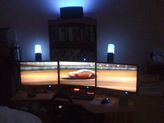
5040x1050
Hi Warlock,
Ok I am assuming that all three of your screens are the same size and you have NVsurround running correctly in in SLI.
If so then follow the link below I have posted and use your centre screen driver as the primary to follow and create a custom EDID from... it is all explained in my post.
The sync polarity issue with screens is STILL yet to be addressed by NVidia, for the life of me I cannot understand why they have not offered users a solution.
But follow the guide and you should be able to get the resolution to 5040x1050 on desktop which Skyrim will pick up.
You will probably need the ultra wide mod that was posted on here for the correct settings and FOV.
(I use the SkyrimUWv0.91 widescreen fixer) from this site and set FOV and Hands both at 90
http://widescreengamingforum.com/forum/14976/working-sync-polarity-fix-acer-p223w-screens
Ok I am assuming that all three of your screens are the same size and you have NVsurround running correctly in in SLI.
If so then follow the link below I have posted and use your centre screen driver as the primary to follow and create a custom EDID from... it is all explained in my post.
The sync polarity issue with screens is STILL yet to be addressed by NVidia, for the life of me I cannot understand why they have not offered users a solution.
But follow the guide and you should be able to get the resolution to 5040x1050 on desktop which Skyrim will pick up.
You will probably need the ultra wide mod that was posted on here for the correct settings and FOV.
(I use the SkyrimUWv0.91 widescreen fixer) from this site and set FOV and Hands both at 90
http://widescreengamingforum.com/forum/14976/working-sync-polarity-fix-acer-p223w-screens
-
ReverendUk
- Posts: 10
- Joined: 27 Mar 2011, 01:02
MODS
I cannot take any responsibility for the work put into the mods, but I have been impressed since installing them
Best mod to add would be the ongoing Skyrim HD mod:
Link is below
http://www.skyrimnexus.com/downloads/file.php?id=607
Also added (also available from Skyrim Nexus):
Vurts Skyrim Flora Overhaul
Quality Road map (all roads V5)
Best mod to add would be the ongoing Skyrim HD mod:
Link is below
http://www.skyrimnexus.com/downloads/file.php?id=607
Also added (also available from Skyrim Nexus):
Vurts Skyrim Flora Overhaul
Quality Road map (all roads V5)
Who is online
Users browsing this forum: No registered users and 5 guests