
Hey all, I have 3x24" BenQ Monitors and game at 5760x1080.
Well Sanctum, it only allows me to use a max resolution of 1920x1080. (it also has 1920x1200 displayed, but my monitors are 16:9)
Sanctum - Screen Resolution Above 1920x1080?
-
FuzzyDicePimp
- Posts: 6
- Joined: 28 Nov 2010, 20:57
Re: Sanctum - Screen Resolution Above 1920x1080?
Since it is on the Unreal engine, it does work at widescreen and surround resolutions, but the game only shows a few preset options for resolution in the UI. Go to:
SteamsteamappscommonsanctumEngineConfigBaseEngine.ini
And change the lines:
ResX=
ResY=
To whatever resolution you want.
Be warned though, that the menus were very fragmented and almost unusable when I briefly tried it out. In-game, a first glance seems to show everything working just fine, and there are definitely no major in-game issues. But the main menu is very, very broken on surround resolutions.
SteamsteamappscommonsanctumEngineConfigBaseEngine.ini
And change the lines:
ResX=
ResY=
To whatever resolution you want.
Be warned though, that the menus were very fragmented and almost unusable when I briefly tried it out. In-game, a first glance seems to show everything working just fine, and there are definitely no major in-game issues. But the main menu is very, very broken on surround resolutions.


Re: Sanctum - Screen Resolution Above 1920x1080?
Simply getting the resolution to work is one thing, but there are a few other things you need to fix the game compleatly, its running the unreal engine, so its vertical minus by default. That said it took me all of 1 minute to find a one size fits all fix for the Aspect ratio, in all fairness it was remarkably easy to get this far:
Find the SanctumEngine.ini file in Documents/My Games/Sanctum/SanctumGame
Find and edit the following:
to
Results in a game that is 75% of the way to being fully working on multi monitor systems.
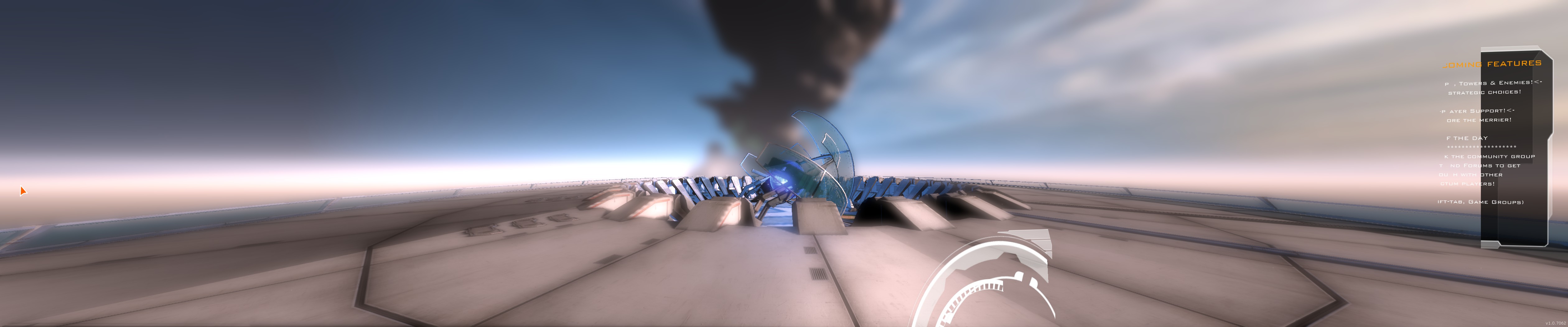
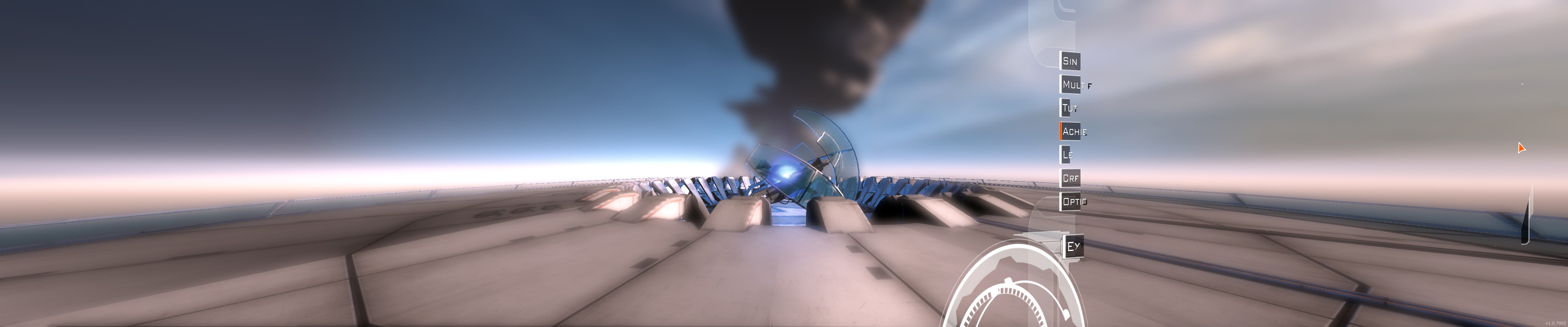
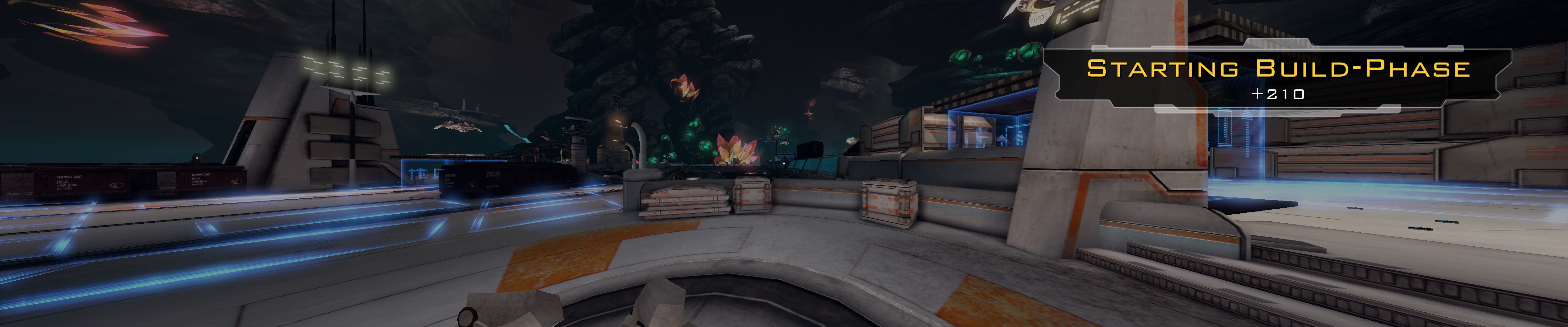
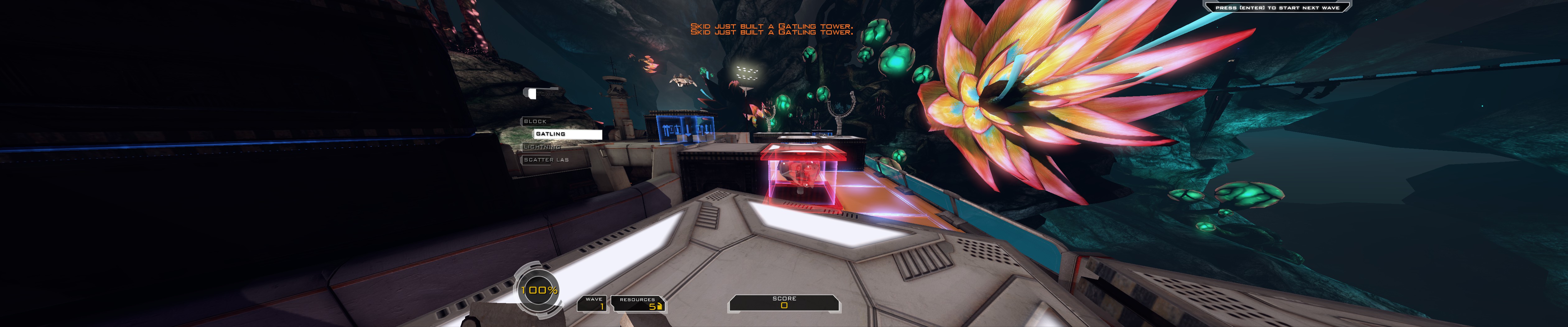
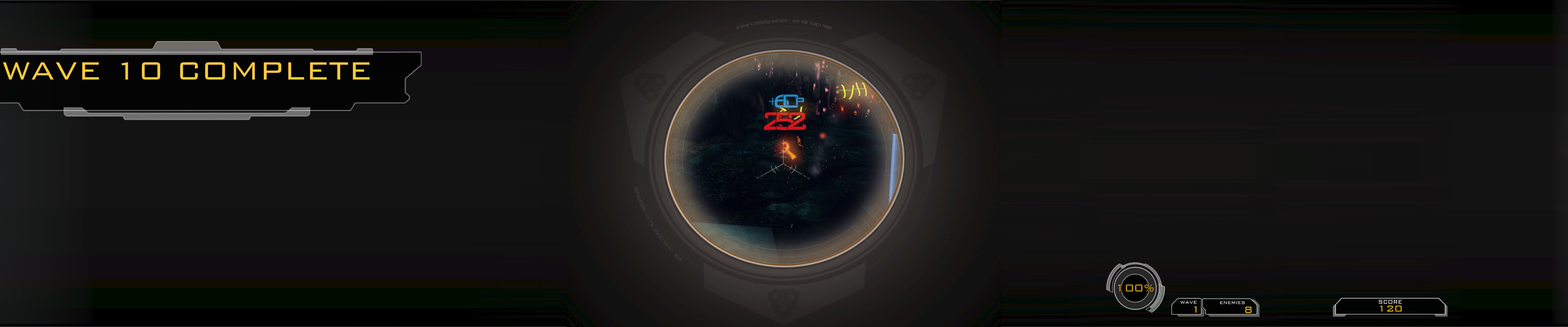
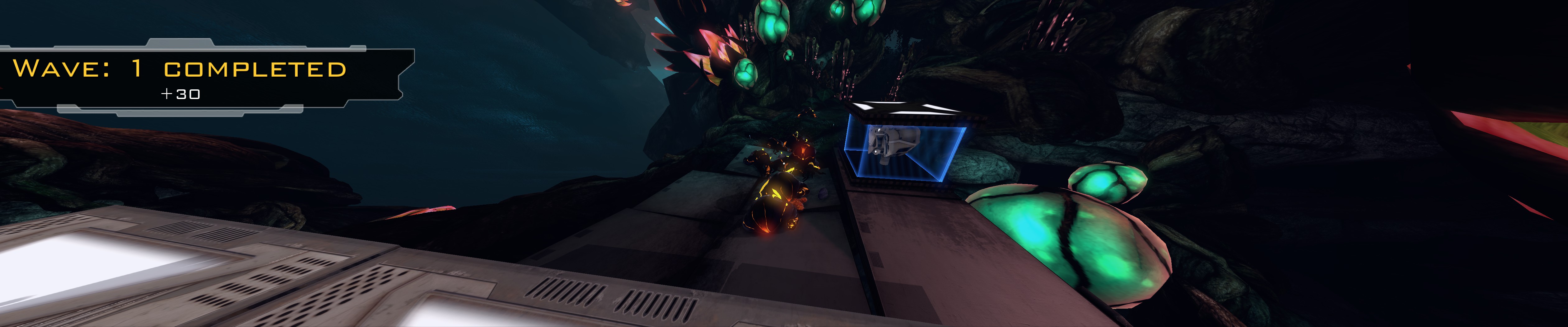
HUD and UI are scaled correctly, 2D HUD and UI elements appear fine, the ingame HUD is centred to the middle monitor, the only issue is the UI that sit on 3D planes. I've looked in all the config files and ether I've missed them or I can't find any options for the 3D menu. So I've petitioned the makers in the steam forum for help to find the options if they exist or for them to fix the issue, add your voice:
http://forums.steampowered.com/forums/showthread.php?t=1861839
Find the SanctumEngine.ini file in Documents/My Games/Sanctum/SanctumGame
Find and edit the following:
Code: Select all
[SystemSettings]

   ResX=1680

   ResY=1050


   [Engine.LocalPlayer]

   AspectRatioAxisConstraint=AspectRatio_MaintainXFOV
to
Code: Select all
[SystemSettings]

   ResX=5040

   ResY=1050


   [Engine.LocalPlayer]

   AspectRatioAxisConstraint=AspectRatio_MaintainYFOV
Results in a game that is 75% of the way to being fully working on multi monitor systems.
HUD and UI are scaled correctly, 2D HUD and UI elements appear fine, the ingame HUD is centred to the middle monitor, the only issue is the UI that sit on 3D planes. I've looked in all the config files and ether I've missed them or I can't find any options for the 3D menu. So I've petitioned the makers in the steam forum for help to find the options if they exist or for them to fix the issue, add your voice:
http://forums.steampowered.com/forums/showthread.php?t=1861839
: ) Skid : )
My Multi-Monitor Focused YouTube Channel: http://www.youtube.com/c/SkidIncGaming
My Twitch channel which I've been known to stream on from time to time: http://www.twitch.tv/SkidInc
"Imagination is the only weapon in the war against reality."
My Multi-Monitor Focused YouTube Channel: http://www.youtube.com/c/SkidIncGaming
My Twitch channel which I've been known to stream on from time to time: http://www.twitch.tv/SkidInc
"Imagination is the only weapon in the war against reality."
Who is online
Users browsing this forum: No registered users and 9 guests