Page 1 of 1
The Hunter
Posted: 15 Dec 2010, 16:07
by bmlocal175
 Widescreen Grade: BUltra-Widescreen Grade: IncompleteMulti-monitor Grade: B4k Grade: IncompleteRead Full Detailed Report - The HunterThe Hunter is a free to play PC game that recreates hunting wild animals in as realistic a manner as possible, on an open world island, based on various locations, including the islands and surroundings of Washington State in the USA and parts of Canada. The free game features one huntable animal type (Mule Deer), and subscribers can unlock other animals, along with a variety of guns, bows and lures with which to hunt them. More animals are planned for future game versions.
The developers are constantly updating and evolving the game, and new content and tweaks are added on a regular basis.
The Hunter is not a browser-based game, but rather a full PC game that runs from a player's hard-drive.
Re: The Hunter
Posted: 17 Dec 2010, 16:21
by scavvenjahh
The only wide aspect ratio fully supported in The Hunter is 16:9. :( No known solution to this day.
:arrow: http://www.widescreengamingforum.com/forum/viewtopic.php?t=15917
Re: The Hunter
Posted: 21 Jun 2011, 14:54
by Bifurk8
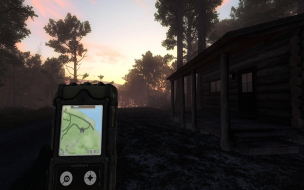
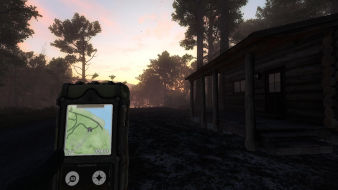
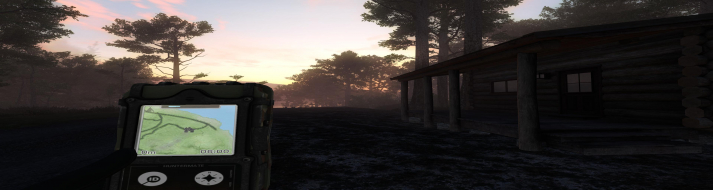
Hey guys, I think I just found a workaround for the Hunter running in triple-wide resolution with the proper aspect ratio and FOV.
1. Start the Hunter at your desired resolution in fullscreen.
2. After the game launches, press ALT+ENTER as if you wanted to change to windowed-mode.
3. Instead of reverting to a window, the screen will flicker. When it's restored, you will still be in full screen but now the aspect ratio and FOV will be correct!
I don't know what mechanism this works by. But, it's working great for me. You may have to repeat these steps each time you launch the Hunter. Give it a shot and report back if this workaround fixes your FOV. Thanks!
Re: The Hunter
Posted: 22 Jun 2011, 00:04
by _CH_Skyline_
Re: The Hunter
Posted: 22 Jun 2011, 00:15
by thales100
Thats pretty impressive. :rockout
Re: The Hunter
Posted: 22 Jun 2011, 23:12
by Slinky
I can also confirm that the alt + enter fix works. It just takes a second too. Its practically instant on my setup. The game is crazy addicting and the graphics are beautiful. I mean they really are outstanding and I get a kind of Arma 2 feel with the visuals/player movements.
Re: The Hunter
Posted: 22 Jun 2011, 23:49
by _CH_Skyline_
I can also confirm that the alt + enter fix works. It just takes a second too. Its practically instant on my setup. The game is crazy addicting and the graphics are beautiful. I mean they really are outstanding and I get a kind of Arma 2 feel with the visuals/player movements.
I think it's a bit funny that their own devs either don't know about this or played dumb when asked to look into supporting Triple-wide resolutions (as far as FoV). I can't find the post, but they basically said that they would prefer to spend the time making sure that most issues are fixed that affect a wide playerbase, rather than focus on an issue that doesn't affect as many.
Re: The Hunter
Posted: 23 Jun 2011, 00:01
by thales100
[quote]I can't find the post, but they basically said that they would prefer to spend the time making sure that most issues are fixed that affect a wide playerbase, rather than focus on an issue that doesn't affect as many.
http://www.widescreengamingforum.com/forum/viewtopic.php?f=57&t=15912
Re: The Hunter
Posted: 23 Jun 2011, 01:08
by Slinky
Re: The Hunter
Posted: 23 Jun 2011, 01:56
by thales100
I have been waiting for a surround solution to finally dl this game. :mrgreen:
Re: The Hunter
Posted: 23 Jun 2011, 12:21
by thales100
Hey guys, I think I just found a workaround for the Hunter running in triple-wide resolution with the proper aspect ratio and FOV.
I wonder how WSGF would call this support, native, cmd ? I would call it
trick. :wink:
Re: The Hunter
Posted: 25 Jun 2011, 00:11
by aeio
[quote]I can't find the post, but they basically said that they would prefer to spend the time making sure that most issues are fixed that affect a wide playerbase, rather than focus on an issue that doesn't affect as many.
http://www.widescreengamingforum.com/forum/viewtopic.php?f=57&t=15912
Forget these answers, they came from the previous owners of the game, Emote Games.
theHunter is now developped by Expansive Worlds, a subsidiary of Avalanche (the guys behind Just Cause 2).
Re: The Hunter
Posted: 25 Jun 2011, 00:42
by thales100
[quote]
Forget these answers, they came from the previous owners of the game, Emote Games.
theHunter is now developped by Expansive Worlds, a subsidiary of Avalanche (the guys behind Just Cause 2).
Cool, thanks for clarifying.
Re: The Hunter
Posted: 05 Jul 2011, 11:58
by thales100
Ive experienced some BSoDs running 3-way SLI and the "alt+enter" solution, FPS was ok, around 40, but the GPU usage was very high, near 99% for all three GPUs, then i found out that if i press "alt+enter" once more (lool), yes thats twice "alt+enter", FPS is boosted to 60 - 80, and no more crashes. :P
I've had issues with the
Posted: 13 Jul 2011, 17:49
by Bifurk8
I've had issues with the HunterMate not working properly after an ALT+ENTER. It won't recognize tracks like it should. But, other than that, it's working well for me.
Ive contacted Stefan
Posted: 18 Jul 2011, 20:00
by thales100
Ive contacted Stefan Pettersson, he is one of the developers, these guys at Expansive Worlds / Avalanche Studios seem to be so nice and accessible to the users.
I explained him whats left to add perfect widescreen / multi monitor support to the game, he told me they will check what can be done when they come back from vacation, i think they will actually check and fix it, there is not much left to be done.