Page 1 of 1
Splinter Cell: Conviction
Posted: 06 Aug 2010, 18:58
by scavvenjahh
 Widescreen Grade: AUltra-Widescreen Grade: BMulti-monitor Grade: A4k Grade: IncompleteRead Full Detailed Report - Splinter Cell: ConvictionTom Clancy's Splinter Cell: Conviction is the fifth installment (released in April 2010) in the Splinter Cell series of video games. The game was developed by Ubisoft Montreal, developers of Tom Clancy's Splinter Cell, Splinter Cell: Chaos Theory and the sixth generation versions of Splinter Cell: Double Agent. The game introduces a number of new gameplay features to the series, one of which is the "Mark & Execute" feature, which allows the player to mark specific targets, such as enemies or objects, and shoot them when they burst through a door or window.
The player can choose to prioritize these targets, so that, for example, he could distract one guard by shooting out a light in his vicinity and then take out another guard. Another new feature is the "Last Known Position", which occurs when the player breaks the line of sight of an alerted guard. This creates a visual silhouette of where the guard thinks Sam is, allowing the player to flank his enemies. Main target subjects can use the player's abilities against them. The player can be taken hostage by the subject in co-op mode; the hostage's partner can neutralize the subject by shooting them or pulling them off his teammate.
Re: Splinter Cell: Conviction
Posted: 06 Aug 2010, 19:09
by scavvenjahh
An extra note on MinTripleDispRatio.
It can also be used in non-16:9 widescreen ARs, if you really can't stand the black bars. What you'll get is a full-height picture with no distortion, a Vert+ FOV and massively squeezed HUD/crosshair/mouse cursor/FMVs. Not exactly a better solution than the default anamorphism, so I don't think we'll endorse it, but here goes.
C:ProgramDataUbisoftConvictionConvictionUserPC.ini
[Engine.Display]
MinTripleDispRatio=3.9
Edit the value so that it is not higher than your AR.
16:10, MinTripleDispRatio=1.6

Re: Splinter Cell: Conviction
Posted: 06 Aug 2010, 23:35
by Tanuki
Sam is starting to resemble that old guy in the club.
Re: Splinter Cell: Conviction
Posted: 07 Aug 2010, 03:13
by MobsterOO7
Actually I thought that Sam was looking a little younger in this new game.
Re: Splinter Cell: Conviction
Posted: 19 Aug 2010, 15:01
by The_cranky_hermit
Certified.
Re: Splinter Cell: Conviction
Posted: 17 Jun 2011, 22:30
by Crollo
An extra note on MinTripleDispRatio.
It can also be used in non-16:9 widescreen ARs, if you really can't stand the black bars.
If people don't like the black bars, they can go play halo and shut up. First they continually complain the playing field is stupid because 4:3 users are put at a disadvantage against 16:9 players, so even the playing field with a system that easily gives them access to the exact same wide angle aspect ratio regardless of the users screen, so that nobody has an advantage by having a better monitor.
Oh no, we can't stand the black bars! This is a bad thing!
Really, sorry to be an ass, but if there's actually people out there who can't stand the black bars and would rather put themselves at an advantage against 16:9 players by opening the mattes so they can see more then they should, then they can just shut up and play something else that does allow them to be put at a disadvantage, then bitch at that instead.
Re: Splinter Cell: Conviction
Posted: 25 Jun 2013, 20:34
by thomasvdalen
Re: Splinter Cell: Conviction
Posted: 26 Jun 2013, 08:59
by scavvenjahh
EyefinityMode=0 seems strange... Change it to EyefinityMode=2 in ConvictionUserPC.ini
Btw since you're using triple-widescreen you didn't have to edit the MinTripleDispRatio value. Just sayin'.
Re: Splinter Cell: Conviction
Posted: 02 Jul 2013, 22:10
by thomasvdalen
still fish eye effect...
Code: Select all
[Engine.Display]
AdapterNumber=0
DisableShaderOptims=False
UseTripleBuffering=False
ForceGpuCount=0
MaxFPS=120
EyefinityMode=2
ForceMultiMon=False
MinTripleDispRatio=3.9

[Inputs]
ControllerType=KT_X360
KeyboardLayout=KT_DEFAULT
UseXInputByDefault=True
Re: Splinter Cell: Conviction
Posted: 03 Jul 2013, 12:47
by thomasvdalen
Here is a sample video on how things works now..
[youtube]http://www.youtube.com/v/NnyQD_7JMwQ[/youtube]
Needti to edit the url (scavv says: post approved, url fixed for ya)
Re: Splinter Cell: Conviction
Posted: 03 Jul 2013, 13:33
by scavvenjahh
Did you play in 16:9 for a while ? Under Video Settings, make sure Monitor Aspect Ratio is set to
Default.
Or in ConvictionUserPC.ini under [UserVideoOptions.xxx] where xxx is your unsername:
Re: Splinter Cell: Conviction
Posted: 30 Aug 2013, 16:53
by Zyph
Hi!
I'm having some trouble with getting this game to work properly and figured someone here probably knows what's going on and what to do, so here goes:
I'm running a Nvidia Surround setup (which the game should have native compatibility with) with 3x 16:9 1080p displays, so 5720x1080 resolution. All displays hooked into a single GTX680. Haven't had problems with other games.
Problem is that when I launch the game both of my side-displays tell me that they lose signal and the picture (logo, loading screen, whatnot) only shows on the middle ("main") display.
And not only that, the picture in the centerdisplay is compressed so that I have picture only on about 1/3 of the screen in the middle vertically, while having 1/3 black bars on both sides. As a newbie it looks to me as if the game tries to run surround by dividing my centerscreen into three pieces instead of actually utilizing all the three screens.
.ini files are untouched when this happens.
ConvictionUserPC.ini contains:
Code: Select all
[SystemValidation]
RunValidation=True
LastAdapterNumber=0

[DefaultPlayer]
Name=Player
Class=EchelonCharacter.ESam
team=1
Local=True
UseCharacterControl=true

[NetPlayer]
Name=Player2
Class=EchelonCharacter.ESam
team=2
Local=False

[Engine.HUD]
HudMode=0
Crosshair=0

[Engine.Display]
AdapterNumber=0
DisableShaderOptims=False
UseTripleBuffering=False
ForceGpuCount=0
MaxFPS=120
EyefinityMode=2
ForceMultiMon=False
MinTripleDispRatio=3.9

[Inputs]
ControllerType=KT_X360
KeyboardLayout=KT_DEFAULT
UseXInputByDefault=True
Tried editing the default Conviction.ini
Code: Select all
[WinDrv.WindowsClient]
FullscreenViewportX=800
FullscreenViewportY=600
values by manually inputting 5720x1080 and 1920x1080 resolutions, but this didn't do anything.
Any ideas?
Re: Splinter Cell: Conviction
Posted: 31 Aug 2013, 16:07
by scavvenjahh
Hi Zyph !
IIRC this is how the game behaves upon first launch: you'll have to work your way to the (painfully squished) main menu to manually select your resolution and set apsect ratio to Default. From then on the game will run in all its Surround glory, and all settings will be stored in ConvictionUserPC.ini.
Hope it helps...
Re: Splinter Cell: Conviction
Posted: 03 Sep 2013, 17:42
by Zyph
scavvenjahh wrote:Hi Zyph !
IIRC this is how the game behaves upon first launch: you'll have to work your way to the (painfully squished) main menu to manually select your resolution and set apsect ratio to Default. From then on the game will run in all its Surround glory, and all settings will be stored in ConvictionUserPC.ini.
Hope it helps...
Thanks.
Finally got the issue sorted out by disabling Surround and launching the game in one screen only. Then were able to set the resolution to 1920x1080 (was horribly small as default). The chainge in resolution then helped enough in Surround mode to actually get the games menus visible atleast and was then able to select 5760x1080. Now it's working like a charm, but it could've been smoother I guess

Re: Splinter Cell: Conviction
Posted: 15 Feb 2015, 23:43
by 21_9 PC Gamer
Hi Everyone,
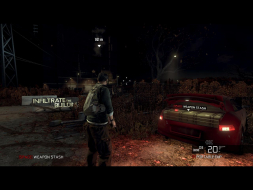
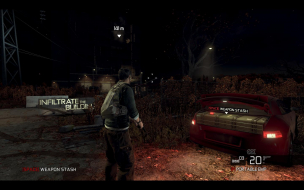
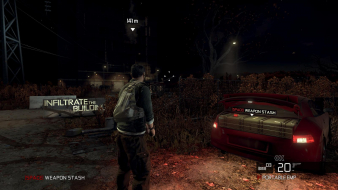
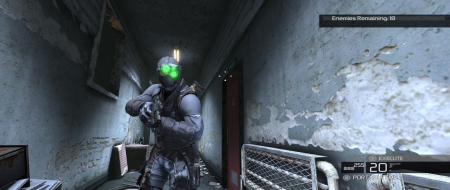
Just added the solution I found last summer for 21:9 it works perfectly @ 2560x1080 some cutscenes are 21:9 some are 16:9. I also posted some screenshots I took at the time. I played through the entire game & the DLC 2-3 times & could not find any obvious major issues.
21:9 makes this game look so much better IMO for a 5 year old game it looks ok still. I also much prefer this to Blacklist which I felt was really poor due to no Michael Ironside & weak levels after such a long development time.