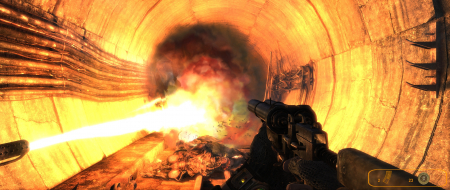
This game is so hard to play on multi monitor due to how demanding it is. No way can you max it out with a single 5870. But on lower settings its tolerable. This is the first game that made me wish I had a 5890.
I find this completely unplayable in Eyefinity 5348x1050 due to the mouse acceleration. OP i think u under ebbed the difference between vertical and horizontal , i'd say it's at least 10:1 horizontal:vertical !! and as such i have to play it on single monitor 1680x1050 :(. Even on the lowest ingame sensitivity it feels like slipping on ice going horizontal and like running through glue for vertical movement.
Anyone know a fix for the mouse acceleration issue?
This game is so hard to play on multi monitor due to how demanding it is. No way can you max it out with a single 5870. But on lower settings its tolerable. This is the first game that made me wish I had a 5890.
You mean 5970? Even with 2 5970 it isn't playable @ max! Mouse issue doesn't bother me that much tho..
Mouse oddity: it seems the speed over the x axis varies with the display width.
I haven't played this myself, but that sounds like a pretty bad thing - it adversely and consistently affects gameplay, which is generally grounds for being considered a consequential flaw. As I haven't played it myself, I would like some input here, especially in regards to how it affects gameplay on 4:3, 16:10, and 16:9.
Grade: C
Potential grade: B+
Major outstanding DR omissions:
Pending mouse sensitivity discussion
semi fixed the mouse sensitivity issue - in the logitech software for my MX518 i set vertical to 1800dpi (max) and horizontal to 400dpi (lowest) and it's pretty much playable now. If the sensitivity on vert axis could go higher i think about 2200 would be perfect vs 400 @ 5040x1050.
I run eyefinity, but I just want to run single screen as it is just too demanding, but the problem is that when I run 1920x1200, the screen goes to the center monitor but is sqaushed in badly (think the opposite of when a game doesn't support eyefinity and it just stretches across all the monitors).
Has anyone else had this problem? I'm running the steam version fully upto date
That's because in fullscreen mode, the desktop resolution determines the game's aspect ratio. To play Metro2033 on a single screen, you have two options:
-Set your desktop to single-screen before you run the game, or
-Play in windowed mode (r_fullscreen off). Resolution & AR can be anything you like in this mode.
That's because in fullscreen mode, the desktop resolution determines the game's aspect ratio. To play Metro2033 on a single screen, you have two options:
-Set your desktop to single-screen before you run the game, or
-Play in windowed mode (r_fullscreen off). Resolution & AR can be anything you like in this mode.
[quote]That's because in fullscreen mode, the desktop resolution determines the game's aspect ratio. To play Metro2033 on a single screen, you have two options:
-Set your desktop to single-screen before you run the game, or
-Play in windowed mode (r_fullscreen off). Resolution & AR can be anything you like in this mode.
Thanks I'll give this a try later tonight
I set my screen to single and it worked perfectly, thanks
A brief addition: if you have a mouse that is capable of DPI switching, you can probably go into your mouse software settings and simply set your Y axis DPI to be much higher or lower than your X axis DPI. I know that at least with Logitech gaming mice, you have this option of axis-independent DPI control.
i seriously pretty much quit because of the mouse problem. its horridly unplayable with one axis out of sync like that.
i have a RAT but i dont see any way to just make one axis higher than another.
honestly im such a snob now if i cant get something to run 3x1 correctly i may not even play it
i have a RAT but i dont see any way to just make one axis higher than another.
Should be fairly straightforward. Install the software for your R.A.T., look for axis sensitivity/acceleration, set x lower than y. You can even probably save this setting in a profile you'll only use in Metro 2033.
Since replacing my logi mouse with a SteelSeries Sense I lost the ability to adjust X and Y seperatly. I tried creating a script in AHK to reduce the X sensitivity and while this works fine in windows, in the game the mouse totally spazzes out and is completely unplayable (also tried to increase the Y when decreasing X didn't work) .
Has anyone gotten this or similar to work? I'm thinking about trying to do a mouse to Joystick script when I have some more time to screw around with it. I saw a mouse hook script for AHK, but could not get that to work.
I tried Haldi's script for M:LL but when the script is enabled 2033 crashes for me. Edit; I got one of the other scripts (1.5x) that Haldi posted to work, but that causes the game to spaz out like my own script.