


Need for Speed: Shift

Detailed breakdowns of how games react to widescreen, ultra-wide, 4k and multi-mon
Post Reply
User avatar
scavvenjahh
Editors
Editors
Posts: 3424
Joined: 06 Mar 2008, 17:20

Need for Speed: Shift

Post by scavvenjahh »


Widescreen Grade: A
Ultra-Widescreen Grade: B
Multi-monitor Grade: A
4k Grade: A

Read Full Detailed Report - Need for Speed: Shift

Shift is a half-arcade, half-serious racing sim. Even with all assists on, the driving is more demanding than what's typical in a NFS game, but everything you do in races counts as experience points - from hitting an opponent car to reaching top speeds to staying on the race line - so both top racers and n00bz have many ways to earn cash and unlock stuff.
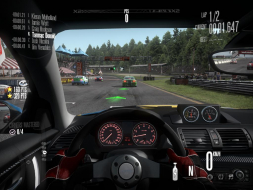

4:3
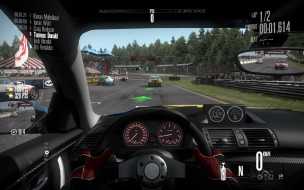

16:10
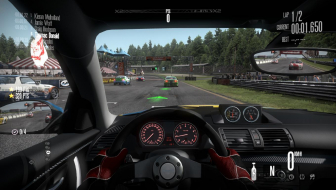

16:9
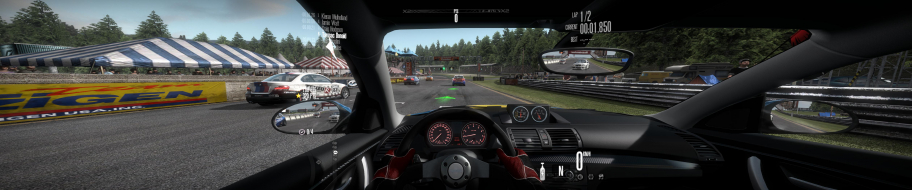

3x1

Last edited by scavvenjahh on 05 Jan 2015, 03:35, edited 5 times in total.
Reason: Edit
The_cranky_hermit
Insiders
Insiders
Posts: 3010
Joined: 07 Nov 2005, 04:16

Need For Speed : Shift

Post by The_cranky_hermit »

Grade: B+

Squashed GUI is a nano-blemish.

CCE: 100%
Avatar_raq
Posts: 10
Joined: 23 Jul 2010, 18:17

Re: Need For Speed : Shift

Post by Avatar_raq »

It's the best game I came across supporting eyefinity! It did so with no additional tweaking whatsoever! The first time I ran it, it was automatically set to my native resolution (5992 x 1080, 5670 x 1080 after bezel correction) and the HUD, as said before, is centered! The driver helmet camera is a killer now! The menus issue is hardly noticeable, and if it were up to me, I'd give it A+ rating.
Seriously, kudos for the developers.
swili
Posts: 40
Joined: 29 Oct 2010, 21:26

Re: Need for Speed: Shift

Post by swili »

I played the demo, and here are the results.

2560x1080, 1920x1080, 3840x2160
Menu
Image Image Image

Inside
Image Image Image

outside
Image Image Image

So, if you think you can base the grades on demo, well, there you have it
User avatar
scavvenjahh
Editors
Editors
Posts: 3424
Joined: 06 Mar 2008, 17:20

Re: Need for Speed: Shift

Post by scavvenjahh »

Thanks for the update ! Feel free to edit the Detailed Report and upload your full-sized screenshots there.
For the UWS and 4K grades to be finally calculated, you'll also need to input FMVs and cut-scenes behavior, even if you don't currently have screenshots of these.
Post Reply

Who is online

Users browsing this forum: No registered users and 3 guests