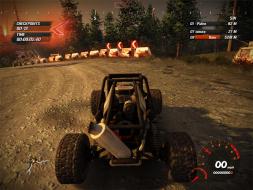
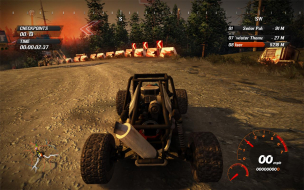
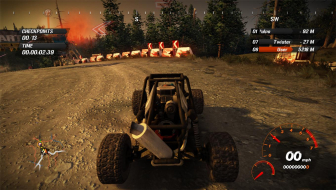
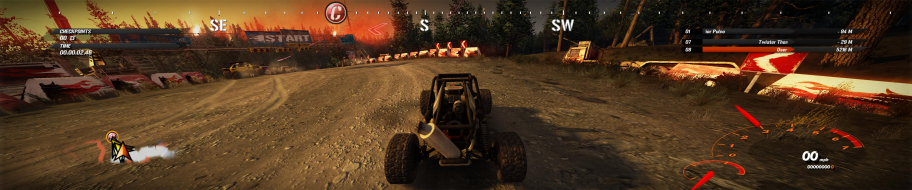
Fuel is a racing and exploration game featuring bikes, quads and all sorts of four-wheeled vehicles in a huge, seamless, free-to-roam region of deserted roads and barred landscapes.
Grade: B+
Non-native and flawed surround support is a blemish.
(normally, registry diving would get a game C for widescreen - consensus has been that widescreen consequential flaws and worse should be treated as blemishes if they only affect surround)
And what if I don't have VideoResolution value in HKEY_LOCAL_MACHINESoftwareFuel?
Do I have to create it? And if so what type it must be REG_SZ, REG_BINARY, REG_DWORD, REG_MULTI_SZ, REG_EXPAND_SZ?
P.S.: I try to do REG_SZ type rey and add 41a13b0 and nothing changed! My max res is 1680x1050 and no 5040x1050 in video options to set!
P.P.S.: In reg dir I have only GamePath, InstanceGUID, UserLanguage but no Video resolution :(
Max, I *assumed* HKLM/Software/Fuel was the spot in XP, but it's not. For once the reg path is the same as in Vista, so check HKCU/Software/Fuel instead. Sorry about that ! (DR corrected accordingly.)
No it's not OK :( It worked only first time. But when I run game at secind day - it tern back to 1680x1050 res. I checked VideoResolution in regedit - it was back to default.
So now the problem is that when I enter 41a13b0 value and run the game - it runs in standart 1680x1050 res, when I quit the game and check RideoResolution in regconfig it back yo default all the time :evil: How can I fix it? And why first time all was OK?(((
Try this : edit VideoResolution in the registry, then run the launcher : Program FilesCodemastersFuelGameSetup.exe. In Video Options, the Resolution field should be blank. If it is not, double-check the registry - 41a0690 (1680x1050) looks a lot like 41a13b0 (5040x1050) ;)
I tried it allready :( No result.
First I enter 41a13b0 in VideoResolution reg, than open GameSetup and check Options... no blanck field - under video res is 1680x1050. After that I entered reg one more time and find there VideoResolution value back to default. And this is even without running the game :evil:
Help PLZ :(
Okay, I have bad news : the registry edit doesn't work in XP. You cannot play Fuel in 5040x1050 or any Surround resolution in XP, because the VideoResolution won't stick. This is a blow. :evil:
Sorry again for the waste of your time - and thanks for the heads-up. I'll check the other reg values for differences between XP and Vista, but don't hold your breath.
Oh I see... But the thing is that when I entered ResolutionValue in first time - it works fine at 5040x1050! It meen's that my reg additing saves somehow at first time...
Yeah, that's odd. It never worked for me, though. I'll keep you posted should I find anything new - meanwhile, and until a real solution is found, we'd better just assume it doesn't work in XP. :/
I'm trying to get surround gaming mode 3840x1024 via editing of registry running but without success.
My OS is Vista 32.
The registry entry changed every time I start the game back to default value 4000500
The game resolution is unchanged 1280x1024.
Bummer. So it's not an XP issue after all, eh ? :?
I don't have a clue as to why registry keys would be overlooked in some cases, but I still need to reinstall the game and try to figure this out.
I would be a great help for me and other if you could explain in detail what you have done to get it work. The screenshots are evidence, at least in 5040x1050 resolutions. As far as I know this resolution isn’t supported for my TripleHead2Go digital because this is one of the earliest versions.
:triplewide
Mmmkay, this is stupid really.
Launching the game through GameSetup.exe overrides any manual registry edits. So change your shortcut's target to SecuLauncher.exe and everything should be fine. If you ever need to change settings in GameSetup, don't forget to re-edit VideoResolution in the registry afterwards.
Sorry it took me so long to reinstall the game in XP, hope everybody can enjoy driving around in Surround Wilderness now :)