Killing floor HUD Stretch
Posted: 25 Aug 2009, 18:39
I have the system in my sig. I knew that Killing floor was based on UT2004 So I used the Tutorial to get surround to work.
http://www.widescreengamingforum.com/wiki/index.php/Unreal_Tournament_2004
Problem is that my HUD stretches Drastically and I get a Double Image of the Characters Hands and guns.
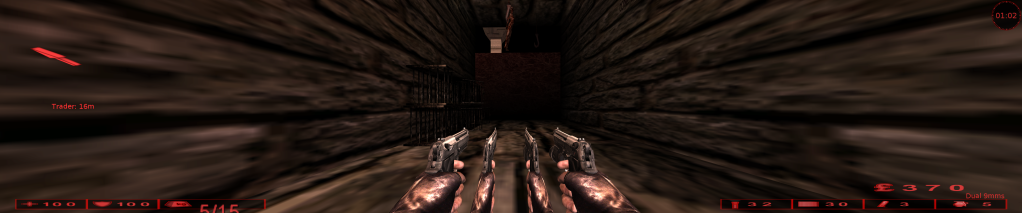
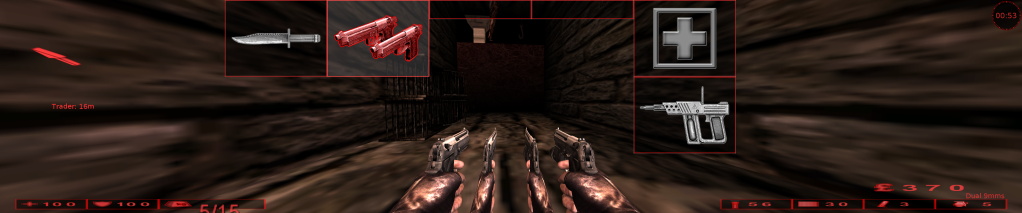
If I Put ScaleHUDX back to 0.0, I don't get the double Image, but I still have the trouble with Stretched HUD.
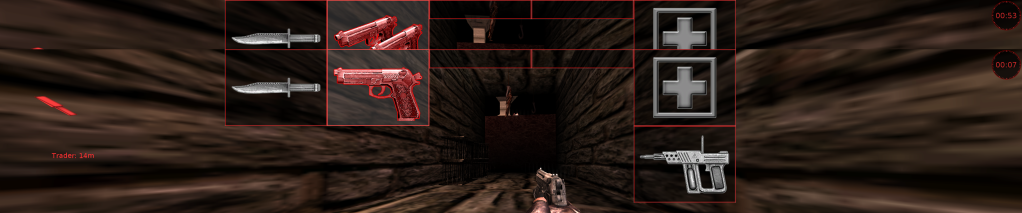 - "Ignore the Error I made in Paint where there's a Double HUD in this Picture, I'm trying to show that there's no Double Image on the Hands"
Any Ideas on How to fix?
http://www.widescreengamingforum.com/wiki/index.php/Unreal_Tournament_2004
Problem is that my HUD stretches Drastically and I get a Double Image of the Characters Hands and guns.
If I Put ScaleHUDX back to 0.0, I don't get the double Image, but I still have the trouble with Stretched HUD.
- "Ignore the Error I made in Paint where there's a Double HUD in this Picture, I'm trying to show that there's no Double Image on the Hands"
Any Ideas on How to fix?