Page 1 of 1
American McGee's Alice
Posted: 28 Apr 2009, 18:23
by The_cranky_hermit
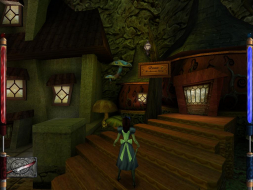
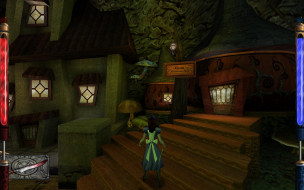
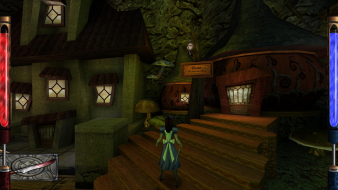
 Widescreen Grade: BUltra-Widescreen Grade: IncompleteMulti-monitor Grade: C4k Grade: IncompleteRead Full Detailed Report - American McGee's AliceAmerican McGee's Alice is a third-person puzzle/shooter computer game, which takes place in the Alice's Adventures in Wonderland universe. It was developed by Rogue Entertainment and published, distributed and marketed by Electronic Arts, and under the Sold-Out Software label as well. Alice was designed by American McGee, and featured music composed by former Nine Inch Nails drummer Chris Vrenna.
American McGee's Alice: Detailed report
Posted: 28 Apr 2009, 19:39
by scavvenjahh
Long overdue given your obvious fondness for this 'legendary title'.
What about 1360x768 ? :mrgreen:
American McGee's Alice: Detailed report
Posted: 28 Apr 2009, 20:16
by The_cranky_hermit
My system has resisted all attempts to force 1360x768 mode. AFAIK the game works just fine with it, provided your system supports it, but mine doesn't.
American McGee's Alice no config.cfg problem
Posted: 15 Sep 2010, 07:55
by SlayaDud
Hey guys I just installed Alice on my Windows 7 pc and it works just fine! I want to make the game go widescreen though. I saw on this sight that you're supposed to mess with the config.cfg file in the base folder of the game directory. My problem is I don't have that file! I would post a pic of my base folder but I don't know how to. The only files I have in the base folder are: cgamex86.dll, fgamex86.dll, pak0.pk3, pak1_large.pk3, pak2.pk3, pak3.pk3, and pak4_english.pk3. What am I supposed to do? HELP PLZ!
Re: American McGee's Alice: Detailed report
Posted: 15 Sep 2010, 10:49
by scavvenjahh
Simply launch the game once and config.cfg will be created. I just installed and ran the demo in Win7 x64 and config.cfg is here.
Re: American McGee's Alice: Detailed report
Posted: 16 Sep 2010, 02:39
by SlayaDud
I've already launched the game, played a little bit and saved my game and its not there!
Re: American McGee's Alice: Detailed report
Posted: 16 Sep 2010, 15:54
by scavvenjahh
Weird. Did you try changing some in-game display options (e.g resolution) ?
Re: American McGee's Alice: Detailed report
Posted: 17 Sep 2010, 06:02
by SlayaDud
I changed it to the highest the game will allow, then I started playing it and thought, I want to play this in widescreen. So i looked it up here, saw that that I'm supposed to mess with the config.cfg. Didn't see it in the base file, then came here.
Re: American McGee's Alice: Detailed report
Posted: 18 Sep 2010, 07:10
by SlayaDud
What could possibly be the reason why it's not there?
Re: American McGee's Alice: Detailed report
Posted: 08 Oct 2010, 17:33
by Neuromancer
You're looking in the wrong spot. Windows 7 virtualises everything, so older applications will have a virtual store created for them.
Look here;
C:Users[YourUserNameHere]AppDataLocalVirtualStoreProgram Files (x86)EA GAMESAmerican McGee's AliceBase
Replace c: with the applicable drive letter (probably still c:)
Replace [YourUserNameHere] with the name of the account that you installed the game with.
Edit the config.cfg there and it should do the trick.
Re: American McGee's Alice: Detailed report
Posted: 26 Jun 2011, 20:04
by deathtical
I think some of these settings are working but I can't seem to get the game to launch in a non-windowed mode. Any ideas? Thanks.
System:
Lenovo Ideapad S12
CPU: Intel Atom N270 1.6Ghz
RAM: 2Gb
Video: 1st Gen nVida ION
SSD: 96Gb
Audio: nVideo HD Audio
OS: Win 7 32bit
Re: American McGee's Alice: Detailed report
Posted: 02 Jul 2011, 04:34
by BerretSO4
I thought I'd post some insight on running this with Windows 7. I am on Win7 (Build 7600), so this may not apply to SP1, but it probably still does.
I do think Neuromancer is generally correct in his point that VirtualStore is the location of .cfg files, but this is not the case for my installation of Windows7. My .cfg file is located in GameBase as anticipated. However, the file's contents are a bit unexpected. Note first that I did check the VirtualStore, in which no such file exists or any files related to Alice.
All the general Quake settings are there, auto-generated no doubt, but they are un-lined (no soft "enter" between cvars), so they appear simply as "//Comment Desciption//cvar1 cvar2 cvar3//Comment//cvar"...etc... in a single line, so it's not exactly easy to deal with. I tried reformatting it, assuming the engine would read past the soft enters without a hitch. It did, of course, and configured according to my additions in the file (more specifically, it succeeded in changing the bind of "m" to edit the FOV variable on the fly), however it reformatted the file back to the initial illegible format.
It also completely removed the lines dealing with setting the custom resolution ("seta r_customwidth/height" and "seta r_mode -1") and did not successfully load my requested resolution (1360x768), yet loaded what seemed to be a 640x480 overlayed on a black screen of 1360x768 (black columns on horizontal AND vertical). Basically this meant to me that it did not accept the resolution as a valid game resolution and therefore didn't stretch it properly... or something like that.
So to FIX this I simply loaded the console in game and used the following lines to change the .cfg from inside:
seta r_customwidth "#"
seta r_customheight "#"
seta r_mode "-1"
to which the console would (sometimes) report that changes would happen whenever the game restarted. Upon restarting the game, as long as I DON'T CHANGE OTHER VIDEO OR SOUND SETTINGS IN THE GAME, it retains my custom resolution stretched properly, or as properly as the report above shows.
Long story short, change all graphics settings and sound settings before you try to go to a custom resolution, then do it in game. It should only take once. This is of course IF the OP method does not work for you. I trust that OP's method will work for most everyone; I am probably an exception.
I just thought I'd share in case people have additional difficulties. Command line globals might actually fix this problem, but I haven't looked into it. Post on that if you'd like.
-BerretSO4
Re: American McGee's Alice: Detailed report
Posted: 03 Jul 2011, 04:05
by BerretSO4
I have since my last post learned that the game was merely behind by one "game-loading" on the resolution changes. When I used my reported method the game would not stick at the resolution after another reloading of the game itself. This leads me to believe that r_mode is set back to 8 after the game successfully loads in r_mode -1, for whatever reason, probably due to compatibility. My theory is that if I set the r_mode every time I load the game, each concurrent loading of the game will be in r_mode -1 because I will have overridden the r_mode 8 change done automatically by the console.
Long story short, I have to bind "m" to the FOV, then bind "n" to the "seta r_mode -1" and press them every time the game loads in order to retain the settings. Hope this helps someone.
Berret
Re: American McGee's Alice: Detailed report
Posted: 09 Jul 2011, 13:17
by AussieTimmeh
Thanks for posting, save someone else the frustration!
How do you get the game in
Posted: 16 Sep 2012, 23:24
by BHT88
How do you get the game in run in 60hz refresh rate
it runs on 24 hz on 1920x1080
ty

what it looks like when I play
''windowed'' and fullscreen effect
**Nevermind fixed it
it seems the line "
seta r_customwidth "1920"
seta r_customheight "1080"
has to be typed at the end of the config file